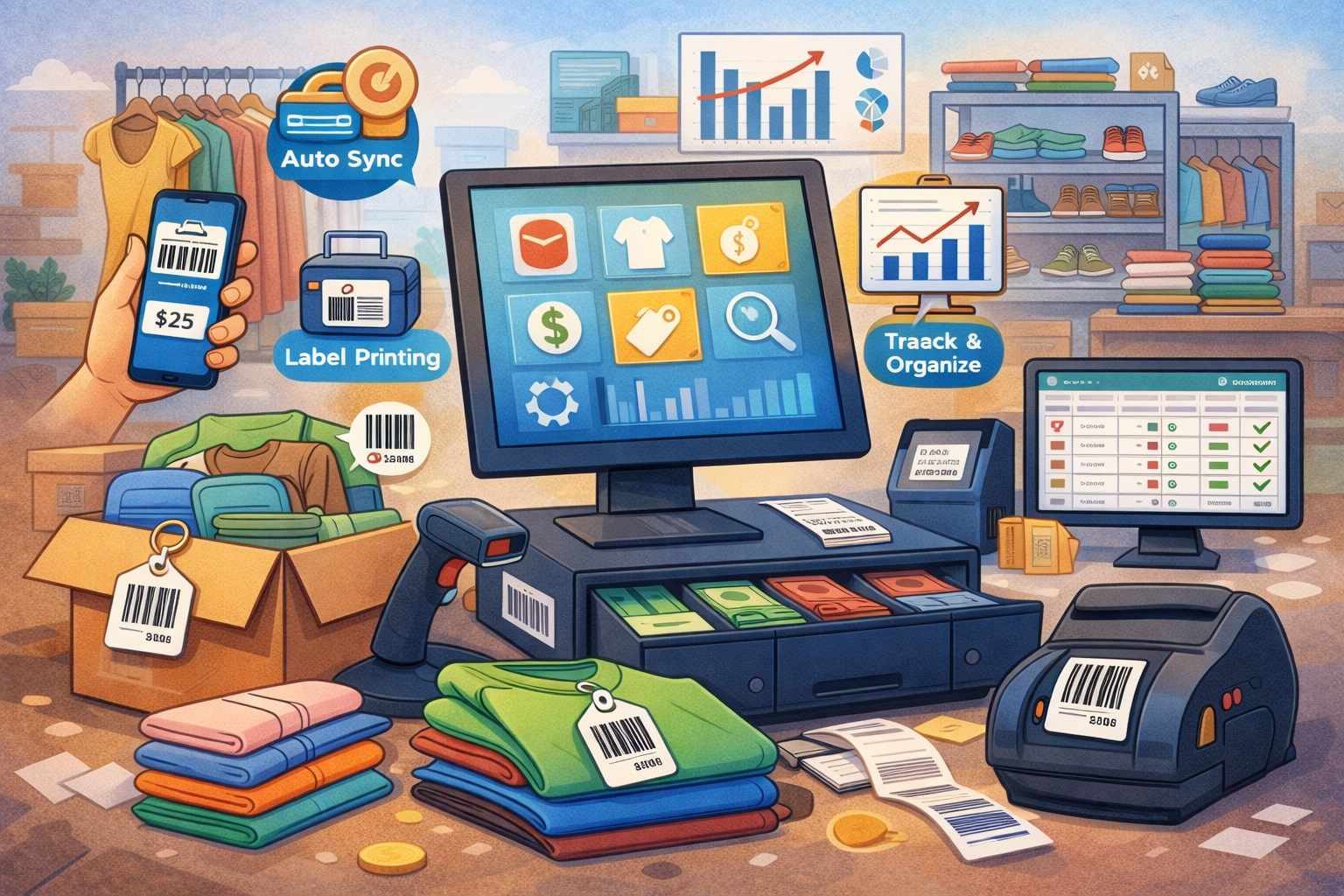
Managing high-volume resale inventory is a different sport than running a typical retail store. You’re not just tracking “10 blue shirts in size M.”
You’re tracking thousands of unique, constantly changing items with different conditions, brands, acquisition costs, and selling channels—often all at once. In resale, one day’s intake can completely reshape the sales floor, and one busy weekend can wipe out entire categories.
That’s why the right POS isn’t just a cash register. A resale-ready POS becomes your inventory brain: it organizes intake, standardizes tagging, prevents duplicate listings, speeds up pricing, improves accuracy across staff, and keeps high-volume resale inventory moving without turning the back room into chaos.
This guide breaks down the POS features that help manage high-volume resale inventory at scale. You’ll learn what matters most for intake workflows, barcoding, multi-location stock control, employee permissions, reporting, and omnichannel resale.
You’ll also see how modern POS trends—like automation and AI-assisted cataloging—are shaping the future of high-volume resale inventory operations.
Throughout the article, you’ll notice a consistent focus on real-world resale needs: fast intake, variable pricing, unique SKUs, and high turnover. If your store handles high-volume resale inventory, these POS capabilities are not “nice-to-haves.” They’re the difference between profitable growth and operational burnout.
Why High-Volume Resale Inventory Breaks Traditional POS Systems

High-volume resale inventory creates stress points that standard POS platforms were never designed to handle. Traditional retail inventory assumes repeatable items with stable SKUs, predictable replenishment, and limited variation.
Resale flips that model. Nearly every item can be unique. Even two identical products might differ in condition, completeness, or demand, and the selling price can change weekly—or daily—based on trends.
A resale operation also blends multiple “micro-businesses” inside one store: buyback, trade-ins, consignment splits, donor intake, liquidation lots, and standard retail sales. Each of those flows requires different inventory rules, tax handling, and reporting.
When your POS can’t handle these differences cleanly, high-volume resale inventory becomes messy fast: duplicate items, incorrect tags, inaccurate costs, mispriced stock, and unreliable on-hand counts.
Another challenge is time compression. With high-volume resale inventory, the cost of slow intake is enormous. If it takes 6 minutes per item and you intake 400 items per day, your team loses 40 hours a day of labor capacity.
That’s not a rounding error—it’s your entire week. A POS that supports rapid data entry, templates, barcode scanning, and bulk actions turns high-volume resale inventory into a scalable process.
Finally, resale often lives across channels. You may sell in-store, online, social marketplaces, pop-ups, and partner locations. If your POS can’t synchronize listings and quantities, you risk overselling and customer frustration.
The best POS features for high-volume resale inventory create a single source of truth, so the business can grow without sacrificing accuracy.
Intake and Listing Features That Keep High-Volume Resale Inventory Moving

The first place high-volume resale inventory systems succeed—or fail—is intake. Intake is where data quality is born. When intake is slow, inconsistent, or overly manual, inventory accuracy collapses later. A resale-ready POS must treat intake like a production line: fast, standardized, and error-resistant.
Fast Item Creation With Templates, Attribute Sets, and Smart Defaults
High-volume resale inventory intake needs speed without sacrificing detail. One of the most valuable POS features is item templates that pre-fill common fields—category, tax status, tags, location, and pricing rules.
For example, staff can select “Men’s Sneakers” and instantly get default attributes like size, brand, condition, color, and style. That reduces typing and prevents missing data.
Attribute sets are especially powerful for high-volume resale inventory because they make unique items consistent. Instead of free-text chaos, the POS guides staff to capture structured details.
That structured data improves search, reporting, and online listing quality. It also reduces customer disputes because condition and completeness are recorded in a standardized way.
Smart defaults reduce friction. A resale POS should auto-suggest condition grades, set default pricing tiers, and apply common tags like “new with tags,” “tested,” “missing accessory,” or “as-is.”
When high-volume resale inventory is moving fast, staff shouldn’t be guessing what fields matter. The POS should make the right thing easy.
Look for intake features like quick-add screens, configurable forms per category, saved drafts, and “copy last item” functions. In high-volume resale inventory environments, these small workflow features save hours every week and dramatically improve consistency.
Bulk Intake Tools for Batches, Lots, and Rapid Tagging
Bulk intake features are essential when high-volume resale inventory arrives in waves: estate cleanouts, liquidation pallets, seasonal buyback rushes, or donation drives.
A resale POS should support batch intake where staff can create a group record, assign shared details, and then individualize only what’s different. That is far faster than item-by-item entry from scratch.
Lot tracking is another key capability. If you buy inventory by the box, you need a POS that records the purchase as a lot, then assigns items to that lot as they’re processed. This supports accurate cost tracking and profitability analysis—critical for high-volume resale inventory where margins can vary wildly.
Rapid tagging ties intake to floor readiness. A strong POS will print labels in bulk, support continuous print queues, and handle multiple label sizes for different item types. It should also let staff assign a temporary holding location like “Processing,” “QC,” or “Backroom Shelf B3” so high-volume resale inventory doesn’t disappear in limbo.
Bulk actions matter too: mass edit tags, apply discounts to a batch, reassign locations, or mark a group “ready for floor.” These features make the difference between an operation that scales and one that collapses under high-volume resale inventory growth.
SKU Strategy, Barcoding, and Labeling Built for High-Volume Resale Inventory
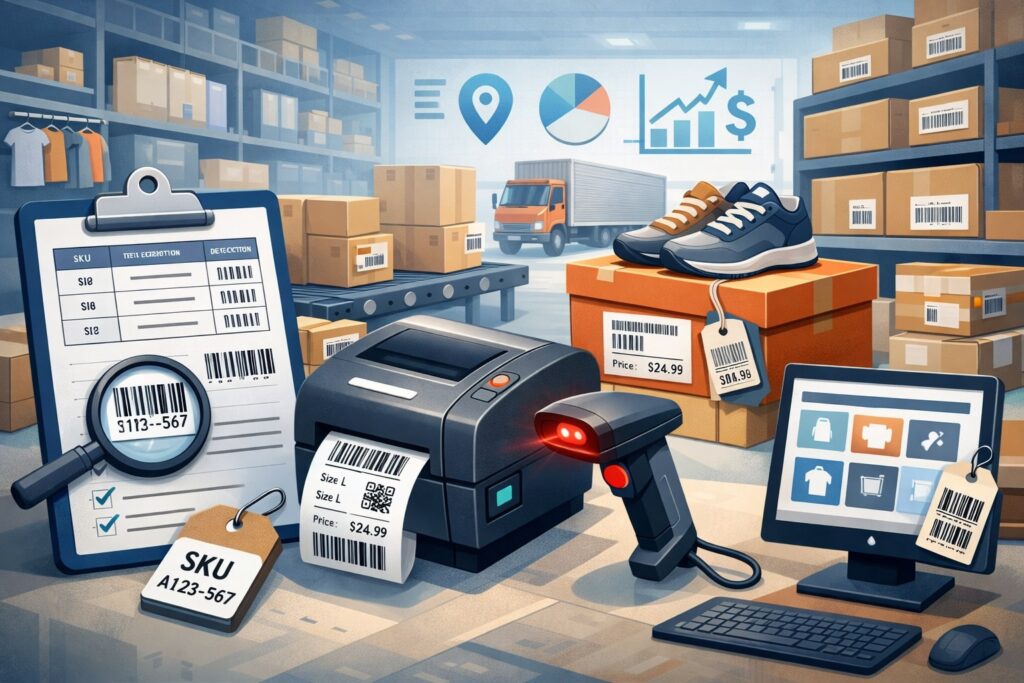
Inventory control falls apart without reliable identification. High-volume resale inventory includes unique items, so you need identifiers that are fast to create, easy to scan, and consistent across staff. The POS should make every item trackable from intake to sale to return.
Unique Item IDs, Serialized Inventory, and Condition-Based Variants
In resale, using a single SKU for multiple “similar” items causes confusion. A resale POS should support unique item IDs per unit, not just per product type. This is especially important when conditions vary. Two items with different wear, missing parts, or different included accessories must not share one stock record.
Serialized inventory features help high-volume resale inventory businesses manage electronics, instruments, collectibles, and other high-value items. If your POS supports serial numbers, IMEI capture, or device identifiers, it reduces fraud, improves return handling, and builds customer trust.
A practical approach is condition-based variants. Your POS should allow a base product record (brand/model) with item-level details like condition grade, notes, photos, and included accessories. That gives you structured reporting while still treating each unit as unique—perfect for high-volume resale inventory.
Also consider how the POS handles “kits” or bundles. Resale stores often bundle items to increase sell-through. A POS that supports bundle creation and component tracking lets you assemble packages without losing inventory accuracy, even when high-volume resale inventory is constantly changing.
Barcode Scanning, Mobile Label Printing, and Floor-Ready Tags
Barcode support is non-negotiable for high-volume resale inventory. Scanning reduces human error, speeds checkout, and makes cycle counts possible. But the POS needs to support barcodes in the way resale uses them: fast generation, flexible label formats, and reliable scanning with affordable hardware.
Mobile workflows are increasingly common. Many high-volume resale inventory teams use mobile devices to scan items, edit details, and print labels from intake stations. A resale-friendly POS should support mobile scanning and integrate smoothly with label printers, including wireless options.
Good tags do more than show a price. They support operations. The label should include item ID, category, size, condition, location code, and sometimes date received (useful for aging and markdown rules). High-volume resale inventory stores benefit when labels are standardized and the POS prints them consistently.
A smart POS also helps with re-tagging. Price changes, markdown schedules, and promotions require updated labels. If your POS can generate reprint queues, print only changed items, and track price history, you can run aggressive sell-through strategies without operational chaos—exactly what high-volume resale inventory demands.
Pricing, Markdown Automation, and Margin Control for High-Volume Resale Inventory
Resale pricing is dynamic. Items don’t have stable MSRP-based pricing. Demand shifts, trends spike, and competition changes daily. The best POS features for high-volume resale inventory help you price faster, adjust prices intelligently, and protect margins.
Rule-Based Pricing, Suggested Prices, and Competitive Adjustments
In high-volume resale inventory, pricing must be systematic. A strong POS supports pricing rules by category, brand, condition grade, and age. For example, your POS can suggest “60% of estimated retail for like-new,” or apply a tiered model that changes after 14, 30, and 60 days.
Suggested pricing is valuable when staff experience varies. Some employees may not know market values. A POS with price guidance—based on internal sales history, category averages, or custom price books—reduces underpricing and speeds intake.
If your operation sells online, competitive awareness matters. Many high-volume resale inventory businesses adjust pricing based on marketplace performance. Even if your POS doesn’t directly scrape competitor prices, it should support quick price changes, bulk updates, and channel-specific pricing so you can respond without hours of manual work.
Pricing also affects trust. Consistency matters when customers shop frequently. A POS that tracks price history and supports transparent discounting creates confidence and reduces disputes—especially important when high-volume resale inventory means constant repricing.
Markdown Schedules, Sell-Through Triggers, and Automated Promotions
Markdown automation is one of the most profitable POS features for high-volume resale inventory. Resale success depends on sell-through. Holding inventory too long ties up space and labor. A POS should support automatic markdown schedules tied to the date received, not just calendar promotions.
A common approach is staged markdowns: 10% off after 14 days, 25% after 30, 50% after 60, and clearance after 90. Your POS should apply these automatically, update online listings if connected, and allow exceptions for premium items. For high-volume resale inventory, manual markdowns are too slow and error-prone.
Sell-through triggers add another layer. A smart POS can identify categories with slow movement and recommend price actions. Even basic reporting that flags “items older than 45 days” or “category sell-through below target” helps your team act quickly.
Promotions also need control. High-volume resale inventory operations often run weekend sales, category days, or loyalty discounts. The POS should stack discounts correctly, apply exclusions, and provide clear reporting. Without that, promotions become confusing and profitability becomes hard to measure.
Multi-Location Inventory, Stock Transfers, and Warehouse-Level Control
As resale businesses grow, high-volume resale inventory often spreads across multiple stores, warehouses, pop-ups, and processing centers. That complexity requires POS features that track inventory movement precisely, not just “on-hand totals.”
Real-Time Inventory by Location, Bin, and Status
A resale operation needs more than “in stock.” It needs inventory status. Items may be in intake, quality control, repair, photography, listed online, on the sales floor, or reserved for pickup. A POS that supports statuses keeps high-volume resale inventory visible and reduces “lost item” problems.
Location tracking should be granular. Store-level tracking is helpful, but bin-level or shelf-level tracking is even better for high-volume resale inventory. When staff can scan an item and see “Backroom Rack C, Bin 12,” the time spent searching drops dramatically.
Real-time inventory visibility prevents overselling. If your POS updates inventory instantly across locations and channels, you reduce customer cancellations and internal confusion. This is especially important during busy seasons when high-volume resale inventory moves quickly and multiple employees touch the same categories.
Status tracking also improves accountability. When the POS records who moved an item into a new status, you can audit issues and improve training. High-volume resale inventory requires process discipline, and the POS should support that discipline without adding friction.
Transfers, Inter-Store Requests, and Centralized Replenishment
Stock transfers are essential when you operate multiple locations. A resale POS should support transfer workflows: create a transfer order, scan items into the transfer, receive them at the destination, and reconcile discrepancies. If transfers are handled with spreadsheets, high-volume resale inventory accuracy will eventually break.
Inter-store requests improve customer service. If a customer wants an item at Store A that exists at Store B, the POS should allow an internal request and track it until fulfilled. That keeps sales from slipping away and helps you move high-volume resale inventory to where demand is strongest.
Centralized replenishment is another growth-stage feature. Many resale businesses process intake in one center, then distribute inventory to stores based on category demand.
Your POS should support allocation rules and reporting that shows where items sell fastest. High-volume resale inventory becomes far more profitable when you treat distribution as strategy, not guesswork.
In larger operations, warehouse control becomes critical. Receiving docks, staging areas, and outbound shipping zones need scanning-based workflows. The POS doesn’t have to be a full warehouse management system, but it should support the basics needed to keep high-volume resale inventory accurate at scale.
Omnichannel Resale: POS Features for Online Listings, Marketplaces, and Shipping
Modern resale rarely lives in a single channel. High-volume resale inventory is often sold through in-store traffic plus online storefronts and marketplace listings. The POS must keep these worlds synchronized, or the business will waste time and lose sales.
Central Catalog, Cross-Channel Quantity Sync, and Listing Workflows
The POS should serve as the central system of record. When an item sells anywhere, inventory must update everywhere. Quantity sync is challenging in resale because items are unique. That’s why the POS must manage item-level listings, not just category-level stock counts.
A strong resale POS supports listing workflows: select items, assign photos, generate titles, add condition notes, and publish. Even if you use third-party listing tools, your POS should integrate smoothly and keep item IDs consistent. High-volume resale inventory demands a process where online listing is a natural extension of intake—not a separate department with duplicated work.
Cross-channel controls are critical. You may want online pricing different from in-store pricing due to fees and shipping costs. Your POS should support channel-specific pricing and rules without breaking inventory accuracy.
Another important feature is the ability to pause listings when items are pulled for inspection, reserved, or moved. High-volume resale inventory operations need flexible listing states to prevent overselling and to manage customer expectations.
Shipping, Pick-Pack, Returns, and Fraud Protection
Once you sell online, shipping workflows become inventory workflows. The POS should generate packing slips, support scanning to confirm picks, and track shipment statuses. If pick-pack is manual, errors and refunds rise quickly—especially with high-volume resale inventory.
Returns are also more complex in resale. Condition disputes happen. A POS that records condition notes, photos, serial numbers, and included accessories helps you resolve disputes fairly. It also reduces fraud where customers return a different item or claim missing parts.
Fraud protection matters in high-volume resale inventory businesses because items can be high value and unique. Look for POS features like return authorization rules, manager approvals, time-based return limits, and tracking of suspicious activity by customer or employee.
Shipping cost control is another area where POS features matter. If your POS can estimate shipping costs, flag oversized items, and support shipping insurance rules, you avoid margin surprises. High-volume resale inventory profits are often won or lost in operational details like these.
Employee Controls, Audit Trails, and Loss Prevention for High-Volume Resale Inventory
When the volume is high, small errors scale into large losses. High-volume resale inventory businesses need POS controls that prevent mistakes, reduce shrink, and make accountability easy—without slowing the team down.
Role-Based Permissions and Workflow Guardrails
A resale POS should support role-based permissions so employees only access what they need. For example, intake staff may create items but not delete them. Supervisors may approve price overrides.
Managers may access cost reports and vendor payouts. These permissions protect margins and prevent accidental data damage—especially important when high-volume resale inventory data is constantly changing.
Workflow guardrails are equally valuable. The POS can require mandatory fields at intake (condition grade, category, location), limit discounting, and enforce standardized processes. This prevents the “everyone does it differently” problem that destroys high-volume resale inventory accuracy.
Another must-have is controlled voids and refunds. High-volume resale inventory checkouts often include unusual items and special pricing. The POS should require reasons for voids, track override logs, and support manager approvals for high-risk actions.
Well-designed guardrails do not mean heavy bureaucracy. They mean smart design: prompts, validations, and permissions that keep operations clean without slowing throughput.
Audit Logs, Exception Reporting, and Shrink Analytics
Audit trails are crucial for high-volume resale inventory because inventory is touched many times—intake, pricing, tagging, moving, selling, returning, and restocking. A POS should record who did what, when, and from which device. When something goes wrong, you need answers fast.
Exception reporting helps you focus attention where it matters. Instead of reading endless logs, the POS should flag unusual behaviors: excessive discounts, frequent refunds, unusual void activity, repeated price changes, or edits to cost fields. In high-volume resale inventory, exception reporting protects profit without forcing micromanagement.
Shrink analytics goes beyond “inventory is missing.” It helps you see patterns: which categories have the highest shrink, which locations have the most discrepancies, and which workflows create errors. With high-volume resale inventory, even small shrink percentages can represent large dollar amounts.
A POS that supports cycle counts and variance tracking is especially important. Regular cycle counts keep inventory accuracy from drifting. The POS should guide staff through count sessions, track variances, and provide reports that help you improve processes over time.
Reporting and Analytics That Make High-Volume Resale Inventory Profitable
You can’t improve what you can’t measure. The best POS features for high-volume resale inventory provide reporting that’s resale-specific: sell-through, aging, margin by category and condition, intake productivity, and channel performance.
Inventory Aging, Sell-Through Rates, and Turn Targets
Aging reports are a resale superpower. High-volume resale inventory becomes unmanageable when old items pile up. Your POS should show how long items have been in stock, broken down by category, condition, brand, and location.
Sell-through is another critical metric. It answers: “Of what we intake, how much do we actually sell?” A POS that measures sell-through by category and time window helps you decide what to accept, what to price more aggressively, and what to stop buying altogether. In high-volume resale inventory, these decisions determine whether your backroom stays functional.
Turn targets tie strategy to operations. Your POS can help you set goals like “90-day turn for apparel” or “45-day turn for seasonal items.” When the POS tracks progress toward these targets, markdown and allocation decisions become data-driven rather than emotional.
Good reporting also supports staffing. If intake volume spikes or sell-through drops, you can adjust labor plans. High-volume resale inventory requires constant balancing between processing and selling, and the POS should provide visibility into both.
Margin, Cost Tracking, and Channel Profitability
High-volume resale inventory profit isn’t just about revenue. It’s about margin—after acquisition costs, labor, fees, and returns. A resale-ready POS should track acquisition cost at the item or lot level and support margin reporting across categories.
If you run buyback or trade-in programs, the POS should separate costs from payouts and show true profitability. For consignment, it should track splits, payouts, and net margin after fees. Without this, high-volume resale inventory businesses may look profitable on sales but lose money operationally.
Channel profitability matters too. Online sales include fees, shipping, returns, and customer service costs. Your POS should help you compare in-store vs online performance for the same categories.
This allows better routing decisions: which items should be listed online, which should stay in store, and which should be bundled or discounted quickly.
Finally, reporting should be usable. Dashboards, scheduled reports, and export options allow managers to act quickly. High-volume resale inventory creates constant change; reports must keep up without requiring hours of manual analysis.
Customer Experience Features That Support High-Volume Resale Inventory Sales
Operational excellence matters, but resale is still retail. POS features that improve customer experience directly increase conversion and repeat business—especially when high-volume resale inventory creates fast-changing selection.
Fast Checkout, Item Lookup, and Assisted Selling
Checkout speed matters because resale stores can get busy fast. A POS with reliable barcode scanning, quick item lookup, and smooth payment flows reduces lines and keeps staff focused. For high-volume resale inventory, speed is also accuracy: scanning ensures the right item is sold and the right inventory record is removed.
Item lookup is important when labels are damaged or customers ask questions. Staff should be able to search by item ID, category, brand, size, or condition and immediately see details. If your POS stores photos, that becomes even easier.
Assisted selling features can boost revenue. Examples include “related item” suggestions, notes about compatibility, or prompts for add-ons.
While resale items are unique, many categories still benefit from attach strategies—cables with electronics, cases with instruments, accessories with apparel. High-volume resale inventory stores win when they increase basket size without slowing checkout.
Receipt options matter too. Digital receipts help with returns and loyalty engagement. In busy resale environments, reducing paper and improving post-sale communication can save time and reduce disputes.
Loyalty, Store Credit, and Returns Designed for Resale
Loyalty programs are powerful in resale because customers often shop frequently. A POS that supports points, tiered benefits, birthday rewards, and targeted offers helps increase repeat visits and move high-volume resale inventory faster.
Store credit is also common in resale. Customers return items, trade in items, or receive credit for consignment payouts. A POS must handle store credit cleanly, with clear balances and expiration rules. This reduces customer service issues and prevents accounting headaches.
Returns must be resale-aware. Policies may differ by category or condition. The POS should apply policy rules automatically, capture return reasons, and support restocking workflows that preserve item history. High-volume resale inventory makes returns more frequent, so efficient handling directly protects margins.
When loyalty, credit, and returns work smoothly, customers trust the store more. That trust leads to repeat business—which is essential for high-volume resale inventory operations that depend on constant sell-through.
Future Predictions: Where POS Technology for High-Volume Resale Inventory Is Headed
POS technology is evolving quickly, and resale is driving many of the innovations. As high-volume resale inventory becomes more mainstream across categories, POS providers are building features that reduce manual work and increase data quality.
One major trend is automation at intake. Expect more POS platforms to support AI-assisted product recognition, condition prompts, and suggested titles for listings. Even without full AI, better barcode databases and catalog enrichment will speed intake for common items. For high-volume resale inventory, this means faster processing and better online listing quality.
Another shift is deeper omnichannel integration. Resale businesses need tighter sync with multiple marketplaces, not just one.
Future POS tools will likely support multi-market listing controls, automated de-listing when sold, and channel-based pricing rules that consider fees and shipping costs automatically. High-volume resale inventory will become easier to distribute across channels without overselling risks.
Inventory intelligence is also improving. More POS systems will offer predictive reports: which categories will slow down next month, what markdown schedule will maximize profit, and how to allocate inventory across locations. High-volume resale inventory operations will increasingly rely on these forecasts to plan staffing and pricing.
Finally, expect stronger compliance and traceability features—especially for higher-value categories. More detailed audit trails, serialized tracking, and fraud analytics will become standard. High-volume resale inventory businesses can protect margins better when the POS provides real-time risk signals instead of after-the-fact reports.
These future changes point to one core reality: resale is no longer “second-tier retail.” It’s a sophisticated, data-driven model—and the POS must match that sophistication to manage high-volume resale inventory profitably.
FAQs
Q.1: What are the most important POS features for high-volume resale inventory intake?
Answer: The most important POS features for high-volume resale inventory intake are speed, consistency, and error prevention. Look for templates and category-based attribute sets that guide staff to capture the right details every time.
High-volume resale inventory depends on structured data like condition grade, size, brand, and location, because those fields power searching, reporting, and online listing accuracy.
Bulk intake tools also matter. When inventory arrives in batches or lots, your POS should support batch creation, shared fields, and bulk label printing. This reduces intake time drastically and keeps high-volume resale inventory from piling up unprocessed.
Finally, intake must connect smoothly to tagging and status workflows. A strong POS lets you assign items to “processing,” “QC,” and “floor-ready” states, so every item is visible and trackable.
In high-volume resale inventory operations, the POS should make intake feel like a streamlined assembly line, not a manual paperwork process.
Q.2: How does barcode scanning improve accuracy in high-volume resale inventory?
Answer: Barcode scanning improves accuracy by removing human guesswork at every stage. In high-volume resale inventory, items are unique and turnover is fast, so manual lookups and handwritten notes lead to mistakes. Scanning ensures that the exact item record is updated at checkout, during transfers, and in cycle counts.
Barcode-driven workflows also speed up processing. Staff can scan to pull up item details, reprint labels, change locations, or adjust pricing without typing. This is critical when high-volume resale inventory volume makes manual steps too slow.
In addition, scanning improves accountability. When combined with audit logs, barcode activity creates traceability—who moved what, where, and when. That reduces shrink and helps managers identify workflow issues before they become expensive problems.
Q.3: What reporting helps most with high-volume resale inventory profitability?
Answer: The most valuable reporting for high-volume resale inventory profitability includes inventory aging, sell-through rate, and margin by category and condition. Aging shows what’s stuck and where markdown action is needed. Sell-through reveals which intake decisions are profitable and which categories are clogging space.
Margin reporting is essential because high-volume resale inventory costs are not always obvious. Item-level cost tracking, lot-based cost allocation, and channel profitability reports help you understand true net profit after fees, shipping, and returns.
Operational reports also matter: intake productivity, markdown effectiveness, and shrink exceptions. In high-volume resale inventory, the best POS reporting doesn’t just show what happened—it helps you decide what to do next.
Q.4: How should a POS handle consignment for high-volume resale inventory?
Answer: A POS should handle consignment by tracking ownership, payout splits, and payout timing at the item level. High-volume resale inventory consignment operations need clear records: consignor details, item intake date, agreed split, minimum price rules, and payout status.
The POS should also support automated reporting for payouts, including deductions for fees if applicable. When high-volume resale inventory includes thousands of consigned items, manual payout tracking becomes risky and time-consuming.
Another key feature is consignment aging and markdown policies. Some stores markdown over time to drive sell-through, but the POS must apply those rules in a way that respects consignment agreements. A resale-ready POS makes consignment scalable by keeping payouts accurate, auditable, and easy to manage.
Q.5: What POS features reduce shrink in high-volume resale inventory environments?
Answer: Shrink prevention in high-volume resale inventory starts with controls and visibility. Role-based permissions prevent risky actions like unauthorized discounts, refunds, and item deletions. Audit logs track changes so managers can investigate issues quickly.
Inventory status and location tracking also reduce shrink. When high-volume resale inventory items move through intake, QC, and floor placement, the POS should record those transitions. Cycle count tools help confirm on-hand accuracy and highlight discrepancies early.
Exception reporting is one of the strongest anti-shrink features. The POS should flag unusual patterns like repeated voids, excessive overrides, high refund rates, or frequent item edits.
In high-volume resale inventory operations, shrink is rarely one big incident—it’s many small leaks. The right POS features help you identify and stop those leaks before they grow.
Conclusion
High-volume resale inventory is profitable when operations are disciplined, fast, and data-driven. The right POS features make that possible by turning intake into a repeatable workflow, keeping unique items trackable, automating pricing and markdown strategies, and providing clear reporting that supports better decisions.
The most effective POS platforms for high-volume resale inventory share a few traits: they support unique item IDs, barcode-first operations, batch intake, inventory statuses, and multi-location visibility.
They also help you control risk through permissions, audit trails, and exception reporting. When these features work together, inventory stays accurate, staff stays efficient, and sell-through becomes predictable.
As resale continues to grow, POS technology will keep evolving—especially around intake automation, omnichannel integration, and predictive inventory intelligence. High-volume resale inventory businesses that adopt these capabilities early will gain a long-term advantage: faster processing, fewer errors, and stronger margins.