Running a busy resale operation is part retail, part logistics, part accounting, and part relationship management. That’s why daily POS checklists for consignment stores aren’t “extra admin”—they’re the system that keeps inventory accurate, payouts fair, employees consistent, and customers happy.
When consigned goods move in and out all day, small mistakes compound fast: a missing tag becomes a wrong payout, a mis-keyed discount becomes a margin leak, and an unverified return becomes a chargeback or a dispute with a consignor.
The goal of daily POS checklists for consignment stores is simple: make every shift repeatable, auditable, and resilient—no matter who is working.
The best checklist is short enough that staff will actually follow it, but complete enough that it prevents the most expensive errors. It should also connect directly to how your POS is configured: item intake, barcode labeling, pricing rules, tax settings, store credit, payout schedules, refunds, and end-of-day reporting.
This guide breaks down daily POS checklists for consignment stores into practical, step-by-step routines you can assign to opening staff, sales-floor associates, and closing managers.
You’ll also learn how to build controls that match modern payment security expectations (including PCI DSS v4.x timelines), how to keep records aligned with basic tax/accounting method guidance, and how consignment arrangements are commonly evaluated in revenue recognition frameworks.
Finally, you’ll see forward-looking improvements—automation, item-level tracking, and AI reconciliation—that are increasingly shaping the future of consignment retail.
Why Daily POS Checklists Matter in Consignment Retail

In standard retail, you own the inventory, set the margin, and control replenishment. In consignment, you’re selling items you don’t own (until sold), splitting proceeds, and operating within agreements that can differ by consignor, item category, and time window.
That complexity is exactly why daily POS checklists for consignment stores are essential. They create consistency across the day’s most common decision points: intake accuracy, pricing integrity, discount control, returns handling, and payout calculations.
A strong daily routine prevents three major categories of losses. First are inventory losses: misplaced items, missing tags, incorrect SKU/category, wrong status (available vs. hold vs. returned), or unrecorded damage.
Second are financial losses: incorrect tax settings, payment reconciliation gaps, forgotten deposit pulls, manual payout mistakes, and discount abuse. Third are relationship losses: disputes with consignors about payout timing, item condition, markdown application, or missing items.
The checklist also turns your POS into a compliance asset. When your team follows the same steps daily, you build an audit trail: who processed intake, who authorized refunds, who closed the drawer, and what reports were reviewed.
That audit trail is especially valuable when you have employee turnover, seasonal staff, or multiple locations.
Most importantly, daily POS checklists for consignment stores reduce stress. Staff spend less time guessing and more time selling. Managers spend less time investigating and more time improving. And consignors stay loyal because they see predictable processes and accurate payouts.
Checklist Foundations: Set Up Your POS for Consignment Reality

Before checklists can work, your POS must be configured to match consignment workflows. If your setup is “generic retail,” staff will fight the system, create workarounds, and your reports will become unreliable.
The foundations behind daily POS checklists for consignment stores include item structure, consignor profiles, split rules, and status tracking that reflect the life cycle of consigned goods.
Start with consistent item data rules: category, brand, condition, size, color, and a unique ID that ties the item to a consignor and a contract period. Build standardized pricing logic by category (for example: premium brands price higher, common brands price lower, and damaged items require manager approval).
Then define your store’s markdown schedule inside the POS, not in someone’s memory. Markdown schedules should automatically apply based on days on shelf, unless the consignor agreement says otherwise.
Next, configure payout rules: commission/split rates (standard and promotional), fees (intake fee, tagging fee, donation fee), and payout schedules (weekly, biweekly, monthly).
Ensure the POS can track whether the store owes a consignor money and whether that money has been paid. This is not just for convenience; it reduces payout disputes and prevents accidental overpayment.
Finally, align your POS with secure payments and recordkeeping. Payment acceptance processes and security standards evolve; PCI DSS v4.x includes future-dated requirements that became effective by March 31, 2025—so modern POS procedures should assume tighter access controls, authentication, and logging than older “shared login” habits.
Standardize Item Intake Data (So Your Reports Don’t Lie)
Item intake is where most consignment problems are born. If intake is sloppy, every downstream step—pricing, merchandising, selling, payout, and unsold returns—becomes messy. That’s why daily POS checklists for consignment stores should treat intake as a controlled process, not a casual drop-off.
Your intake standard should define exactly what “complete” looks like: consignor selected, agreement confirmed, item inspected, condition graded, photos (if used), pricing applied, tags printed, and placement assigned.
Every intake should answer: What is the item? Whose is it? What happens if it doesn’t sell? What is the payout rule? When does the agreement end?
A strong intake routine also enforces consistency across employees. Without it, one employee might label a coat as “Outerwear,” another as “Jackets,” and a third as “Winter Wear,” creating fragmented category reporting and confusing customers browsing online or in-store.
Standard intake data fixes search results, improves inventory accuracy, and supports better performance analytics (which categories sell fastest, which brands underperform, and which consignors deliver top items).
To keep intake fast but accurate, use intake “guardrails” in the POS: required fields, dropdown lists, and barcode generation.
Your checklist should also include a quick exception path: items needing cleaning, repairs, quarantine due to odor/pests, or manager review due to authenticity concerns. These guardrails make daily POS checklists for consignment stores easier to follow and harder to bypass.
Build Consignor Profiles and Agreement Rules Inside the POS
Consignment depends on trust and clarity. If your POS doesn’t clearly tie items to consignors and agreements, disputes become inevitable. A core part of daily POS checklists for consignment stores is ensuring every item is linked to a consignor profile with accurate contact details, payout preferences, and agreement terms.
Each consignor profile should include: legal name (or business name), contact info, payout method (check, ACH, store credit), preferred communication channel, and any special terms (premium split, seasonal exceptions, early pickup).
Make sure your POS can store agreement start/end dates and can flag items nearing their expiration window. That supports proactive calls or automated notifications.
Agreement rules should be structured—not “free text.” If your store uses different splits by category or different markdown schedules (e.g., 30/60/90-day changes), build those rules into the POS so the system can apply them automatically. The more your POS calculates consistently, the less you rely on memory and the fewer payout errors occur.
This structure also helps with basic revenue recognition thinking around consignment arrangements—where control and timing matter in determining how activity is represented in accounting contexts. Your day-to-day staff doesn’t need to be accounting experts, but your POS should preserve clear records that support accurate financial reporting.
When done right, this part of daily POS checklists for consignment stores makes intake faster, selling smoother, and payouts cleaner—and it makes your store look professional to serious consignors.
Opening Routine: The Daily POS Checklist Before the First Sale
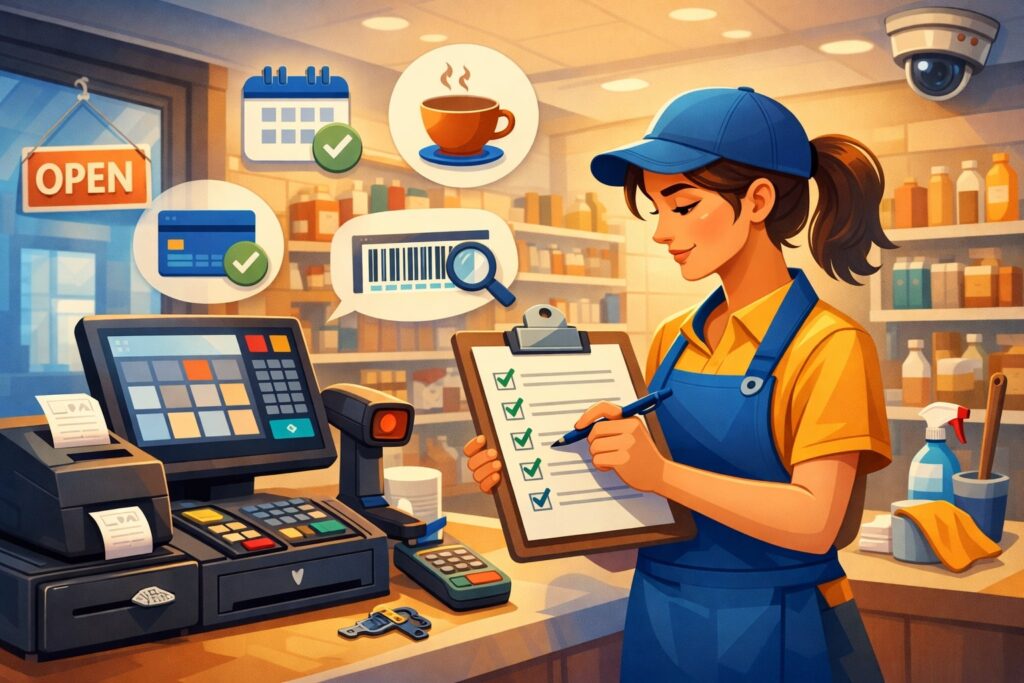
A strong day starts before the first customer walks in. The opening checklist is the “stability layer” of daily POS checklists for consignment stores: it prevents surprises like offline payment terminals, incorrect tax settings, missing receipt paper, or yesterday’s unclosed batch.
The opening manager (or lead cashier) should begin with a quick POS health check: internet connection, POS device battery/charging, printer, barcode scanner, cash drawer, and payment terminal connectivity.
Next, confirm the correct date/time and confirm any scheduled promos are active (and that they won’t override consignment split rules incorrectly). Then verify that the POS is set to the correct location (if multi-store) and the correct register (if multiple registers).
From there, confirm staff readiness: logins active, roles/permissions correct, and shared passwords prohibited. Operationally, shared logins are a security and accountability risk, and modern payment security expectations increasingly favor tight access control and auditability.
Finally, review “carryover risks” from yesterday: items set aside for holds, pending returns, pending pickup/return-to-consignor, pending payouts, and customer disputes.
If your store does buyouts or store credit, confirm outstanding balances and how refunds are processed (original tender vs. store credit). This is where daily POS checklists for consignment stores prevent repeat mistakes—like refunding cash for a card sale or issuing store credit when policy requires the original payment method.
Verify Inventory Status: Holds, Transfers, and Unsold Pickups
Consignment stores often deal with items moving across statuses: intake pending, on hold, reserved, transferred between locations, pulled for authenticity check, pulled for repair/cleaning, and pulled for return to consignor. If staff sell from the wrong status or forget to change a status, your inventory becomes unreliable.
In your opening step for daily POS checklists for consignment stores, run a quick report (or filtered view) for: items on hold, items reserved, items pending pickup, and items past agreement end date. Then physically verify that those items are where the POS says they are.
If an item is listed “on hold” but is on the floor, you risk selling it and triggering a customer conflict. If an item is “available” but is actually in the back awaiting tagging, your floor staff may waste time searching.
For multi-location stores, check transfers: what’s in transit, what arrived yesterday, and what must be received in the POS today. Transfers that aren’t properly received can cause phantom stock and double-selling risk (especially if you also list inventory online).
Also verify that intake from the previous day is properly staged: tagged items should be ready to merchandize, and quarantined items should be clearly separated. This is a practical example of how daily POS checklists for consignment stores protect both customer experience and consignor trust.
Confirm Pricing Rules and Markdown Schedules (Before Customers Exploit Them)
Pricing and markdown logic are the hidden engine of margin in consignment retail. If your markdown schedule is inconsistent or misapplied, customers will spot it—and employees will get pressured to “make exceptions” that erode profitability and create consignor disputes.
As part of daily POS checklists for consignment stores, verify that markdown schedules and promotions are configured correctly for the day. If you run “color tag” sales, confirm the correct tag color is discounted and that exclusions are active (e.g., luxury items, new intake within 7 days, or items on hold).
If you run category promos (e.g., shoes), confirm the promo doesn’t stack with already-marked-down items unless you intend it.
Next, check a sample set of items on the floor: scan 10–20 items across categories and confirm the POS price matches the tag and the intended markdown. This sample scan catches pricing drift early. If your store has multiple tag printers or manual tagging, drift happens; the checklist prevents it from becoming a full-day issue.
Also confirm manager override rules: who can discount, how much they can discount, and whether discounts require a reason code.
Reason codes are essential in daily POS checklists for consignment stores because they create data you can analyze later (discounts due to damage vs. customer service vs. promo match). That’s how you protect margin while staying flexible.
Sales-Floor Routine: The POS Checklist During the Shift
Once the day starts, the priority is selling—but the shift checklist keeps selling clean. The shift routine within daily POS checklists for consignment stores should be lightweight and frequent: small checks every few hours that stop errors from snowballing.
Key mid-shift tasks include: verifying that intake is being processed correctly, ensuring new items are tagged and entered before hitting the floor, and confirming that holds/reservations are honored.
If your store offers store credit, confirm employees understand exactly how to issue it, track it, and redeem it—because store credit mistakes are a common source of reconciliation headaches.
Your staff should also follow a strict process for returns and exchanges: verify original receipt, verify item condition, verify consignor status (some items may be final sale), and ensure the POS records the transaction properly (return to inventory vs. return to consignor vs. donation).
Consignment returns can be more nuanced than standard retail, so your daily POS checklists for consignment stores should include clear policy prompts inside the workflow.
Finally, watch for fraud signals: unusual discounts, multiple returns without receipts, split-tender anomalies, and repeated voids by the same cashier. You don’t need to treat customers as suspects, but you do need to protect your consignors and your business. A simple mid-shift report review reduces losses dramatically.
Process Sales Correctly: Splits, Taxes, and Customer Receipts
A consignment sale is not just “ring it up.” It’s a chain: the POS records the item as sold, applies the correct split, calculates taxes correctly for your jurisdiction, and produces a receipt that supports customer service and dispute resolution.
In the sales process of daily POS checklists for consignment stores, staff should confirm three things before finalizing: (1) the correct item is scanned (no “close enough”), (2) the correct price is applied (including markdown logic), and (3) the correct tax is applied (especially if you sell in multiple jurisdictions or have special categories).
Tax handling varies by state and by item category, so your POS should be configured correctly and staff should not “fix it” with manual discounts.
For receipts, include clear item details and a return policy summary. Consignment customers often buy unique items; receipts that show brand/size/condition reduce disputes. If you offer store credit or loyalty points, ensure they print clearly and are saved in the customer profile.
Also ensure sales are tied to cashier logins. Payment security and auditability increasingly expect accountability and controlled access. Even beyond compliance, it helps you coach staff using real data.
This daily discipline is the heart of daily POS checklists for consignment stores: it protects the store, the consignor, and the customer—at the exact moment money changes hands.
Handle Returns, Exchanges, and Disputes Without Breaking Payout Logic
Returns are where consignment stores can accidentally harm both finances and relationships. A return isn’t just reversing revenue; it can reverse consignor payouts, commission calculations, and inventory status. That’s why daily POS checklists for consignment stores must include a strict return workflow that prevents “quick fixes.”
Start with policy: is the item returnable? Many consignment stores have shorter windows or final-sale categories. If it is returnable, verify the receipt, verify the item identity (tag/ID), and inspect condition.
Then process the return through the POS using the correct reason code. Reason codes matter because they help you identify patterns: defective items, buyer remorse, staff misrepresentation, or tagging errors.
Next, ensure the item returns to the correct status. Some returns go back to “available” inventory. Some must be “quarantined” for inspection. Some should be “return to consignor” if the agreement requires it.
Your POS should also reverse or adjust consignor payout calculations. If you pay out weekly, you must ensure that returned items are accounted for before payout. That’s a major reason daily POS checklists for consignment stores include daily payout review steps (covered later).
If a dispute arises (wrong price, authenticity concern, damage discovered later), create a documented case in the POS notes or a linked ticketing system. Documentation is your friend. It protects you in chargebacks, protects the consignor relationship, and prevents staff from improvising inconsistent solutions.
End-of-Day Reconciliation: Closing the Register the Right Way
Closing is where many stores “rush,” and that’s exactly when losses happen. The closing sequence in daily POS checklists for consignment stores should be structured and non-negotiable, even on busy days. You’re not just counting cash—you’re proving that what the POS says happened matches what actually happened.
First, close out sales: ensure no suspended transactions remain, no open tabs remain (if applicable), and no pending refunds are sitting unprocessed.
Then run core reports: total sales, tax collected, discounts, refunds, voids, and tender breakdown (cash, card, gift/store credit). Compare report totals to physical cash and to terminal totals. Any mismatch should be investigated immediately while staff still remember the shift.
Next, document anomalies. Small differences can happen (miscounted cash, receipt printer jam causing duplicate print, etc.), but your checklist should require a note explaining the discrepancy and a manager signature. Over time, these notes reveal patterns: specific shifts, specific cashiers, or specific transaction types causing issues.
Reconciliation isn’t just “accounting.” It’s loss prevention and operational clarity. Many businesses formalize reconciliation best practices for accuracy and discrepancy detection, and consignment retail benefits even more because payouts depend on clean data.
When your closing routine is consistent, your next morning is calmer. That’s a big reason daily POS checklists for consignment stores are a competitive advantage—your store runs like a system, not a scramble.
Cash Drawer, Terminal Totals, and Deposit Workflow
Cash handling is sensitive because it’s the easiest place for shrink, mistakes, or misunderstandings. In the closing part of daily POS checklists for consignment stores, assign one person to count and one person to verify. Use a standard cash count sheet (digital or printed) and compare it against POS expected cash.
Then reconcile card payments. Many payment terminals provide a daily batch total. Confirm the POS tender totals match the terminal batch totals. If they don’t, flag it right away—because discrepancies become harder to track days later. If you have multiple terminals, reconcile each terminal separately to prevent “blended” totals hiding problems.
Next, handle deposits. Whether you use a safe drop, smart safe, or manual bank deposit, your checklist should specify: who prepares the deposit, where it is stored, and who transports it. If your store uses armored pickup, document the pickup confirmation. Make deposits predictable and documented.
Also include a step to confirm all refunds processed correctly—especially if your POS supports partial refunds, split tender refunds, or store credit. Closing is also the time to review unusual transaction patterns: high voids, high discounts, repeated no-receipt returns, or manual price overrides.
Done consistently, this section of daily POS checklists for consignment stores keeps your financial records trustworthy and makes audits (internal or external) far less painful.
Daily Sales Audit: Voids, Discounts, and Exception Reporting
A daily audit doesn’t have to be complicated. It just needs to be consistent. In daily POS checklists for consignment stores, the audit step focuses on “exceptions,” not every transaction.
Start with voids: review the list and confirm each void has a valid explanation (wrong item scanned, customer changed mind before payment, etc.).
Next, review discounts and overrides: sort by the largest discounts and confirm approvals were documented. Then review refunds: verify they match policy and are linked to receipts when required.
Also review “no sale” drawer opens (if tracked) and canceled transactions. These metrics help identify training gaps and potential misuse. The purpose is not to accuse staff; it’s to maintain control and coaching.
If a cashier has unusually high overrides, it might indicate they need training on scanning or pricing rules—or it might indicate something more serious. Either way, you want to catch it early.
For consignment, add one more layer: exceptions affecting consignors. Look for manual changes to item prices, changes to split rates, or manual adjustments to payouts. Your POS should restrict these actions to authorized roles only. The audit step confirms that your permissions model is working in real life.
This daily exception review is one of the most ROI-positive elements of daily POS checklists for consignment stores. It prevents small leaks from becoming big losses and strengthens the fairness you can demonstrate to consignors.
Consignor Payout Control: Daily Steps to Prevent Disputes
Consignor payouts are the heartbeat of a consignment business. If consignors don’t trust your payout accuracy, they stop bringing their best items. That’s why daily POS checklists for consignment stores must include payout control steps—even if you only pay weekly or monthly.
Daily payout control begins with verifying sold items are correctly attributed to consignors and that split rules were applied. If an item sold under the wrong consignor profile or wrong category split, that error must be fixed before it rolls into payout batches.
Next, review returns that may reverse payout amounts. If a return occurs after a payout is already issued, your policy should define how you handle it (deduct from future payouts, convert to store credit, etc.) and your POS notes should document it.
Then review “pending payout balances.” Your POS should show what you owe each consignor. Use daily spot checks: pick a handful of consignors with sales that day and confirm the owed amount matches what you’d expect. If your store handles high volume, even a 2% error rate becomes constant conflict.
From an accounting perspective, clear records help support how consignment activity is tracked and recognized, which is why many guidance resources emphasize clarity on ownership and commissions. Operationally, the outcome is simpler: fewer disputes, fewer manual corrections, and stronger consignor retention.
This is a core pillar of daily POS checklists for consignment stores—because if payouts aren’t trusted, nothing else matters.
Daily Review of Sold-Item Lists and Commission Calculations
A daily sold-item review doesn’t mean re-checking every receipt. It means ensuring that your POS outputs are clean and that the “sold pipeline” is accurate before payout day. In daily POS checklists for consignment stores, the review should include at least these checks:
- Confirm sold items have valid consignor IDs (no “unknown consignor” placeholder).
- Confirm split rates were applied correctly (standard vs. promotional split).
- Confirm fees were applied correctly (tagging fee, intake fee, etc., if used).
- Confirm taxes are not accidentally included in consignor payout calculations (payouts should be based on taxable base rules defined by your store, not on tax collected for the jurisdiction).
If your POS supports “consignor statements,” generate a sample statement for a consignor who sold multiple items that day. Verify it looks correct, readable, and complete. If statements are confusing, consignors call more, and staff waste time explaining.
Also review items with manual price changes. Manual price changes can be legitimate (damage discovered, pricing error), but they must be documented. Your checklist should require notes for any adjustment affecting consignor payout.
This daily discipline is how daily POS checklists for consignment stores turn payouts into a smooth, trusted experience rather than a weekly fire drill.
Handling Unsold Items: Pull Lists, Donations, and Return-to-Consignor Workflow
Unsold inventory is inevitable. What matters is how cleanly you handle it. In daily POS checklists for consignment stores, your unsold workflow should be as standardized as your intake workflow.
Each day, run a pull list for items nearing agreement expiration or past the sale window. The pull list should include item ID, consignor, intake date, agreement end date, and required disposition: return to consignor, donation, recycle, or store buyout (if policy allows). Then physically pull and stage items in a controlled area, separated by disposition category.
Update item status in the POS immediately. “Pulled but still available” is how items go missing. If you allow consignors to pick up items, use a pickup log and require identification and signature. If items are donated, record donation status and keep documentation per policy.
This workflow also protects you against disputes: if a consignor claims an item is missing, you can show the timeline—intake, shelf period, markdowns, pull date, and disposition. Proper status tracking aligns with common consignment accounting clarity—who owns inventory and when it is considered sold or returned.
When you run unsold workflows daily (not “once a month”), your floor stays fresh, your sales improve, and your store looks curated. That’s a quiet but powerful benefit of daily POS checklists for consignment stores.
Payments, Security, and Compliance: What Your Daily Checklist Should Cover
Even if your business is small, payment security expectations apply to anyone accepting card payments. Modern standards have evolved, and PCI DSS v4.x introduced new requirements and “future-dated” items that became effective by March 31, 2025.
You don’t need to memorize technical controls, but your daily POS checklists for consignment stores should reflect practical behaviors that support security: unique user logins, limited permissions, device control, and incident awareness.
Daily security tasks should include: verifying that no unauthorized devices are connected, ensuring terminals are physically intact (no tampering), confirming software updates are not ignored, and checking that staff are not writing down sensitive payment information.
If your store uses phone orders (some do for holds), your checklist should explicitly forbid storing card numbers in notes, texts, or spreadsheets.
Access control matters too. Ensure employees use their own logins. Remove logins promptly when someone leaves. Limit refund/override permissions to authorized roles. These are basic, practical controls that also support auditability.
Also include a daily “incident prompt”: did anything unusual happen today? Terminal errors, repeated declines, network outage, customer claiming duplicate charge, or suspected fraud. Documenting anomalies daily makes investigation faster if a chargeback arrives later.
In short, daily POS checklists for consignment stores should protect not only inventory and payouts, but also the integrity of payments and customer trust.
Minimizing Chargebacks and Disputes Through Better POS Habits
Chargebacks are frustrating, and consignment stores can be vulnerable because items are unique and policies can be misunderstood. The good news: consistent POS practices reduce chargebacks significantly.
Your daily POS checklists for consignment stores should include these habits at checkout:
- Use clear item descriptors on receipts (brand, category, size, condition notes if relevant).
- Make return policies easy to understand and consistently enforced.
- For high-value items, capture additional confirmation (signature or ID check) if your policy allows.
- If you offer holds, document hold terms and expiration clearly in the POS notes.
- If you ship items, always keep shipment proof and tracking.
When disputes arise, your strongest defense is documentation: timestamps, receipt data, employee ID, and consistent policy enforcement. A store that “sometimes allows exceptions” creates ambiguity, and ambiguity fuels disputes.
Also, tighten your refund workflow. Many chargebacks begin as a customer service failure: the customer tried to return, got confused, and then filed a dispute with their bank. If your staff can resolve issues quickly and consistently, disputes drop.
This is another reason daily POS checklists for consignment stores matter: they transform customer service from improvisation into a predictable, defensible process.
Recordkeeping and Daily Bookkeeping: Keeping POS Data Tax-Ready
A POS is only as valuable as the records it produces. Your daily POS routine should support clean bookkeeping—because messy data costs time, accounting fees, and stress. In daily POS checklists for consignment stores, recordkeeping includes daily exports, reconciliation notes, and consistent categorization.
At minimum, save daily summaries: gross sales, taxable sales, tax collected, refunds, discounts, and tender totals. If your POS integrates with bookkeeping software, confirm that syncs are complete. If you export manually, store exports in a consistent folder structure by date.
Also understand the basics of accounting methods. The IRS outlines general differences between cash and accrual methods—when income is recognized and when expenses are deducted.
You don’t need to decide your method inside a daily checklist, but you do need to preserve data so your accountant can apply your chosen method correctly.
Consignment adds one more layer: separating what is “store revenue” (commission/fees) from what is “consignor payable.” Many guides emphasize tracking consignment sales, inventory status, and commission properly.
Operationally, your daily checklist should ensure that payouts aren’t mixed with store expenses and that adjustments are documented.
The result is a store that can produce clean statements, answer questions quickly, and scale with fewer surprises—exactly what daily POS checklists for consignment stores are designed to enable.
Daily Data Backup, Exports, and Error Fixes While Memories Are Fresh
If you wait a week to fix POS errors, the trail goes cold. Staff forget details. Receipts get buried. Items move. That’s why daily POS checklists for consignment stores should include quick daily data hygiene.
Start with backups/exports. If your POS is cloud-based, confirm data sync is healthy. If you rely on local devices, ensure backups happen and that updates aren’t ignored. Export key reports daily (even if you don’t use them immediately) so you have a snapshot if something changes later.
Next, fix known errors the same day: mis-tagged items, wrong split assignments, returns processed incorrectly, incorrect tax category mapping, or incorrect discounts. The longer errors sit, the more likely they affect payouts and customer disputes.
Also document “manual interventions.” If a manager manually adjusts a price, writes off an item, or changes a consignor split due to a special agreement, record why. Notes are not bureaucracy—they’re your defense and your memory.
This daily discipline is the quiet “glue” of daily POS checklists for consignment stores. It reduces end-of-month panic and keeps the business easy to understand.
Training Your Team to Actually Follow the Checklist Every Day
A perfect checklist that nobody follows is useless. Successful daily POS checklists for consignment stores are designed for real humans: short steps, clear ownership, and visible accountability.
Start by assigning roles: opening lead, mid-shift lead, closing lead. Each role owns specific checklist sections. Don’t make “everyone responsible,” because that becomes “no one responsible.”
Then make the checklist part of the shift routine: printed at the register, built into POS prompts, or stored in a simple checklist app.
Training should include the “why,” not just the “what.” When staff understand that intake accuracy prevents payout disputes and protects consignor trust, they take it seriously. When they understand that reconciliation protects jobs and prevents stressful investigations, they do it correctly.
Use coaching and metrics. Review a weekly summary: number of pricing overrides, number of refunds, variance frequency, intake errors. Celebrate improvements. Fix root causes: unclear policy, missing POS fields, confusing discount rules, or lack of manager coverage.
Finally, keep the checklist updated. Consignment retail changes seasonally. Payment security expectations evolve. Your store grows. A living checklist keeps daily POS checklists for consignment stores relevant and easy to follow.
Building a “No-Blame” Culture That Still Holds People Accountable
Accountability and psychological safety can coexist. In fact, they must—because consignment operations are too complex for fear-based management to work long-term. The best daily POS checklists for consignment stores operate in a “no-blame” culture: errors are treated as system failures first, not personal failures.
When a discrepancy happens, the first question should be: what allowed this to happen? Was the POS missing a required field? Did the checklist omit a step? Was training unclear? Was the store too understaffed at closing? These questions lead to fixes that prevent repeats.
But “no blame” doesn’t mean “no standards.” Standards are enforced through consistent procedures: every void has a reason code, every large discount requires approval, every cash count is verified. When standards are consistent, staff trust the process and you get fewer conflicts.
This cultural approach makes daily POS checklists for consignment stores sustainable. It reduces turnover, improves performance, and builds a professional environment where staff want to do things right.
Future Trends: Where Consignment POS Operations Are Headed Next
Consignment is becoming more data-driven, more automated, and more integrated across channels. The future of daily POS checklists for consignment stores will likely be lighter for staff but stronger in control—because technology will handle more verification automatically.
One major trend is item-level tracking improvements: better barcode workflows, more photo-based intake, and optional RFID for faster cycle counts and loss reduction.
Another is automated reconciliation: systems that compare POS sales, terminal batches, and bank deposits to flag discrepancies the same day. This reduces human error and speeds up investigations.
AI is also creeping into operations. Expect smarter pricing suggestions based on sell-through rates, brand performance, seasonality, and local demand. AI can also flag anomalies: unusual refunds, discount patterns, or repeat customer dispute behavior.
Omnichannel consignment will keep growing: listing items online, offering local pickup, managing holds digitally, and syncing inventory across platforms. That makes the “status integrity” portion of daily POS checklists for consignment stores even more important—because an incorrect status can cause online overselling.
Finally, payment security and authentication expectations will remain high, with standards like PCI DSS v4.x pushing better access control and monitoring behaviors. Stores that adopt disciplined daily processes now will be better prepared for what comes next.
A Practical “Next 12 Months” Upgrade Path for Your Checklist
The future doesn’t require a total overhaul. Most consignment stores can modernize daily POS checklists for consignment stores with a simple phased plan:
- Standardize intake and tagging: required fields, consistent categories, and a clean staging process.
- Tighten permissions and approvals: unique logins, role-based access, and reason codes for overrides.
- Automate daily reporting: scheduled exports or automatic emails to management.
- Improve inventory audits: daily pull lists and weekly cycle counts on high-risk categories.
- Introduce smarter reconciliation: compare terminal totals and POS totals daily, document variances fast.
- Improve consignor transparency: cleaner statements, faster communication, and predictable payout schedules.
Each upgrade reduces time spent fixing errors and increases time spent selling. That’s the endgame of daily POS checklists for consignment stores: fewer surprises, better margins, and stronger trust.
FAQs
Q.1: How long should daily POS checklists take each day?
Answer: For most stores, daily POS checklists for consignment stores should take 15–25 minutes to open, 5–10 minutes per mid-shift checkpoint, and 20–35 minutes to close—depending on volume and cash handling.
The trick is not adding more steps; it’s adding the right steps. Focus on high-impact controls: POS device readiness, pricing integrity sampling, exception reporting, and reconciliation.
If your closing takes an hour, it may be a sign your POS workflow is too manual, your staff need training, or you’re fixing errors late instead of catching them early. Over time, consistent daily routines usually reduce total time because fewer investigations are needed.
Q.2: What are the most common POS mistakes in consignment stores?
Answer: The biggest recurring mistakes are intake errors (wrong consignor, wrong category, missing tags), pricing/markdown inconsistencies, and return/refund mistakes that break payout logic.
Another common issue is discount abuse—sometimes accidental, sometimes intentional—when approval rules are unclear. Daily POS checklists for consignment stores prevent these by enforcing required fields, requiring reason codes, sampling prices daily, and reviewing exceptions at closing.
If you can only fix one thing first, fix intake accuracy—because intake errors multiply into payout disputes and missing inventory.
Q.3: Should we do daily cycle counts in a consignment store?
Answer: Not always, but a light daily inventory verification is smart. Many stores use a hybrid approach: daily checks on high-risk zones (jewelry case, handbags, electronics, premium racks) and weekly cycle counts for broader categories.
Daily POS checklists for consignment stores work best when inventory tasks are right-sized: enough to catch issues, not so heavy that staff skip them. If you frequently face “missing item” disputes, increase daily spot checks and tighten status updates (available/hold/pulled/returned).
Q.4: How do we keep consignor payouts accurate if we only pay weekly or monthly?
Answer: Accuracy comes from daily validation, not payout frequency. Use daily POS checklists for consignment stores to review sold items daily, confirm split rules, flag manual adjustments, and confirm returns are properly recorded.
That way payout day is just “run the batch,” not “fix a week of confusion.” Also, generate sample consignor statements regularly and make sure they’re easy to read. Clear statements reduce questions and increase consignor trust.
Q.5: What security steps should be in our daily checklist?
Answer: Keep it practical: unique logins, role-based permissions, device checks for tampering, prompt documentation of unusual payment events, and strict rules against storing card data.
Payment security standards have evolved and include future-dated requirements that became effective by March 31, 2025, so your daily habits should support strong access control and audit trails. Daily POS checklists for consignment stores should make secure behavior the default, not a special event.
Q.6: How can we make staff follow the checklist without constant nagging?
Answer: Make it short, assign owners, and tie it to shift flow. Put the checklist where the work happens (register or manager station). Require sign-off. Review one or two metrics weekly (variance frequency, discount overrides, intake errors) and coach based on patterns.
A “no-blame but accountable” culture works best: staff shouldn’t fear mistakes, but they should follow standards consistently. When the checklist prevents chaos, staff start believing in daily POS checklists for consignment stores because it makes their jobs easier.
Conclusion
Consignment succeeds when trust meets operational discipline. Customers trust your pricing and policies. Consignors trust your tracking and payouts. And you trust your numbers enough to make decisions confidently.
That’s exactly what daily POS checklists for consignment stores deliver: repeatable routines that reduce errors, protect margins, and strengthen relationships.
The best checklist isn’t complicated. It’s consistent. It ensures intake accuracy, pricing integrity, clean returns, strong reconciliation, and payout controls—every day, regardless of who is working.
It also supports modern payment security and auditability expectations, especially as PCI DSS v4.x requirements mature. And it keeps your recordkeeping ready for tax and accounting needs, aligned with basic method concepts and clean reporting practices.