By Joseph Mendenhall January 25, 2026
Running two, five, or fifty locations can feel like juggling separate businesses—different staff habits, inconsistent inventory counts, delayed reporting, and end-of-day chaos.
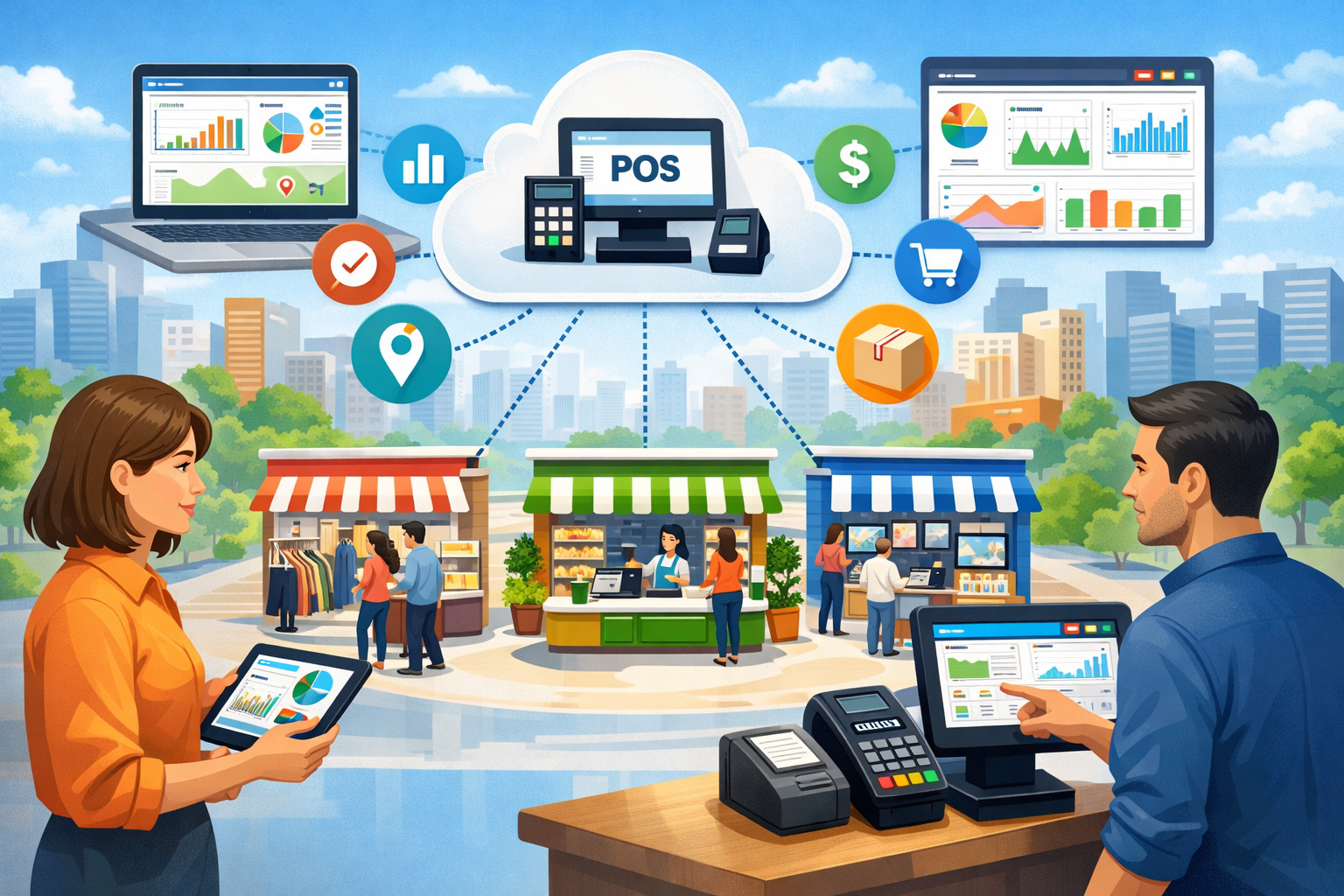
The goal of managing multiple store locations with one POS is simple: one system of record for sales, inventory, customers, employees, and reporting—without sacrificing the flexibility each location needs. A modern multi-location POS makes that possible by centralizing data while still letting you fine-tune settings by store, register, and role.
The reason this matters now is that retail operations are becoming more connected: customers want consistent pricing and loyalty across locations, owners want real-time performance visibility, and payment security expectations keep rising.
Meanwhile, cloud software, APIs, and smarter forecasting tools are pushing businesses toward unified operations across every touchpoint. Retailers are investing in inventory visibility and “endless aisle” capabilities—selling from any location, fulfilling from any location—because stock accuracy and speed directly impact revenue and customer satisfaction.
This guide walks you through what a multi-location POS needs to do, how to implement it without downtime, and how to future-proof your setup.
You’ll learn practical workflows (like transfers, ordering, and role-based permissions), compliance and security basics, and decision criteria for selecting the right platform—so your POS becomes a growth engine rather than a bottleneck.
What a Multi-Location POS Really Means (And What It Should Replace)

A true multi-location POS is not just a POS terminal that can be installed in multiple stores. It’s a centrally managed platform where every store’s activity rolls into a unified back office. That includes sales, returns, discounts, taxes, customer profiles, inventory, purchasing, employee permissions, and reporting—all synchronized under one “source of truth.”
When you’re managing multiple store locations with one POS, you’re replacing disconnected spreadsheets, store-by-store logins, and manual reconciliation with standardized workflows.
Many businesses start “multi-location” by cloning the same setup across stores and hoping it stays consistent. The cracks appear quickly: one store creates new SKUs, another uses different item names, a third runs promotions that don’t match the rest. A real multi-location POS prevents that drift with centralized catalogs, shared rules, and controlled variation.
For example, you might standardize product names and cost tracking across all stores, while allowing location-specific pricing or tax rules when required. That balance—standardization with flexibility—is the real definition of multi-location success.
Equally important: a multi-location POS should replace delayed reporting with real-time visibility. When owners can see sales, margin, labor, and inventory movement across locations in one dashboard, decisions improve.
You stop guessing which store needs replenishment, which manager is over-discounting, or which product is quietly dying on the shelf. Modern POS trends emphasize cloud access, mobility, and stronger intelligence in reporting and forecasting—because operators are demanding actionable insights, not just transaction records.
Finally, a true multi-location setup should reduce complexity. If the system creates more work—manual exports, duplicate item lists, or constant support calls—it’s not solving the multi-store problem.
The best multi-location POS setups simplify training, streamline auditing, and let you scale without rebuilding your tech stack every time you open a new location.
Core Benefits of Managing Multiple Store Locations With One POS
The biggest advantage of managing multiple store locations with one POS is operational clarity. Instead of treating each store like its own island, you run one coordinated business.
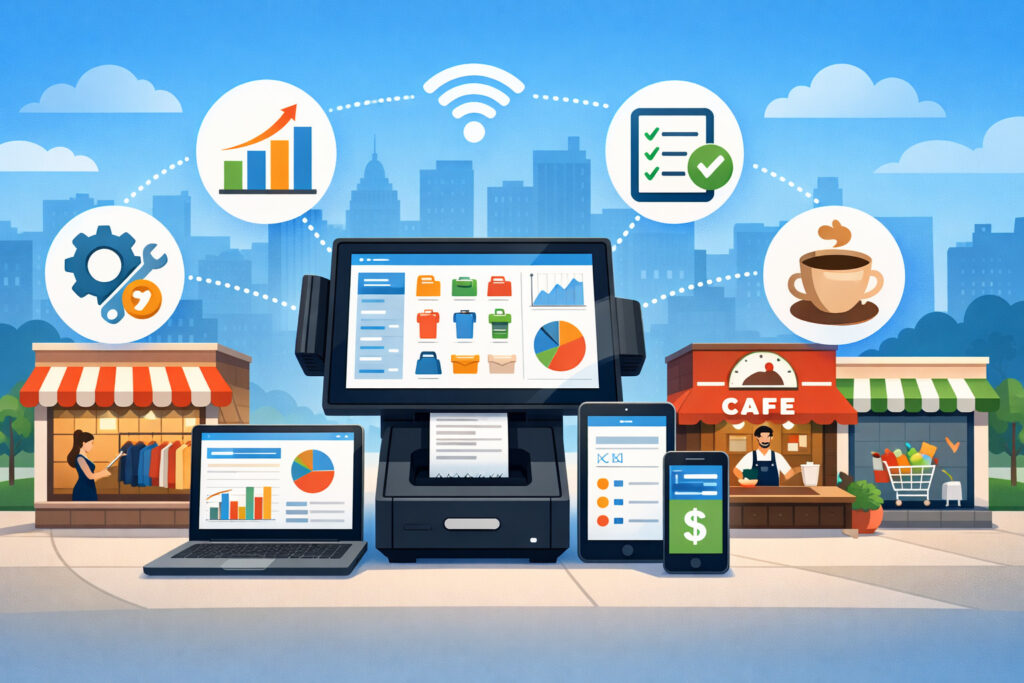
A strong multi-location POS standardizes how your team rings sales, processes returns, handles discounts, and manages customer records. That consistency reduces errors, makes training easier, and improves the customer experience across every store.
Inventory is where unified systems often pay for themselves. With a multi-location POS, inventory movement updates automatically when sales happen, returns are processed, or transfers occur between stores.
That visibility helps you reduce stockouts, avoid over-ordering, and make smarter merchandising decisions. Retailers are increasingly focusing on inventory control and “global inventory visibility,” supported by better planning and allocation tools—because accurate inventory directly affects working capital and revenue.
Centralized reporting is another major win. When each store runs separate reports, leadership spends hours reconciling numbers. A multi-location POS allows you to track KPIs by store and across the whole business: net sales, returns, discount rate, margin, average ticket, units per transaction, and labor efficiency.
You also get faster “cause and effect” learning—like seeing whether a pricing change improves margin across the chain or only in certain neighborhoods.
There’s also a customer value advantage. Unified customer profiles enable chain-wide loyalty, store-to-store returns, and consistent promotions. Customers don’t care which location they visited last; they expect the brand to remember them. A properly configured multi-location POS delivers that continuity without forcing staff to work around the system.
Finally, payments and security benefit from standardization. A consistent configuration across stores can simplify device management, user permissions, and compliance routines—especially as payment security standards evolve.
The more locations you run, the more important it becomes to enforce consistent controls across every terminal, user role, and integration point.
Must-Have Features in a Modern Multi-Location POS
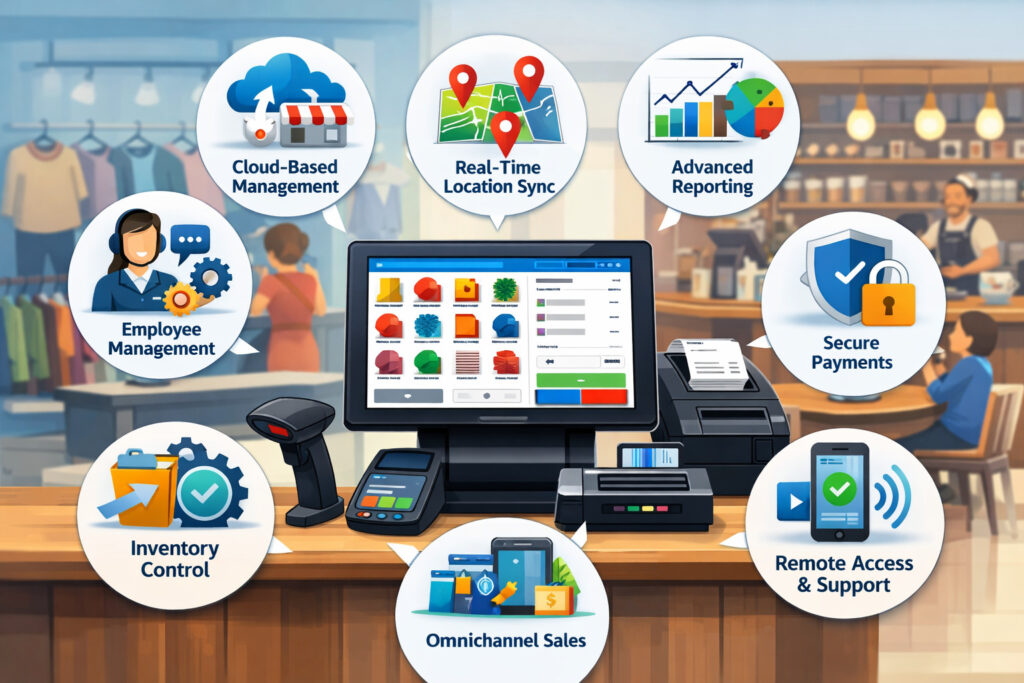
A great multi-location POS is built on specific capabilities that reduce complexity as you add stores. If you’re evaluating platforms for managing multiple store locations with one POS, these features aren’t “nice to have”—they’re what keeps operations stable when you scale.
Centralized product catalog with controlled variations
A centralized catalog ensures every store sells the same items with consistent naming, categories, and cost tracking. But you also need controlled variation: the ability to set location-specific pricing, taxes, or availability rules without copying and editing items store-by-store. This becomes critical when locations face different demand patterns or local pricing realities.
A strong catalog includes SKU creation, variants (size/color), kits/bundles, barcodes, and unit-of-measure rules. It should also support cost updates and vendor mapping, so purchasing stays organized. Without centralized governance, “SKU sprawl” happens fast—and inventory accuracy collapses.
Cross-location inventory management and transfers
A multi-store business needs inventory that behaves like a network. Your multi-location POS should support real-time stock updates, transfers, adjustments, cycle counts, and store-to-store fulfillment workflows. The goal is inventory truth: the system must reflect what’s actually on shelves, in back rooms, in transit, and committed to orders.
Look for features like transfer orders (with in-transit status), receiving workflows, and audit trails. These reduce shrink and prevent “phantom inventory,” which is one of the most common causes of stockouts and poor customer experiences.
Unified reporting with store-level drilldowns
Reporting must work at two levels: store performance and chain performance. You need consolidated dashboards plus drilldowns by store, register, cashier, category, product, and time window. Modern platforms increasingly add better intelligence and forecasting, because operators want actionable insights directly from POS reporting.
If a POS can’t quickly show you which stores are discounting too heavily, which products are driving returns, or where labor is out of alignment with sales, you’ll end up exporting data and rebuilding analytics elsewhere.
Role-based permissions and multi-store governance
Permissions are a multi-location lifesaver. You want store managers to do what they need—without giving them access to chain-wide settings or financial exports. A well-designed multi-location POS supports role templates (cashier, lead, manager, admin), store scoping (who can access which location), and logging (who changed what, and when).
Governance matters more as you scale. Without it, you’ll see inconsistent pricing, unauthorized discounts, and security risks.
Integration ecosystem and APIs
Multi-location operations rarely run on POS alone. You’ll need integrations for accounting, ecommerce, loyalty, scheduling, payroll, vendor ordering, and customer messaging. Industry leaders are emphasizing API-first approaches to make POS more flexible and partner-friendly, especially as retailers demand custom experiences and connected systems.
Choose a POS that fits your current tools and won’t block future growth when you add new channels or services.
Inventory Control Across Locations: The Playbook That Prevents Stockouts and Overstock

Inventory is the hardest part of managing multiple store locations with one POS, and it’s where the best multi-location POS delivers the biggest ROI. The objective is simple: sell what you have, buy what you need, and move stock to where it will sell fastest. The execution is where businesses struggle—because inventory issues multiply across stores.
Start by standardizing your inventory rules chain-wide. Define how you create SKUs, set variants, assign categories, and track cost. A consistent catalog prevents mismatched items that fragment your reporting.
Next, define location types (flagship, outlet, warehouse, pop-up) and assign inventory behavior rules. For example, you may allow negative inventory only in special cases, or require manager approval for adjustments above a threshold.
Then implement a transfer workflow. Transfers should not be “just move the box.” In a strong multi-location POS, a transfer is a documented process: create a transfer order, pick items (reducing origin stock), mark as in-transit, receive at destination (increasing destination stock), and reconcile discrepancies. That in-transit state is critical for accurate visibility and clean audits.
Cycle counting should also be structured. Instead of doing painful annual counts, schedule rolling counts by category or shelf section. When discrepancies appear, your POS should capture reasons (damage, theft, mis-shipments, admin errors) so you can fix root causes. This reduces shrink over time and improves forecast accuracy.
Finally, treat inventory as a network. Retailers are pushing toward global inventory visibility and “endless aisle” experiences—selling from any location and fulfilling from the best location—because it reduces lost sales and improves customer experience.
A multi-location system that supports store-to-store fulfillment, ship-from-store, and location-aware ordering can dramatically improve sell-through without increasing total stock.
Multi-Store Pricing, Promotions, and Tax Setup Without Creating Chaos
Pricing and promotions can make or break a multi-location operation. The challenge is that different locations often need different strategies—without turning your POS into a patchwork of exceptions. A strong multi-location POS helps you control pricing centrally while allowing rule-based differences where necessary.
Begin with a chain-wide pricing architecture. Decide what’s global (core pricing, MAP policies when applicable, standard discount rules) and what’s local (regional pricing, clearance, grand-opening promos).
In the POS, this should translate into price books or location price overrides. The key is to avoid manual price edits at the register level, because those changes rarely get audited and often lead to margin loss.
Promotions should be structured and measurable. Your multi-location POS should support promotions by date range, time window, product/category, customer segment, and location. For example: “10% off accessories in stores A and B only, weekends only.” The system should also track promo performance, so you can see lift versus margin impact.
Returns and exchanges must also be standardized. If customers can buy in one store and return in another, your POS needs consistent rules for receipt lookup, refund method logic, and inventory handling. A multi-location return should automatically put inventory back in the correct location, or trigger a transfer if the item must return to a specific store.
Tax setup is where location awareness matters. Different jurisdictions can have different sales tax rules and reporting needs.
Your POS should support location-based tax rates and tax categories, and it should maintain clean reporting by store so your finance process doesn’t become a monthly nightmare. Even if your accounting team handles filings separately, accurate POS tax reporting is the foundation for clean reconciliation.
When pricing, promos, and taxes are designed as systems—not one-off overrides—your multi-location POS becomes a control tower rather than a source of confusion.
Customer Experience Across All Stores: Loyalty, Returns, Omnichannel, and “Endless Aisle”
Customers expect consistency. If your staff can’t find a purchase history, loyalty points don’t apply in another store, or promotions vary without explanation, the brand feels disorganized. One of the biggest reasons to invest in managing multiple store locations with one POS is to create a unified customer experience that works everywhere.
A modern multi-location POS should maintain a single customer profile across stores: contact details, purchase history, preferences, returns history, loyalty points, and marketing consent.
This supports chain-wide loyalty, targeted offers, and faster service—especially for repeat customers. It also helps with fraud prevention by flagging unusual return behavior across locations.
Returns across locations are a major trust-builder. Customers frequently shop in one store and visit another later. Your POS should allow receipt lookup across the chain and handle refunds consistently. Clear, consistent rules reduce staff conflict and protect margins.
Omnichannel is increasingly part of “multi-location,” even if you’re not a large retailer. Many businesses sell in-store and online, offer pickup, and fulfill from multiple locations.
Retail trends emphasize “endless aisle” and stronger inventory visibility—letting any channel sell against inventory from any fulfillment point. Your multi-location POS should support this direction, even if you implement it gradually.
The most practical starting point is location-aware inventory visibility: staff can check whether another store has an item and create a store-to-store transfer or customer order. Next is buy-online-pickup-in-store (BOPIS) and ship-from-store.
Both require accurate inventory and clear fulfillment workflows. When done right, omnichannel reduces lost sales and increases customer satisfaction without requiring huge inventory expansion.
If customer experience is your competitive edge, a multi-location POS is the system that makes that edge scalable.
Staff Management and Permissions: How to Standardize Operations Without Micromanaging
People’s processes get harder with every new store. Training becomes inconsistent, discount abuse becomes more likely, and scheduling gets messy. A strong multi-location POS helps you standardize the way work is done, while still letting each store run efficiently day to day.
Start with role-based access control. Your POS should allow you to create roles like cashier, keyholder, supervisor, store manager, and regional manager.
Then assign permissions for actions such as refunds, voids, discounts, price overrides, cash drawer opens, inventory adjustments, and report exports. In a multi-store environment, permissions should also be scoped by location. A store manager should manage their store, not the entire chain.
Then focus on standard operating procedures (SOPs) embedded into the workflow. The POS can support this with required reasons (e.g., refund reason codes), manager overrides for high-risk actions, and forced confirmations for large discounts. These guardrails reduce mistakes and create accountability without constant oversight.
Time clocks, scheduling, and performance metrics can also tie into POS. Even if you use a separate scheduling tool, your POS should track sales by employee, discount rate by cashier, and void/refund patterns. These metrics help identify training gaps and potential policy violations.
Training becomes easier when the POS experience is consistent. New hires can move between locations without relearning a different “version” of the process. That matters for coverage, promotions, pop-ups, and seasonal peaks.
The goal isn’t to control people—it’s to control variability. When your multi-location POS standardizes the important stuff (pricing rules, permissions, reporting), your managers can focus on leadership and customer service instead of fighting operational fires.
Hardware, Networking, and Reliability: Designing for Uptime at Every Location
Software is only half the story. If your network goes down, if terminals fail, or if devices can’t handle peak hours, you’ll feel it immediately in customer experience and revenue. When managing multiple store locations with one POS, reliability must be designed in—not hoped for.
Start by selecting hardware that fits your environment: countertop terminals, handhelds, self-checkout kiosks, kitchen printers (for food service), barcode scanners, and label printers. Your multi-location POS should support standardized device setups so each store uses a similar configuration. That simplifies training and troubleshooting.
Then plan your network deliberately. Every store should have stable internet, secure Wi-Fi, and network segmentation where possible (separate guest Wi-Fi from payment devices).
If your POS is cloud-based, internet stability matters even more. But modern cloud POS systems often include offline modes, allowing you to keep selling during outages and sync later. Offline capability should be tested—not assumed—because different systems handle offline transactions differently.
Device management becomes more important as you scale. You need a clean process for provisioning new registers, updating software, and monitoring health.
Multi-store operators benefit from POS platforms that allow centralized configuration: push menus, update tax rates, adjust payment settings, and standardize receipt templates across all locations without touching each terminal.
Finally, plan for peak conditions. Your setup should handle weekend rushes, holiday spikes, and promotional events. If your payment flow lags or your receipt printers jam constantly, your team will improvise—and improvised processes are where errors and fraud grow.
Reliability is a competitive advantage. A stable multi-location POS experience keeps lines short, staff confident, and customers coming back.
Payments and Security in a Multi-Location POS: What “Good” Looks Like Now
Payments are a high-risk, high-importance part of the POS. Multi-location merchants face amplified risk because there are more devices, more employees, more integrations, and more opportunities for misconfiguration. A secure multi-location POS protects customers and reduces business risk.
Start with strong baseline payment support: chip cards, contactless (tap-to-pay), and digital wallets. Consumer behavior continues shifting toward contactless experiences, with major networks reporting that contactless has become a dominant behavior on their rails.
EMV standards remain foundational for card-present security, and EMV deployment statistics are tracked globally by EMVCo.
Then prioritize PCI-aligned controls. PCI DSS v4.0.1 is published by the PCI Security Standards Council, and it continues to raise expectations for how organizations secure cardholder data environments.
Practically, for merchants, this means: use validated payment devices, keep software updated, limit access, maintain strong authentication, and ensure integrations don’t expand your risk footprint.
If you’re using ecommerce or payment pages, PCI guidance includes newer focus areas like script inventory and tamper detection for payment pages (especially relevant when web checkout is part of your multi-location ecosystem).
In a multi-location POS, permissions are security. Limit who can issue refunds, override prices, export reports, or change payment settings. Enforce unique logins—no shared cashier accounts. Maintain audit logs. Review exceptions regularly: high discounts, unusual refunds, and suspicious transaction patterns.
Tokenization and point-to-point encryption (P2PE) can also reduce risk by limiting exposure of sensitive data. Even if your POS provider handles much of this, you still need clean operational discipline: secure networks, strong passwords, controlled physical access to devices, and reliable patching routines.
Security isn’t just compliance. It’s uptime, trust, and protection from expensive incidents. A well-managed multi-location POS makes security scalable—because controls become standard rather than store-specific.
Integrations That Matter: Accounting, Ecommerce, Payroll, CRM, and Inventory Forecasting
No multi-store business runs on POS alone. A multi-location POS becomes far more valuable when it connects smoothly to the rest of your stack. The goal is to eliminate double entry, reduce reconciliation time, and keep every system aligned.
Accounting integrations are usually the first priority. You want daily sales summaries, taxes, tenders, and fees mapped correctly into your accounting categories.
A good integration supports store-level mapping so you can analyze performance by location without manual journal entry cleanup. This is critical when you have multiple bank deposits and multiple merchant statements feeding into the same books.
Ecommerce integrations matter even if online sales are a smaller portion of revenue. Customers expect consistent pricing, shared loyalty, and accurate inventory. As retailers push toward global inventory visibility and seamless ordering across channels, ecommerce and POS must operate as one system.
Payroll and scheduling integrations reduce labor admin. Even if your POS tracks hours, a proper integration helps eliminate timecard re-entry and reduces payroll errors. CRM and marketing integrations help you segment customers, track lifetime value, and run location-aware campaigns (e.g., promoting a new store opening to nearby customers).
Inventory forecasting and replenishment is the next frontier. Many POS platforms are adding intelligence features or integrating with planning tools.
POS trend analyses highlight increased use of AI and machine learning for demand forecasting, inventory optimization, and operational insights. You don’t need to implement advanced forecasting on day one—but choosing a POS that can support it later prevents painful migrations.
Finally, prioritize integrations that preserve data quality. The best multi-location POS integrations sync in near real time, maintain clear source-of-truth rules, and provide conflict handling (what happens if inventory changes in two systems at once?). When integrations are designed correctly, you stop patching data—and start using it.
Implementation Roadmap: How to Roll Out One POS Across Multiple Locations Without Disruption
Implementation is where many multi-location projects fail—not because the POS is bad, but because the rollout is rushed or governance is unclear. A phased plan reduces downtime and prevents store teams from losing confidence in the new system.
Phase 1: Standardize before you migrate
Before installing anything, standardize your catalog and policies. Clean up SKUs, categories, cost rules, vendor lists, and pricing logic. Decide how returns work, how discounts are approved, and how transfers will be documented. This is also where you define your reporting structure—so every store is using consistent metrics from day one.
Phase 2: Pilot one store and measure reality
Choose a pilot location that reflects typical operations. Configure registers, payment methods, receipt templates, and roles. Run parallel reporting for a short period if possible (old vs new) to validate accuracy. The goal is to find edge cases: partial refunds, special orders, price overrides, and offline behavior.
Phase 3: Train with real scenarios, not generic demos
Training must match how stores actually operate. Build scenario-based training: returns without receipts, exchanges across locations, transfer receiving, damaged inventory adjustments, and cash drawer reconciliation. Store managers need deeper training than cashiers—especially for reporting and exception handling.
Phase 4: Roll out in waves and lock configuration
Deploy in waves: a few stores at a time. Use a standardized checklist for each store: hardware installed, network verified, payment tested, barcode scanning tested, printers verified, user roles created, and end-of-day procedures practiced. Once stable, lock down configuration so changes require approval and don’t drift store-by-store.
Phase 5: Optimize after rollout
After go-live, track what breaks: inventory mismatches, training gaps, discount patterns, device failures. Adjust SOPs and permissions. Add integrations once the core POS workflows are stable.
A strong rollout plan turns managing multiple store locations with one POS into a controlled transition instead of a stressful overhaul.
Future Predictions: Where Multi-Location POS Is Headed Next
The direction of POS is clear: more cloud, more flexibility, more automation, and deeper connection to every sales channel.
POS trend coverage for 2025 consistently highlights areas like AI integration, enhanced security, mobile/contactless experiences, and the expansion of cloud-based capabilities. For multi-location operators, these trends translate into specific future shifts.
First, expect more real-time intelligence in the POS itself. Instead of exporting reports to analyze later, multi-location dashboards will proactively surface anomalies: “Location 3 discount rate increased 18% this week,” or “Item X is trending toward a stockout in two stores.”
AI-assisted forecasting and replenishment will become more accessible to smaller multi-store businesses, not just enterprise retailers.
Second, inventory will behave more like a fulfillment network. Retailers are already pursuing global inventory visibility and endless aisle strategies. That will expand into automated routing: the system will choose the best location to fulfill an order based on stock, distance, labor capacity, and shipping cost—then create the pick/pack workflow automatically.
Third, POS will become more modular through APIs. Industry discussion increasingly emphasizes POS as a transaction engine with APIs enabling specialized hardware and third-party experiences. That’s good news for multi-location operators who need custom workflows without replacing the entire POS.
Fourth, security expectations will continue rising. PCI DSS v4.0.1 and related guidance signals ongoing evolution in payment security, and multi-location merchants will be expected to maintain stronger authentication, logging, and controls across a larger footprint.
FAQs
Q.1: What is the best multi-location POS for small and mid-sized retailers?
Answer: The “best” multi-location POS depends on your industry, number of locations, inventory complexity, and integration needs. For most multi-store operators, the best fit is the system that delivers: centralized catalog control, reliable inventory transfers, role-based permissions, clean store-level reporting, and strong integrations.
If you’re growing quickly, prioritize scalability and governance features. If you’re inventory-heavy, prioritize real-time accuracy and transfer workflows. If you’re service-heavy, prioritize scheduling and customer experience tools.
A practical approach is to shortlist platforms that explicitly support multi-store operations (centralized reporting, cross-location inventory, and store-level configuration), then test a pilot store. Use real workflows—returns, transfers, discounts, and end-of-day close—before committing chain-wide.
Q.2: Can one POS really handle inventory across multiple locations accurately?
Answer: Yes—if your workflows match the system. A multi-location POS can maintain highly accurate inventory, but only when you use structured processes: transfers with in-transit status, standardized receiving, consistent SKU rules, and routine cycle counts.
Inventory breaks when stores bypass workflows (like moving stock without transfers) or when catalogs diverge across locations. The system must support audit trails, and leadership must enforce the process.
Also, accuracy improves dramatically when every location uses barcode scanning, defined adjustment reasons, and scheduled counts. Technology helps—but discipline makes it work.
Q.3: How do store-to-store returns work in a multi-location POS?
Answer: In a good multi-location POS, a return can be processed at any location using a chain-wide receipt lookup and unified customer profile.
The system should record the return against the original sale (for reporting accuracy) while handling inventory correctly at the return location. Some businesses also route returned items back to the original store using transfers, depending on merchandising rules.
To avoid confusion, standardize return policies and train staff on exception scenarios: no-receipt returns, gift receipts, exchanges, and returns after promotional periods.
Q.4: What internet outages and offline mode issues should I plan for?
Answer: Even the best cloud multi-location POS can face connectivity issues at individual stores. You should confirm whether the system supports offline sales, and how it handles offline transactions (especially returns, gift cards, and receipt lookup).
Test offline mode during the pilot phase. Plan backup connectivity where possible, and ensure staff know exactly what to do when the network drops. Offline capability should be part of your reliability strategy—not an assumption.
Q.5: How do I protect my multi-location POS from employee fraud?
Answer: Fraud risk rises with more stores and more staff. Reduce risk by combining POS controls and operational routines:
- Use role-based permissions and manager approvals for refunds and discounts
- Require unique logins (no shared accounts)
- Review exception reports weekly (refunds, voids, discounts, no-sales)
- Lock down price overrides and require reason codes
- Audit inventory adjustments and transfer discrepancies
Also, keep devices secure and enforce strong authentication. Payment security standards and guidance continue to evolve, making consistent control across locations more important over time.
Q.6: How long does it take to roll out a multi-location POS?
Answer: It depends on store count, catalog complexity, integrations, and training maturity. The fastest successful rollouts usually start with a pilot store, then deploy in waves with standardized checklists. The biggest time drivers are catalog cleanup, integration mapping, and training—not installing hardware.
Instead of rushing go-live dates, prioritize accuracy and repeatability. A controlled rollout prevents months of cleanup later.
Conclusion
Managing multiple store locations with one POS isn’t just a software upgrade—it’s an operating model. A properly implemented multi-location POS gives you one system for inventory truth, one view of performance, one customer experience, and one set of controls that keeps every location aligned. The payoff is fewer errors, faster decisions, stronger loyalty, and smoother growth.
The winning formula is consistent: standardize your catalog and SOPs, choose a POS that supports cross-location inventory and governance, pilot before you scale, and lock down permissions and reporting from day one.
Then expand into integrations, omnichannel fulfillment, and smarter forecasting as your operations mature. Retail is moving toward deeper inventory visibility and more connected shopping experiences, and POS technology is evolving with cloud, APIs, and intelligence to support that shift.