By consignmentpos December 29, 2025
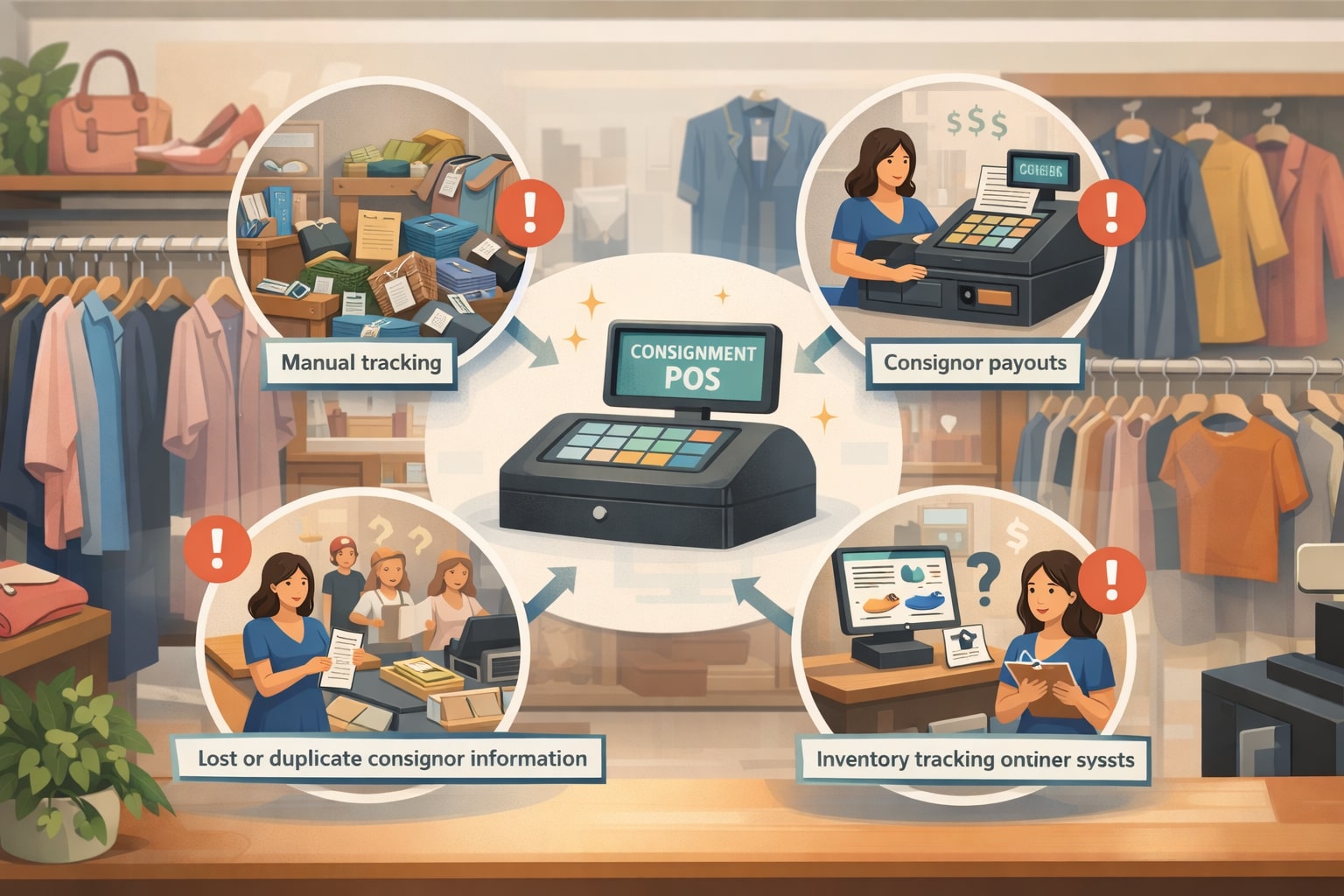
Running a resale or multi-vendor store sounds simple: accept items, sell items, split the money. In practice, consignment is one of the most operationally complex retail models because every single product has a “second stakeholder” attached to it—the consignor.
That extra relationship adds rules, timelines, payouts, liability questions, and reporting needs that a standard retail checkout system wasn’t built to handle.
A consignment POS system is designed to manage this complexity end-to-end: intake, tagging, pricing rules, commissions, sales, returns, payouts, statements, and audit trails—without forcing you into spreadsheets or manual math.
The right consignment POS software doesn’t just ring up sales. It reduces disputes, protects margins, improves cash flow visibility, and keeps inventory accurate across the sales floor and online channels.
Below are the most common problems a modern consignment POS system solves—plus how these systems are evolving with automation, AI-driven insights, and unified commerce so your store stays competitive over the next few years.
Inventory chaos from unique, one-off items

Consignment inventory is the opposite of “standard retail.” You rarely have multiple units of the same SKU. Items vary by brand, condition, size, color, and season, and they arrive continuously from multiple consignors.
Without structure, this creates fast-moving chaos: racks get overstuffed, items lose tags, staff can’t locate pieces, and the store sells products that were already pulled or returned to a consignor.
A consignment POS system solves this by creating a clean intake workflow that assigns each item a unique identifier, links it to the consignor, captures attributes (condition, category, designer, size, color), and prints scannable tags.
Instead of relying on memory, every item can be searched instantly by tag number, brand, rack location, date received, or consignor name. This keeps your floor organized and prevents the most expensive inventory problem in consignment—items that exist physically but disappear digitally (or the other way around).
Modern consignment POS software also supports item aging policies. For example, it can flag inventory approaching markdown dates, prompt staff to move items to clearance, or notify consignors when pickup windows are nearing.
The result is less dead stock, fewer “where did that go?” moments, and a store that runs with retail-level inventory discipline even though each item is unique.
Slow intake that bottlenecks the front counter

In many consignment stores, intake becomes a daily traffic jam. Consignors arrive with bags or bins, staff get pulled off the floor, and the line grows while someone manually records items, sets prices, and writes tags. This creates two big problems: labor cost spikes and customer experience drops—for both consignors and shoppers.
A consignment POS system streamlines intake with guided steps: consignor lookup, agreement selection, category defaults, pricing rules, and fast tag printing.
Instead of “reinventing the process” every time, the system standardizes intake so new staff can follow consistent prompts. With the right consignment POS software, you can batch intake by category, apply preset commission structures, and assign expiration/markdown schedules automatically.
Intake efficiency matters because it influences everything else. When items enter the system correctly, checkout is faster, statements are cleaner, and disputes drop.
Many stores also use intake appointments, and a consignment POS system supports that operationally by speeding up the “touch time” per item so appointments don’t spill into peak shopping hours. Over time, faster intake becomes a competitive advantage because consignors prefer stores that are organized, transparent, and quick.
Commission math errors that trigger disputes
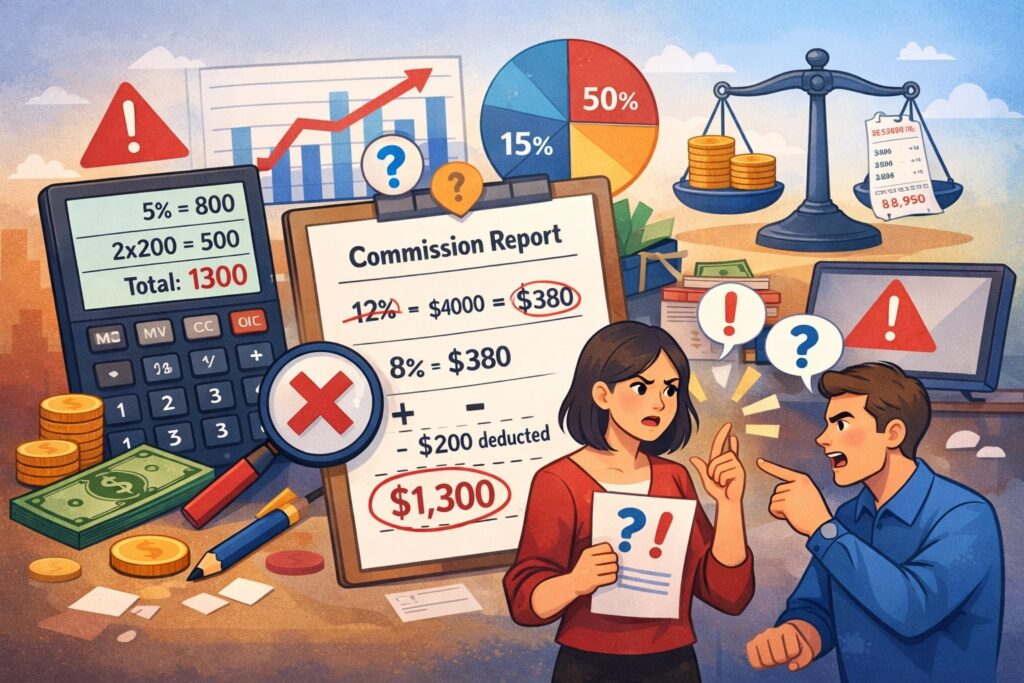
Consignment is built on trust. The moment a consignor suspects they were underpaid—or can’t understand how their payout was calculated—you get disputes, negative reviews, and sometimes legal headaches.
Manual commission math is a common cause: different sellers have different agreements, certain categories have different splits, promotions complicate net revenue, and refunds require reversals.
A consignment POS system prevents commission mistakes by attaching commission logic to the consignor agreement and item record from the start.
When an item sells, the consignment POS system calculates consignor share and store share automatically based on your configured rules: tiered splits, sliding scales by price, category-based commission, VIP consignor perks, or higher store percentages for clearance.
Just as important, modern consignment POS software builds an audit trail. Each transaction can show exactly how the split was calculated, what discounts were applied, and how taxes and fees were handled. This transparency reduces disputes because consignors aren’t guessing—they’re reviewing clear math.
Over the next few years, expect more consignment POS system platforms to add “dispute-proof” statement features: item photos attached to sold records, clearer fee breakdowns, and automated notifications when price changes happen.
Payout management that wrecks cash-flow planning
Payouts are where consignment stores can accidentally hurt themselves. If you pay out too frequently without visibility, you can create cash crunches—especially during seasonal slowdowns.
If you pay out too slowly or inconsistently, consignors leave. The operational challenge is tracking who is owed what, when it becomes payable, and whether the store has sufficient funds to disburse reliably.
A consignment POS system handles payout logistics by maintaining real-time consignor balances and allowing payouts on a set schedule (weekly, biweekly, monthly) without manual calculation.
Most modern consignment POS software supports multiple payout methods: check, store credit, ACH, and other digital disbursement workflows. It can also enforce rules such as holding payouts until return windows close or excluding items still eligible for refund.
The real win is predictability. A good consignment POS system gives you payout reports that forecast upcoming liabilities so you understand “money owed” versus “money earned.” This makes it easier to plan purchasing, staffing, and marketing.
Looking forward, payout automation is likely to become even more flexible—expect more systems to support instant payouts for qualified consignors, dynamic payout timing based on risk signals (returns/refunds), and tighter integration with accounting tools so liabilities are booked correctly.
Returns, exchanges, and store credit confusion
Returns in consignment are not the same as returns in standard retail. If an item is returned, who takes the hit—store, consignor, or both? If an item is exchanged, how does that affect the consignor’s statement? If store credit is issued, is it funded by the store share, the consignor share, or a blended rule?
A consignment POS system solves this by applying consistent return logic tied to your store policy. For example, the system can automatically reverse consignor earnings on refunded sales, track open return windows, and generate an adjusted statement that is easy to understand.
In a well-configured consignment POS system, store credit is not a messy workaround—it is a defined transaction type that posts accurately to the customer profile and the underlying consignor accounting.
This matters for profitability. Without clear return handling, stores accidentally overpay consignors, understate refund losses, or lose track of store credit liabilities. Modern consignment POS software can also prevent abuse by linking returns to original receipts, restricting returns for final-sale categories, and flagging unusual patterns.
Future-focused systems will likely add smarter analytics: return-risk scoring, automated policy reminders at checkout, and clearer customer messaging on digital receipts so disputes decrease.
Pricing inconsistency and missed markdown opportunities
Consignment pricing is strategic. Prices are too high and items don’t move. Prices are too low and you damage both margins and brand perception. Add to that the reality that consignment inventory ages quickly: if you don’t markdown at the right time, you lose the best selling window and the item becomes dead stock.
A consignment POS system enables pricing consistency with category-based pricing guidance, minimum thresholds, and markdown schedules.
Rather than relying on individual employee instincts, your consignment POS software can prompt pricing based on comparable past sales, condition grades, or brand tiers. It also automates markdowns based on aging rules—like 10% off after 30 days and 25% off after 60 days—while tracking how discounts affect consignor payouts.
This is one of the biggest operational upgrades a consignment POS system provides because markdown discipline increases sell-through, reduces clutter, and improves cash flow.
The future trend here is more intelligent pricing: expect more consignment POS system platforms to use AI-assisted suggestions that learn from your store’s data—what actually sells in your location, in your season, at your customer price points—rather than generic “industry averages.”
Multi-location and pop-up selling without losing control
As resale grows, many operators expand: a second storefront, a warehouse outlet, a pop-up booth, or events. The problem is consistency. Inventory moves between locations, pricing differs, staff handle intake differently, and the same item might be sold twice if systems don’t sync.
A cloud-based consignment POS system centralizes inventory and sales data so every location sees one truth. You can transfer items between locations, track where each item is, and prevent duplicate selling by keeping inventory counts and status updated in real time.
A strong consignment POS system also supports location-based reporting so you can compare sell-through, average ticket size, and conversion by store.
For pop-ups, mobile checkout is crucial. Many modern consignment POS software platforms support tablet-based checkout and portable receipt options so you can sell anywhere without breaking your inventory system.
In the next few years, expect mobile-first tools to keep improving—more tap-to-pay options, faster offline modes, and better location-level controls so expansion doesn’t create operational fragility.
Omnichannel selling that creates oversells and double entry
Shoppers expect to browse online, buy in-store, and pick up quickly. Consignment stores often add an online store or sell on marketplaces—then get burned by oversells, mismatched pricing, and endless manual updates. When inventory is unique and one-off, synchronization is not optional; it’s survival.
A modern consignment POS system reduces omnichannel chaos by syncing item records, pricing, and availability across channels. When an item sells in-store, it should immediately be marked unavailable online.
When an item is listed online, staff should see it clearly as “listed” so it isn’t accidentally sold twice. A well-integrated consignment POS system also helps maintain consistent photos, descriptions, and category mapping so listings look professional and searchable.
The key challenge is workflow clarity. Great consignment POS software supports staging steps: intake → photo → list → sell → payout. That structure prevents “half-finished” listings and missing data.
Looking ahead, unified commerce will be a baseline expectation: tighter integrations, more automated listing tools, and better rules for channel-specific pricing so you can protect margins while still being competitive online.
Seller communication problems that waste staff time
Consignors call. A lot. “Did my items sell?” “What’s my balance?” “When do I get paid?” If you don’t have a self-service option, your team becomes a call center, and staff time drains away from selling and merchandising.
A consignment POS system solves this by offering consignor portals or automated notifications. Consignors can log in to view item status, sold history, current balance, payout schedules, and pickup deadlines.
With the right consignment POS software, sellers also receive alerts when items sell, when markdowns happen, or when pickup windows approach.
Beyond convenience, this reduces disputes because everyone sees the same data. It also improves consignor retention—people stick with stores that communicate clearly.
Future-focused systems are trending toward even more proactive communication: automated statement emails, personalized performance insights (“your items sell best in this category”), and optional text alerts. As resale becomes more competitive, the store that feels transparent and “easy to consign with” will attract better inventory.
Reporting gaps that hide what is actually profitable
In consignment, “sales” is not the same as “profit.” You split revenue. You may pay processing fees. You may absorb returns. You may offer promotions. If your reporting doesn’t reflect the consignment model correctly, you can feel busy while being barely profitable.
A consignment POS system provides consignment-aware reporting that separates gross sales from net store earnings, tracks consignor liabilities, and shows margin impact from discounts and markdowns.
You can evaluate which categories generate the best store share, which consignor cohorts supply the highest-selling inventory, and how long items sit before selling. This is the difference between guessing and managing.
Great consignment POS software also supports operational metrics: intake volume, sell-through rate, average days to sell, and clearance performance.
Over time, these metrics shape smarter decisions—like tightening intake standards for slow-moving brands or adjusting markdown schedules. In the future, expect reporting to become more predictive: systems will increasingly forecast inventory performance and recommend actions (move, markdown, bundle, or return) based on store history.
Tax complexity, receipts, and audit readiness
Retail compliance is stressful, and consignment adds more moving parts. You must apply the correct local tax rules at checkout, track taxable versus non-taxable categories, and maintain clean transaction histories. If something goes wrong, manual records are painful to audit.
A consignment POS system helps by supporting accurate tax configuration by location and by product category, plus generating detailed receipts that match your policies.
It maintains a searchable history of sales, returns, discounts, and adjustments. This makes it easier to reconcile deposits, respond to chargebacks, and prepare documentation if you ever face an audit inquiry.
Another compliance factor is recordkeeping for payouts and seller statements. A strong consignment POS system keeps statements consistent, time-stamped, and easy to export, reducing the risk of “we can’t find the record” situations.
As systems evolve, expect even more compliance-friendly tools: better export formats for accountants, built-in documentation of policy settings, and clearer ledger-style views that show consignor liabilities and store earnings cleanly.
Payment issues, chargebacks, and fraud exposure
Consignment stores face the same payment risks as any retailer—card fraud, disputed charges, and chargebacks—but they have added complexity because part of the sale is owed to a consignor. If a chargeback hits after payout, the store can take the full loss.
A consignment POS system reduces this risk by improving transaction traceability: linking purchases to receipts, capturing customer details where allowed, and maintaining clean evidence for dispute responses.
Many modern consignment POS software platforms also support secure payment workflows like chip/tap payments, digital receipts, and clear refund policies displayed at checkout.
Operationally, a consignment-aware system helps you enforce payout timing rules (for example, not paying consignor earnings until return windows close). This alone can reduce losses dramatically.
Looking ahead, expect more fraud-prevention intelligence built into the consignment POS system layer: better alerts for unusual refund patterns, more granular employee permissions, and stronger integrations with payment risk tools so small stores can get enterprise-grade protection without enterprise overhead.
Staff training challenges and inconsistent operations
Most resale businesses rely on part-time staff, seasonal employees, and frequent turnover. If your processes are complicated, training takes too long and mistakes multiply—wrong pricing, incorrect splits, missing intake data, lost tags, and messy checkout adjustments.
A consignment POS system standardizes operations with role-based workflows and permission controls. Intake becomes a guided process. Checkout becomes a repeatable flow. Markdown rules run consistently.
New staff don’t need to “remember everything” because the consignment POS software prompts the steps and blocks unauthorized actions.
This also protects the business from internal risk. Permissions can limit voids, refunds, payout adjustments, and discount levels. Activity logs create accountability so you can spot issues early.
In the future, expect training support to get even better: embedded checklists, on-screen SOP prompts, and smarter workflow tools that adapt based on role (intake staff vs. cashier vs. manager). As labor remains tight in retail, an easy-to-use consignment POS system becomes a serious advantage.
A closer look at consignor agreements and rule automation
Consignment policies are not one-size-fits-all. Some stores use 60/40 splits. Others vary by brand tier, selling price, or season. Some offer bonus splits for high-demand categories. Some use different terms for furniture vs. apparel. When these rules aren’t automated, staff revert to memory or sticky notes—and that’s where disputes begin.
A strong consignment POS system turns agreements into structured data. You can create templates for different consignor types, set default splits, apply category-specific rules, and automate expiration and markdown policies.
When staff intake an item, the correct agreement rules attach automatically. When the item sells, the correct split is calculated without manual input. When a return happens, the reversal follows the policy logic.
This is also where future enhancements are heading. More consignment POS software platforms are moving toward “policy engines” that handle complex scenarios cleanly—like partial refunds, exchanges across categories, or bundled promotions.
The stores that invest in agreement automation reduce admin work, increase trust, and keep consignors happy because everything feels consistent and fair.
How modern consignment tagging and item tracking reduces shrink
Shrink in consignment often looks different than standard retail. It’s not always theft. It can be lost tags, misplaced items, unrecorded pulls, or items that were returned to consignors but never updated in the system. That “silent shrink” destroys accuracy and creates conflict.
A consignment POS system attacks shrink by tightening the chain of custody: every item gets a unique tag, scans at checkout, and maintains a status lifecycle (intake, on floor, on hold, sold, returned, picked up, donated).
Staff can scan items during cycle counts to confirm what’s actually on the sales floor. Managers can run reports on missing tags, items with unusual status changes, or inventory that hasn’t been scanned in a long time.
Modern consignment POS software also supports better tag formats and barcode standards so scanning is faster and errors drop. Looking ahead, more stores will adopt advanced tracking like QR codes tied to item photos, and selective RFID use for high-value categories.
As these tools become more affordable, the consignment POS system will be less about “ringing a sale” and more about building a reliable, trackable inventory ecosystem.
Why automation matters for markdowns, clearance, and aging inventory
In consignment, time is money. Items that don’t sell quickly consume space and reduce the appeal of fresh finds. Manual markdown management is where many stores lose momentum: someone forgets to discount, clearance racks become random, and consignors complain because policies weren’t followed consistently.
A consignment POS system automates markdown schedules so policies are applied fairly and on time. Items can automatically drop to set discount tiers based on days in inventory. Clearance events can apply rules consistently across categories. Staff can print updated tags or use scan-based discounts that apply at checkout without retagging every item.
This isn’t just a convenience feature—it’s a sell-through strategy. Stores that run consistent markdown cycles turn inventory faster, keep the floor looking fresh, and generate more transactions per square foot.
Many modern consignment POS software tools also help you analyze markdown effectiveness: which discount level produces the best sell-through, when items sell fastest, and what categories should have different aging rules.
Future prediction: as AI analytics becomes more common, a consignment POS system will increasingly recommend optimal markdown timing—not just fixed rules—based on real sales data in your location and customer patterns.
FAQ
Q.1: What makes a consignment POS system different from regular retail POS?
Answer: A standard retail POS assumes the store owns the inventory and keeps the revenue (minus costs). Consignment changes that foundation because the store sells goods owned by others and owes a share of proceeds back to consignors.
A consignment POS system is built to manage that split automatically, with item-level ownership tracking, consignor agreements, payout balances, and statement reporting. Regular POS tools may handle checkout fine, but they typically don’t manage consignor liabilities, payout schedules, or commission rules without add-ons and manual work.
A true consignment POS system also supports consignment-specific workflows like intake tagging, inventory aging, automated markdown schedules, and seller portals.
It keeps an audit trail showing how each payout was calculated, which is essential for preventing disputes. If you run resale at any meaningful volume, consignment-aware tools aren’t a luxury—they’re the difference between scaling smoothly and getting trapped in admin chaos.
Q.2: How does a consignment POS system help with online selling without overselling?
Answer: Overselling is one of the biggest omnichannel risks in resale because each item is usually one-of-one. A consignment POS system reduces oversells by keeping inventory status synchronized across channels. When an item sells in-store, it is immediately marked unavailable online.
When it’s listed online, staff can see that status to prevent accidental double-selling. Many consignment POS software platforms also support a structured workflow—intake, photo, list, sell—so items don’t get posted with missing details or inconsistent pricing.
The best systems also help with channel rules: whether online prices differ from in-store, how shipping fees and marketplace fees are handled, and how returns impact consignor payouts.
The result is less double entry, fewer customer cancellations, and a cleaner reputation online. As unified commerce improves, expect tighter integrations and more automation around listing creation, photo management, and real-time inventory syncing inside the consignment POS system environment.
Q.3: Can a consignment POS system reduce disputes with consignors?
Answer: Yes—this is one of the biggest reasons stores adopt a consignment POS system. Disputes often come from unclear math, missing records, or inconsistent policy application.
A consignment-aware system attaches the agreement to each item, calculates commissions consistently, and records every action (discount, markdown, return, payout) in a time-stamped audit trail. When consignors ask questions, you can show exact transaction details instead of guessing.
Many modern consignment POS software tools also provide seller portals or automated statements. That transparency reduces phone calls and prevents “I think you underpaid me” situations because consignors can see item status and balances in real time.
As tools evolve, statements will become even clearer, with item photos, better fee breakdowns, and automatic notifications when anything changes that affects payouts.
Q.4: What payout options should a consignment POS system support?
Answer: At a minimum, a consignment POS system should support scheduled payouts and accurate balance tracking. Most stores want more flexibility: check payouts, store credit payouts, and ACH payouts.
Digital payouts can be a big operational upgrade because they reduce time spent printing checks and managing pickup logistics. However, payout timing should be tied to risk controls—especially return windows—so the store doesn’t pay out earnings that later get reversed.
A strong consignment POS system should also provide payout forecasting: how much is owed and when, so you can plan cash flow. This is critical during seasonal cycles.
Future prediction: more consignment POS software platforms will add “smart payout” tools—automated holds for high-return categories, faster payouts for trusted consignors, and integrations that align payouts with accounting entries cleanly.
Q.5: How do consignment POS systems support staff control and loss prevention?
Answer: Employee mistakes and internal shrink can quietly erode profit. A consignment POS system helps by providing role-based permissions and activity logs.
You can restrict who can issue refunds, approve large discounts, edit consignor agreements, or adjust payout balances. This prevents accidental policy violations and discourages misuse. Logs also make it easier to spot patterns—like frequent voids, unusual refund volume, or repeated price overrides.
From an operational perspective, consignment-aware item tracking also reduces shrink. Items have unique tags, and the system tracks item lifecycle status so you can identify missing items, unrecorded pulls, or inventory that hasn’t been scanned in a long time.
Over time, the right consignment POS system builds a culture of accuracy and accountability without adding friction to daily work.
Q.6: What are the biggest future trends in consignment POS software?
Answer: The biggest trend is “smarter automation.” A consignment POS system is moving beyond transactions into decision support: AI-driven pricing guidance, predictive markdown recommendations, and inventory performance forecasting based on local sales patterns.
Another trend is unified commerce—tighter integration between in-store and online inventory so one-of-one items can be sold confidently across channels without oversells.
Payment experiences will also continue evolving. Expect more mobile-first checkout options, faster tap-to-pay acceptance, improved offline resilience, and better fraud-prevention features integrated into the consignment POS system workflow.
Finally, consignor experience will keep improving through better portals, proactive notifications, and more transparent statements. Stores that embrace these upgrades will attract better inventory, reduce admin labor, and compete more effectively in the expanding resale market.
Conclusion
Consignment stores succeed when they balance three things: operational control, consignor trust, and a smooth shopping experience. That balance is hard to maintain with generic tools because consignment is built on rules—ownership tracking, commission splits, payouts, markdown schedules, returns logic, and seller statements.
A modern consignment POS system exists to run those rules reliably, at scale, with transparency that protects your brand and reduces disputes.
The biggest challenges a consignment POS system solves are the ones that quietly drain profit: inventory chaos, manual intake bottlenecks, commission errors, payout confusion, return mismanagement, inconsistent markdowns, and reporting blind spots.
When these issues are fixed, your store becomes easier to operate, easier to staff, and more attractive to high-quality consignors.
Looking forward, consignment POS software will keep shifting toward automation, AI-supported decisions, and tighter omnichannel execution.
Stores that invest in the right consignment POS system now won’t just reduce headaches—they’ll build a scalable resale operation that can grow through new locations, online channels, and changing shopper expectations without losing control.