
By consignmentpos December 29, 2025
A consignment store point of sale is more than a register. It’s the system that tracks who owns each item, when it arrived, how it should be priced and discounted, what happens when it sells, and how the payout is calculated for the consignor.
A standard retail POS is built for “store-owned inventory.” A consignment store point of sale is built for “shared inventory,” where the store is selling on behalf of many individuals and must keep clean records for every item’s lifecycle.
That difference changes everything: intake workflows, tagging and barcoding, split rules, payout schedules, returns, reporting, and even how staff handle customer service at checkout.
The best consignment store point of sale setups also connect in-store sales with online listings and social selling so one-of-a-kind inventory stays accurate across every channel. Many modern consignment platforms include consignor portals, automated payout reports, and accounting-friendly exports to reduce manual work and improve trust.
This guide walks you through how a consignment store point of sale works end-to-end—from intake to payout—so you can run faster, pay correctly, stay compliant, and scale without chaos.
What makes a consignment store point of sale different from a regular POS
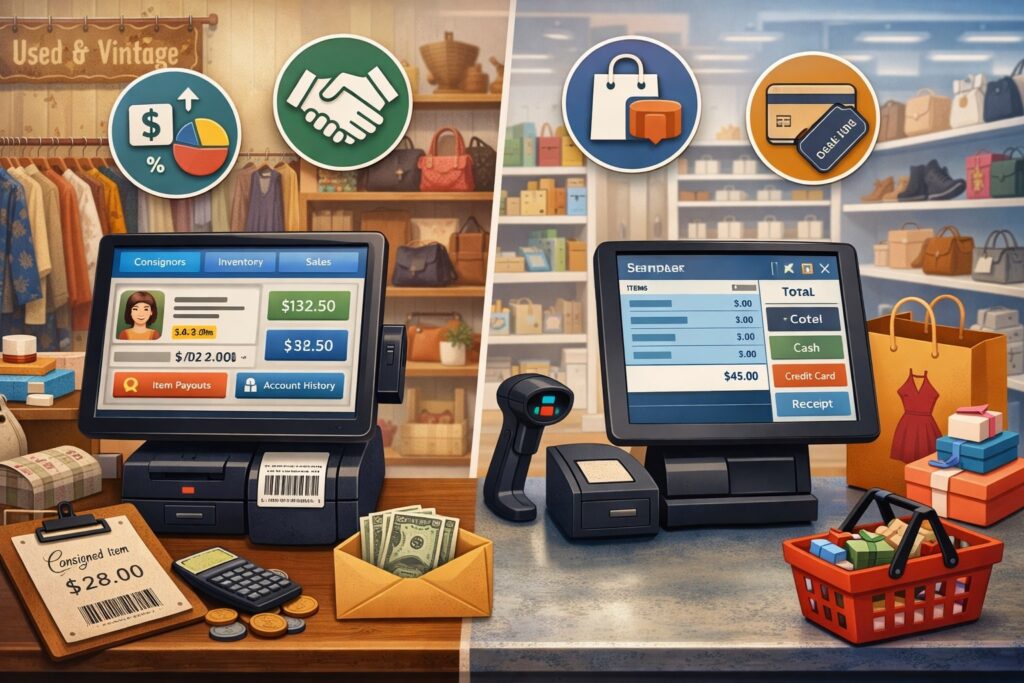
A regular POS assumes your store owns the merchandise. It tracks item cost, retail price, margin, and reordering. A consignment store point of sale assumes the store is acting as a sales agent for multiple consignors, so it must track ownership, contract terms, and seller payouts on every SKU-level transaction.
In a consignment store point of sale, each item is tied to a consignor account (or vendor profile), along with rules such as split percentage, fees, minimum price, discount schedule, and expiration/return date.
When an item sells, the system marks that exact item as sold (important for one-of-a-kind inventory), calculates the store share and consignor share, and posts that value to the consignor’s balance. That balance can later be paid via cash, check, or ACH, depending on the store’s process and the software’s capabilities.
A key operational benefit is trust: when your consignment store point of sale can produce itemized statements, payout histories, and clear rules, consignors feel confident bringing higher-quality inventory. In many stores, consignor confidence becomes a growth engine because better items attract better buyers, and better buyers attract more consignors.
Core components of a consignment POS system
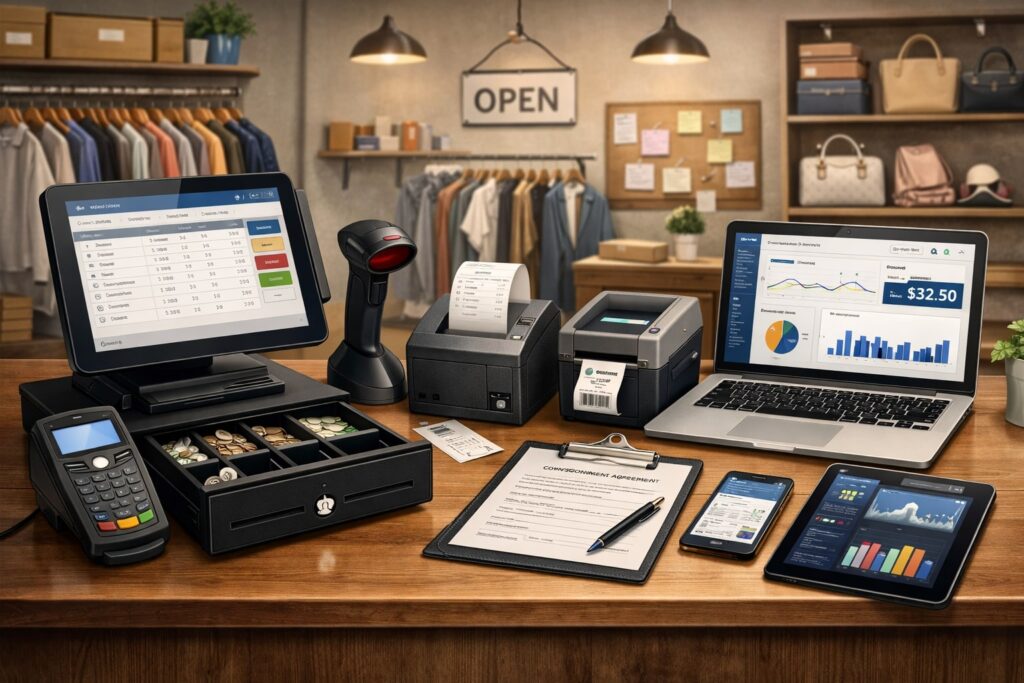
A complete consignment store point of sale typically includes five connected modules that share one database. If any part is “bolted on” poorly, you’ll feel it as duplicate work or inventory errors.
1) Item intake and inventory catalog
This is where the store creates item records, attaches them to consignors, and captures details buyers care about (brand, size, color, condition, photos).
Intake is the heartbeat of a consignment store point of sale because every downstream step depends on accurate data. Many platforms support quick-entry forms, photo capture, and barcode/label printing so staff can process items efficiently.
2) Consignor management
This includes consignor profiles, agreements, split rules, payout preferences, tax-related fields, and communication logs. Consignor management is what makes a consignment store point of sale “consignment-ready” instead of a generic POS.
3) Checkout and payments
Your POS register flow must handle scanning unique tags, applying discounts, calculating tax correctly, and recording tender types. A consignment store point of sale often benefits from integrated payments so transactions reconcile cleanly and refunds are easier to manage.
4) Payouts and statements
After a sale, the system must calculate and track consignor balances, generate statements, and support payout methods. Modern platforms emphasize automated payout reporting because manual spreadsheets are where errors (and disputes) are born.
5) Reporting and analytics
A strong consignment store point of sale provides item aging reports, sell-through, consignor performance, category trends, and tax-ready exports—especially useful at year-end.
The consignment lifecycle inside a consignment store point of sale

The best way to understand a consignment store point of sale is to follow a single item through the store from start to finish. Most stores run some variation of this lifecycle.
Step 1: Consignor onboarding and agreement setup
First, the store collects consignor details (name, contact info, payout preference) and defines the agreement terms: split percentage (for example, 60/40 or 50/50), pricing rules, discount schedule, and when items are returned or donated. Many platforms let you set global defaults plus special terms for VIP consignors or specific categories.
In a consignment store point of sale, agreement setup isn’t just paperwork. It becomes “rules” the POS enforces automatically, ensuring every sale calculates the right payout and reducing staff decision-making at the register.
Step 2: Item intake, evaluation, and data capture
During intake, staff evaluates condition, authenticity (if relevant), and marketability. Then they create the item record in the consignment store point of sale: description, brand, size, color, condition notes, price, and sometimes photos. Good intake screens reduce typing and standardize categories so reporting stays clean.
Efficiency matters here. If intake is slow, lines form, staff cut corners, and errors multiply. Many consignment tools emphasize fast item entry with barcode scanning support, photo capture, and structured fields so you can process more items per hour without losing detail.
Step 3: Tagging, barcoding, and floor readiness
Once items are created, the consignment store point of sale prints tags or labels. These typically include a barcode, price, item ID, and sometimes a short description and size. Barcoding is critical because it ensures the exact item is sold and the correct consignor is credited.
Tagging is also where operational discipline shows up. If tags are inconsistent, items get misracked, or staff can’t find records quickly, checkout slows down and customer experience suffers. With a solid consignment store point of sale, scanning the tag instantly pulls up the item, confirms price, and shows discount eligibility.
Step 4: Merchandising, discount schedules, and item aging
Consignment inventory is time-sensitive. The longer an item sits, the less likely it sells at full price. This is why many stores configure markdown schedules (example: 10% off after 30 days, 25% off after 60 days, donate/return after 90 days). A consignment store point of sale can automate these rules so staff doesn’t manually track dates.
Item aging reports help you decide what to re-merchandise, move to clearance, feature online, or pull off the floor. This is one of the biggest hidden benefits of a consignment store point of sale: it turns “gut feel” into measurable decisions.
Step 5: Checkout: selling a one-of-a-kind item correctly
At checkout, staff scans the tag. The consignment store point of sale finds that exact item record, applies any scheduled discount, calculates tax, and adds it to the cart. When the transaction is finalized, the system marks the item sold so it can’t be sold again (vital for single-quantity inventory).
The sale event triggers the consignment math: it calculates the store share and consignor share using the agreement rules, then posts the consignor share to the consignor’s balance. This automatic posting—right at the moment of sale—is what separates a true consignment store point of sale from a generic POS paired with spreadsheets.
Step 6: Returns, exchanges, and exception handling
Returns in consignment are nuanced because the store may already owe a payout, or the payout may have been issued. A capable consignment store point of sale supports return workflows that reverse the sale, adjust consignor balances, and keep an audit trail.
Some stores allow store credit only; others allow refunds within a short window. The “right” policy depends on brand position and risk tolerance. Either way, your consignment store point of sale should make it impossible to quietly “fix” a problem without leaving a record—because that’s how disputes happen months later.
Step 7: Payouts and statements
Payout time is where trust is either built or lost. A modern consignment store point of sale can generate itemized statements, show sold items and dates, and summarize balances. Many stores automate payout reporting so consignors can see what sold and what they’re owed without calling the store.
Stores commonly set payout schedules (weekly, biweekly, monthly) and may include holdbacks to manage returns. Automating these rules reduces staff time and makes payouts consistent.
Step 8: Closeout: expiration, donation, or return to consignor
When items don’t sell, the consignment store point of sale flags them as expired based on intake date or contract terms. The system should support closeout actions—return to consignor, donate, or convert to store-owned inventory (if your agreement allows it). Good closeout tracking protects you if someone asks, “Where did my item go?”
How consignment split pricing and fees work at the register
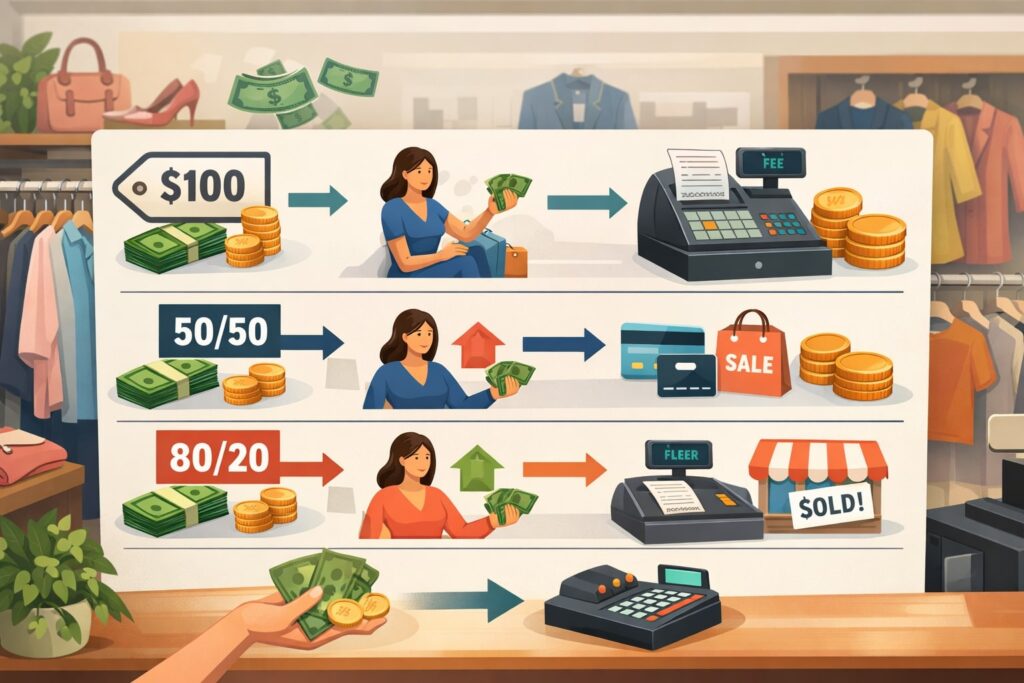
The “split” is the defining feature of a consignment store point of sale. The POS must calculate payouts accurately at SKU level, under real-world conditions like discounts, coupons, promotions, and fees.
Common split structures
Many stores run simple splits like 50/50 or 60/40. Some use tiered splits based on price (higher-priced items earn a better consignor percentage), category (luxury vs. basics), or consignor status (standard vs. premium).
A consignment store point of sale can store these rules and apply them automatically so staff doesn’t manually calculate anything.
Fees that impact consignor payouts
Some stores charge intake fees, listing fees for online channels, cleaning fees, or credit card processing offsets. Others charge a “pick-up fee” if items aren’t collected after expiration. The consignment store point of sale should support fee logic transparently so statements match your agreement language.
Discounts, coupons, and promotions
Discounts get tricky fast. If you run 20% off everything, who pays for that discount—the store, the consignor, or both?
A strong consignment store point of sale lets you define the rule: for example, discount reduces both shares proportionally, or discount only reduces the store share. Getting this right is crucial because promotions are frequent in resale, and small errors add up.
Inventory intake best practices that keep a consignment POS accurate
Intake quality determines POS accuracy. If your intake is inconsistent, your consignment store point of sale becomes a “garbage in, garbage out” machine. Here are practices that top-performing shops use.
Standardize item data fields
Create required fields for brand, size, condition, and category. Add controlled dropdowns instead of free-typing whenever possible. This keeps reporting clean and prevents “Nike,” “NIKE,” and “Nkie” from becoming three separate brands in your consignment store point of sale data.
Photograph high-value or dispute-prone items
Photos help with online listings and protect you in disputes. Some intake workflows include quick photo capture inside the consignment store point of sale so images are linked to the item record.
Build pricing guidance into intake
Staff pricing should be consistent with your store’s brand positioning. Many shops create pricing rules (by brand/category/condition) and train staff to follow them. When pricing is consistent, markdown schedules work better, and sell-through improves.
Use barcodes and tags that survive real life
Tags fall off. Ink fades. Hangers break. A consignment store point of sale performs best when your physical tagging system is durable and scannable. Re-tagging costs time, and time is money.
Consignor portals, communication, and trust-building workflows
Consignment is a relationship business. A consignment store point of sale that supports clear communication can reduce “status check” calls, increase repeat consignors, and improve item quality.
What consignors want to see
Consignors typically want:
- What items are active, sold, discounted, or expired
- Current balance and payout history
- Itemized statement showing sale date and sale price
- Clear explanation of split and fees
Many consignment platforms highlight consignor portals and automated statements because transparency reduces conflict and builds loyalty.
Automated notifications
Common notifications include “item sold,” “payout issued,” and “items approaching expiration.” Even simple automation changes customer perception: the store feels organized and professional. That professionalism—powered by the consignment store point of sale—is often what convinces high-quality consignors to choose your shop over alternatives.
Handling disputes without drama
When disputes happen, your best defense is data: item record, agreement terms, audit history, and transaction logs. A consignment store point of sale with strong audit trails turns “he said, she said” into “here’s exactly what happened.”
Sales tax, reporting, and compliance considerations
A consignment store point of sale should help you keep clean records for tax preparation and financial reporting, especially because consignment mixes store revenue with money owed to consignors.
Sales tax tracking
Sales tax rules vary by state and sometimes by product type (for example, clothing thresholds, local surtaxes, or exemptions). Your consignment store point of sale should support accurate tax calculation and reporting by jurisdiction, and it should store the tax collected per transaction so you can reconcile filings.
Year-end reporting and payment reporting forms
Many shops also think about payment reporting forms and bookkeeping categories. The details can get complex, so your best move is to ensure your consignment store point of sale produces exports that your bookkeeper can map cleanly: gross sales, tax collected, refunds, fees, and consignor payouts.
Some consignment accounting guides stress aligning records with what tax authorities and payment processors report.
Unclaimed property and stale balances
If you hold consignor balances for long periods, you may face unclaimed property rules in your state. Systems that track aging balances and document outreach help reduce risk. Some consignment POS vendors specifically call out these compliance nuances and the value of automated documentation.
Payments in a consignment store point of sale
Payments are where customer experience and back-office accuracy meet. A good consignment store point of sale supports fast checkout and clean reconciliation.
Integrated vs. semi-integrated vs. standalone terminals
- Integrated payments: the POS and card reader share one flow; fewer keying errors; easier refunds.
- Semi-integrated: payment flows through a connected terminal but may have limits.
- Standalone: separate terminal; more manual reconciliation.
Consignment stores often benefit from integrated payments because returns and partial refunds are common, and reconciliation matters when consignor payouts depend on accurate transaction records.
Managing refunds and chargebacks
If a chargeback hits after a payout was issued, the store may take the loss unless your agreement allows clawbacks. Your consignment store point of sale should track the original tender, return history, and customer details, which helps you respond to disputes and spot fraud patterns.
Deposits, holds, and layaway
Some stores use deposits for big-ticket items. The consignment store point of sale should clearly separate deposits from completed sales so consignor balances aren’t credited prematurely.
Omnichannel selling for one-of-a-kind consignment inventory
Modern resale shoppers browse online before visiting a store. For a consignment store point of sale, omnichannel isn’t just marketing—it’s inventory survival.
Why syncing matters
If an item sells in-store but still appears online, you risk cancellations and customer frustration. A true consignment store point of sale approach keeps inventory synced so “one item” never becomes “two sales.”
Listing workflows
Some shops list only premium items online. Others list most inventory with photos. The POS should support:
- Channel-specific pricing
- Online-only fees or splits
- Automatic delisting when sold
- Order pickup workflows
Many industry guides emphasize that the best consignment setups treat POS and consignment inventory as one real-time system, not separate tools stitched together.
Social selling and live sales
Short-form video and live sales events keep growing. The future-ready consignment store point of sale will make it easier to create shareable listings quickly, track which channel sold the item, and measure ROI by channel.
Employee workflows and controls that prevent mistakes
A consignment store point of sale doesn’t just run on software. It runs on repeatable habits.
Role-based permissions
Limit who can:
- edit split rules
- change prices after intake
- delete items
- issue payouts
- override discounts
Role controls reduce theft risk and “helpful” mistakes. They also protect you when staff turnover happens.
Cash drawer and end-of-day procedures
End-of-day should include:
- drawer count and variance notes
- transaction summaries by tender
- refunds/void review
- payout approvals (if you issue payouts frequently)
A consignment store point of sale with strong reporting makes closing faster and gives you confidence that the day’s sales and liabilities are recorded correctly.
Exception logs
Look for patterns: frequent manual price changes, high refund rates by cashier, or repeated voids. These aren’t always frauds, but they are always worth understanding.
Key reports every consignment store point of sale should generate
Reports are where you get leverage. If you’re only using your consignment store point of sale to ring sales, you’re leaving profit on the table.
Item aging and sell-through
These show what’s stuck and what moves fast. You can use this to refine intake decisions, improve pricing, and adjust markdown schedules.
Consignor performance
Track consignors by:
- items accepted
- sell-through rate
- average days to sell
- payout totals
This helps you spot your “ideal consignor” profile and market directly to similar people.
Category and brand insights
Use category trends to allocate floor space and optimize merchandising. Use brand insights to guide intake acceptance. Many modern POS trend discussions highlight analytics as a major differentiator, especially as AI-driven insights expand.
Payout liability summaries
This is critical. Your consignment store point of sale should show how much you owe to consignors at any moment, so you don’t accidentally spend tomorrow’s payouts today.
Choosing the right consignment store point of sale setup
Not every shop needs the same toolset, but every shop needs the same outcome: accuracy, speed, and trust.
Cloud vs. desktop
- Cloud systems can be easier for multi-location and remote access.
- Desktop systems may appeal to stores that want one-time purchases or local control.
Different vendors position these tradeoffs differently, so match the tool to your operational reality and budget philosophy.
Must-have features checklist
A practical consignment store point of sale should support:
- consignor accounts and split rules
- item-level inventory with barcodes
- automated discount schedules
- payout statements and balance tracking
- clean exports for accounting
- strong permissions and audit logs
Comparison guides for 2025 repeatedly emphasize consignor tracking and automated payouts as the core differentiators for resale and consignment stores.
Implementation reality check
The biggest failures happen when stores migrate messy data, skip staff training, or customize too much too early. A smooth launch uses staged rollout: intake first, then checkout, then payouts, then online channels.
Future trends and predictions for consignment POS systems
A consignment store point of sale is moving from “transaction tool” to “decision system.” Several trends are shaping what the next generation of consignment POS will look like.
AI-assisted pricing and demand forecasting
AI-driven analytics are becoming common in retail POS—helping predict demand, recommend pricing, and identify slow movers early. For consignment, that can mean smarter intake decisions (“accept vs. decline”), more consistent pricing, and better markdown timing.
Automated workflows that reduce labor
Expect more automation around:
- payout approvals and statements
- consignor notifications
- photo-enhanced listings
- exception detection (refund spikes, price overrides)
As labor costs rise, the consignment store point of sale that reduces manual steps will win.
Deeper omnichannel integration
More systems will treat in-store, online, marketplace, and social channels as one continuous sales pipeline—especially for one-of-a-kind inventory that must remain accurate. This will push better real-time syncing and more flexible channel-based fee/split logic.
Embedded finance and faster payouts
More platforms are adding faster bank payouts and embedded financial tools. For consignment, faster, more reliable payouts can become a competitive advantage in attracting top consignors—if done with strong controls and clear policies.
FAQs
Q.1: What is a consignment store point of sale, in simple terms?
Answer: A consignment store point of sale is a POS system designed for stores that sell items owned by multiple consignors. It tracks each item’s owner, records sales, calculates the split automatically, and manages consignor balances and payouts. Unlike a normal POS, it treats consignor payouts as a core workflow instead of an afterthought.
Q.2: How does a consignment POS calculate payouts?
Answer: When an item sells, the consignment store point of sale applies the consignor agreement rules (split percentage, fees, discount handling). It then credits the consignor’s balance for that item’s sale and updates store revenue records. This happens automatically at the time of sale in a true consignment-ready system.
Q.3: Can a consignment store point of sale handle discount schedules automatically?
Answer: Yes. Many systems let you set discount rules based on item age (days since intake) so markdowns happen consistently without manual tracking. This protects margins early and increases sell-through later, while keeping staff decisions simple at the register.
Q.4: How do returns work in a consignment POS system?
Answer: A consignment store point of sale should reverse the item’s sold status, adjust the consignor balance, and log the reason and timing. If the consignor was already paid, the system should still create an auditable adjustment so the store can handle the financial impact according to the agreement and policy.
Q.5: Do consignment stores need special reports at tax time?
Answer: They often do. Because consignment mixes store income with liabilities owed to consignors, clean reporting is essential. Many systems offer exports and payout histories that help with bookkeeping and year-end preparation.
Q.6: Is a general retail POS good enough for consignment?
Answer: Sometimes—but usually only if you add a consignment-specific inventory and payout layer. Many “best POS for consignment” lists point out that general POS platforms may need add-ons to handle consignor tracking and split payouts correctly.
Conclusion
A consignment store point of sale works by managing the full lifecycle of each item: onboarding consignors, capturing intake details, tagging and barcoding, automating discounts, completing checkout, calculating splits, posting consignor balances, and issuing payouts with transparent statements.
That lifecycle is why consignment POS is fundamentally different from standard retail POS—it must track ownership and liabilities as precisely as it tracks sales.
When your consignment store point of sale is configured well, you get faster intake, quicker checkout, fewer disputes, cleaner books, and stronger consignor trust.
And as the industry evolves, future-ready systems will lean into AI-driven pricing guidance, workflow automation, deeper omnichannel syncing, and faster payout capabilities—helping consignment stores scale without sacrificing accuracy or relationships.
Meta Description –
Consignment store POS explained: learn how inventory intake, split payouts, barcoding, sales tracking, and consignor management work together to boost resale profits.