By consignmentpos February 25, 2026
If you’ve ever tried to compare POS quotes for consignment, you already know the sticker price doesn’t tell the whole story.
The consignment POS system cost is made up of several moving parts: software subscription, payment processing, hardware, label supplies, training, data migration, and the add-ons that make consignment work (vendor splits, payouts, aging rules, and more).
So, how much does a consignment POS system cost in real life? In 2026, most consignment retailers land somewhere between a lean entry setup and a fully loaded multi-register operation—depending on store volume, how you handle payouts, whether you need ecommerce, and how strict your reporting needs are.
This guide is consignment store POS pricing that explains the way a retail consultant would walk you through it: transparent ranges, what drives price, where owners get surprised, and how to build a budget that holds up after the “intro rate” ends. Educational content only—not financial advice.
Why Consignment POS Cost Is Different From Regular Retail POS
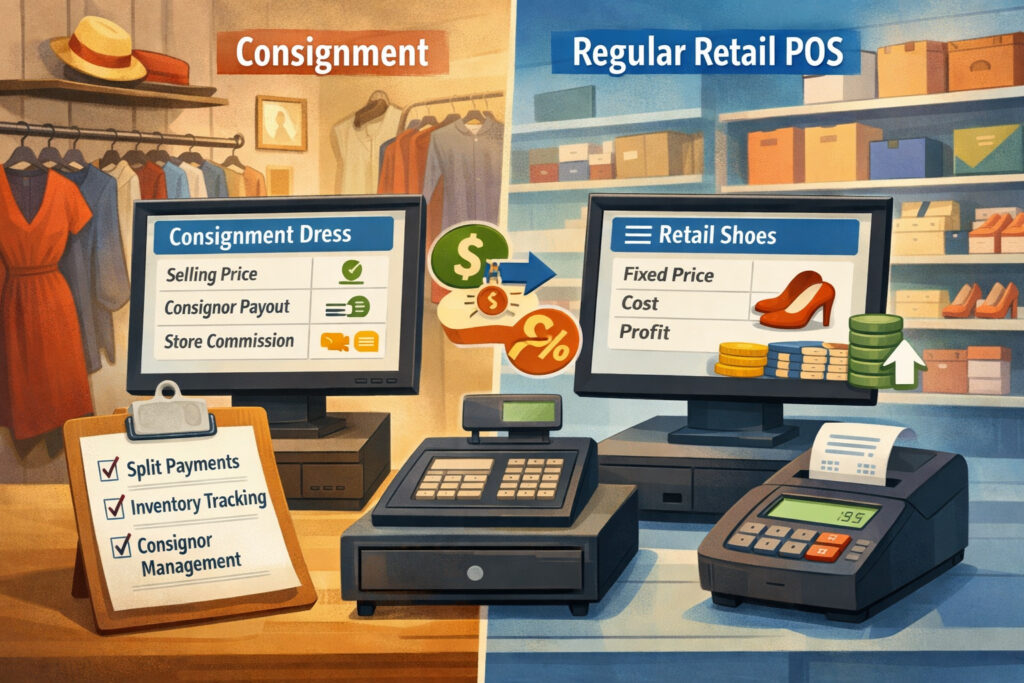
A standard retail POS mostly needs to do four things well: ring sales, manage inventory, track customers, and reconcile payments. Consignment adds an entirely different layer of accounting and operational complexity—so the cost of consignment POS systems is usually higher than a basic retail POS, even at similar store size.
Here’s what changes the pricing equation:
- Consignor/vendor splits: Your POS has to track ownership (store-owned vs. consigned), split percentages, and how those splits change by category, vendor tier, or contract terms.
- Payouts and liability tracking: When you owe consignors money, that’s a liability. Better systems track unpaid balances, payout schedules, and payout history cleanly—and that often costs more.
- Item lifecycle management: Consignment lives and dies by aging, markdown rules, return-to-consignor deadlines, and donation workflows. Systems that automate these rules save time but typically sit in higher consignment POS pricing tiers.
- Label printing and tagging: You’ll print far more labels than a typical retailer. Native label design tools, barcode workflows, and label formats often influence which plan you need.
Pro Tip: When comparing quotes, don’t ask “Does it support consignment?” Ask “How does it handle splits, payouts, aging markdowns, and unsold item disposition—with reporting I can trust?” That’s where the real pricing differences show up.
Typical Cost Components (Software, Hardware, Payments, Onboarding)

Before we get into consignment POS pricing, you need a full picture of what you’re actually paying for. Many vendors will quote only the monthly software fee—while your real total comes from a bundle of recurring and upfront costs.
The main buckets look like this:
- Software subscription: Your base plan, plus any per-register/per-location charges and optional modules.
- Payment processing fees: Your card and digital wallet fees, plus monthly account fees (depending on provider), plus chargeback/dispute fees.
- Hardware costs: iPad/tablet or terminal, barcode scanner, receipt printer, label printer, cash drawer, and network gear.
- Supplies: Labels, ribbons/ink (if applicable), receipt paper, and sometimes tags.
- Implementation: Onboarding and training fees, data migration costs, setup/configuration, and integration work.
- Support plans: Some vendors include support; others charge more for priority response times or dedicated onboarding.
Below is a practical view of typical cost components you should plan for.
Table 1: Typical Cost Components of a Consignment POS
| Cost component | What it covers | Typical range (2026) | Notes / what drives it |
|---|---|---|---|
| Software subscription | Core POS + consignment features | $79–$399+/month | Higher if you need advanced reporting, multi-register, or vendor mall tools |
| Per-register / per-terminal fees | Extra registers/devices | $20–$100+/register/month | Some vendors bundle registers into plan tiers; others charge separately |
| Per-location pricing | Multi-store management | $50–$300+/location/month | Can include consolidated reporting, shared inventory, transfer workflows |
| Payment processing fees | Card + digital wallet acceptance | Variable | Depends on pricing model, average ticket size, and risk factors |
| Hardware (upfront) | Tablet/terminal, scanner, printers, cash drawer | $650–$2,500+ per register | Replacement/backup devices add to long-term TCO |
| Label printing supplies | Labels, ribbons/ink, tag stock | $15–$120/month | Depends on volume and label type |
| Onboarding/training | Setup sessions, training, configuration | $0–$2,500 (one-time) | Often higher for vendor malls or multi-location rollouts |
| Data migration | Import items/consignors/customers | $0–$1,500+ (one-time) | Higher if cleaning messy legacy data or mapping custom fields |
| Integrations | Accounting, ecommerce, marketing, loyalty | $0–$200+/month | Some are built-in; others require paid connectors |
| Support plans / SLAs | Priority response, dedicated manager | $0–$250+/month | Helpful if downtime is costly or you have complex workflows |
The point of this table isn’t to scare you—it’s to prevent budgeting off a partial quote. The true total cost of ownership (TCO) is what you’ll feel after month three.
The Main Pricing Models: Consignment Store Pos Pricing Explained
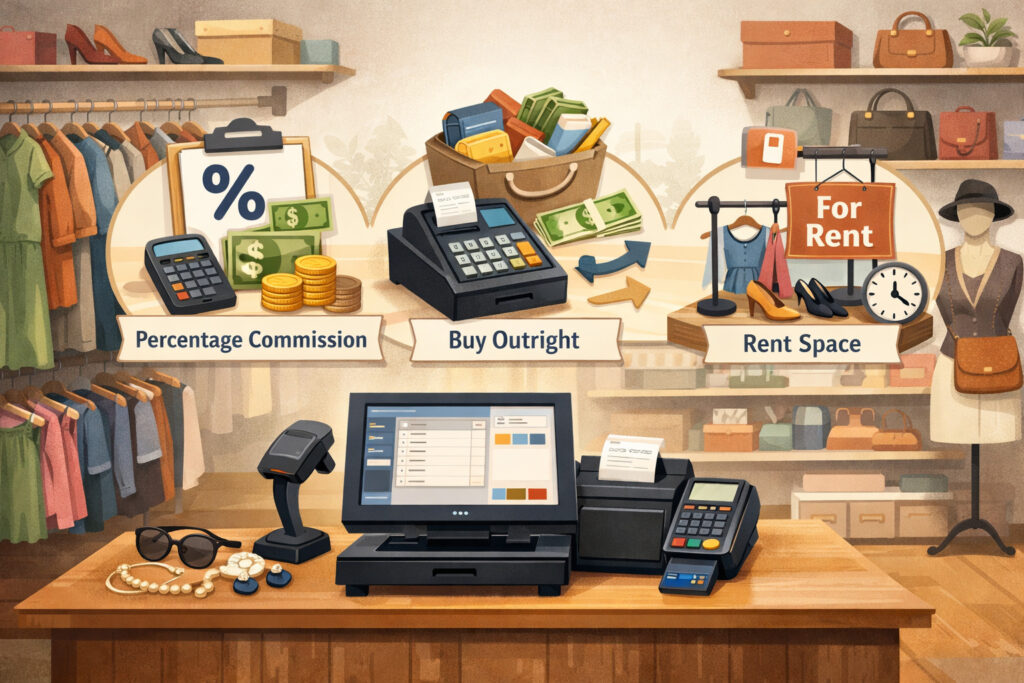
When you’re trying to answer “how much does a consignment POS system cost,” it helps to identify which pricing model a vendor uses. In 2026, you’ll typically see one of these—and sometimes a hybrid.
Flat monthly subscription
This is the cleanest model: one monthly price for a bundle of features. It’s attractive because it’s easier to forecast. The catch is that “flat” often still has limits (registers, users, reports, or inventory items). If you outgrow the cap, you move to a higher tier.
Best for:
- Single-location stores with predictable staffing
- Owners who want stable monthly planning
- Stores that don’t need complex integrations at launch
Watch for:
- Feature gating (basic reports vs. advanced dashboards)
- Additional costs for a consignor portal
- Add-on fees for ecommerce or automated payouts
Per-register / per-terminal pricing
This model charges a base subscription plus a fee for each register or device. It’s common in retail and can work well for consignment—until you add seasonal registers, pop-up events, or new checkout lanes.
Best for:
- Stores that know exactly how many registers they’ll keep year-round
- Shops that scale slowly
Watch for:
- “Register” definitions (does a back-office tablet count?)
- Extra charges for handheld scanners or mobile checkout apps
- Surprise costs during peak seasons
Per-location pricing
This model adds a charge per store location, sometimes bundled with a set number of registers. It’s designed for multi-store operators who need consolidated reporting and shared configuration.
Best for:
- Two or more locations
- Store groups that want standardized item intake rules and reporting
Watch for:
- Cross-location inventory transfers (included vs. paid feature)
- Consolidated reporting (sometimes gated behind higher tier)
- Permissions and audit logs (often extra)
Tiered plans (starter/pro/enterprise)
Tiered plans are extremely common in consignment POS pricing tiers. They keep entry pricing low, then charge more for advanced workflows: vendor mall support, deeper reporting, ecommerce, audit logs, and automation.
Best for:
- Stores that want to start lean but have a growth path
- Teams that need strong reporting and role control as they scale
Watch for:
- “Starter” plans that lack consignment essentials (payout automation, flexible splits)
- Paid upgrades for basic reporting and exports
- Per-user fees layered on top of tiers
Transaction-based add-ons (ecommerce orders, ACH payouts)
Consignment POS vendors increasingly charge based on usage for certain actions:
- ecommerce order volume
- shipment labels or fulfillment workflows
- consignor payout tools (ACH/direct deposit) processing
- SMS marketing sends
This can be fair—pay for what you use—but it can also create “quiet” cost creep.
Pro Tip: Ask vendors to show a sample invoice that includes your expected usage (orders/month, payouts/month, registers, and add-ons). That’s the fastest way to validate a quote.
Real Costs To Include In Total Cost Of Ownership (TCO)

A POS that looks “affordable” can become expensive once you factor in everything required to run consignment day-to-day. To estimate consignment POS system cost accurately, you need to include both recurring monthly costs and one-time implementation costs—plus replacement cycles.
Here’s what belongs in your TCO calculation:
Software subscription
This is your predictable base, but it’s rarely just one line item. Most consignment stores also pay for:
- additional registers
- extra users
- reporting upgrades
- ecommerce connectors
- loyalty and store credit tools
If you’re comparing a monthly subscription vs annual plan, know that annual plans can reduce the monthly rate—but may increase your risk if the POS isn’t a fit.
Payment processing (cards, digital wallets, and ACH where relevant)
Payment processing is usually your biggest variable cost. Even small differences in fee structure can matter if you run a high-volume store.
Hardware + replacements
Hardware is an upfront cost, but it’s also a replacement cost. Tablets wear out, scanners break, printers jam, and power supplies disappear at the worst time.
Plan for:
- a backup receipt printer or spare scanner for busy stores
- periodic tablet refreshes
- network upgrades if you add registers or expand
Label printers, barcode scanners, cash drawers
Consignment stores are labeling machines. If your workflow depends on fast intake, invest in label printing that doesn’t slow staff down. This is also where hidden cost appears: the “wrong” label format can increase supply costs and time.
Supplies (labels, receipt paper)
Supplies feel small until you scale. If you’re printing hundreds of tags weekly, you’ll go through labels fast—especially during intake events or seasonal swaps.
Onboarding/training and setup
Implementation cost often correlates with complexity:
- Vendor malls require vendor account setup rules, payout schedules, and reporting structure.
- Multi-location requires consistent tax settings, item fields, and permissions.
Data migration and integrations
Migrating consignors, items, histories, and balances takes work. Integrations (accounting, ecommerce, loyalty) may add monthly fees or require paid connectors.
Support plans and SLA upgrades
If you’re open 7 days a week and rely on POS uptime, priority support can be worth it. If you’re a small boutique open for limited hours, standard support may be fine.
Pro Tip: TCO isn’t just “what it costs.” It’s “what it costs to run reliably without staff workarounds.” Workarounds have a cost too.
Payment Processing Cost Basics
Most store owners underestimate how much payment processing structure influences the cost of consignment POS systems over time. You don’t need to become a payments expert—but you do need a simple mental model.
Interchange vs. markup (high level)
When someone pays with a card, the transaction typically includes:
- an underlying network/issuer cost (often referred to as interchange and related network fees)
- a provider’s markup (how the processor makes money)
You won’t always see every piece itemized, but conceptually that’s what you’re paying: base cost + provider margin.
Flat-rate vs. interchange-plus (general)
- Flat-rate pricing charges one blended rate for most card types. It’s predictable and simple, but may be higher than necessary for some stores—especially those with higher average tickets or many debit transactions.
- Interchange-plus typically separates the underlying card cost from the provider’s markup. It can be more transparent, but you need clean statements to compare providers.
Neither is “always best.” Flat-rate can be fine for a low-volume store that values simplicity. Interchange-plus may benefit stores with higher volume and consistent transaction patterns.
Chargebacks and dispute fees
Chargebacks happen when a customer disputes a transaction. Even if you win, there can be fees. A POS and payment setup with good receipts, signatures (where applicable), and clear refund practices can reduce headaches.
Budget for:
- dispute/chargeback fees (varies by provider)
- staff time to respond with documentation
Refund handling and net revenue
Refunds can affect your net in a few ways:
- some providers keep certain fees even when you refund
- partial refunds complicate reconciliations
- if you’re running store credit, you’ll need policy + reporting clarity
Pro Tip: Ask how refunds and disputes appear in reporting. If reports are confusing, you’ll pay for it in bookkeeping time—every month.
Cost Ranges You Can Expect In 2026 (Entry, Mid-Tier, Vendor Mall, Multi-Location)
Let’s translate consignment POS pricing explained into realistic ranges. These are broad estimates, because every vendor bundles differently and every store’s volume changes the payment processing component. Still, ranges help you set expectations.
Entry-level (small, single-location stores)
Typical fit:
- one register
- basic consignment intake
- simple reporting
- minimal integrations
Common monthly range (software only):
- $79–$159/month for base POS + consignment features
Common upfront range (hardware + setup): - $650–$1,800 depending on device and printer choices
Most entry-level stores keep add-ons minimal at first and upgrade later when intake volume increases.
Mid-tier (busy shops with more intake and reporting needs)
Typical fit:
- 1–2 registers
- higher SKU turnover
- needs stronger reporting and employee permissions
- may add loyalty, advanced dashboards, or ecommerce connection
Common monthly range (software + typical add-ons):
- $159–$399+/month, plus register fees if applicable
Common upfront range: - $1,200–$3,500 depending on number of lanes and printer setup
Vendor mall (many sellers, vendor tracking, payouts)
Typical fit:
- dozens to hundreds of vendors
- vendor-level reporting
- payout schedules and reconciliation
- possible booth rent tracking or specialized reporting
Common monthly range:
- $249–$699+/month depending on vendor tools, portals, and reporting
Common upfront range: - $2,000–$6,000+ with training, data migration, and multi-register hardware
Multi-location (two or more stores)
Typical fit:
- consolidated reporting
- shared configuration and permissions
- inventory visibility across locations
- standardization of intake, tags, and policy
Common monthly range:
- $399–$1,200+/month (depends on locations, registers, reporting tier, and integrations) Common upfront range:
- $3,000–$12,000+ including rollout support and migration
Pro Tip: The “right” number is the one that includes your must-have workflows. A cheap POS that can’t manage payouts cleanly can cost more than a pricier system once staff time and errors show up.
What Features Increase Price—And When They’re Worth It
In most consignment POS pricing tiers, the price climbs when you move from “ring and tag” to “automate and analyze.” That isn’t bad—those features can pay back in time savings and fewer mistakes—but only if you’ll actually use them.
Advanced reporting and dashboards
This is usually a paid tier jump. Worth it when you need:
- aging analysis to manage markdowns
- sell-through by category, brand, or vendor
- performance by employee or intake source
- payout forecasting and liability visibility
If you’re still figuring out your core intake process, you might start without the advanced dashboards and upgrade after 60–90 days of clean data.
Consignor portal and self-service
A consignor portal can reduce phone calls, printouts, and confusion. It’s worth it when:
- you have many active consignors or vendors
- you want fewer “Did my items sell?” requests
- you need transparency to build trust
But portals can be priced as:
- a paid module
- a higher tier requirement
- or a per-consignor add-on (less common, but it exists)
Ecommerce integrations or webstore
Ecommerce is frequently an add-on module. It increases costs because it adds:
- online catalog syncing
- order management
- tax/shipping handling (if you ship)
- return workflows across channels
Worth it when:
- you have strong demand for online browsing
- you move high-value items that sell faster with broader visibility
- you can commit staff time to product photos and listing quality
Multi-location inventory
Multi-location tools add complexity: transfers, shared fields, consolidated dashboards, and permissions. Worth it when you’re past “two stores operating independently” and need unified reporting.
Role permissions and audit logs
These features live in higher tiers because they reduce risk:
- controlling voids and discounts
- tracking edits to consignor splits
- limiting who can run payouts or exports
Worth it when you have:
- more than a few employees
- high volume intake
- strict payout rules
- or have you ever had a “who changed this?” moment
Automated payouts (ACH/direct deposit)
Consignor payout tools (ACH/direct deposit) can save time and reduce check handling. But they may add:
- per-payout fees
- monthly module fees
- additional compliance steps
Worth it when:
- you process many payouts weekly
- you want fewer manual errors
- your staff is spending too much time on checks and reconciliation
Pro Tip: Pay for automation when it removes recurring labor, not when it just looks “professional.” Ask vendors what customers typically upgrade to after they’re live—that reveals where value actually is.
Add-On Modules: What They Cost And How To Think About Them
Add-ons are where many budgets go sideways—especially when the base subscription looks reasonable. You’ll see add-ons for ecommerce, reporting, loyalty, texting, advanced consignor tools, integrations, and support upgrades.
The key is to map add-ons to your store model:
- A solo boutique may not need deep vendor dashboards.
- A vendor mall may need robust vendor reporting more than ecommerce.
- A multi-location operator may prioritize centralized reporting and audit logs.
Table 2: Common add-ons and what they usually cost (ranges + notes)
| Add-on module | Typical cost (2026) | What it does | Notes |
|---|---|---|---|
| Ecommerce integration / webstore | $49–$250+/month | Sync inventory, manage orders | Often separate from base plan; may include order limits |
| Advanced reporting & dashboards | $30–$200+/month (or tier jump) | Deeper analytics, exports | Sometimes “basic reports” are free but useful reports are gated |
| Loyalty / rewards | $25–$150+/month | Points, rewards, retention | May charge per message or per active customer |
| SMS marketing | $15–$100+/month + usage | Text campaigns and reminders | Costs grow with volume |
| Accounting integration | $0–$80+/month | Sync sales, taxes, payouts | Some require third-party connector fees |
| API access | $0–$200+/month | Custom integrations | Often higher tier; watch for rate limits |
| Consignor portal | $0–$150+/month | Self-service sales view | Sometimes bundled only in Pro/Enterprise |
| Automated payouts (ACH/direct deposit) | $10–$100+/month + per payout | Streamline payouts | Watch per-transaction payout fees |
| Support plan upgrade / SLA | $25–$250+/month | Priority support | Worth it if downtime is costly |
| Extra registers/devices | $20–$100+/register/month | Add lanes/devices | Clarify what counts as a register |
Pro Tip: “Included” doesn’t always mean “usable at your scale.” Ask whether the feature has caps (orders/month, exports, users, vendors, registers).
Hardware costs (iPad, barcode scanner, receipt printer) and replacement planning
Hardware is where owners either overspend upfront—or underbuy and create daily friction. The goal is a setup that supports fast intake, smooth checkout, and reliable printing.
Typical per-register hardware stack includes:
- tablet or terminal
- barcode scanner
- receipt printer
- cash drawer (if you take cash)
- label printer (often shared, but some stores use one per lane)
- router/network reliability gear
Typical hardware ranges (2026)
- Tablet/terminal: $250–$900
- Barcode scanner: $80–$350
- Receipt printer: $150–$450
- Cash drawer: $80–$200
- Label printer: $180–$600
- Network/router extras: $80–$250
Add cables, mounts, and spare power supplies. Those “small” items become emergency purchases if you don’t plan for them.
Label printing supplies and ongoing costs
Label supply costs vary widely because of:
- label size and type
- adhesive quality
- whether you use thermal labels vs. ink-based systems
- volume of intake
A realistic range for label printing supplies and receipt paper:
- $15–$120/month depending on intake volume and label type
Replacement planning
Devices fail. Build a plan:
- Replace tablets every few years if performance degrades
- Keep at least one spare scanner for busy stores
- Maintain a backup printer if you’re high volume
Pro Tip: Ask vendors for a hardware compatibility list and the recommended label sizes. Switching label formats later can create hidden costs in supplies and workflow re-training.
Onboarding, Training, And Data Migration Costs
Implementation is where a POS goes from “software” to “operational system.” Skipping onboarding may save cash upfront, but it often costs more in corrections, staff confusion, and bad data.
Onboarding and training fees
Some vendors include basic onboarding. Others charge for:
- guided setup calls
- staff training sessions
- custom workflow configuration
- payout and split rule setup
- go-live support
Typical ranges:
- $0–$500 for simple setups (sometimes included)
- $500–$2,500 for complex workflows (vendor mall, multi-register, multi-location)
If your team has turnover or multiple shift leads, training quality matters. A “one-and-done” onboarding call may not be enough.
Data migration costs
Data migration isn’t just importing a spreadsheet. Consignment data can include:
- consignor/vendor records
- existing inventory and item history
- payout balances and liability
- customer lists and store credit
- category mappings and tax settings
Typical ranges:
- $0–$300 if you import only basic contacts/items and clean your data yourself
- $300–$1,500+ if the vendor does mapping, cleanup, and validation
- Higher if you have messy data and need historical accuracy
Setup and configuration
Even without migration, you may need setup help for:
- split rules by category/vendor
- markdown schedules by age
- tagging templates
- payout cadence
- role permissions and audit logs
Pro Tip: If you’re switching systems, prioritize importing what you must keep accurate (consignor balances, store credit, active inventory). You can archive older history if it reduces migration cost and risk—assuming your bookkeeping requirements allow it.
Integrations And Support Plans: Recurring Costs That Sneak Up
Integrations and support often look optional—until you’re live and realize you need them for day-to-day clarity.
Common integrations that affect budget
- Accounting software integration
- Ecommerce platform connections
- Loyalty/marketing tools
- Shipping tools (if you fulfill orders)
- Email/SMS marketing systems
Some are included. Others require:
- paid connectors
- higher plan tiers
- API access fees
- third-party subscription costs
A realistic integration range:
- $0–$200+/month depending on how many tools you connect
Support plans and SLA upgrades
Support is one of those expenses you don’t appreciate until something breaks at 4:30 PM on a weekend. Some vendors include support in all plans. Others differentiate:
- standard support (longer response time)
- priority support
- dedicated account manager
- extended hours support
Typical range:
- $0–$250/month
Pro Tip: Ask: “What’s the average response time for my plan, and what’s the escalation path if my register is down?” If the answer is vague, budget for a support upgrade or reconsider the vendor.
Hidden fees and contract red flags to watch for
This is where “cheap” becomes expensive. Hidden fees aren’t always malicious—sometimes they’re just poorly explained. Either way, you should identify them before signing.
Common hidden fees
- Long-term contract terms and cancellation fees: Some vendors discount heavily for a long term. If you leave early, you may face early termination fees.
- Processor lock-in: A POS may require you to use their payment processor. That can be convenient—or expensive if rates and support aren’t competitive.
- Paid upgrades for basic reports: If exporting, vendor reporting, or aging analysis is behind a paywall, you’ll likely upgrade.
- Per-user fees: Some plans charge for additional staff logins beyond a small number.
- Support tiers: Basic support may be slow; faster response costs extra.
- API access fees: You may need API access for custom reporting or integrations.
- Transaction-based add-ons: Fees for ecommerce orders, payouts, or messaging volume.
Contract red flags
- No clear written pricing for year two
- “Required” add-ons that aren’t listed in the proposal
- Vague payment processing terms
- Early termination language that’s hard to interpret
- “Implementation required” but not priced
Pro Tip: Request the full pricing schedule in writing: software, add-ons, register fees, support, onboarding, and any usage-based fees. If they won’t provide it clearly, that’s your answer.
Estimated Monthly Budgets By Store Type And Size (Real-World Planning)
Let’s turn ranges into real budgets you can use for planning. These are estimates that combine typical software + add-ons + supplies and assume payment processing is separate (because it depends on volume and ticket size). You’ll still add processing costs afterward.
Table 3: Estimated monthly budgets by store type/size (excluding variable processing)
| Store type | Typical setup | Estimated monthly budget (software + add-ons + support + supplies) | Notes |
|---|---|---|---|
| Solo boutique (low to moderate volume) | 1 register, basic reports, label printing | $110–$260/month | Lean add-ons; upgrade reporting later if needed |
| High-volume single store | 1–2 registers, advanced reporting, permissions | $220–$550/month | Often adds dashboards, extra register fees, better support |
| Vendor mall | 2+ registers, vendor reporting, payout workflows | $350–$900/month | Vendor tools + portal + support commonly included or added |
| Multi-location (2–4 locations) | Consolidated reporting, permissions, integrations | $650–$1,600+/month | Per-location fees + reporting tier + integrations drive range |
To build a true budget, add:
- monthly payment processing costs (variable)
- hardware amortization or replacement reserve (spread across months)
Pro Tip: If you’re tight on cash, start with the features that prevent mistakes (splits, payouts, clean tagging) and delay “nice-to-have” add-ons like loyalty until operations are stable.
Simple Cost Calculator: Formulas + Examples You Can Copy
You don’t need a spreadsheet to estimate your consignment POS system cost—but you do need a consistent method. Here’s a simple text-based cost calculator.
Step 1: Estimate your monthly software + ops cost
Monthly POS Cost (excluding processing) =
Use this to compare POS quotes before adding payment processing.
Step 2: Estimate monthly processing cost (simple model)
Monthly Processing Cost ≈
Use a conservative estimate if you don’t know your exact effective rate yet.
If you don’t know your effective rate, use a conservative placeholder and refine later. The goal is to avoid under-budgeting.
Step 3: Calculate upfront costs
Upfront Cost =
Upfront costs vary based on hardware count and migration complexity.
Example 1: Small boutique (1 register)
Example 2: Vendor mall (3 registers)
Example 3: Multi-location (3 locations, 2 registers each)
Pro Tip: If these examples feel high, remember: you can often phase in add-ons after go-live. But don’t under-buy the features that prevent payout errors or broken tagging workflows.
Sample Budgets With Line Items (Three Real-World Scenarios)
Below are three “consultant-style” budgets you can adapt. They include line items so you can compare vendors apples-to-apples.
Sample budget A: Small consignment boutique (lean start)
Assumptions:
- 1 register
- moderate intake
- no ecommerce initially
- basic reporting
Monthly
- Software subscription: $99–$159
- Supplies (labels/receipt paper): $15–$35
- Optional add-on (reporting or simple loyalty): $0–$60
- Support upgrade: $0–$50
Estimated monthly (excluding processing): $114–$304
Upfront
- Hardware bundle: $650–$1,800
- Onboarding: $0–$500
- Data migration: $0–$300
- Initial supplies: $30–$90
Estimated upfront: $680–$2,690
Sample budget B: Vendor mall manager (vendor reporting + payouts)
Assumptions:
- 2–4 registers
- vendor reporting needed
- portal helpful
- heavier training requirements
Monthly
- Software subscription: $249–$699
- Register fees: $0–$250
- Consignor portal: $0–$150
- Advanced reporting: $50–$200
- Support plan/SLA: $50–$250
- Supplies: $40–$120
Estimated monthly (excluding processing): $439–$1,369
Upfront
- Hardware: $2,000–$6,000+
- Onboarding/training: $800–$2,500
- Data migration: $300–$1,500
- Initial supplies: $60–$150
Estimated upfront: $3,160–$10,150+
Sample budget C: Multi-location resale operator (standardized + scalable)
Assumptions:
- 2–4 locations
- consolidated reporting
- strict permissions/audit logs
- integrations for accounting
Monthly
- Base software: $399–$899
- Per-location fees: $100–$300/location
- Per-register fees: $20–$100/register
- Reporting/permissions tier: $100–$300
- Integrations: $20–$150
- Support/SLA: $100–$250
- Supplies: $60–$200
Estimated monthly (excluding processing): $900–$2,800+ (depending on store count and register count)
Upfront
- Hardware: $3,000–$12,000+
- Onboarding: $1,500–$6,000+
- Data migration: $500–$3,000+
Estimated upfront: $5,000–$21,000+
Pro Tip: If you’re multi-location, pay special attention to permissions, audit logs, and consistent item field structure. Fixing inconsistent setup later is expensive.
How To Choose Based On Value—Not The Lowest Price
It’s tempting to pick the cheapest monthly quote. But consignment operations punish weak systems. If your POS can’t reliably track splits, aging markdowns, and payout liabilities, your team will create workarounds—and those workarounds become permanent costs.
What to prioritize by store model
Solo boutique
- fast intake + easy labeling
- straightforward payouts
- clear basic reports (sales, aging, consignor balances)
- affordable add-on path as you grow
High-volume store
- speed at checkout and intake
- advanced reporting for markdown decisions
- strong employee permissions and audit logs
- dependable hardware compatibility
Vendor mall
- robust vendor reporting
- payout scheduling and reconciliation
- vendor portal to reduce admin time
- scalable register management
Multi-location
- consolidated reporting across locations
- consistent item and vendor rules
- transfer workflows and permissions
- support plan that matches operating hours
ROI logic without income promises
Instead of “this will make you more money,” use realistic value questions:
- Will this reduce time spent on payouts by hours per week?
- Will it reduce pricing/tagging errors and returns?
- Will it prevent disputes with consignors by improving transparency?
- Will it reduce bookkeeping time with cleaner reporting?
If the answer is yes and the vendor can demonstrate it with workflows and reports, paying more may be justified.
Pro Tip: Ask for a live demo using your real scenarios: intake, tag printing, a sale, a markdown by age, a payout run, and a vendor report. If the demo doesn’t match your workflow, the price is irrelevant.
Questions to ask vendors to uncover hidden fees (and avoid surprises)
You can save yourself months of frustration by asking the right questions before signing. The goal is to expose the full TCO and identify contract pitfalls.
Table 4: “Questions to ask vendors” to uncover hidden fees
| Category | Questions to ask | Why it matters |
|---|---|---|
| Pricing structure | “Is pricing per-register / per-location pricing, or flat? What’s included?” | Prevents surprise charges as you add registers or locations |
| Plan limits | “Are there caps on users, vendors, items, reports, or exports?” | Limits often trigger upgrades |
| Add-ons | “Which features are add-on modules (ecommerce, reporting, loyalty, portal)?” | Helps forecast growth costs |
| Payment processing | “Is payment processing required through you? What are the fees and contract terms?” | Lock-in can be costly if terms aren’t favorable |
| ACH payouts | “Do ACH/direct deposit payouts have per-payout fees or monthly charges?” | Payout automation can carry usage-based costs |
| Support | “What’s the support response time on my plan? Is priority support extra?” | Downtime has real operational cost |
| Training/onboarding | “Is onboarding included? If not, what’s the fee and what does it cover?” | Avoids rushed setup and bad workflows |
| Data migration | “What does migration include? What format do you need? What costs extra?” | Prevents underestimating cleanup time |
| Contracts | “What are the contract terms and cancellation fees? Any early termination fees?” | Keeps you from being stuck with a bad fit |
| Upgrades | “How often do prices change? What will I pay after the promo period?” | Year-two pricing matters |
| Hardware | “Are you hardware-agnostic? What devices do you recommend? Any warranty options?” | Avoids buying incompatible or unreliable gear |
| Reporting | “Which reports are included vs. paid upgrades?” | Reporting is where consignment needs are unique |
Pro Tip: If a vendor avoids direct answers, insist on a written quote that lists all recurring and one-time costs. A transparent vendor will provide this without drama.
FAQs
Q.1: How much does a consignment POS system cost per month?
Answer: Most stores pay $79–$399+/month for software depending on plan tier, registers, and add-ons. Vendor mall and multi-location setups often land higher due to reporting, portals, support, and device needs.
Q.2: What’s the cheapest way to start with consignment POS?
Answer: Start with:
- one register
- a plan that includes core consignment workflows (splits, payouts, labeling)
- minimal add-ons
Then add reporting, portals, or ecommerce after you stabilize intake and tagging.
Q.3: Do I have to pay extra for a consignor portal?
Answer: Often, yes. A consignor portal may be included only in mid/high tiers or sold as an add-on module. Always ask if it’s bundled, capped, or priced separately.
Q.4: How much should I budget for POS hardware?
Answer: A practical range is $650–$2,500+ per register, depending on whether you need a label printer at each lane, scanner quality, and device type. Busy stores should also budget for at least one spare critical device.
Q.5: How do payment processing fees affect total cost?
Answer: Processing fees scale with sales volume. Even small differences can matter at higher volume. Always estimate processing separately from software so you’re not surprised by your true monthly total.
Q.6: Are there setup or onboarding fees?
Answer: Sometimes. Simple setups may be included, while vendor malls or multi-location rollouts can include onboarding and training fees that range from a few hundred to a few thousand.
Q.7: What add-ons are most common for consignment stores?
Answer: Common add-on modules (ecommerce, reporting, loyalty) include:
- advanced reporting
- consignor portal
- ecommerce integration/webstore
- automated payouts (ACH)
- loyalty and messaging tools
Q.8: Is ecommerce included or extra?
Answer: Ecommerce is often extra, either as an add-on or a higher-tier plan requirement. Ask whether the vendor supports real-time syncing, order management, and returns across channels.
Q.9: What’s the typical cost for vendor mall consignment POS?
Answer: Many vendor mall setups fall around $350–$900+/month (excluding processing), depending on number of registers, vendor reporting needs, portal access, and support requirements.
Q.10: Can I switch POS systems later without losing data?
Answer: Usually you can switch, but migration takes planning. You’ll want to export vendors/consignors, inventory, and balances cleanly. Ask about export formats and whether the vendor supports data migration services.
Q.11: What are the most common hidden fees to watch for?
Answer: Look for:
- long-term contracts and cancellation fees
- processor lock-in
- paid upgrades for reporting
- per-user fees
- support tier charges
- API access fees
- transaction-based charges (orders, payouts, messaging)
Q.12: Should I pick a monthly subscription vs annual plan?
Answer: Annual plans can lower the monthly rate, but they increase risk if the POS isn’t a fit. If you’re unsure, consider monthly first until workflows are proven.
Q.13: Does per-register / per-location pricing matter if I’m small?
Answer: It can. If you add a second register seasonally or expand later, per-register/per-location pricing can change your costs quickly. Ask for a growth quote now, not later.
Q.14: How do I know if I need advanced reporting?
Answer: If you make markdown decisions, track aging closely, manage many vendors, or need clean payout/liability reporting, advanced reporting is often worth it.
Q.15: Are automated consignor payouts worth paying for?
Answer: If payouts consume significant staff time or cause frequent errors, consignor payout tools (ACH/direct deposit) can be worth the added monthly and per-payout costs.
Conclusion
So, how much does a consignment POS system cost in 2026? The honest answer is: it depends on your store model and how much consignment complexity you need the POS to handle.
For most operators, the consignment POS system cost isn’t just the subscription—it’s the full system: workflows, payouts, reporting, hardware, supplies, and support that keeps you running.
If you want a quote you can trust, always compare vendors using total cost of ownership (TCO), not the base plan price. The best choice is the system that prevents payout mistakes, supports fast intake and labeling, and gives you reporting you can act on—without locking you into unclear fees.