By consignmentpos December 29, 2025
Consignment businesses live and die by trust, and trust usually comes down to one thing: consignor payouts that are accurate, transparent, and on time.
A modern POS system isn’t just a cash register—it’s a rules engine that tracks inventory ownership, records each sale event, subtracts the right fees, applies the right commission, handles returns, and produces an auditable payout statement.
When done well, consignor payouts feel simple to the consignor: “My items sold, here’s what sold, here’s what you kept, here’s what I earned, here’s when I get paid.”
Behind that simplicity is structured math. POS systems calculate consignor payouts by storing item-level ownership and terms, then transforming sales activity into net proceeds, then splitting those proceeds according to commission rules, and finally adjusting for returns, discounts, taxes, processing fees, and policy-based holdbacks.
The most important detail is that consignor payouts are rarely calculated from just the receipt total. They are calculated from “what counts” under your consignment agreement—often net item revenue after discounts, sometimes excluding tax, sometimes excluding shipping, and sometimes minus payment processing costs.
This guide breaks down how POS systems calculate consignor payouts in real operations: intake, pricing, selling, fee treatment, edge cases, reconciliation, compliance, and where the technology is heading. If you want consignor payouts that scale, the goal is consistent rules plus clean data.
The Building Blocks a POS Needs to Calculate Consignor Payouts
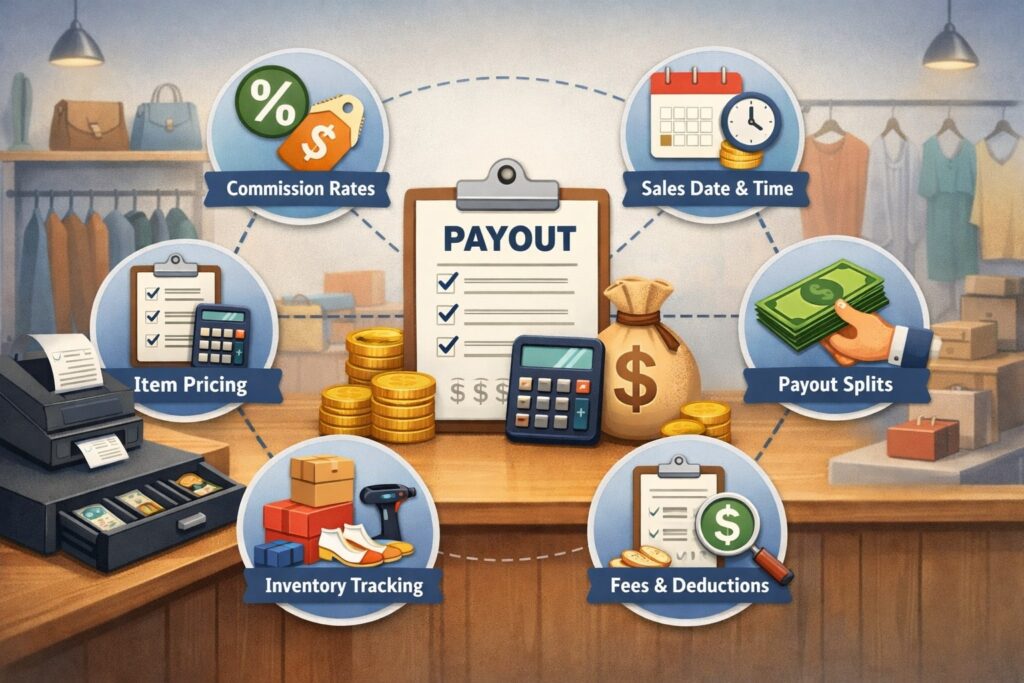
To calculate consignor payouts correctly, a POS must understand who owns what, what rules apply, and what events happened. This starts at intake.
The POS needs a consignor profile (name, payout preference, tax info if applicable), and an item record that ties each SKU to the consignor and their agreement terms. Without that link, consignor payouts become spreadsheets and guesswork.
Most systems store consignor terms in one of three places: (1) on the consignor account (default rules), (2) on the item (item-specific exceptions), or (3) on the sale line (final applied rule for audit).
The best setups keep all three: a default commission rule, item overrides for special deals, and a “frozen” record of what rule was applied at the time of sale. That “frozen” record matters because commission rates change over time, and consignor payouts must match the agreement that was active when the item sold.
A POS also needs a clean definition of “eligible revenue.” Some stores split gross item price. Others split net revenue after discounts. Others deduct processing fees before the split. POS systems calculate consignor payouts based on the configured definition of proceeds, so your policy has to be written clearly and mapped to system settings.
Finally, the POS needs payout controls: payout schedules, holding periods to protect against returns, minimum payout thresholds, and statement formatting. Those controls don’t change the math, but they change when consignor payouts are released and how they’re communicated—two areas where disputes often start.
Key Data Fields That Drive Accurate Consignor Payouts
If you ever wonder why consignor payouts don’t match expectations, the answer is usually missing or inconsistent data. POS systems rely on a handful of fields to calculate consignor payouts precisely, and each one needs a clear source of truth.
At the consignor level, the POS stores identity and payment preferences (paper check, ACH, instant transfer), plus contact info for statements. Many systems also store a default commission split, payout cadence (weekly, biweekly, monthly), and optional “hold days” that delay consignor payouts until the return window passes.
If you allow consignors to choose plans (for example, higher split for store credit vs cash), the POS needs a rule flag that determines which plan is active at sale time.
At the item level, the POS must track ownership, intake date, category, brand, condition, and pricing. Category and brand are not just merchandising—they often determine commission tiers, promotional eligibility, and markdown rules.
The POS also needs item status (active, sold, returned, expired, donated) because consignor payouts depend on whether the sale is final and whether the item remained eligible under the agreement.
At the sale-line level, accurate consignor payouts require line price, discounts, coupons, and allocations (for example, how a cart-level discount gets distributed across items). The system should also store tax collected, shipping, and tips separately, because those amounts usually do not count toward consignor payouts.
Finally, the payment method and processing fee logic matter because many shops either pass fees through or treat them as store overhead. When these fields are captured consistently, the POS can generate consignor payouts that reconcile to the penny.
The Core Math: From Item Sale to Consignor Payout
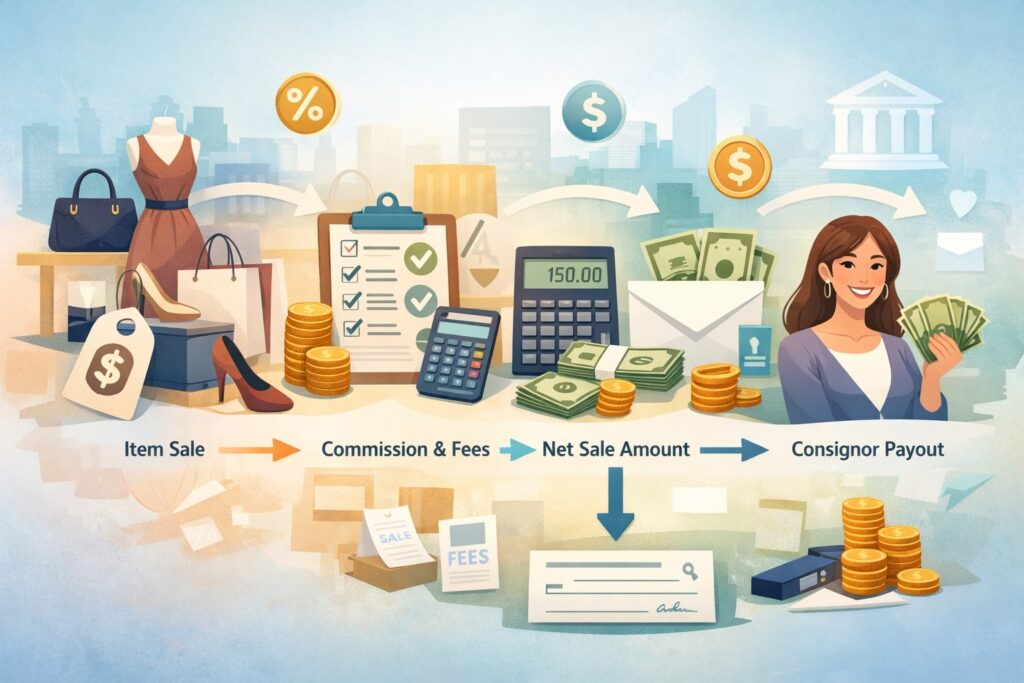
The simplest way to understand consignor payouts is to view the POS as converting each sold item into a mini profit-and-loss statement.
For each sale line, the system calculates a base amount, applies discounts, determines eligible revenue, subtracts any deductible fees, then applies the commission split to produce the consignor portion and store portion. The POS then aggregates those line-level results into a payout statement for a period.
A common formula looks like this:
- Eligible Proceeds = Item Price − Item Discounts − Allocated Cart Discounts
- Net Proceeds = Eligible Proceeds − Deductible Fees (optional)
- Consignor Payout = Net Proceeds × Consignor Split %
- Store Commission = Net Proceeds − Consignor Payout
That sounds straightforward, but the complexity comes from definitions. “Item Price” might be list price or actual sell price after markdowns. “Discounts” might include promos, coupons, loyalty credits, or manual overrides.
“Fees” might include payment processing, marketplace commissions, shipping labels, or restocking fees. POS systems calculate consignor payouts correctly only when your definitions and system configuration match your agreement language.
Another key detail is rounding. Most POS systems calculate consignor payouts to cents at line level, then sum. Others sum first then round. In high-volume environments, the difference can create small discrepancies that irritate consignors over time.
The best practice is to define rounding rules explicitly and keep them consistent, then show them on statements so consignor payouts remain explainable.
Commission Models POS Systems Use for Consignor Payouts
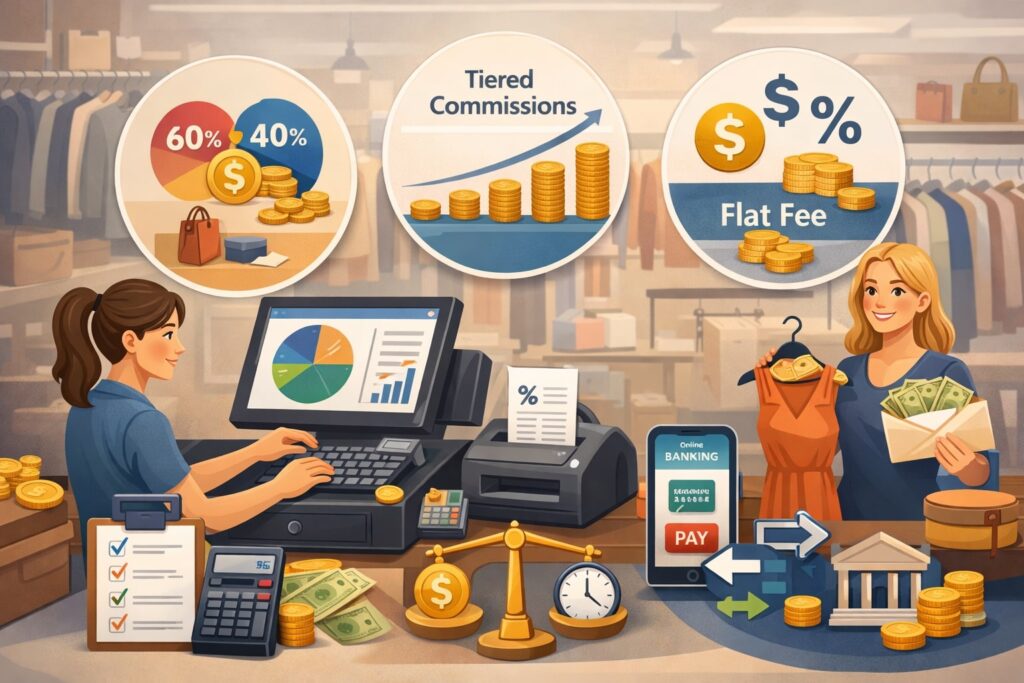
Commission structure is the heart of consignor payouts. POS systems typically support multiple models, and many stores use more than one at the same time depending on category, brand, or sell-through speed. A flexible POS calculates consignor payouts by selecting the correct model at the moment of sale.
The most common is a fixed percentage split, such as 60/40 or 50/50. The POS applies the split to eligible proceeds and records the consignor payout automatically. This model is easy to explain and easy to audit, which reduces disputes.
Next is tiered commission, where the split changes based on price, category, or performance. For example, items under a threshold might be 40% to the consignor, while premium items get 60%. Or certain categories like luxury accessories get different splits. POS systems calculate consignor payouts here by looking up a rule table and applying the tier that matches the item’s attributes.
Another model is time-based or markdown-based commission, where the split changes if an item sells quickly, or if it requires markdowns. A store may reward fast sell-through with better consignor payouts, then reduce the split after 30 days. To do this, the POS must track intake date, sale date, and markdown events.
Finally, some businesses use flat fees plus split, like an intake fee or a per-item processing fee, then a commission split. POS systems calculate consignor payouts by deducting the flat fee (if configured as deductible) before applying the percentage. The key is to keep the logic consistent and visible on statements.
Discounts, Promotions, Returns, and Exchanges
Real life is messy, and POS systems prove their value when the rules stop being “sell items for full price.” Promotions, coupons, cart-level discounts, and loyalty rewards all change what is considered “eligible revenue,” which directly changes consignor payouts.
The most common dispute in consignment is a consignor seeing a lower payout because an item sold with a discount they didn’t expect.
A well-configured POS calculates consignor payouts using an allocation method that spreads cart-level discounts across items in a consistent way.
For example, if a customer buys three items and uses a 10% coupon, the POS should allocate that discount proportionally to each item’s price, rather than dumping the discount on a single item. Proportional allocation is usually the fairest approach and leads to more defensible consignor payouts.
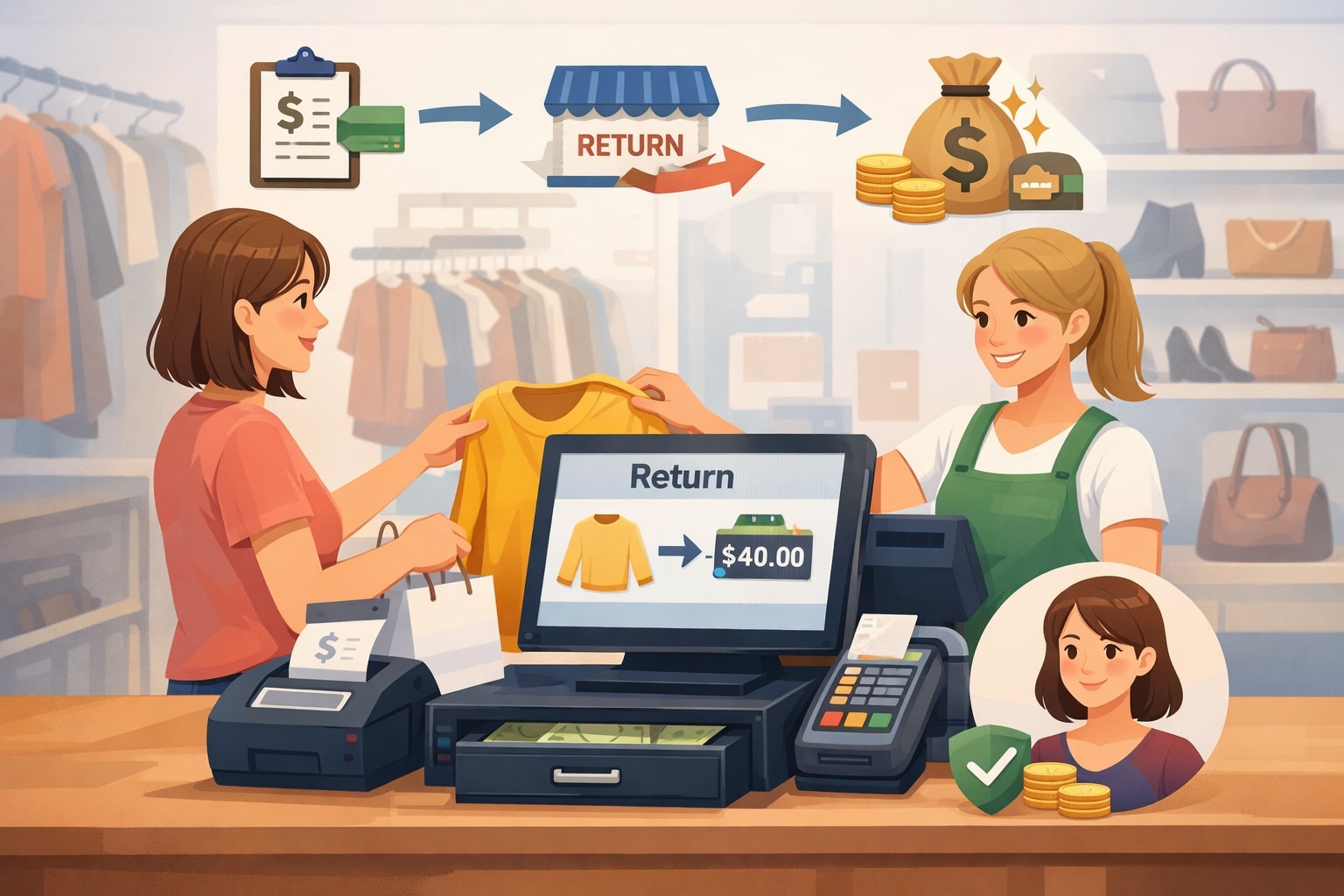
Returns introduce a different challenge: timing. Many stores use a return window, and consignor payouts may be held until that window closes. POS systems support this by marking sales as “pending” until the return period expires.
If a return happens after a payout, the POS must create a negative adjustment on the next statement. That adjustment should reference the original sale for audit clarity.
Exchanges can be even trickier. Some POS systems treat an exchange as a return plus a new sale, which affects consignor payouts accordingly. Others net the difference. The key is consistency: the POS should follow the store’s policy so consignor payouts remain predictable.
How POS Systems Handle Returns Without Breaking Consignor Payouts
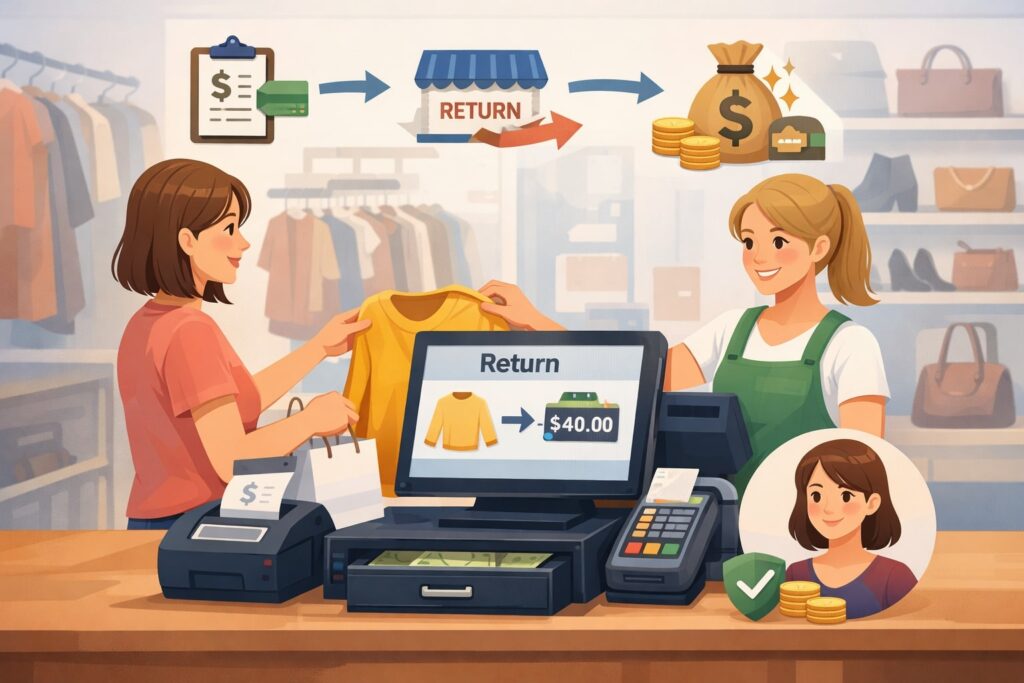
Returns can break consignor payouts if the system doesn’t preserve the relationship between the original sale and the payout statement. Good POS systems treat returns as their own financial event that reverses or adjusts the original line sale and then updates the consignor ledger.
When a return occurs within the allowed window, the POS typically creates a negative sale line with the same SKU and price basis used in the original transaction. It then reverses the consignor payout amount and the store commission amount.
If the payout was not yet issued, the return simply reduces the pending balance. If the payout was already issued, the returned amount becomes a debit on the consignor’s next payout statement.
Some stores charge a restocking fee or keep a portion of the commission even on returns. If your policy allows that, the POS must support partial reversals.
That means it may reverse the consignor payout but retain a fee line item, or it may reverse only a percentage. The POS calculates consignor payouts in these cases by applying a “return rule” that can differ from the sale rule.
Another common scenario is store credit. If a customer returns an item for store credit, some stores treat the sale as reversed the same way, while others treat store credit as a cost absorbed by the shop. Your decision changes consignor payouts, so the POS configuration must match your policy language.
To keep relationships strong, return handling should produce statements that show: original sale date, return date, original payout value, and adjustment value. That level of detail makes consignor payouts defensible and dramatically reduces arguments.
Sales Tax, Reporting, and Compliance Considerations
Consignor payouts are not only a math problem—they’re a compliance problem. Even if you keep compliance lightweight, the POS needs to separate amounts that should never be included in consignor payouts, such as sales tax collected, and it needs to retain records for audit and reporting.
This is where many businesses accidentally inflate or underpay consignor payouts by using the wrong base.
In most cases, sales tax is collected from the buyer and remitted by the retailer, and it is not part of the revenue split. That means a POS should calculate consignor payouts based on pre-tax eligible proceeds. The statement should show the item price and the tax separately so the consignor doesn’t assume tax was part of the sale price.
Reporting is the other side. Consignment businesses often need clean year-end summaries that show total item sales, total commission retained, and total consignor payouts paid. A POS that keeps an accurate consignor ledger makes it much easier to produce these summaries without manual work.
Payment methods can add another layer. If you sell online or through marketplaces, the payment processor or platform may deduct fees before you receive the funds.
If your policy passes those fees to consignors, the POS must calculate consignor payouts using net receipts rather than gross sale amounts. If you absorb those fees, your POS should ignore them for payout math and treat them as an operating expense.
In some cases, you may also have to issue certain forms or reports depending on payout totals and how you pay consignors. It’s worth aligning your POS settings with your accounting workflow so consignor payouts remain consistent across POS statements and bookkeeping.
Separating Tax, Shipping, and Non-Item Charges in Consignor Payouts
One of the cleanest ways to protect consignor payouts from confusion is strict separation of line types. POS systems that support consignment well treat item revenue, tax, shipping, and service charges as different buckets. That way, the commission split applies only to the correct bucket.
Sales tax is the most common issue. A consignor might see a receipt total and assume that total is the base for consignor payouts. But tax collected is not the store’s revenue and is generally not split. A good POS statement makes this obvious by showing item subtotal (eligible), discounts (reductions), and tax (excluded).
Shipping and delivery charges should also be handled explicitly. Some consignment stores exclude shipping from consignor payouts entirely because shipping is a pass-through cost. Others treat shipping as reimbursable if the consignor’s item required special handling.
Either approach can work, but the POS must be configured to either (1) exclude shipping from the payout base or (2) include it and then subtract shipping label costs as a fee line. Mixing approaches creates confusing consignor payouts.
Gift wrap, warranties, service plans, and donation add-ons are other common “non-item” charges. These should not inflate consignor payouts unless your agreement says they do. The POS should categorize them as non-commissionable items so they don’t enter the split calculation.
When you get this separation right, consignor payouts become easier to explain in one sentence: “We split the net item sale amount, not tax and not service charges.” That clarity protects your margins and reduces support conversations.
Multi-Channel Selling and Complex Ownership Scenarios
Consignment businesses increasingly sell across multiple channels: in-store, online checkout, social selling, and third-party marketplaces. The challenge is that each channel can change the economics of the sale. A POS that supports consignor payouts across channels must normalize these differences so the consignor still gets a consistent, policy-based result.
For in-store sales, the POS usually has full control: the item is scanned, discounts applied, tax calculated, and payment taken. The POS calculates consignor payouts using your internal definitions.
Online sales add complexity with shipping charges, payment gateway fees, fraud risk, and longer return windows. If you integrate eCommerce into the POS, you’ll want channel-specific fee rules and channel-specific hold periods to protect consignor payouts from chargebacks and late returns.
Third-party marketplaces can be the most complicated. Platforms often charge seller fees and may handle customer payments and refunds directly.
If your POS imports marketplace orders, it should import not only the gross sale price but also the platform fees and the net deposit amount. Otherwise, you risk paying consignor payouts based on a number you never actually received.
Ownership scenarios also get complicated when multiple consignors contribute to a bundle, or when a single item has shared ownership (less common, but it happens in partnerships).
The POS must either support split ownership or enforce a policy that bundles can only contain items from one consignor. Without that, consignor payouts can become inaccurate quickly.
Marketplace and Online Fees: How They Change Consignor Payout Calculations
Online and marketplace selling introduces “hidden” costs that don’t exist in a simple in-store transaction. POS systems calculate consignor payouts correctly here by deciding which of these costs are deductible from the split and then capturing them reliably.
Common costs include payment processing fees, platform commissions, shipping labels, packaging, and advertising fees. Some businesses deduct only direct platform fees, while absorbing payment processing as overhead.
Others deduct all variable costs before calculating consignor payouts. Either way can be workable, but it must be consistent and clearly stated.
A practical approach is to define a base called net remittance (what the store actually receives after platform fees) and calculate consignor payouts from that base. This aligns payouts with cash flow and reduces the risk of paying out more than you earned.
If you prefer a simpler model for consignors, you can still calculate consignor payouts on gross item revenue and treat fees as store expense—but you must ensure margins remain healthy.
The POS also needs a mapping strategy. Marketplace orders may not match your internal SKU format unless you enforce listing discipline. If the system can’t match the marketplace sale back to the correct item record and consignor, consignor payouts become manual.
Finally, returns are different online. A marketplace might refund a buyer and deduct the refund from your next payout, sometimes weeks later.
To protect consignor payouts, many stores use longer hold periods for online channels and release consignor payouts only after “settlement.” POS systems that support channel-based holds help prevent negative balances and uncomfortable clawbacks.
Reconciliation, Statements, and Dispute Prevention
Even the best POS configuration won’t help if the payout statements are unclear. Consignor payouts become “trusted” when consignors can verify them quickly. That means statements should show item-level detail, calculation logic, and adjustments—without forcing consignors to do math in their heads.
Most POS systems calculate consignor payouts and then store results in a ledger: sales credits, return debits, fees, and payout payments. A ledger approach is far superior to recalculating from scratch every time because it provides an audit trail.
When a consignor asks, “Why did my payout drop this month?” you can point to specific debits: returns, discounts, or chargebacks.
Reconciliation is how you ensure the POS ledger matches actual money movement. At minimum, you want a process to reconcile daily sales totals, fee totals, and payouts issued. If you pay consignor payouts via bank transfer, you should be able to match each payout batch to a bank transaction and to the ledger records in the POS.
Disputes usually arise from five causes: (1) discount treatment, (2) return timing, (3) commission tier confusion, (4) fees deducted unexpectedly, and (5) missing items or mismatched SKUs. You can reduce these by configuring the POS to show discount allocation per item, enforcing intake workflows, and using standardized item descriptions and photos.
When your statements and controls are strong, consignor payouts become less of a customer service task and more of an automated routine.
The Best Statement Format for Transparent Consignor Payouts
A high-quality consignor payout statement is part receipt, part accounting report. POS systems that do consignment well produce statements that let a consignor understand the payout without emailing you. This is a competitive advantage because transparent consignor payouts attract higher-quality consignors and higher-value inventory.
At the top, the statement should summarize totals: beginning balance, sales credits, return debits, fees, and net payout.
Then it should list sold items with columns like sale date, item description, sell price, discounts applied, eligible proceeds, commission rate, and consignor payout amount. Even if your POS doesn’t show every column natively, you can often customize exports to include them.
Adjustments need their own section. Returned items should reference the original sale date and ticket number. Fees (like processing pass-throughs or intake fees) should be labeled clearly. If you do holdbacks, show what is being held and why, so consignor payouts feel delayed for a reason rather than “because the store said so.”
Another best practice is to include policy reminders in plain language at the bottom: whether payouts exclude tax, how discounts affect consignor payouts, and how return windows are handled. That reduces repetitive questions and sets expectations.
Finally, delivery matters. Consignors prefer digital statements and quick access. POS systems that can email statements automatically or provide a portal reduce administrative load. When consignors can self-serve their consignor payouts history, they trust the process and keep consigning.
Future Predictions: Where Consignor Payout Calculations Are Headed
Technology is pushing consignor payouts toward faster settlement, more automation, and more personalization. Over the next few years, expect POS systems to behave less like static registers and more like real-time payout platforms that adapt commission rules dynamically.
One trend is rules automation. Instead of manually assigning commission tiers, systems will increasingly auto-apply terms based on category, brand, condition scoring, and demand signals.
That means consignor payouts may become more “market aware,” offering better splits for high-demand items and lower splits for slow-moving inventory, all without manual work—if the consignor agrees to variable terms.
Another trend is faster payouts. As instant bank transfers and real-time payment rails become more common, POS systems will shorten the distance between sale and consignor payouts. Stores will still need hold periods to protect against returns and chargebacks, but settlement speeds and smarter risk scoring may reduce how long money is held.
Expect better omnichannel cost attribution as well. POS systems will more accurately attach marketplace fees, advertising costs, and shipping label costs to each sale line. That makes consignor payouts more precise and makes it easier to justify deductions when they exist.
Finally, you’ll see more consignor portals with item-level analytics: views, saves, conversion rates, markdown suggestions, and projected consignor payouts if price changes. These features turn consignment into a data-driven partnership instead of a black box.
The future isn’t just “automatic consignor payouts.” It’s consignor payouts that are fast, explainable, and optimized for both sell-through and fairness.
Real-Time Payouts, Risk Holds, and Smarter Automation
Faster money movement doesn’t automatically mean safer money movement. The future of consignor payouts is likely to combine real-time payout capabilities with smarter controls that reduce risk. POS systems will calculate consignor payouts faster, but also decide when to release them using risk scoring.
For example, an in-store cash sale has low chargeback risk, so a POS might be able to release consignor payouts sooner. An online card-not-present sale shipped to a new customer has higher fraud risk, so the system may apply a longer hold.
Instead of one universal payout delay, you’ll see policy-based holds by channel, payment method, and customer risk profile.
Automation will also improve around returns. Future POS systems may track return likelihood based on category and customer history, then recommend holdback amounts. This reduces surprise clawbacks that create tension around consignor payouts. In the best case, consignors see a clear “available now” versus “pending return window” balance.
You’ll also likely see more dynamic pricing tools integrated into consignment workflows. If an item is stale, the system may recommend a markdown and show the expected impact on consignor payouts before you apply it. That turns markdown conversations into data-based decisions rather than uncomfortable negotiations.
From a business perspective, these improvements reduce admin workload, reduce disputes, and allow consignment operations to scale without drowning in manual reconciliations. For consignors, it feels like better service: clearer statements, faster consignor payouts, and fewer surprises.
FAQs
Q.1: What’s the difference between gross sales and net sales for consignor payouts?
Answer: Gross sales usually means the item’s sell price before considering discounts and deductions. Net sales typically means the sell price after discounts, and sometimes after certain deductible fees. POS systems calculate consignor payouts based on whichever definition your store sets as the payout base.
If your agreement says consignor payouts are based on gross item price, then a coupon should not reduce the payout base—unless the agreement also allows it.
But many stores define consignor payouts using net sales because it reflects the true revenue collected. In those setups, any discount—coupon, promo code, loyalty reward, or manual markdown—reduces eligible proceeds before the commission split is applied.
The safest way to avoid confusion is to align three things: your written policy, your POS configuration, and your statement format. If a consignor can see the line price, discount amount, and the net base used for consignor payouts, they’re far less likely to dispute the result.
Q.2: Do POS systems include sales tax when calculating consignor payouts?
Answer: Most of the time, sales tax collected is not included in consignor payouts because it’s collected from the buyer and then remitted. POS systems that are configured well keep tax as a separate bucket and exclude it from the commission split.
Confusion happens when consignors look at the receipt total instead of the item subtotal. The receipt total includes tax, but consignor payouts typically apply only to item revenue. A clear statement helps: show pre-tax item total, discounts, and then tax as excluded.
If your shop has any unusual policy—like including tax in the split (rare and often not recommended)—your POS must be configured explicitly for it. Otherwise, your consignor payouts will be inflated and may not reconcile cleanly with your tax reporting.
Q.3: How do POS systems handle cart-level discounts across multiple consignors?
Answer: Cart-level discounts are tricky because the discount applies to the total cart, not to a specific item. POS systems calculate consignor payouts here by allocating the cart discount across items using a consistent method, most commonly proportional allocation based on each item’s price.
For example, if a cart discount is $10 and one item is 70% of the cart value, that item gets 70% of the discount allocated to it. The POS then uses the discounted item net price as the basis for consignor payouts. This method is fair because each item “shares” the discount proportionally.
If your POS can’t allocate discounts cleanly, you may see distortions where one consignor’s items absorb too much discount, lowering their consignor payouts incorrectly. That’s why it’s important to test promotions before running them widely, especially in a consignment environment where multiple owners can be in the same cart.
Q.4: What happens to consignor payouts if an item is returned after payout?
Answer: If an item is returned after a payout has already been issued, POS systems usually record a negative adjustment to the consignor ledger. That adjustment reduces the next payout, or it creates a balance due depending on your policy.
The best systems link the return to the original sale so the math is consistent: it reverses the original consignor payout amount (and the store’s commission amount) based on the same split and the same discount basis used in the original transaction. This prevents “double penalties” where the return is processed under different rules than the sale.
Many stores avoid painful clawbacks by applying hold periods—meaning consignor payouts are not released until after the return window closes. The longer your return window (especially online), the more valuable those holds become for keeping consignor payouts stable and predictable.
Q.5: Can POS systems pay consignors automatically, and is it safe?
Answer: Many POS and back-office systems can produce automatic payout batches, and some can push payments via bank transfer services depending on integrations. Whether it’s “safe” depends on your controls: holds for returns, clear reconciliation, and exception handling.
Automation is safest when the POS calculates consignor payouts from a ledger that locks results at sale time, applies holds consistently, and creates clear adjustments for returns and chargebacks. You also want payout approvals—so a manager can review totals and outliers before funds move.
If you’re scaling, automated consignor payouts can save hours each week. But the technology must be paired with strong intake processes, clean SKUs, and statements that explain deductions. Automation doesn’t eliminate mistakes—it just makes them faster—so the right setup and periodic audits are essential.
Conclusion
POS systems calculate consignor payouts by turning item sales into structured, auditable ledger entries: item revenue in, eligible proceeds defined, deductions applied (if your policy allows), then commission split, then adjustments for returns and timing holds. The “secret” is not complex math—it’s consistent definitions and clean data.
If you want consignor payouts that are accurate and dispute-resistant, focus on five priorities. First, enforce intake workflows so every item is tied to the correct consignor and terms. Second, define eligible revenue clearly (gross vs net, discount handling, fee handling) and mirror that definition in POS settings.
Third, make discount allocation and return adjustments transparent on statements. Fourth, reconcile regularly so POS totals match actual deposits and payouts. Fifth, plan for multi-channel sales by capturing platform fees and longer return windows in your payout logic.
When these pieces are aligned, consignor payouts become a trust engine. Consignors bring better inventory, the store spends less time resolving questions, and the business scales smoothly.
And as payout technology moves toward faster settlement and smarter automation, the shops with the cleanest rules and clearest statements will be the ones whose consignor payouts feel effortless—no spreadsheets, no surprises, and no lost relationships.