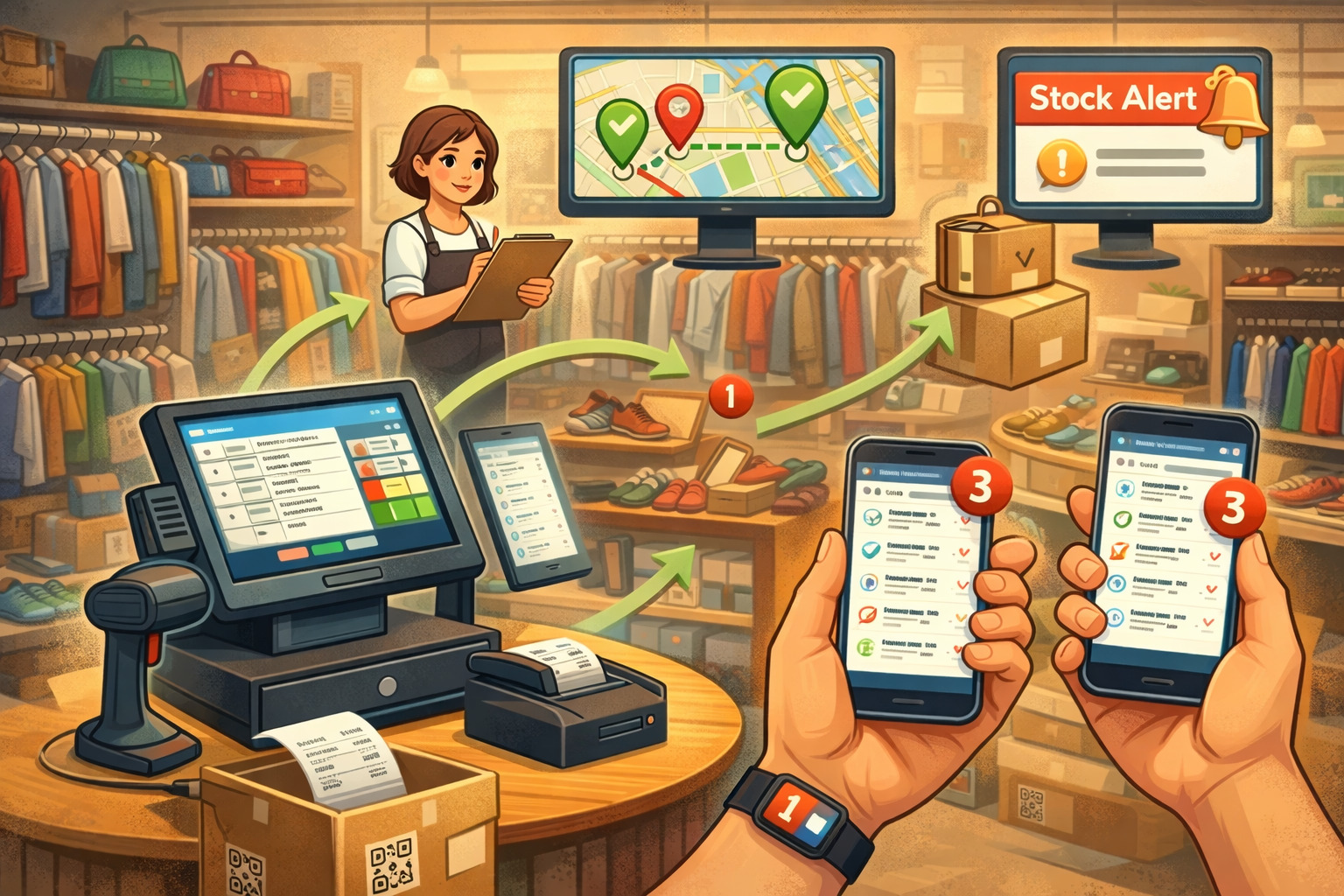
By consignmentpos February 25, 2026
If you run a resale shop, secondhand boutique, or consignment store, you already know the “inventory problem” is different here than in traditional retail. You don’t have neat case packs, predictable replenishment, or identical SKUs arriving every week.
You have one-of-a-kind items, constant intake, fast-changing categories, and customers who expect you to know—right now—whether that exact jacket in medium size is still available.
That’s why real-time inventory tracking for resale shops has moved from “nice-to-have” to operational essential in 2026. The goal isn’t fancy tech for its own sake.
It’s practical control: fewer missing items, fewer awkward “let me check the back” moments, cleaner online listings, smoother consignor reporting, and smarter buying decisions.
This guide breaks down resale shop real-time inventory management in plain, operations-focused terms.
You’ll learn how live inventory tracking for resale businesses works, what to automate first, how to set up scanning and syncing, and how cloud-based inventory tracking for resale shops helps you stay accurate across the sales floor, stockroom, pop-ups, and online channels—without turning your team into full-time data entry clerks.
Why Resale Shops Need Real-Time Inventory Tracking In 2026
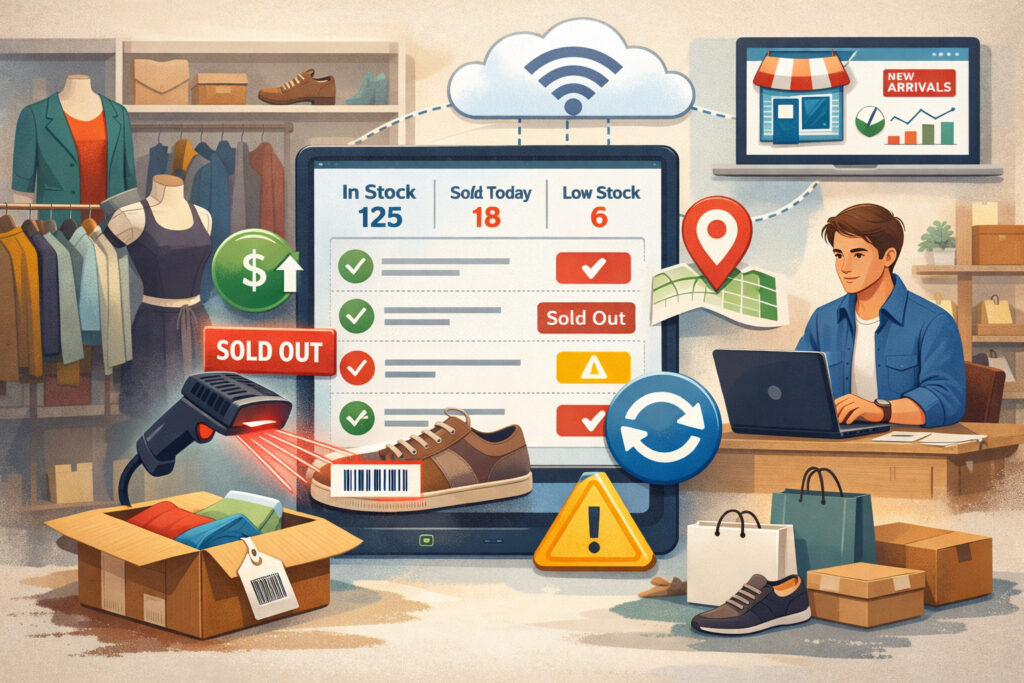
Resale inventory is “high-motion” by nature. Items arrive daily, sell quickly, get put on hold, move between racks, rotate to new displays, or get returned to consignors. When your records lag behind reality, the damage shows up everywhere: customer experience, staff efficiency, shrink control, and cash flow planning.
Real-time tracking gives you better stock control by turning inventory into a living system instead of a periodic project. Instead of discovering problems during monthly counts, you catch them as they happen—when they’re still fixable.
That reduces “phantom stock” (items that appear available in the system but aren’t actually on hand) and prevents selling what you can’t fulfill.
It also helps you reduce stockouts and overstock, even in resale. Stockouts in resale often look like “we sold it online but can’t find it,” while overstock looks like “we keep accepting similar items that sit for 120+ days.” Real-time stock updates plus aging and turnover reporting help you balance intake with what actually sells.
Finally, accuracy improves order accuracy and customer satisfaction. If you promise a pickup, shipment, or hold, real-time inventory tracking helps ensure the item is exactly where the system says it is—so your team doesn’t scramble, refunds don’t spike, and customers trust your shop.
Pro Tip: In resale, “inventory accuracy” isn’t just about quantity. It’s about identity—knowing which exact item is sold, which consignor it belongs to, what condition notes apply, and where it physically lives right now.
Real-Time Vs. Manual Inventory Tracking: What Changes Operationally

Manual systems (spreadsheets, end-of-day updates, periodic stock checks) can work at very small scale. But they break down fast when you add any combination of: multiple staff, online listings, fast turnover, or consignor reporting. The operational difference isn’t “digital vs. paper”—it’s timing.
With real-time tracking, your inventory record updates when events happen:
- Item intake completes
- A barcode is scanned at checkout
- A transfer is scanned between locations
- A return is scanned back in
- A hold is placed or released
- Online orders reserve stock automatically
Manual tracking updates later, after memory fades and items move. That gap is where mislabels, lost items, double-selling, and shrink hide.
Table 1: Real-time vs manual inventory tracking (pros/cons)
| Approach | Pros | Cons | Best fit |
|---|---|---|---|
| Manual tracking (spreadsheets, periodic updates) | Low cost to start; simple to understand; flexible categories | High error risk; time-consuming stock-taking; hard to sync online and in-store inventory; limited inventory alerts and notifications | Very small shops with low volume and no online selling |
| Real-time inventory tracking | Real-time stock updates; fewer missing items; faster checkout; inventory syncing across channels; better reporting and analytics | Requires setup work; needs consistent scanning discipline; hardware costs for scanners/printers | Shops with daily intake, online sales, multiple staff, or consignment complexity |
The biggest operational win is speed with control: less time “looking for items” and more time serving customers and processing intake.
Pro Tip: If your team spends more than a few minutes per shift hunting for “sold” items, you’re already paying for the lack of real-time tracking—just in labor, refunds, and stress instead of software.
Key Components Of Real-Time Inventory Tracking For Resale Shops
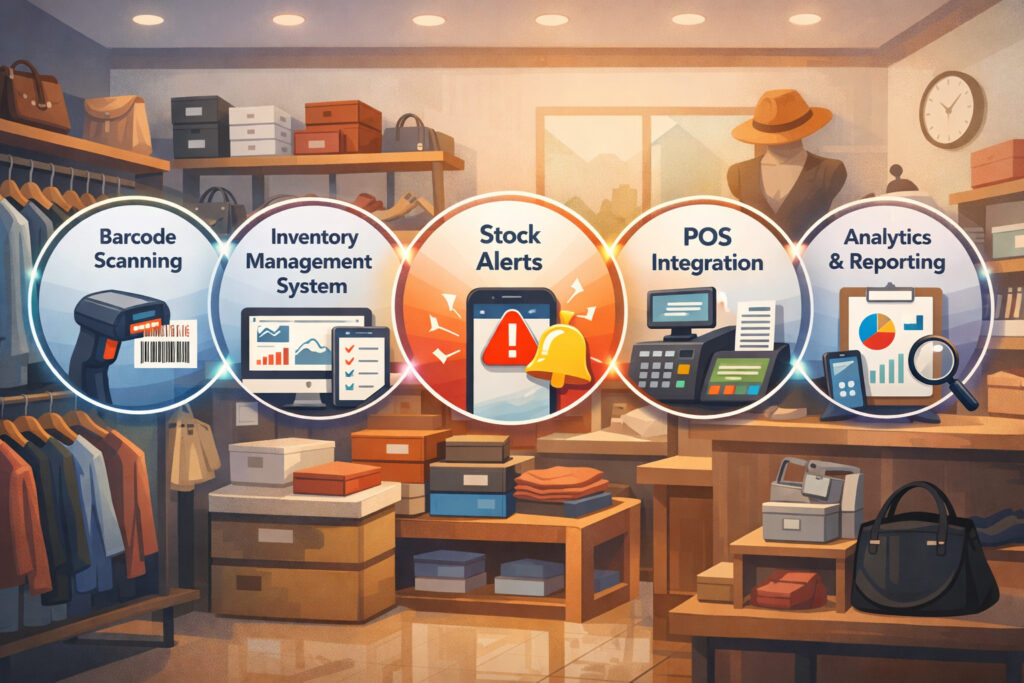
To make real-time tracking work in a resale environment, you need more than “a POS that has inventory.” You need a chain of components that connect intake → labeling → selling → movement → reporting.
Barcode Scanning For Resale Shops: The Baseline Standard
Most resale operations start with barcode scanning for resale shops because it’s affordable, quick to train, and accurate when implemented consistently. The basic flow looks like this:
- Create an item record at intake
- Print a barcode label linked to that item
- Scan the barcode for every key action (put out, transfer, sell, return, pull, consignor payout)
Barcode scanning works best when every sellable item has:
- A unique ID (not just a category SKU)
- A scannable label that stays attached
- A “home location” field (rack/section/bin)
The moment scanning becomes optional, accuracy drops. Your goal is to make scanning the easiest path, not an extra task.
Rfid Inventory Tracking: When It’s Worth Considering
RFID inventory tracking uses tags that can be read in bulk without line-of-sight scanning. In resale, RFID can be helpful when:
- You have high-volume apparel with dense racks
- You do frequent cycle counting
- You struggle with shrink or misplaced items
- You manage multiple locations with frequent transfers
RFID usually costs more than barcode because tags and readers add up. The ROI comes from faster counts, faster locating, and better exception detection—especially if labor is tight.
Cloud-Based Platforms, Integrations, And Syncing
Real-time tracking becomes truly operational when your system is:
- Cloud-based (so updates happen everywhere)
- Integrated with your POS and ecommerce channels
- Built for inventory syncing, not manual re-entry
A strong cloud-based inventory tracking for resale shops setup supports:
- Online and in-store inventory sync (one source of truth)
- POS system integration with inventory (sales reduce stock automatically)
- Multi-device access (tablet at intake, phone on the floor, register at checkout)
- Automatic backups and user permissions
Inventory Alerts and Notifications
The point of “real-time” isn’t staring at dashboards all day. It’s letting the system tell you what needs attention, such as:
- Low-stock alerts for basics (bags, tissue, hangers, supplies)
- Stock aging reports for items approaching markdown thresholds
- Exceptions (negative stock, missing location, unscanned transfers)
- Consignment deadlines or payout thresholds
Pro Tip: Alerts only help when your team trusts them. Start with 2–3 alerts that drive action (aging, exceptions, low stock on supplies) before adding more.
How Real-Time Inventory Tracking Works In Resale Shops From Intake To Sale
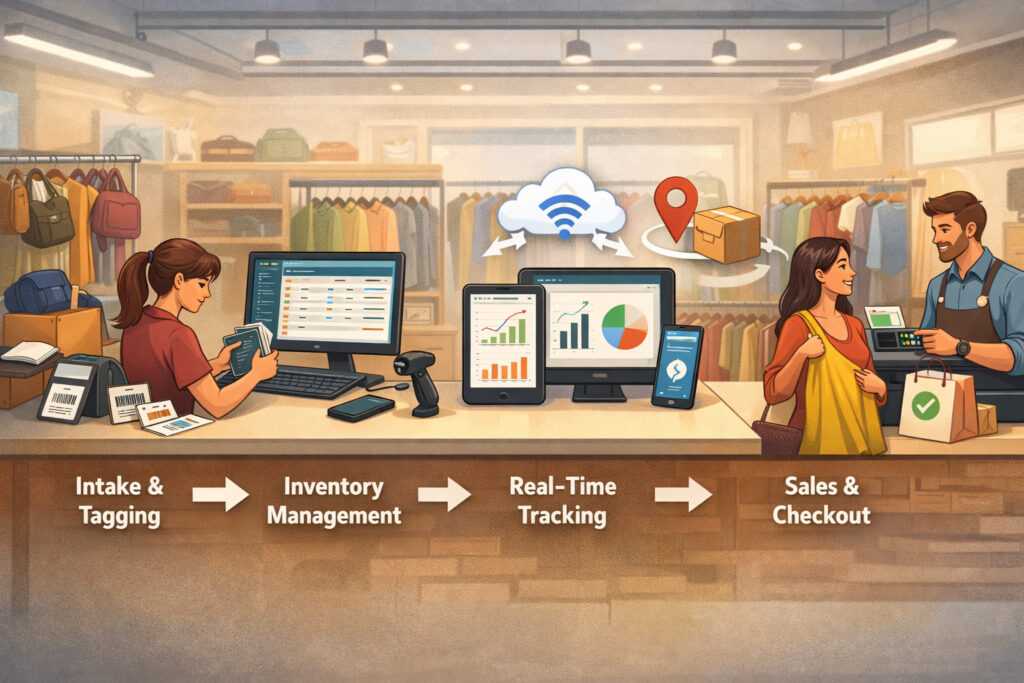
Resale inventory lives and dies at intake. If intake is sloppy, real-time tracking just becomes real-time chaos. The good news: a clean intake workflow makes everything else easier.
Item Intake: Tagging, Descriptions, Variants, and Ownership
Intake is where you capture the “identity” of the item:
- Category and subcategory
- Brand (when relevant)
- Size/variant (size, color, style)
- Condition notes and flaws
- Price and markdown schedule
- Ownership model (store-owned vs consignor-owned)
- Location assignment (stockroom bin, floor section)
For consignment, you also need consignor linkage:
- Consignor ID
- Commission split rules
- Payout timing and method
- Expiration/return policy markers
This is the moment to create the barcode/RFID tag. Don’t wait until you “have time later.” Later is when items get mixed, moved, or sold.
Live Tracking During Sales: Automated Updates And Stock Alerts
At checkout, the scan is the transaction. When you scan the barcode:
- The POS records the sale
- Inventory decrements instantly
- The item is marked sold (and locked from being sold again)
- Online listings update (if synced) to prevent double-selling
- Consignor records update (if applicable)
This is where real-time stock updates are most visible. Your staff should never need to “remember to update inventory after the sale.” The sale is the update.
Stock Movement Between Locations, Departments, And Channels
Resale shops move inventory constantly:
- Stockroom → sales floor
- Floor → featured display
- Store → pop-up event
- Location A → Location B
- Floor → photo station for online listing
Real-time systems track these moves using transfer workflows:
- Scan item out of origin location
- Scan into destination location
- Assign new bin/rack/section
- Log the staff member and timestamp
This creates accountability and makes it dramatically easier to find items fast.
Stock-Out And Low-Stock Notifications (Resale Edition)
Resale doesn’t reorder the same items, but “stock-out” still matters in:
- Supplies (bags, tags, tissue, ink)
- Standardized resale products (basic accessories, recurring brands)
- High-demand categories where you want intake targets (e.g., athletic shoes in certain sizes)
A smart approach combines:
- Low-stock alerts for supplies
- Intake targets for high-performing categories
- Aging-based alerts for slow movers
Real-Time Reporting And Analytics
Real-time reporting turns daily operations into decisions:
- What’s selling today vs. sitting
- Which intake sources produce the best sell-through
- Where shrink is happening (by location, category, shift)
- Which consignors drive revenue vs. workload
- What markdown schedule is actually moving inventory
This is where inventory reporting and analytics earn their keep: not by producing more reports, but by giving you fewer surprises.
Benefits Of Resale Shop Real-Time Inventory Management
The benefits of real-time inventory management are less about “big promises” and more about day-to-day operational wins.
Faster sales processing and fewer checkout problems
Scanning-based checkout speeds up:
- Item lookup (no manual searching)
- Pricing verification (less “what did we mark this at?”)
- Discount rules (consistent markdown logic)
- Returns (match the exact item and sale)
When checkout is smooth, lines shorten and staff stress drops—especially during weekend rushes.
More accurate stock levels and fewer “missing items”
Real-time tracking reduces:
- Duplicate listings
- Double-selling online and in-store
- Time spent searching
- Refunds tied to “can’t locate item”
- Misplaced high-value items
Accuracy also supports better merchandising because you can trust what the system says you have.
Better decision-making with live data
Live data helps you:
- Adjust intake rules (what to accept, how much, when)
- Set smarter pricing based on sell-through
- Identify which racks are “dead zones”
- Plan staffing (intake volume, online orders, cycle counts)
That’s the practical value of inventory forecasting in resale: not predicting the future perfectly, but spotting patterns early enough to act.
Reduced manual stock-taking and errors
Real-time tracking doesn’t eliminate counting—resale still needs audits. But it shifts you from painful full counts to targeted, manageable work:
- Stock-taking and cycle counting by zone
- Exception-based counts (only where mismatches appear)
- Frequent micro-audits on high-risk categories
Enhanced tracking for consignment and one-of-a-kind items
Consignment adds complexity:
- Ownership and payout rules
- Item-level commission calculations
- Return-to-consignor workflows
Real-time tracking helps because each item has a unique identity and timeline. You can answer:
- “Did my item sell?”
- “When will I be paid?”
- “What items are still active?”
- “Which items are eligible for return?”
Pro Tip: For consignment, build your workflow around item status changes (intake → active → markdown → sold → payout/closeout). Status discipline is what makes reporting reliable.
Cloud-Based Inventory Tracking For Resale Shops: What It Actually Means
“Cloud-based” is often marketed as a feature, but for resale operations it’s a practical advantage: it keeps your inventory system consistent across devices, staff, and channels.
Remote access and real-time operations
With a cloud system, you can:
- Check live stock from your phone while offsite
- Review sales and intake metrics after hours
- Approve transfers between locations without waiting
- Monitor exceptions and alerts in real time
This matters when you’re managing fluctuating inventory and staffing.
Automatic backups and audit trails
Cloud platforms typically offer:
- Automatic backups (reducing “we lost the file” risk)
- User-level permissions (who can discount, void, adjust inventory)
- Audit logs (who changed price, who adjusted stock, when)
When shrink or disputes happen, audit trails are how you resolve them quickly.
Multi-device support: mobile, tablet, desktop
In a resale shop, devices tend to map to workflows:
- Tablet at intake for fast item creation + photos
- Register for checkout
- Mobile devices for locating items and transfers
- Desktop for reporting and bulk edits
A good cloud system supports that mix without forcing everyone onto one station.
Third-party integrations that matter
For most resale businesses, the key integrations are:
- POS system integration with inventory (core)
- Ecommerce or marketplace connectors (for online listings)
- Accounting (for clean reconciliation)
- Label printing/scanning tools
- Shipping tools (if you fulfill online orders)
When evaluating tools, focus on whether integrations are:
- Native (built-in and supported)
- Reliable (sync frequency and conflict handling)
- Configurable (rules for holds, returns, bundles)
Pro Tip: “Integrates with everything” is less important than “integrates reliably with the 2–3 systems you actually use.”
Choosing The Right Software For Live Inventory Tracking For Resale Businesses
Resale shops vary widely: a curated boutique with 1,000 active items is not the same as a high-volume operation processing 500 items a day. The “right software” is the one your team will use correctly, every day.
Start with your operational requirements (not features)
Before looking at vendors, document:
- Daily intake volume
- Number of staff who touch inventory
- Whether you do consignment (and how complex it is)
- Whether you sell online, and where
- Whether you need multi-location inventory tracking
- Your labeling needs (barcode vs RFID)
- Your reporting needs (aging, turnover, consignor statements)
Then categorize your “must-haves” vs “nice-to-haves.”
What to look for in resale-specific workflows
Strong resale workflows usually include:
- Fast item creation with photos
- Custom fields (condition notes, brand, size, donor/consignor)
- Flexible categories and attributes
- Stock aging reports and markdown logic
- Transfer and location tracking
- Purchase order tracking for supplies (and any standardized products)
- Inventory alerts and notifications
- Role-based permissions and audit logs
Table 2: Popular tools and software for real-time inventory tracking (features, pricing, integrations)
Pricing changes frequently. The “starting” figures below are based on vendor pricing pages or recent reviews available in early 2026. Always confirm current pricing during evaluation.
| Tool | Best for | Real-time features | Integrations | Starting price (early 2026) |
|---|---|---|---|---|
| Square for Retail | Small-to-mid resale shops that want quick setup | Barcode scanning, real-time stock updates, reports, multi-device workflows | POS + online store options and add-ons | Free plan + paid retail tiers shown on Square pricing page |
| Shopify POS | Resale shops with strong online + in-store needs | Online and in-store inventory sync, multi-location support (plan-dependent), unified product catalog | Deep ecommerce ecosystem + apps | Shopify POS pricing is plan-based on Shopify’s POS pricing page |
| Lightspeed Retail | Inventory-heavy resale and multi-location operations | Advanced inventory, transfers, reporting, scanning workflows | Ecommerce + retail integrations | Plans are shown starting on Lightspeed’s retail pricing page |
| Sortly | Photo-forward inventory tracking and simple workflows | Barcode/QR labels, mobile scanning, item check-in/out, purchase orders | Connects with common business tools (varies by plan) | Sortly pricing and plan structure shown on Sortly pricing page |
| Zoho Inventory | Shops needing stronger order/inventory ops + reporting | Inventory management, order workflows, reporting, multi-warehouse options | Integrates within Zoho ecosystem + connectors | Zoho Inventory pricing is published on Zoho’s pricing page |
| Cin7 | Higher-complexity inventory + multi-channel needs | Inventory syncing, automation, reporting, multi-channel support | Broad integration ecosystem (plan-dependent) | Cin7 publishes plan pricing on its pricing page |
| Clover (POS) | Shops prioritizing POS flexibility with add-on apps | POS + inventory tools (depth varies by setup) | App marketplace + payments ecosystem | Clover pricing is published on Clover’s pricing page; third-party 2026 summaries vary |
How to use this table: shortlist 2–3 options, then run a “day in the life” test: intake → label → put out → sell → return → transfer → report. The best tool is the one that stays accurate with real staff behavior.
Barcode vs RFID: deciding the right tracking method for your shop
Most resale shops can succeed with barcodes. RFID is a strategic upgrade when the cost is justified by speed, shrink reduction, or operational complexity.
Table 3: Barcode vs RFID vs hybrid tracking (what fits resale operations)
| Method | Strengths | Trade-offs | When it’s a strong fit |
|---|---|---|---|
| Barcode scanning | Low-cost labels; simple training; reliable at checkout and intake | Requires line-of-sight scans; counts can be slower | Most resale shops starting real-time tracking |
| RFID inventory tracking | Fast cycle counts; bulk reading; easier item locating | Higher tag + reader costs; setup complexity | High-volume apparel, shrink-sensitive operations, dense racks |
| Hybrid (barcode + targeted RFID) | Use RFID where it pays off, barcode everywhere else | Requires managing two workflows | Shops testing RFID on high-value or high-movement categories |
Pro Tip: If your main pain is “items can’t be found,” start by fixing location discipline and scanning compliance before upgrading to RFID. Better processes often solve 60–70% of the problem.
Step-By-Step Guide: Setting Up Real-Time Inventory Tracking In A Resale Business
A successful rollout is less about the software and more about the workflow design. Use this step-by-step approach to get to reliable real-time operations without overwhelming staff.
Step 1: Map your current inventory flow (intake to exit)
Document the actual steps items go through:
- Intake acceptance decision
- Tagging/labeling
- Pricing and markdown schedule
- Staging (back room)
- Merchandising to floor
- Selling and returns
- Transfers between areas/locations
- Pulls for online orders or holds
- Consignor payout/closeout (if applicable)
Then identify where inventory “goes dark” today (untracked moves, missing labels, unrecorded holds).
Step 2: Clean your data before you import
If you’re migrating from spreadsheets or an old system:
- Standardize categories and naming
- Decide which fields matter (brand, size, condition, location)
- Remove duplicates and stale records
- Define status codes (active, sold, hold, returned, damaged)
Real-time tracking depends on consistent data rules.
Step 3: Configure barcode/RFID hardware and label standards
For barcode workflows:
- Choose label sizes that fit your merchandise
- Define label placement rules per category
- Set printer templates (include price, ID, size, location code)
- Assign who can print/reprint labels (permissions)
For RFID:
- Decide tag types and placement rules
- Define how tags are associated with item records
- Plan reader locations (intake, exit, cycle count zones)
Step 4: Integrate with your POS system and online channels
Your priority is preventing double-selling and ensuring inventory syncing:
- Turn on online and in-store inventory sync
- Define what happens with holds (reserve stock or not)
- Confirm returns flow back into inventory correctly
- Test refunds, exchanges, and voids
- Validate that online orders reserve inventory immediately
Step 5: Set inventory alerts and notifications that drive action
Start small:
- Low-stock alerts for supplies
- Stock aging alerts (e.g., 30/60/90 day thresholds)
- Exception alerts (negative stock, missing location)
Make sure each alert has a clear owner and action:
- Who receives it?
- What do they do when it triggers?
- How quickly?
Step 6: Train staff with role-based workflows
Train by job, not by software menu:
- Intake staff: item creation, labeling, staging locations
- Floor staff: moves, transfers, locating, holds
- Cashiers: scanning discipline, returns accuracy
- Managers: reporting, exceptions, auditing, permissions
Use quick reference cards at each station.
Pro Tip: Run “training with real merchandise,” not demo items. Real items surface real edge cases (missing size tags, bundles, stains, mismatched pairs).
30/60/90-day implementation plan for real-time inventory tracking
Rolling out live tracking works best in phases. You’re building a habit system, not just installing software.
Days 1–30: selection, setup, and intake discipline
In the first month, your goal is clean intake and consistent labeling.
Key actions:
- Select software and confirm integrations (POS + online if needed)
- Define item fields, categories, and status rules
- Configure label templates and printing workflow
- Pilot intake workflow with a small intake team
- Start capturing location data (even if it’s broad zones)
Success metrics:
- 95%+ of new intake is tagged and in the system
- Staff can find items by searching the system
- Returns can be processed without manual guesswork
Days 31–60: POS integration + scanning everywhere
Month two is where inventory becomes truly “real-time.”
Key actions:
- Finalize POS system integration with inventory
- Train cashiers on strict scanning (no manual item shortcuts)
- Enable online and in-store inventory sync if applicable
- Implement basic transfers (stockroom ↔ floor)
- Turn on 2–3 high-value alerts (aging + exceptions + supplies)
Success metrics:
- Checkout scanning compliance is consistent
- Online listings reflect sellouts quickly
- Transfers are logged, reducing “lost” items
Days 61–90: reporting optimization and cycle counting
Month three is about control and continuous improvement.
Key actions:
- Build weekly reporting cadence (sell-through, aging, turnover)
- Launch stock-taking and cycle counting schedule by zone
- Add consignor reporting workflows (if applicable)
- Refine markdown rules using actual aging data
- Expand location precision (from “women’s rack” to “W2, bay 3”)
Success metrics:
- Inventory turnover rate improves in slow categories (measured by reduced aging, not exaggerated profit claims)
- Cycle counts catch exceptions early
- Managers trust reports enough to act on them
Pro Tip: Don’t wait for “perfect” before going live. Go live with a controlled scope, then tighten the system through audits and weekly fixes.
Best Practices For Stockroom Management, Audits, And Cycle Counting
Once real-time tracking is live, your job shifts from “count everything occasionally” to “keep accuracy high continuously.”
Build a realistic cycle counting schedule
A practical cadence:
- Weekly: high-value accessories, premium footwear, new arrivals
- Biweekly: top-selling apparel zones
- Monthly: slower categories and backstock
- Quarterly: full-store validation (sample-based if volume is high)
Tie cycle counting to real operations:
- Count when racks are least disturbed
- Assign ownership per zone
- Track count results and root causes
Use inventory turnover and aging to guide intake and markdowns
Two resale-friendly metrics:
- Inventory turnover rate by category (how quickly items sell)
- Stock aging reports (how long items sit before selling)
Operational uses:
- Adjust intake acceptance rules
- Optimize pricing bands
- Decide when to bundle, discount, or donate
- Improve merchandising (move slow items to better visibility)
Set up automated reordering and low-stock alerts (for supplies and essentials)
Even resale shops have “inventory you must not run out of,” like:
- Bags, tissue, tags, label rolls
- Printer ink
- Hangers
- Cleaning supplies
Use automated reordering and low-stock alerts so ops doesn’t stall on basics.
Track damaged and unsellable items intentionally
Create clear statuses:
- Damaged (repairable)
- Unsellable (donate/dispose)
- Return to consignor
- Hold for review
And a weekly routine:
- Pull damaged items from the floor
- Decide within 7 days
- Log the outcome (donate/return/write-off)
This prevents “dead inventory” from cluttering stockrooms and distorting reports.
Purchase order tracking and vendor integration (where it matters)
Resale businesses still benefit from purchase order tracking for:
- Supplies
- Branded packaging
- Any standardized products you carry consistently
If you have regular suppliers, supplier/vendor integration can streamline:
- Reorder points
- Receiving workflows
- Cost tracking
Pro Tip: Don’t overbuild vendor workflows if you mainly rely on intake. Keep vendor processes lean—just enough to prevent supply disruptions and keep margins visible.
Common Challenges When Implementing Real-Time Tracking (And How To Avoid Them)
Most real-time tracking failures aren’t technical—they’re behavioral. Here are the common issues and fixes that work in resale shops.
Initial setup complexity
Challenge: Too many fields, too many categories, too much perfectionism.
Fix:
- Start with core fields (category, price, size, condition, owner, location)
- Add advanced fields later
- Keep category tree shallow at first
Data syncing issues across platforms
Challenge: Inventory syncing conflicts between POS and online channels.
Fix:
- Choose a single “source of truth”
- Define rules for holds, returns, and cancellations
- Test edge cases before launch (refunds, exchanges, partial fulfillments)
Hardware costs for scanners and printers
Challenge: Sticker shock and inconsistent device quality.
Fix:
- Start with 1–2 reliable scanners and one label printer
- Standardize label sizes and supplies
- Budget for backups (labels and ink are operations-critical)
Employee adoption and training
Challenge: Staff skip scans when busy.
Fix:
- Design workflow so scanning is the fastest path
- Set expectations: “If it’s not scanned, it didn’t happen”
- Audit daily for the first 2–3 weeks and coach quickly
Choosing the right software
Challenge: Buying for features you won’t use.
Fix:
- Run a real workflow demo using your categories and policies
- Evaluate reporting clarity and speed at intake
- Confirm integrations you truly need (not the long list)
Pro Tip: The best system is the one that stays accurate during your busiest Saturday—not just during a calm weekday demo.
Real-World Examples Of Resale Shops Using Real-Time Inventory Tracking
These examples show how different resale formats use real-time tracking without overcomplicating operations.
Example 1: Small boutique with curated intake (high accuracy, low chaos)
Setup:
- Barcode scanning
- Tablet-based intake with photos
- Simple location zones (front racks, featured, stockroom bins)
Operational habits:
- Every item labeled at intake
- Daily 10-minute exception check (missing location, unprinted labels)
- Weekly cycle count of featured displays
Resulting operational wins:
- Faster merchandising refresh
- Fewer “we can’t find it” moments
- Better pricing discipline using aging snapshots
Example 2: Consignment shop with rotating inventory (ownership and payouts)
Setup:
- Item-level consignor assignment
- Status-driven workflow (active → markdown → sold → payout)
- Automatic consignor statements
Operational habits:
- Consignor intake includes clear condition notes and pricing agreement
- Holds reserve inventory immediately to prevent disputes
- Monthly payout run tied to sold status and timestamped audit logs
Resulting operational wins:
- Cleaner consignor communication
- Fewer payout disputes
- Accurate understanding of which consignors drive sell-through
Example 3: High-volume resale business (speed + consistency)
Setup:
- Dedicated intake stations
- Batch label printing
- Strict scanning at every movement point
Operational habits:
- “Two-touch rule”: intake creates record + label; floor move scans into location
- Daily cycle counts on the highest-theft categories
- Markdown automation based on aging thresholds
Resulting operational wins:
- Intake speed increases without losing control
- Real-time reporting guides daily merchandising decisions
- Shrink becomes visible earlier through exceptions
Example 4: Multi-location resale store (transfers and omnichannel)
Setup:
- Multi-location inventory tracking
- Transfer workflows with scan-out/scan-in steps
- Online and in-store inventory sync
Operational habits:
- Transfers happen only through the system (no informal “just move a box”)
- Each location owns its cycle count zones
- Central manager reviews weekly transfer variance
Resulting operational wins:
- Fewer missing items during inter-store moves
- More reliable online availability
- Better balancing of inventory across locations based on sell-through
FAQs
Q1) What is real-time inventory tracking?
Answer: Real-time inventory tracking means your inventory updates immediately when an event happens—intake, sale, return, transfer, or hold—so your system reflects what’s actually available right now.
Q2) How does barcode scanning work for resale shops?
Answer: You create an item record at intake, print a unique barcode label, and scan that label at checkout and during key movements (stockroom to floor, transfers, returns). The scan triggers real-time stock updates automatically.
Q3) Is cloud-based inventory tracking secure?
Answer: Most cloud platforms use user permissions, audit logs, and managed backups. The practical best practice is to use strong passwords, role-based access, and limited admin accounts—especially where refunds and adjustments are involved.
Q4) Can I track inventory in multiple locations?
Answer: Yes—many systems support multi-location inventory tracking with transfer workflows. The key is scanning items out of one location and into another to keep the trail accurate.
Q5) What are the best inventory management tools for resale shops?
Answer: It depends on your workflow. Many resale shops evaluate platforms like Square for Retail, Shopify POS, Lightspeed Retail, Sortly, Zoho Inventory, Cin7, or Clover based on scanning, integrations, and reporting needs .
Q6) How do I sync my in-store and online inventory?
Answer: You need a system that supports online and in-store inventory sync so the same item record updates across channels. Configure which system is the “source of truth,” then test holds, returns, cancellations, and refunds.
Q7) How do I prevent stockouts with real-time tracking?
Answer: For resale, focus on: (1) preventing “phantom stock” through scanning compliance, and (2) using alerts and intake targets to maintain healthy category availability. For supplies, use automated reordering and low-stock alerts.
Q8) Can real-time tracking integrate with my POS system?
Answer: Yes—this is core. Real-time inventory works best when the sale automatically updates inventory through POS system integration with inventory.
Q9) What’s the cost of setting up real-time inventory tracking?
Answer: Costs typically include: software subscription (if applicable), barcode printer/labels, scanners, and staff training time. Some platforms publish pricing and plan tiers publicly .
Q10) How do I track consignor inventory in real time?
Answer: Use item-level ownership fields tied to consignor IDs. Every sale should update the consignor record automatically, and payouts should be driven by item status (sold/payout-ready), not manual notes.
Q11) Do I still need stock-taking if I have real-time tracking?
Answer: Yes, but it changes form. You’ll do stock-taking and cycle counting in smaller, regular slices—plus exception-based audits—rather than painful full counts.
Q12) What is inventory turnover rate, and why does it matter in resale?
Answer: Inventory turnover rate tells you how quickly inventory sells relative to what you carry. In resale, it helps you tighten intake rules, adjust pricing, and avoid stockroom buildup of slow-moving categories.
Q13) What should I track in stock aging reports?
Answer: At minimum: days since intake, days on floor, markdown stage, and last movement. Use aging thresholds to trigger markdowns, merchandising moves, bundles, or exit decisions.
Q14) How do inventory alerts and notifications help day-to-day?
Answer: They reduce “surprises.” Alerts can flag low supplies, aging items nearing markdown, and exceptions (missing location, negative stock) so you fix issues before they become customer problems.
Q15) What’s the biggest mistake shops make when going real-time?
Answer: Treating scanning as optional. Real-time inventory is only as real as the last scan. Build workflows where scanning is the easiest, fastest way to work.
Conclusion
Real-time inventory tracking for resale shops isn’t about perfection—it’s about reliability. When intake is disciplined, labels are consistent, scanning is non-negotiable, and inventory syncing is configured correctly, you stop guessing and start operating with control.
In 2026, the shops that run smoothly aren’t necessarily the ones with the most features. They’re the ones that built a practical system their team can follow on the busiest day of the week.