
Consignment has always been a real-time business. A high-quality item walks in, demand shifts, a regular customer asks for store credit, a top consignor wants an update, and a manager needs to decide—right now—whether to mark something down or move it to a better spot on the floor.
That’s why real-time sales reporting for consignment businesses has become less of a “nice-to-have” and more of an operations standard.
When your POS can surface live performance—sales by category, sales by consignor live, payout liability, aging items, discounts, returns, and cash drawer signals—you stop managing the store from yesterday’s numbers. You manage it from what’s happening this minute.
This guide is built for owners, store managers, boutique operators, and multi-location brands who want consignment store real-time sales reporting that actually changes decisions.
We’ll break down what “real-time” means in a consignment environment, the real-time POS reporting for consignment shops you should prioritize, and how to implement cloud-based sales reporting for consignment businesses in a way your team can run every day.
You’ll also get role-based dashboards, formulas for key KPIs, alert thresholds, a reporting cadence, and a 30/60/90-day rollout plan—all written to be practical and people-first.
What “Real-time Sales Reporting” Means in a Consignment Business in 2026

Real-time reporting isn’t just “a report that refreshes.” In a consignment context, it means your POS and back office systems can show you what’s happening across sales, inventory, and liabilities quickly enough to influence same-day decisions. That includes prices, discounts, returns, store credit, and the money you owe consignors.
In 2026, most modern systems do this through cloud POS sync. The POS records events (a sale, discount, refund, store credit issuance, consignor payout, inventory intake) and sends them to a cloud database.
Your dashboards read from that database and update frequently. When it’s designed well, you get live sales tracking for consignment stores that feels immediate—even if a few seconds to a few minutes of latency exists.
You also need to understand a key expectation-setting point: near real-time vs. true real-time. Many systems refresh every 30 seconds, 1 minute, or 5 minutes. That’s near real-time, and for most store decisions it’s plenty.
True real-time implies the dashboard updates the moment an event occurs, which is harder when devices go offline or networks fluctuate.
Pro Tip: Define “real-time” internally in plain language: “Dashboards refresh within X minutes and are reliable enough to manage discounts, staffing, payouts, and cash drawer risks during the day.”
This reduces confusion and prevents teams from blaming the system when the issue is actually Wi-Fi, device sync, or user behavior.
Near real-time vs true real-time: set expectations the right way
If you don’t set expectations, your team will either over-trust dashboards or ignore them. Both are expensive. Near real-time dashboards are excellent for operational awareness: category trends, top sellers, discount leakage, and shift performance.
True real-time is most valuable for controls and risk: immediate refund alerts, suspicious discount behavior, and cash drawer anomalies.
In consignment, the bigger issue is often not the refresh interval—it’s data accuracy and sync issues. A “live” dashboard is only as good as your item setup, category tagging, and the POS rules that govern consignor splits and payout liability.
If items are miscategorized or consignors are missing payout terms, the dashboard may update quickly but still be wrong.
To get the most from consignment POS analytics in real time, clarify these three layers:
- Event capture: Is every sale, discount, return, and store credit adjustment captured correctly?
- Sync reliability: What happens when a register goes offline? Does it queue transactions and sync later?
- Dashboard logic: Does the report calculate consignor commissions and payout liability the same way your contracts do?
Pro Tip: Train staff to recognize “live but not final” numbers. A sale is live immediately; the accounting effect may change after end-of-day reconciliation, refunds, or store credit adjustments.
Why consignment stores benefit more than typical retail
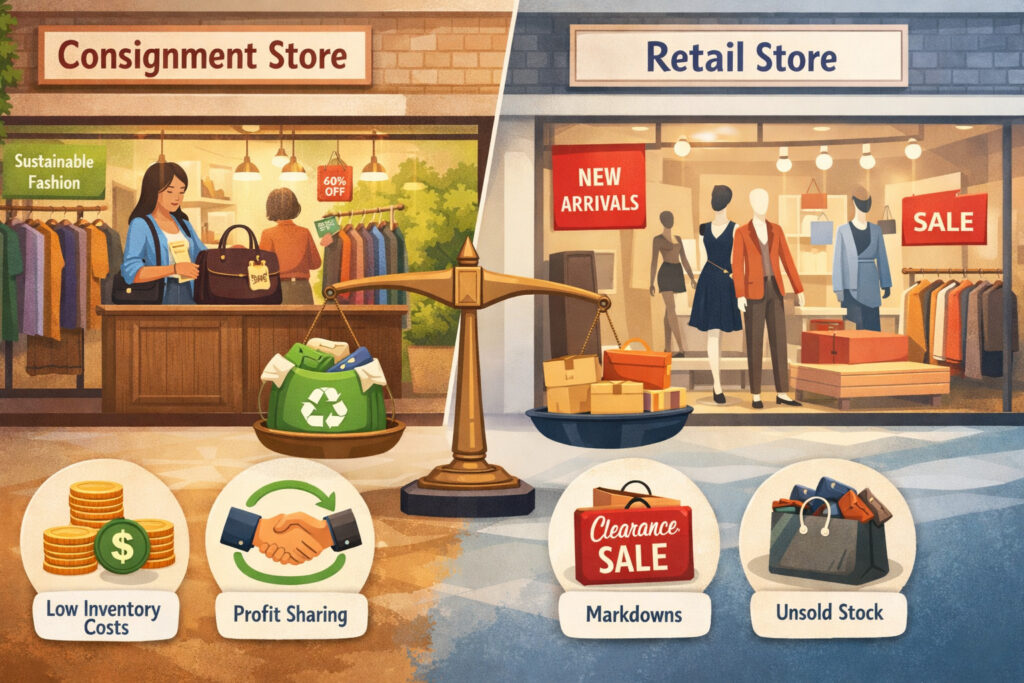
In traditional retail, you mostly track: what sold, at what margin, and how much inventory you have left. Consignment adds a parallel financial reality: you also track what you owe other people and how the store’s decisions affect that liability.
That’s why real-time POS reporting for consignment shops delivers outsized value. You’re not just managing stock—you’re managing consignor relationships, payout timing, contractual splits, markdown windows, store credit exposure, and returns/refunds that can reverse earlier “wins.”
Here’s what makes consignment different:
- Consignor splits and payout liabilities: Every sale creates commission for the store and an obligation to the consignor. If you can’t see that obligation clearly, you can accidentally overspend, overpay, or delay payouts.
- Fast-changing inventory: Your catalog changes daily. Real-time visibility helps you understand which new intakes are accelerating and which are stalling.
- Aging items and markdown windows: Many stores follow scheduled markdowns (e.g., 7/14/21 days, or phase-based discounts). Live tracking shows where you’re missing the window—or discounting too early.
- Store credit and returns impact: Store credit is a liability. Returns and refunds can reverse consignor earnings or shift value into credit balances. If you don’t monitor this live, your “good sales day” can quietly become a cash-flow problem.
When owners say they want “real-time reporting,” what they often mean is: “I want to stop finding out problems after they’ve already cost me money or trust.” Real-time reporting is how you get there.
Consignor trust is built on visibility, not promises
Consignment runs on trust. Consignors want clear answers: What sold? When? At what price? What’s my split? When will I be paid? If those answers require manual digging—or worse, feel inconsistent—consignors will test you, leave you, or send lower-quality inventory.
With the right dashboards, you can give accurate, prompt updates without extra admin work. The goal isn’t to bombard consignors with data. The goal is to run operations confidently so you can communicate clearly, especially with top consignors who drive your best inventory.
Real-time reporting also protects the store. If you catch discount leakage, unexpected refunds, or unusually high store credit issuance the same day it happens, you can fix the root cause before it becomes a pattern.
Pro Tip: Build a “top consignor watchlist” report. It doesn’t need to be public-facing. It should help you proactively communicate: items trending, items nearing markdown windows, and items close to aging thresholds.
Real-time vs end-of-day reporting: what decisions you can (and can’t) make

End-of-day (EOD) reporting still matters. You need it for final reconciliation, deposits, and closing procedures. But EOD reporting is fundamentally backward-looking. It tells you what happened after the opportunity to influence it is gone.
Real-time reporting is forward-looking. It allows you to adjust pricing, promotions, and staffing while the day is still in motion. That’s why consignment store real-time sales reporting should be paired with EOD—not replaced by it.
Table 1: Real-time vs end-of-day reporting
| Reporting type | Decisions enabled | Risks if you rely on it alone | Best use |
|---|---|---|---|
| Real-time (live dashboards) | Adjust markdowns and pricing, redeploy staff during spikes, catch discount leakage, monitor refunds/returns as they occur, track cash vs card breakdown live | Can be “live but not final” if refunds post later; depends on sync; errors amplify if item data is messy | During trading hours for rapid decisions and controls |
| End-of-day (EOD close) | Confirm totals, reconcile cash drawers, validate payment batches, finalize returns/refunds posted that day | Too late to correct in-day issues; doesn’t prevent margin loss caused by over-discounting | Daily close and accounting handoff |
| Weekly/Monthly summary | Payout planning, category strategy, staffing optimization, consignor performance reviews, inventory turnover for consignment | If used without live monitoring, you discover issues late | Strategic decisions, forecasting, and partner/consignor communication |
Real-time reporting shines when it’s tied to action. A dashboard that refreshes but never changes decisions is just another screen.
Pro Tip: Every dashboard tile should map to a decision. If it doesn’t, remove it or move it into a “reference” tab so your team focuses on what matters.
Core real-time POS reporting for consignment shops

A consignment store’s real-time reporting needs to answer four questions continuously:
- What is selling right now?
- What is it doing to margin and discount discipline?
- What is it doing to consignor payouts and liabilities?
- What operational risks are emerging (returns, store credit, cash variance, employee performance)?
Below are the core capabilities you should expect from consignment POS analytics in real time, along with why each one matters.
- Live sales (gross/net) by category: Gross shows demand; net shows what you keep after discounts, refunds, and adjustments.
- Category performance in real time: Helps managers push trending categories to the front, adjust merchandising, or run targeted promos without guessing.
- Sales by consignor live: Supports immediate updates to consignors, identifies top performers, and highlights whose inventory is stagnating.
- Commission and payout liability tracking: Shows what the store earned vs. what it owes consignors as sales happen.
- Sell-through rate tracking and inventory aging alerts: Identifies inventory that needs attention before it becomes dead stock.
- Markdown and discount monitoring: Catches over-discounting, unauthorized promos, and pricing drift.
- Return and refund alerts: Allows immediate review of high-risk behaviors and prevents repeated “refund loops.”
- Cash vs card breakdown live: Supports deposit planning and helps managers respond to cash drawer variance indicators early.
- Employee performance tracking by shift: Identifies who is driving sales and who may need coaching on discount policy or item scanning accuracy.
- Store credit balances reporting: Tracks outstanding store credit liability and how it’s changing during the day.
Live sales, live liabilities: why “net” matters more than “gross” in consignment
Consignment stores can look “busy” and still have margin problems. The culprit is often discount behavior: untracked markdowns, “just this once” price overrides, or inconsistent promotion rules.
That’s why live dashboards should show both:
- Gross sales: total sold before discounts/refunds
- Net sales: after discounts, returns/refunds, and adjustments
If your net sales drop while gross sales look strong, it’s a sign of discount leakage, refund activity, or aggressive markdowning that may be harming profit and consignor payouts.
Pro Tip: Put “discount rate” and “returns rate” next to net sales on the manager dashboard. It keeps the team focused on quality of sales, not just volume.
Must-have real-time dashboards for consignment stores
Dashboards should be role-based, not “one size fits all.” Owners need profitability and liabilities. Managers need operational controls. Cashiers need a simple view that supports speed and policy compliance. Accounting needs clean reconciliation.
When you build dashboards with roles in mind, adoption skyrockets—and so does accuracy.
Table 2: Must-have real-time dashboards for consignment stores
| Dashboard | What it shows | Who uses it |
|---|---|---|
| Owner dashboard | Net sales trend, margin after commission, payout liability, top categories, store credit liability, key alerts | Owner, operator, multi-location leadership |
| Manager dashboard | Real-time POS dashboard with sales by category, discounts, returns, inventory aging alerts, staff performance, cash vs card breakdown live | Store manager, assistant manager |
| Cashier/shift lead dashboard | Today’s targets, promo rules, queue health (returns/refunds alerts), item scanning accuracy prompts, quick exception list | Cashiers, shift leads |
| Accounting/reconciliation dashboard | Payment mix, batch totals, refund totals, store credit balances reporting, payout ledger, export to accounting, audit trails | Bookkeeping, accounting, owner |
| Inventory/merch dashboard | Sell-through rate tracking, inventory aging, markdown windows, category performance in real time, intake velocity | Inventory lead, merchandiser, manager |
A strong real-time POS reporting for consignment shops setup usually includes 8–15 tiles per role, not 40. If everything is a priority, nothing is.
Pro Tip: Use a “top 5 exceptions” widget on manager and accounting dashboards: biggest discounts, highest refund transactions, negative-margin items, missing consignor splits, and unsynced registers.
Build dashboards around “moments,” not departments
Retail ops happen in moments: opening rush, mid-day lull, after-work spike, weekend surge, end-of-day close. Dashboards should support the decisions in those moments.
Examples:
- Opening: check inventory aging alerts and focus displays on items nearing markdown windows.
- Mid-day: review discount rate and employee performance by shift; coach early if needed.
- Spike hours: monitor live category trends to move floor staff toward what’s selling.
- Close: check cash drawer variance indicators and returns/refunds totals before finalizing.
This is how live sales tracking for consignment stores becomes operational muscle, not just reporting.
Owner dashboard: instant clarity on profitability and liabilities
Owners need a dashboard that answers: Are we healthy today? Healthy in consignment means: good net sales, controlled discounts, manageable payout liability, and no surprise refund/store credit exposure.
Your owner dashboard should prioritize:
- Net sales (today vs. same day pattern, if available)
- Gross margin indicators (store share)
- Payout liability (what you owe consignors)
- Store credit liability (outstanding and change today)
- Category performance in real time (top categories and underperformers)
- Refund/return alerts (count and value)
- Discount rate and price override count
- Multi-location reporting (if applicable)
Keep it decision-driven. If a tile doesn’t change what you do this week, it shouldn’t be on the owner dashboard.
Pro Tip: Add a “cash position risk” tile: cash collected today minus scheduled payouts due soon. This is directional—not a promise—but it forces proactive payout planning.
Multi-location reporting: normalize before you compare
If you have more than one location, your biggest reporting risk is comparing stores with different setup rules. One store uses different categories, a different discount policy, or inconsistent consignor split terms. The dashboard might still show “live” numbers, but the comparisons will be misleading.
Before you lean on multi-location reporting, standardize:
- Category taxonomy
- Discount types and override permissions
- Consignor split templates
- Return/refund reasons
- Store credit issuance rules
Then your consolidated view becomes meaningful. You can see which store is discounting too aggressively, which location’s intake is converting faster, and where staff coaching is needed.
Manager dashboard: run the day with controls, not guesses
Managers need a dashboard that flags issues early and supports fast adjustments. A manager’s view should not look like an owner’s view. It should be more tactical and more sensitive to exceptions.
Must-have tiles:
- Net sales by hour (simple line trend)
- Category performance in real time (top 5 and bottom 5)
- Markdown and discount monitoring (discount rate, overrides, promo usage)
- Returns/refunds alerts (count, value, and exceptions)
- Cash vs card breakdown live (cash exposure and deposit planning)
- Cash drawer variance indicators (if your POS supports it)
- Inventory aging alerts and sell-through signals
- Employee performance tracking (sales per shift, items scanned per transaction, overrides)
Managers should also have an “action list” widget: 3–7 prompts that update during the day. Example: “Discount rate rising,” “Refund cluster detected,” “Aging items in Category X,” “Top consignor items trending.”
Pro Tip: Tie one manager action to one KPI. If discount rate rises above your guidance threshold, the action is: “Verify promo signage, check overrides, coach cashier on policy.”
Coaching becomes easier when the data is specific
Discount coaching is hard when it’s vague. It becomes easy when the dashboard shows:
- who applied overrides
- which categories are impacted
- which time window it happened
- whether it was tied to a promo or not
That’s how you reduce friction with staff. You’re not accusing; you’re clarifying.
Keep the tone consistent: “We’re protecting margin and consignor payouts. Let’s follow the markdown rules so we don’t create payout confusion later.”
Cashier and shift lead dashboard: speed + policy compliance
Cashiers don’t need complex analytics. They need a focused view that helps them do the right thing quickly, consistently, and with fewer exceptions.
Cashier/shift lead dashboards should include:
- Today’s active promos (clear, simple)
- Items requiring manager approval (price overrides, high discounts)
- Return and refund alerts queue (pending reviews)
- Store credit balances reporting prompts (when issuing credit, show policy reminders)
- “Scan accuracy” and “uncategorized item” prompts
- Transaction velocity and line status (if your system supports it)
This matters because front-line behavior is where data quality lives or dies. If cashiers skip scanning, select the wrong variant, or override prices casually, your real-time POS dashboard becomes unreliable—and the team stops trusting it.
Pro Tip: Add a “last 10 exceptions” tile visible to shift leads only. It encourages early correction without slowing every cashier.
Use permissions to reduce errors without slowing the lane
Modern systems should support permissions and audit trails. You want cashiers to move quickly while preventing avoidable margin loss. A good setup:
- Cashiers can apply standard promos (preconfigured)
- Cashiers cannot exceed a discount cap without approval
- Refunds above a threshold require manager PIN
- Price overrides require a reason code
- Store credit issuance requires customer identification (even minimal)
This isn’t about being strict. It’s about preventing preventable leakage and ensuring reporting reflects reality.
Accounting and reconciliation dashboard: keep cash, card, credit, and payouts clean
Accounting teams need clean totals, clear exceptions, and consistent exports. In consignment, reconciliation isn’t only about payments—it’s also about consignor liabilities and store credit.
Your accounting dashboard should show:
- Payment mix totals (cash/card/other)
- Refund totals and reasons
- Store credit issued vs redeemed
- Outstanding store credit liability
- Payout ledger (earned, paid, remaining)
- Commission totals (store share)
- Export to accounting status (what’s been exported, what hasn’t)
- Audit trails (who changed what and when)
If your system supports it, include a “sync health” widget: devices online/offline, last sync time, and any queued transactions.
Pro Tip: Set a weekly reconciliation routine that matches the dashboard structure. When accounting and ops use the same “source of truth,” errors drop and payouts get smoother.
Key consignment KPIs explained with simple formulas
KPIs should be teachable. If your team can’t explain them in plain language, they won’t use them correctly. Below are the core metrics that matter most in real-time sales reporting for consignment businesses, with formulas you can keep in your reporting notes.
Sell-through rate: how much of intake actually sells
Sell-through rate measures how effectively your inventory converts into sales within a time period. It’s one of the best indicators of pricing discipline and merchandising quality.
Simple formula (period-based):
Sell-through rate (%) = (Units sold in period ÷ Units available in period) × 100
You can define “units available” in different ways depending on your system. Keep it consistent, and document the definition.
How to use it live:
- Watch sell-through by category and by intake cohort (new arrivals vs older stock)
- Combine it with inventory aging alerts to prioritize actions
- Use it to identify categories that need different pricing rules
Pro Tip: Track sell-through for “new intake within 7 days” separately. It helps you see whether intake quality and initial pricing are working.
Inventory turnover for consignment: how fast inventory cycles
Turnover tells you how often you “cycle through” inventory. In consignment, it’s a signal of demand alignment and markdown effectiveness.
Simple formula (value-based):
Inventory turnover = Net sales (period) ÷ Average inventory value (period)
In consignment, inventory value can be tricky because the store may not “own” the inventory. Many operators use retail value at listing price or a consistent valuation method. Pick one, use it consistently, and compare trends over time rather than obsessing over absolute values.
How to use it operationally:
- Identify categories with slow turnover and adjust intake rules
- Adjust markdown timing to reduce aging
- Support multi-location inventory balancing (move slow categories to stores where they sell)
Pro Tip: Turnover improves when your intake standards improve. Don’t use markdowns as your only lever.
Average days to sell: your pricing and merchandising reality check
Average days to sell shows how long items take to move. In consignment, this directly affects markdown windows, floor space, and consignor satisfaction.
Simple formula:
Average days to sell = Average (Sale date − Intake date)
Use it by category, by brand tier, and by price range. A “one number” store-wide average hides important differences.
Operational actions:
- If average days to sell rises, review intake mix and pricing rules
- If it’s high in a category, consider dedicated displays or a markdown reset
- Use it to communicate with consignors about realistic timelines
Pro Tip: Watch “days to first interest” signals too—like saves, inquiries, or try-ons—if your system captures them. It helps you distinguish visibility problems from pricing problems.
Payout liability: what you owe consignors in real time
This is a core consignment metric and a major reason live reporting matters. Payout liability is the amount you owe to consignors from sold items that haven’t been paid out yet.
Simple formula:
Payout liability = Σ (Consignor share for sold items not yet paid)
To do this correctly, your system must handle:
- consignor split rules
- status of sold items (finalized vs returned/refunded)
- payout schedules and holds (if applicable)
- adjustments (fees, credits, exceptions)
Operational actions:
- Plan payout batches weekly
- Avoid cash flow surprises by monitoring daily accumulation
- Use it to decide when to pause aggressive discounts that reduce store share
Pro Tip: Keep payout liability visible to the owner and accounting daily. It’s not just a report—it’s a cash management tool.
Margin after commission: what the store actually keeps
Consignment margin is different from traditional retail margin. Your “cost” is essentially the consignor share. So the margin that matters is what the store keeps after paying the consignor.
Simple formula (per item):
Margin after commission = Net sale price − Consignor payout
Store share (%) = (Store share ÷ Net sale price) × 100
Live tracking helps you see when discounts are pushing store share too low.
Operational actions:
- Protect store share with discount caps and approval rules
- Review categories where the split terms may be too aggressive
- Balance consignor incentives with sustainable store economics
Discount rate: how much you’re giving away
Discount rate is the clearest indicator of “discount leakage” and promo discipline.
Simple formula:
Discount rate (%) = (Total discounts ÷ Gross sales) × 100
Use it live:
- Monitor by hour and by cashier/shift
- Compare promo vs override discounts
- Flag unusually high discount behavior quickly
Pro Tip: Separate “planned” discounts (scheduled markdowns, official promos) from “unplanned” discounts (overrides). That distinction changes the coaching conversation.
KPI alerts and notifications: catch issues before they become habits
Dashboards are passive. Alerts are active. If you want real-time reporting to change the business, you need KPI alerts and notifications that push exceptions to the right people.
A good alert strategy is directional, not rigid. You’re not trying to automate judgment. You’re trying to surface anomalies quickly so a manager can verify and act.
Table 3: KPI alert thresholds (directional guidance)
| KPI alert | Directional threshold idea | Why it matters | Who should receive it |
|---|---|---|---|
| Discount rate spike | Sudden rise vs the last few hours or typical day pattern | Flags discount leakage or promo confusion | Manager, owner |
| High override frequency | Overrides exceed your normal pace for the shift | Indicates policy drift or training gaps | Manager, shift lead |
| Refund/return cluster | Multiple refunds in a short window or unusually high value | Risk control; investigate quickly | Manager, accounting |
| Store credit issuance surge | Store credit issued spikes above normal for the day | Store credit is a liability and can hide refund patterns | Manager, owner |
| Payout liability jump | Liability rising faster than expected | Helps plan payout batches and cash management | Owner, accounting |
| Inventory aging threshold hit | Items cross aging milestones | Triggers markdown decisions or merchandising action | Manager, inventory lead |
| Category drop-off | A key category underperforms vs typical trend | Helps adjust merchandising and staffing focus | Manager |
| Sync health warning | Register/device hasn’t synced recently | Prevents bad decisions from stale data | Manager, admin |
Pro Tip: Start with fewer alerts than you think you need. Too many alerts = no alerts. Add rules only when you know how the team will respond.
Alert design: include the next action
The best alerts are not just “something happened.” They’re “something happened—here’s the next step.”
Example alert copy:
- “Discount rate rising: review overrides in last 30 minutes and confirm promo signage.”
- “Refund cluster: check reason codes and verify original receipts.”
- “Inventory aging: 12 items crossed 30 days in Category X—review markdown window.”
If the alert doesn’t suggest a next action, it will be ignored.
How to act on real-time insights: turning dashboards into decisions
Real-time reporting is only valuable if it changes what you do today. Below are practical playbooks that connect live sales tracking for consignment stores to operational action.
Adjust pricing and markdowns with discipline
Use real-time signals to validate whether pricing is working:
- If items in a category are selling quickly with low discount rate, pricing may be strong.
- If items are moving only with heavy overrides, pricing may be too high—or staff may be over-discounting.
Action steps:
- Review the category’s average days to sell and aging distribution.
- Check discount mix: scheduled markdown vs overrides.
- Adjust markdown timing for aging items before they stall completely.
- Use manager approval for aggressive markdowns to protect store share.
Pro Tip: Create “markdown windows” as a POS rule where possible. If staff must choose a markdown reason (e.g., “Aging window,” “Damaged,” “Promo”), reporting becomes far more actionable.
Promote trending categories while the demand is hot
Real-time category performance helps you react when demand shifts.
Actions:
- Move trending categories to the front display.
- Highlight them on signage or within your store’s channels.
- Pull more items from back stock that match the trend.
- Coach staff to recommend those categories to shoppers.
A small shift in merchandising today can outperform a perfect plan next month.
Staff scheduling during spikes: manage throughput and conversion
Live sales by hour and transaction count can signal staffing needs.
Actions:
- If average transaction time rises, add a second cashier.
- If fitting rooms are backed up (if tracked operationally), move a floor associate.
- If returns spike, assign a manager to handle exceptions so cashiers keep flow.
Pro Tip: Use shift-based employee performance tracking to see if spikes correlate with training gaps or policy confusion—not just traffic volume.
Prevent over-discounting and “promo drift”
Discount leakage is one of the most common consignment margin killers.
Actions:
- Monitor discount rate and override count by shift.
- When it rises, check if signage is unclear or promo rules are misunderstood.
- Review top discount transactions (the “exceptions list”).
- Coach in the moment: “Let’s stick to markdown windows and get approvals for anything beyond.”
This protects profitability and reduces consignor payout disputes.
Communicate with top consignors using real numbers
Real-time sales by consignor live allows you to provide timely, accurate updates.
Actions:
- Identify which consignors’ items are trending today.
- For top consignors, send short updates: “Your items in Category X are moving well this week.”
- For stagnating consignors, share actionable advice: better pricing, different intake mix, improved item prep.
Pro Tip: Keep messaging focused on outcomes and next steps. Consignors don’t need dashboards—they need clarity.
Common pitfalls (and how to avoid them)
Most reporting failures aren’t technology failures—they’re setup and process failures. Here are the biggest pitfalls that weaken cloud-based sales reporting for consignment businesses, plus how to fix them.
Data latency and sync issues: don’t confuse “stale” with “wrong”
If devices go offline, transactions may queue and sync later. That can create temporary mismatches between what staff saw at the register and what the dashboard shows.
Fixes:
- Use stable networking and dedicated POS connectivity where possible.
- Enable offline mode correctly and train staff on what it means.
- Add a “sync health” tile for managers.
- Establish a daily check: “Any registers not synced?”
Pro Tip: If your dashboard supports last refresh time, make it visible. People trust what they can see.
Poor item tagging and category setup: the silent dashboard killer
If items aren’t categorized properly, “category performance in real time” becomes meaningless. If consignor splits aren’t assigned consistently, payout liability is wrong.
Fixes:
- Standardize category taxonomy (don’t let every cashier invent categories).
- Require key fields at intake: category, brand/tier (if used), condition, price, consignor split template.
- Use tags for secondary attributes (season, style, size ranges) rather than creating endless categories.
Pro Tip: Fewer categories, better tagging. Categories should support reporting and merchandising, not personal preferences.
Ignoring returns and store credit impact: the fastest path to reporting distrust
A store that monitors sales but ignores returns will always feel confused. Returns and store credit change net performance and can distort payouts.
Fixes:
- Track returns/refunds alerts in real time.
- Require reason codes.
- Review store credit issued vs redeemed weekly.
- Ensure payout liability accounts for refunds correctly.
Pro Tip: Teach staff: “A return is not just a customer event—it’s a reporting event.”
Not reconciling payouts weekly: operational debt that becomes cash pain
If you don’t reconcile payouts consistently, liability grows, exceptions pile up, and consignor relationships degrade.
Fixes:
- Set a weekly payout day (or cadence).
- Use the accounting dashboard to validate “earned vs paid vs outstanding.”
- Build a weekly exceptions review: disputed splits, missing consignor info, refunded items.
Pro Tip: Weekly payout reconciliation is the heartbeat of a healthy consignment operation.
Choosing a system for cloud-based sales reporting for consignment businesses
Not all POS systems handle consignment logic well. Many can track inventory and sales but struggle with payout liability, store credit, and split rules. When choosing a system for cloud-based sales reporting for consignment businesses, prioritize the functions that make consignment unique.
Must-have features checklist:
- Consignor profiles with split templates and terms
- Sales by consignor live and historical reporting
- Commission and payout liability tracking
- Store credit balances reporting
- Robust return/refund workflows with reason codes
- Real-time POS dashboard with refresh and filters
- Inventory aging alerts and sell-through tracking
- Markdown and discount monitoring (override logging, reason codes)
- Multi-location consolidation (if needed)
- Export to accounting + customizable report builder
- Audit trails and role-based permissions
- Sync reliability with offline mode (and clear sync health indicators)
Mobile access: a real operational advantage
A mobile POS reporting app is not just for owners checking sales from somewhere else. It’s also for managers walking the floor and making changes quickly.
Mobile access should include:
- key tiles (net sales, discount rate, refunds, aging alerts)
- alert notifications
- ability to drill into exceptions
- secure permissions (not every user should see payout details)
Pro Tip: If mobile access is too complex to use in 30 seconds, it won’t get used. Test it with a manager during a busy hour.
Export/report builder: don’t trap accounting in the POS
Even with strong dashboards, you’ll still need exports. Accounting needs consistent data structures for reconciliation and analysis.
Look for:
- standard exports (daily sales, payouts, taxes/fees if applicable, refunds, store credit)
- scheduled exports (where supported)
- clear definitions of fields (gross vs net, discount types, payout amounts)
- audit logs for changes
Pro Tip: Ask vendors how they handle “report corrections” if a transaction syncs late or is edited. The answer tells you whether the system is built for real ops.
Implementation step-by-step: how to build reliable real-time reporting
Implementing real-time sales reporting for consignment businesses is not a one-day task. The fastest path to success is a structured rollout that prioritizes data cleanliness, dashboard adoption, and consistent routines.
Step 1: Clean product and consignor data before you build dashboards
Start with the fundamentals:
- Standardize categories (create a simple taxonomy)
- Create consignor split templates (e.g., standard, premium, promotional)
- Ensure each consignor has correct terms, payout preferences, and identifiers
- Normalize item naming and SKU/label rules (so scanning is consistent)
Clean data reduces support tickets, staff frustration, and “why is the dashboard wrong?” conversations.
Pro Tip: Run a weekly “uncategorized/unknown” report during cleanup. Make it someone’s job to drive that list to zero.
Step 2: Set categories and tags that match how you manage the floor
Design your categories around:
- merchandising zones
- pricing behavior
- reporting decisions
Use tags for attributes that are helpful but not structural: season, style, special promotions, condition tier.
Pro Tip: If you can’t explain a category to a new cashier in one sentence, it’s probably too complex.
Step 3: Build role-based dashboards and define the “daily glance”
Implement dashboards in this order:
- Manager dashboard (operational control)
- Owner dashboard (liabilities and profitability)
- Accounting dashboard (reconciliation and exports)
- Cashier/shift dashboard (policy compliance)
Define a “daily glance” routine: what each role checks at opening, mid-shift, and close.
Step 4: Define alert rules that trigger action—not anxiety
Start with 3–5 alerts:
- discount spike
- refund cluster
- sync health warning
- aging milestone
- payout liability jump (if relevant)
Then add more only after the team demonstrates consistent response.
Step 5: Train staff on behavior that protects data quality
Training topics that directly impact reporting:
- scanning and item selection accuracy
- when discounts require approval
- how to use reason codes
- store credit issuance and redemption rules
- return/refund workflow and documentation
Pro Tip: Make data quality a “why,” not a “rule.” Explain: “Accurate scanning protects consignor payouts and prevents disputes.”
Step 6: Establish a reporting cadence and continuous improvement loop
Dashboards alone don’t create discipline. Cadence does. Set daily, weekly, and monthly routines that force review and action.
Reporting cadence workflows: daily, weekly, and monthly routines that stick
Consignment reporting works when it’s habitual. You don’t want to “analyze” every day. You want a repeatable cadence that keeps you in control with minimal effort.
Daily cadence: live dashboards + end-of-day reconciliation
Daily workflow should combine live dashboards and a clean close.
During the day (live monitoring):
- Check net sales trend and discount rate at least twice
- Review returns/refunds alerts as they occur
- Watch category performance in real time and adjust floor focus
- Monitor cash vs card breakdown live for deposit planning
- Review inventory aging alerts to prioritize merchandising
End-of-day (EOD close):
- Reconcile cash drawer (variance indicators and final count)
- Confirm payment totals vs batches (as applicable)
- Review refunds and store credit issued
- Flag payout exceptions (refunded sales tied to consignors)
- Log sync issues for follow-up
Pro Tip: If EOD reconciliation takes too long, it’s usually not “accounting.” It’s inconsistent workflows at the register.
Weekly cadence: payouts, aging, and markdown discipline
Weekly is where consignment becomes sustainable.
Weekly workflow:
- Run payout liability report and prepare payout batches
- Review disputed transactions and missing data
- Evaluate inventory aging distribution by category
- Check sell-through rate tracking by intake cohort
- Audit markdown and discount monitoring: planned vs overrides
- Review store credit liability trend
Pro Tip: Weekly review should result in 3–5 concrete actions: markdown adjustments, staff coaching, category focus, intake guideline tweaks.
Monthly cadence: consignor performance and category strategy
Monthly is where you shift from reacting to optimizing.
Monthly workflow:
- Review consignor performance (top and bottom)
- Analyze category performance and pricing outcomes
- Update intake guidelines based on turnover and sell-through
- Review employee performance trends (training and staffing)
- If multi-location: compare normalized performance and share best practices
Pro Tip: Use monthly insights to refine your dashboard tiles. Remove what didn’t drive decisions.
30/60/90-day real-time reporting rollout plan
A structured rollout prevents the “dashboard graveyard” problem where reporting exists but nobody uses it. Here’s a practical plan designed for consignment ops.
Days 1–30: baseline dashboards + data cleanup
Goals:
- Create a trusted foundation for reporting
- Get managers using dashboards daily
Actions:
- Standardize categories and tags
- Clean consignor profiles and split templates
- Build manager and owner dashboards first
- Set up basic EOD close with reconciliation checklist
- Create a “data cleanup queue” report (uncategorized items, missing consignor data, etc.)
- Train staff on scanning, discounts, and returns workflows
Deliverables:
- Manager dashboard live
- Owner dashboard live
- Daily close routine documented
- Data cleanup backlog declining weekly
Pro Tip: In the first month, measure adoption, not perfection. A “good enough and used” dashboard beats a “perfect and ignored” one.
Days 31–60: alerts + payout tracking + markdown discipline
Goals:
- Shift from passive reporting to active controls
- Improve payout reliability and discount discipline
Actions:
- Add KPI alerts and notifications (start with 3–5)
- Implement payout liability tracking routines weekly
- Separate planned markdowns from overrides in reports
- Build accounting/reconciliation dashboard
- Create weekly review meeting (30 minutes, same agenda)
- Adjust permissions to reduce unauthorized discounting
Deliverables:
- Alert rules live and responded to
- Weekly payout process standardized
- Accounting exports consistent
- Discount leakage reduced through coaching (without “promises,” just process improvement)
Days 61–90: multi-location optimization + forecasting habits
Goals:
- Consolidate reporting (if multi-location)
- Use trends to improve intake and merchandising decisions
Actions:
- Normalize category structure across locations
- Implement multi-location reporting with consistent definitions
- Add inventory/merch dashboard with aging and turnover focus
- Begin simple forecasting habits: intake targets, category focus, staffing plans based on patterns
- Refine alert thresholds based on real store behavior
Deliverables:
- Consolidated dashboards trusted
- Monthly category strategy review in place
- Clear ownership for data quality and reporting cadence
Pro Tip: By day 90, your goal is not “more reports.” It’s fewer surprises.
FAQs
Q1) What is real-time POS reporting for consignment shops?
Answer: It’s a reporting setup where your POS and dashboards refresh frequently enough to influence same-day decisions—sales, discounts, refunds, store credit, consignor splits, payout liability, and inventory performance. The key is not just speed, but operational reliability and clear definitions so everyone trusts the numbers.
Q2) Is “real-time” reporting truly instant?
Answer: Often it’s near real-time. Many systems refresh every 30 seconds to a few minutes, depending on sync, network health, and device status. For most consignment decisions—discount control, staffing, category trends—near real-time is effective. True real-time is harder and usually most critical for exception alerts and controls.
Q3) Which KPIs matter most for consignment stores?
Answer: The most useful KPIs are those tied to action: sell-through rate, inventory turnover for consignment, average days to sell, payout liability, margin after commission, discount rate, refund/return rate, and store credit liability. If a KPI doesn’t change your behavior, it doesn’t belong on the main dashboard.
Q4) How do I track payout liability in real time?
Answer: You need a POS that calculates consignor share per sale, accounts for refunds/returns properly, and tracks payout status (earned vs paid). Then your dashboard sums the consignor share for sold items not yet paid. Weekly reconciliation is still required to keep it clean.
Q5) Can I see sales by consignor live?
Answer: Yes, if your system links every item to a consignor profile and records the sale event with that linkage intact. “Sales by consignor live” depends heavily on correct intake workflows—if items aren’t assigned to the right consignor at intake, the live report won’t be trustworthy.
Q6) How do I set up inventory aging alerts?
Answer: First ensure each item has an accurate intake date and category. Then define aging milestones that match your store’s markdown windows (for example, “approaching markdown,” “needs markdown review,” “stale inventory”). Alerts should go to the manager or inventory lead with a clear next action.
Q7) Does real-time reporting help reduce markdown losses?
Answer: It can, because it helps you spot discount leakage, identify aging inventory before it becomes dead stock, and distinguish planned markdowns from random overrides. The win comes from process: consistent markdown rules, approvals for exceptions, and weekly review—not from dashboards alone.
Q8) What should I check daily vs weekly?
Answer: Daily: net sales trend, discount rate, refunds/returns alerts, cash vs card breakdown live, sync health, and aging exceptions that need immediate attention. Weekly: payout batches, payout exceptions, store credit liability trend, inventory aging distribution, sell-through by category/cohort, and markdown discipline review.
Q9) Can I manage multiple locations with live reporting?
Answer: Yes, but only if you standardize categories, discount types, and consignor split templates across locations. Without normalization, multi-location reporting becomes misleading. Start by aligning the data model before comparing performance.
Q10) What data setup is required for accurate dashboards?
Answer: Accurate dashboards require consistent intake data: categories, tags, intake date, correct consignor assignment, split template, price, and condition rules (if used). You also need disciplined workflows for discounts, refunds, and store credit, plus permissions and audit trails.
Q11) How do I prevent data accuracy and sync issues from ruining trust?
Answer: Make sync health visible, train staff on offline behavior, and enforce scanning accuracy at the register. Most “reporting issues” are actually intake errors, category drift, or unlogged overrides. A weekly data cleanup queue helps you fix problems systematically.
Q12) What should a real-time POS dashboard look like?
Answer: It should be role-based, simple, and action-oriented. Managers need exceptions and controls; owners need liabilities and profitability; accounting needs reconciliation and exports; cashiers need policy support. Most dashboards work best with 8–15 tiles, not dozens.
Q13) How do I monitor cash drawer variance indicators in real time?
Answer: Some systems can flag when expected cash differs from recorded cash activity or when transaction patterns suggest risk. Even without automated variance indicators, a live cash vs card breakdown and refund alerts help managers anticipate issues before close.
Q14) Can real-time reporting replace end-of-day reconciliation?
Answer: No. Real-time reporting is for in-day decisions and controls. End-of-day reconciliation is for final confirmation, deposits, and clean accounting handoff. The strongest operations use both: live dashboards during the day and a disciplined EOD close.
Q15) What’s the fastest way to get value from real-time reporting?
Answer: Start with manager dashboards and discount/refund controls. If you reduce discount leakage and tighten return workflows, you’ll see operational clarity quickly—then layer in payout liability tracking, aging alerts, and deeper category strategy.
Conclusion
Consignment is a high-velocity blend of retail, inventory management, and shared revenue. That’s why real-time sales reporting for consignment businesses delivers more value here than in typical retail.
When you can see net sales, discount behavior, sales by consignor live, payout liability, aging inventory, and store credit exposure while the day is still happening, you stop managing with hindsight.
The goal isn’t a prettier dashboard. The goal is fewer surprises: fewer payout disputes, fewer margin leaks, fewer stale items, and fewer messy closes.
With role-based dashboards, a small set of alerts, and a daily/weekly/monthly cadence, consignment POS analytics in real time becomes part of how your store runs—not an extra task.