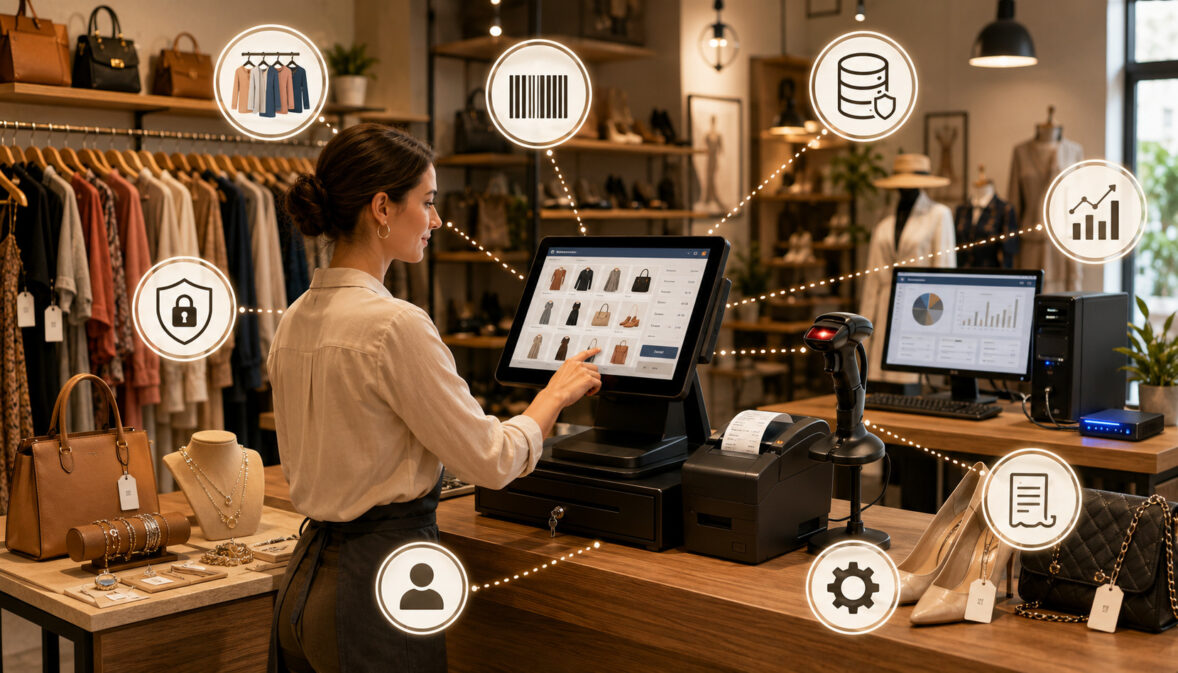
Running a consignment store involves more than processing purchases at a checkout counter. Every item may have a different owner, commission rate, selling period, markdown schedule, payout status, and return agreement.
Store owners must connect these details accurately from the moment an item is accepted until it is sold, returned, donated, or otherwise removed from inventory.
An on-premise consignment POS can bring these workflows together on computers and equipment located inside the store. Instead of depending entirely on software hosted through an internet browser, the store installs and operates the POS software on a local computer, local server, or private in-store network.
This arrangement may appeal to owners who want greater control over their store computer, local database, hardware, updates, and backup procedures. It can also support stores in areas where internet service is inconsistent, provided the software is designed to continue essential functions without an active connection.
However, local control also creates local responsibility. The owner may need to manage data backups, software updates, hardware maintenance, malware protection, network setup, power protection, troubleshooting, and disaster recovery.
A computer failure can become a serious operational problem when the only copy of the store’s inventory and consignor records is stored on that device.
Choosing an on-premise consignment POS therefore requires more than comparing checkout features. Owners should consider consignment inventory management, consignor accounts, commission splits, payout reports, payment processing, staff permissions, security, support, total cost of ownership, remote access, online selling, and future growth.
This guide explains how an on-premise system works, where it may fit, what equipment it requires, and which responsibilities store owners should understand before making a decision. The information is general and educational.
Questions involving contracts, taxes, accounting, cybersecurity, payment compliance, or legal obligations should be reviewed with qualified professionals familiar with the store’s circumstances.
What Is an On-Premise Consignment POS?
An on-premise consignment POS is a point-of-sale and store management system installed on computers or servers located at the business. The software generally uses a local database to store inventory, consignor, transaction, payout, employee, and reporting information.
The system may run on one desktop computer or on several workstations connected through a local network. A larger store might maintain a dedicated server that acts as the central location for its database, while checkout and inventory computers connect to that server.
Unlike a generic cash register, an on-premise consignment POS system should support the shared-ownership structure of consignment retail. It needs to identify who owns each item, calculate the store’s share and the consignor’s share, apply agreed markdown rules, update balances, and produce accurate payout records.
A suitable system may also support owned inventory, donated merchandise, vendor-managed booths, store credit, gift cards, returns, customer records, sales reporting, employee permissions, and accounting exports. These capabilities help distinguish specialized consignment store software from a basic retail checkout application.
The term “on-premise” describes where the software and primary data are operated. It does not necessarily mean the system has no online features. Some local systems connect to payment processors, remote backup services, ecommerce platforms, email tools, or support portals while keeping the main application and database inside the store.
How an On-Premise POS System Works
The store installs desktop consignment POS software on a compatible computer or server. During setup, the software is configured with store information, commission rules, inventory categories, markdown schedules, tax settings, employee accounts, receipt formats, payout policies, and hardware connections.
When staff accept an item, they create or select the consignor account, enter the item description, assign a price, choose a category, establish commission terms, and generate a SKU. The system then prints a barcode label or tag that connects the physical item to its digital record.
At checkout, the cashier scans the item. The POS retrieves its price and ownership details, processes the sale, removes or changes the item’s inventory status, and calculates the amount allocated to the store and consignor.
Payment may be completed through an integrated payment terminal or a separate device. The system records cash, card, gift card, store credit, or other supported tender types and includes the transaction in sales reports.
After the applicable return or holding period, the sale may become eligible for payout. The system updates the consignor’s available balance and includes the amount in the appropriate consignment payout reports.
Because the application operates locally, staff may still be able to perform many tasks when the external internet connection is interrupted. The exact offline capability depends on whether licensing, payment authorization, ecommerce synchronization, or other functions require connectivity.
On-Premise POS vs Cloud POS
The primary difference involves where the software and data are hosted. An on-premise POS usually operates from store-owned computers or a local server. A cloud POS generally stores its central application and database in remotely managed infrastructure that users access through the internet.
A local setup may give the owner greater control over hardware, database access, backup timing, and update scheduling. It can also reduce dependence on browser access for routine in-store tasks.
A cloud POS usually makes remote access easier. Owners may be able to view reports, inventory, consignor information, and sales from different devices or locations without building a private remote-access system.
Updates also differ. Cloud software is commonly updated by the provider, while an on-premise user may need to download, install, test, or schedule updates. Some local software includes automatic updates, but the owner remains responsible for keeping store computers compatible and available.
Backups require particular attention. Cloud services generally include some infrastructure-level redundancy, although owners should still understand retention, restoration, and data-export policies. With a local POS, the store may be directly responsible for creating, testing, securing, and separating backup copies.
Neither design is automatically better. The right choice depends on internet reliability, store size, staff workflow, technical resources, remote-access needs, ecommerce plans, security responsibilities, and budget.
Why Consignment Stores Use On-Premise POS Systems
Some consignment and resale businesses prefer an on-premise POS because most of their work happens inside one physical location. Items arrive at an intake station, tags are printed in the back office, merchandise is placed on the sales floor, and purchases are completed at a fixed checkout counter.
In that environment, a local system can provide a familiar and focused workflow. Staff may open a desktop application, scan merchandise, print labels, run payout reports, and perform end-of-day reconciliation without moving between multiple browser tabs or mobile applications.
Internet reliability can also influence the decision. A store that frequently experiences service interruptions may be uncomfortable relying on an internet connection for every inventory lookup or transaction. A properly configured local POS may continue supporting cash sales, inventory searches, tag printing, and other functions during an outage.
Some owners also prefer to determine when software updates occur. They may want to test an update before installing it on all workstations or schedule changes outside business hours.
Hardware ownership is another factor. A store may already have suitable computers, printers, scanners, and networking equipment. Reusing compatible equipment may reduce immediate replacement needs, although owners should avoid building an important system around outdated or unsupported devices.
Local Control Over Store Operations
An on-premise system can provide direct access to the devices on which the software operates. The owner may decide which computers can use the application, how the local network is arranged, where the database is stored, and when backups are created.
This control can be useful when a store has established procedures that depend on specific printers, label formats, scanners, or desktop workstations. For example, an antique mall may require different tag layouts for vendors, booths, item categories, and commission structures.
Local control may also make it easier to maintain a stable setup after it has been tested. The owner can limit unnecessary applications on the POS computer, restrict staff permissions, schedule maintenance, and avoid unplanned changes to critical equipment.
However, control should not be confused with automatic security. A local database is not protected merely because it is inside the store. Theft, fire, hardware failure, malicious software, weak passwords, accidental deletion, and unauthorized employee access can all affect locally stored information.
Owners therefore need documented procedures for updates, permissions, backups, hardware replacement, incident response, and recovery. Professional IT or cybersecurity review may be appropriate when the store lacks internal expertise.
Offline Access and Internet Reliability
Offline access is one of the most common reasons stores consider a local POS system for consignment stores. If the application and database are available through the store’s internal equipment, staff may be able to search inventory, manage consignors, print tags, and record certain transactions when external internet service is unavailable.
Payment processing is a separate issue. Most card transactions require authorization through a payment network, even when the POS itself runs locally. Some payment systems offer limited offline or store-and-forward functionality, but this can involve restrictions and increased risk.
A store should ask exactly what happens during an outage:
- Can staff open the POS and sign in?
- Can items be scanned and sold?
- Can cash transactions be completed?
- Can card payments be authorized?
- Are offline card transactions supported or restricted?
- Can new consignors and inventory be added?
- Will ecommerce inventory continue to synchronize?
- How does the system reconnect and resolve changes?
The answers should be tested rather than assumed. A system described as “offline capable” may still require periodic internet access for licensing, authentication, payment processing, backups, or integrations.
On-Premise Consignment POS vs Cloud Consignment POS
The following comparison provides a practical starting point. Individual products may combine several categories, so owners should verify how each proposed system actually stores data, handles outages, supports updates, and connects multiple devices.
| POS Type | Best For | Main Benefits | What to Review |
| On-premise consignment POS | Stores wanting local control | Local access, in-store data storage, familiar hardware | Backups, updates, cybersecurity, hardware and IT support |
| Cloud consignment POS | Stores wanting remote access | Access from multiple devices and locations | Internet reliability, subscriptions, data exports and provider policies |
| Hybrid POS | Stores needing local and online tools | Flexible operation and some offline capability | Data syncing, conflict handling, integrations and complexity |
| Desktop POS | Single-location resale shops | Familiar computer-based workflow | Hardware age, operating-system compatibility and updates |
| Mobile POS | Pop-ups or flexible checkout | Portable selling and line-busting | Device security, battery life, connectivity and payment support |
| Multi-location POS | Chains or growing stores | Centralized reporting and shared management | Data syncing, location permissions, transfers and consolidated payouts |
The table should not be used as a simple scorecard. A cloud system can have strong offline tools, and an on-premise system can support remote access. The practical details depend on the product’s architecture and configuration.
Owners should request written answers about data location, backups, restoration, ownership, exports, software support, operating-system compatibility, payment integration, outage procedures, and cancellation or migration.
How to Use the Table When Comparing POS Options
Begin with the store’s actual workflow rather than a preferred technology label. Count the number of checkout counters, intake stations, employees, consignors, active items, monthly transactions, payout batches, and physical locations.
Next, evaluate internet reliability. A stable connection may make a cloud system practical, while frequent interruptions may increase the value of local or hybrid operation. Stores should still verify what happens to payment processing during an outage.
Consider who needs access and from where. If the owner works primarily at the store, local access may be enough. If managers need to view reports from home, compare built-in remote access with the cost and security requirements of configuring remote access to a local network.
Hardware budget also matters. An on-premise setup may require computers, networking equipment, backup drives, printers, scanners, and power protection. A cloud system may reduce some local infrastructure needs but still require checkout devices and peripheral equipment.
Finally, compare consignment workflows. A general retail system with attractive hardware may still be unsuitable if it cannot manage item-level ownership, commission splits, markdown rules, consignor balances, and payout liabilities.
For a broader explanation of these connected workflows, review how a specialized consignment store point of sale links inventory intake, barcoding, sales, and consignor management.
Why the Best Choice Depends on Store Operations
A small boutique resale shop may need one register, one intake computer, basic tagging, straightforward commission splits, and weekly payout reports. A local desktop consignment POS may meet those requirements without adding unnecessary complexity.
An antique mall may have hundreds of vendors or booth operators, different rent and commission arrangements, detailed tag codes, and settlement statements. Its system may need stronger vendor management, booth reporting, permission controls, and batch payout capabilities.
A multi-location secondhand business may need centralized customer records, inventory transfers, consolidated reports, online inventory synchronization, and role-based access across stores. A strictly local database at each location may make these tasks harder unless the system includes reliable synchronization.
A thrift store POS system may also need donation intake, donor records, department tracking, discount schedules, volunteer permissions, and high-volume checkout. These requirements differ from those of a curated luxury resale boutique.
The best decision therefore reflects how the business accepts items, prices merchandise, sells products, handles returns, calculates payouts, manages staff, and plans to grow. Technology should support those operations rather than force the store into an unsuitable workflow.
Core Features of an On-Premise Consignment POS System
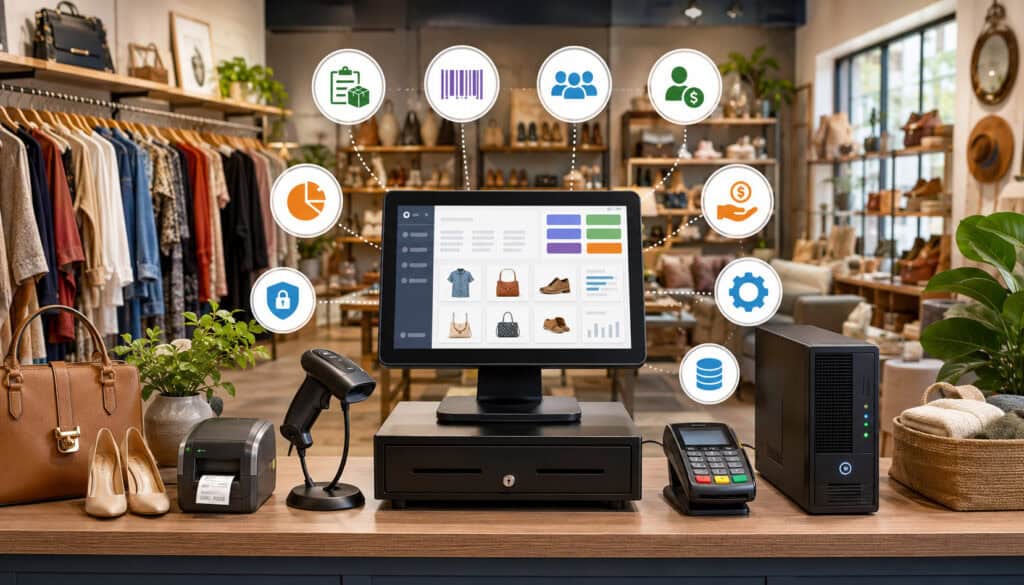
A specialized consignment store POS system should do more than accept payments. It should maintain an accurate relationship among the item, consignor, agreement, sale, commission, return status, and payout.
Core consignment POS features generally include inventory intake, SKU creation, barcode labels, tag printing, consignor accounts, commission rules, markdown schedules, item aging, checkout, returns, store credit, payout balances, statements, sales reports, staff permissions, and audit trails.
The system should also distinguish between consigned and store-owned inventory. The accounting and payout treatment of an item purchased wholesale by the store is different from merchandise owned by a consignor.
Reporting should be operational, not merely financial. Store owners may need to see unsold items by age, upcoming markdowns, expired consignment periods, inventory by consignor, sell-through by category, payout liabilities, refunds, discounts, and staff activity.
Owners comparing options can use a detailed overview of consignment inventory management to understand how item-level ownership, intake, pricing, aging, and settlements should remain connected.
Item Intake and Inventory Tracking
Inventory intake establishes the accuracy of everything that follows. Staff should be able to select a consignor, enter item details, record condition, assign a category, set the starting price, choose commission terms, and establish markdown or expiration rules.
The system then creates a unique SKU or item number. This identifier is printed as a barcode label or tag and attached securely to the merchandise.
Because consignment inventory often consists of one-of-a-kind items, duplicate or incorrect identifiers can create serious problems. Selling the wrong record may credit the wrong consignor, apply the wrong price, or create a false payout balance.
Useful status options may include:
- Pending intake
- Available for sale
- Reserved or on hold
- Sold
- Returned
- Refunded
- Expired
- Scheduled for return
- Donated
- Missing or damaged
A good system preserves the item’s history instead of deleting the record when its status changes. Staff should be able to see when it was accepted, priced, marked down, sold, returned, or adjusted.
Inventory aging reports are also important. They help the store identify merchandise approaching a markdown, expiration date, return deadline, or donation decision.
Consignor Accounts and Payout Reports
Each consignor account should contain the information required by the store’s operating procedures, such as contact details, agreement terms, commission rate, account status, accepted items, sold items, returns, adjustments, payout history, and available balance.
Commission rules may be simple or tiered. A store might use one percentage for most items, different splits by category or price, special rates for selected consignors, or fees for cleaning, authentication, listing, or processing.
The POS should calculate these amounts consistently and preserve the calculation behind each payout. Staff should be able to explain which item sold, its sale price, any discount, the commission split, applicable adjustments, and the amount credited to the consignor.
Payout reports may include:
- Items sold during the payout period
- Gross selling price
- Discounts or markdowns
- Store commission
- Consignor earnings
- Returns or reversals
- Fees or approved adjustments
- Previous unpaid balance
- Current eligible balance
- Payment method and date
A detailed explanation of consignment payout reports can help owners evaluate how sales, commission rules, adjustments, and account balances should connect.
Hardware Needed for On-Premise POS for Consignment Stores
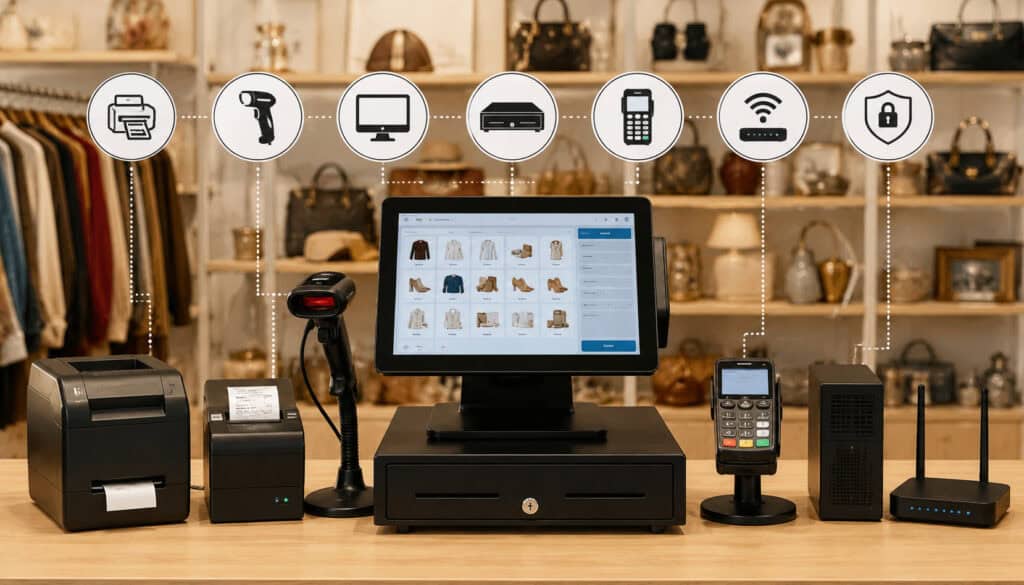
An on-premise POS depends heavily on local hardware. At minimum, a store may require a suitable computer, monitor, keyboard, mouse, barcode scanner, receipt printer, cash drawer, tag printer, payment terminal, networking equipment, and backup device.
A larger operation may use separate workstations for checkout, intake, management, and label printing. These devices may connect to a local server or to a primary computer that hosts the database.
The hardware should be selected as a system rather than as unrelated components. The software provider should confirm operating-system support, available ports, driver compatibility, network requirements, printer language, scanner configuration, and payment-terminal integration.
Owners should also consider replacement availability. A discontinued printer or specialized cable can cause avoidable downtime if no spare is available.
Power protection is often overlooked. A surge protector may help protect equipment from voltage spikes, while an uninterruptible power supply can provide temporary power and allow a server or primary workstation to shut down safely.
Checkout Hardware
The checkout station usually includes the computer or touchscreen, barcode scanner, cash drawer, receipt printer, customer-facing display, and payment terminal.
The barcode scanner should read the label format produced by the store’s tag printer. Scanning should retrieve the correct item quickly and clearly display the description, price, consignor association, discount status, and any restrictions.
The cash drawer may connect through the receipt printer or directly to the computer. Access should be controlled by employee login and store policy rather than leaving the drawer open for convenience.
Receipt printers should be reliable, supported by the software, and stocked with the correct paper. Owners may also consider whether the system supports email receipts without collecting unnecessary customer information.
The payment terminal should support the payment methods the store intends to accept, which may include chip cards, contactless cards, and mobile wallets. Device placement should allow customers to complete transactions while reducing the risk of tampering or unauthorized access.
Inventory and Tagging Hardware
Consignment stores frequently print more detailed tags than conventional retailers. A tag may contain the item description, price, barcode, SKU, intake date, markdown dates, category, consignor code, or other internal information.
The printer must support the tag size, material, and format used by the store. Apparel stores may use cardstock tags attached with fasteners, while furniture stores may prefer adhesive labels or larger tags.
Staff may also use handheld scanners during inventory counts, floor checks, returns, and item searches. A portable device can reduce manual entry, but it should be tested with the local network and POS application.
Label supplies are part of the hardware decision. Owners should review recurring costs, supplier availability, adhesive strength, print durability, and whether tags can be removed or switched without detection.
A dedicated intake station can improve accuracy by keeping the computer, scale if needed, printer, scanner, camera, and supplies together. This reduces movement and gives staff a consistent process for creating records.
Data Storage, Backups, and Security
In an on-premise environment, the store’s local database may contain years of inventory, sales, consignor, payout, employee, and customer information. Protecting that database is an operational responsibility, not merely a technical task.
Owners should know exactly where the database is stored, which device hosts it, how workstations connect to it, who can access it, and how it can be restored.
Access should be restricted through individual employee accounts and role-based permissions. Shared administrator passwords make it difficult to determine who changed information and increase the impact of a compromised account.
Store computers should be maintained with supported operating systems, security updates, malware protection, device encryption where appropriate, secure network settings, and limited use for unrelated web browsing or personal activities.
The Cybersecurity and Infrastructure Security Agency provides cyber guidance for small businesses, including practical steps for reducing common risks and preparing for incidents. Store owners should obtain professional cybersecurity assistance when they are unsure how to apply appropriate controls.
Why Backups Are Critical
A local database should never exist in only one place. A hard drive can fail without warning, and a functioning computer can be stolen, damaged by water, affected by fire, corrupted by malicious software, or destroyed by a power event.
An effective backup process should create copies automatically, store them separately from the primary system, protect them from unauthorized access, and retain enough versions to recover from a problem that is not noticed immediately.
Keeping an external drive permanently attached to the POS computer may not provide sufficient separation. Malware, electrical damage, theft, or accidental deletion could affect both the original and the attached backup.
Stores should consider a combination of local and geographically separate backups, depending on the sensitivity of the information and professional recommendations. Backup files should be encrypted when appropriate and access should be restricted.
CISA’s educational material on data backup options discusses maintaining separate backup copies and considering multiple storage methods.
Most importantly, backups must be tested. A successful backup notification does not prove that the database can be restored. Stores should periodically perform a controlled restoration with qualified support.
Protecting Store and Consignor Data
Consignor profiles may contain names, contact information, account details, payment records, agreements, and transaction histories. The system may also store customer information, employee activity, sales reports, and business performance data.
Access should be limited according to job duties. A cashier may need to process a sale without viewing all consignor balances. An intake employee may need to create inventory but not issue payouts. A manager may approve refunds without receiving unrestricted administrator access.
Strong password practices, unique accounts, screen locking, physical device security, encryption, and prompt removal of former employees’ access can reduce exposure.
Payment account data requires particular care. Stores should avoid storing card information unless there is a clearly understood and properly reviewed need. Payment devices and applications should come from approved sources and be configured according to processor and security requirements.
Cybersecurity and payment compliance can be complex. Owners should ask their software provider, payment processor, IT professional, and qualified compliance resources to define responsibilities in writing.
Payment Processing With an On-Premise Consignment POS
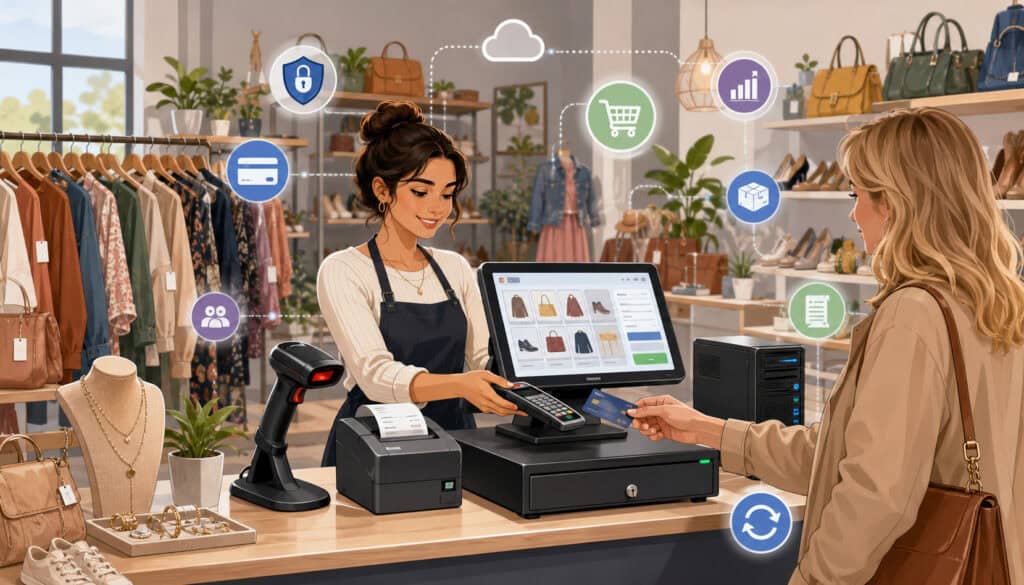
An on-premise POS may connect to a payment terminal through a cable, local network, or secure internet-based integration. The terminal communicates with the payment processor to authorize card and mobile-wallet transactions.
Payment processing can be integrated or non-integrated. In both cases, the store should understand which system records the sale, which system sends the card transaction, and how refunds and end-of-day totals are reconciled.
A complete tender setup may include cash, credit cards, debit cards, contactless payments, gift cards, store credit, checks if accepted, and split payments. Each tender type should be recorded consistently so the daily sales report matches actual funds.
Consignment payment processing also affects refunds and payouts. A card refund may reduce store revenue and reverse or hold consignor earnings. The POS should prevent a refunded transaction from remaining available for payout.
Payment security requirements vary by environment. The PCI Security Standards Council explains that PCI DSS applies to entities that store, process, or transmit payment account data, as well as systems that can affect its security. Its merchant payment-security resources can help owners begin discussing responsibilities with appropriate professionals.
Integrated vs Non-Integrated Payments
With integrated payments, the POS sends the transaction total directly to the payment terminal. After authorization, the result returns to the POS and is connected to the sale.
This arrangement can reduce manual entry errors. The cashier does not have to type the amount separately into the terminal, and the transaction identifiers may be available for refunds and reconciliation.
With non-integrated payments, staff ring up the purchase in the POS and enter the total into a separate terminal. After approval, they select the card tender in the POS to complete the sale.
A non-integrated setup may provide more flexibility when the POS does not support the store’s preferred processor. However, it creates additional opportunities for mistakes, such as entering the wrong amount, recording the wrong tender, or completing one side of the transaction without the other.
Owners should also ask how integrated refunds work, what happens during an internet interruption, whether tips or signatures are supported, and who provides support when the terminal and POS do not communicate correctly.
Reconciliation and Settlement Reports
Reconciliation compares records from different systems to identify missing, duplicated, or incorrect activity. A store should compare POS sales, cash counts, payment-terminal totals, processor batches, refunds, chargebacks, fees, and bank deposits.
Daily review helps identify errors while staff still remember the transaction. Waiting until the end of the month can make research more difficult.
A basic reconciliation routine may include:
- Comparing card sales in the POS with the terminal batch
- Confirming cash sales against the drawer count
- Reviewing refunds, voids, discounts, and manual entries
- Checking gift card and store-credit activity
- Confirming that batches settled
- Comparing expected deposits with bank activity
- Investigating chargebacks and adjustments
- Verifying that refunded items and consignor balances were updated
Settlement timing and deposit amounts may differ because of processing fees, weekends, returns, chargebacks, or funding arrangements. Accounting and processor professionals can help the store establish an appropriate review process.
Costs of On-Premise Consignment POS Systems
The cost of an on-premise system is not limited to the software license. Owners should consider computers, servers, networking, printers, scanners, payment terminals, installation, configuration, data migration, staff training, support, backups, security tools, maintenance, and replacement equipment.
Software may be sold as a one-time license, recurring support plan, subscription, or combination. A perpetual license may still require annual support or paid upgrades to remain current.
Installation costs depend on complexity. One computer and one printer may be straightforward, while multiple workstations, a server, remote access, specialized tag printers, and payment integrations may require professional setup.
Data migration can become a significant expense when the store has thousands of consignors, active inventory records, balances, and historical transactions. Owners should determine what will be migrated, who will clean the data, and how totals will be verified.
Payment processing costs should be evaluated separately from software pricing. The store may pay transaction fees, monthly fees, terminal charges, gateway fees, compliance-related fees, chargeback costs, or other contracted amounts.
Upfront Costs vs Ongoing Costs
On-premise systems may require a larger initial investment because the store purchases and configures the local hardware. The owner may also pay for installation, network setup, migration, and training before launch.
Ongoing expenses may include:
- Software support
- Version upgrades
- IT assistance
- Security tools
- Backup storage
- Hardware repairs
- Printer supplies
- Payment processing
- Replacement devices
- Employee retraining
Cloud POS systems often shift more costs into recurring subscriptions. They may require less local server infrastructure, but the store still needs checkout equipment, networking, payment terminals, and support.
Comparisons should use the same period and assumptions. Comparing a one-time license with one month of cloud service does not show the full difference.
Owners should request an itemized estimate and identify optional, required, and usage-based charges. Contracts and payment agreements should be reviewed carefully, with professional assistance when needed.
Total Cost of Ownership
Total cost of ownership estimates what the system will cost throughout its useful life. It includes the purchase price plus the expense of operating, maintaining, supporting, securing, and eventually replacing or migrating it.
A multi-year estimate should include:
- Software licenses and subscriptions
- Computers and servers
- POS peripherals
- Installation and network setup
- Data migration
- Training
- Support plans
- Updates and upgrades
- Backup tools
- IT and cybersecurity services
- Payment integration costs
- Downtime risk
- Replacement hardware
- Future migration or data export
Lower upfront pricing may be attractive but expensive over time if the system requires frequent support, does not export data cleanly, or cannot accommodate growth.
Conversely, a larger initial investment is not automatically better. Hardware can become obsolete, software support can end, and business requirements can change.
Benefits of On-Premise Consignment POS
An on-premise consignment POS may offer dependable in-store access, familiar desktop workflows, control over local equipment, and flexibility in how updates and backups are scheduled.
For a single-location business, the system can keep daily operations concentrated in one environment. Intake, labeling, checkout, inventory searches, payout reports, and management tasks can be performed through store-controlled workstations.
The system may continue supporting important functions when the internet connection is interrupted, assuming those functions do not require external authorization or synchronization.
Some stores also value the ability to retain a stable software version. They may prefer to schedule updates after testing rather than receive interface changes during busy periods.
Local hardware can be selected for the store’s particular workflow. A furniture consignment business might use large tags and multiple intake stations, while an apparel resale shop may prioritize fast barcode printing and high-volume scanning.
These benefits should always be balanced against the store’s responsibility for maintenance, security, backups, and recovery.
Strong Fit for Single-Location Stores
A single-location store often has simpler access requirements. The owner, managers, inventory staff, and cashiers work from the same building, and most reports are reviewed on-site.
A local POS can serve this environment effectively when the store has reliable equipment and a documented maintenance process. The business may use one central database and connect checkout and intake workstations through a local network.
Because the operation is concentrated in one place, the store may not need advanced synchronization among multiple locations. Inventory can move directly from intake to the sales floor without transferring between separate databases.
The system may also be easier for employees familiar with desktop applications. A consistent interface and dedicated equipment can reduce distractions and keep workflows standardized.
However, even a one-store business may eventually need remote reporting, ecommerce integration, mobile intake, or a second location. Owners should consider whether these capabilities can be added without replacing the entire system.
Control Over Local Data and Workflows
Some owners prefer direct control over the timing of database backups, report exports, software updates, equipment replacement, and user access.
A local database may also make certain customized reports or integrations possible, depending on the software’s design and licensing. Stores should not assume unrestricted database access, however. The software agreement may limit direct changes or require support assistance.
Control over update timing can help prevent disruption, but postponing updates indefinitely can create security and compatibility problems. A documented process should distinguish careful scheduling from unnecessary delay.
Owners also have control over how the POS computer is used. Restricting unrelated applications, personal email, unapproved downloads, and casual web browsing can reduce operational and security risks.
The benefit is strongest when the store has the knowledge or professional support to manage this responsibility consistently.
Limitations of On-Premise POS Systems
The main limitations of on-premise systems arise from their dependence on local equipment and local administration. A failed server, damaged database, unsupported operating system, or network problem can interrupt several store functions at once.
Remote access may be limited or require additional configuration. Owners who want to review reports from home should avoid unsafe workarounds and obtain professional help with any remote connection to the store network.
Updates may require manual installation or coordination. If software and operating systems fall behind, the store may experience compatibility, security, and support problems.
Integrations can also be more limited. Ecommerce platforms, accounting applications, email tools, marketplaces, or digital payout services may be designed primarily for cloud-based connections.
Multi-location management is another challenge. Separate local databases can create inconsistent inventory, customer, consignor, and reporting information unless reliable synchronization is available.
Remote Access Limitations
A local POS is generally easiest to access from devices connected to the store’s network. Viewing data from another location may require a remote desktop service, virtual private network, web portal, synchronized reporting tool, or other secure arrangement.
Poorly configured remote access can expose the store’s systems to unauthorized users. Owners should not open network ports or install unreviewed access software simply for convenience.
Some on-premise products include a secure remote dashboard that provides selected information without granting direct access to the POS computer. This can be a useful compromise, although owners should review what data is synchronized and how access is protected.
Remote-access needs should be identified before purchase. Ask whether owners can view sales, run reports, manage inventory, approve payouts, or troubleshoot the system outside the store.
The business should also consider what happens if remote access becomes unavailable. Essential store operations should not depend on one manager connecting from another location.
Maintenance and Update Responsibility
Local systems require a maintenance routine. Computers accumulate updates, storage devices age, printer components wear out, network equipment becomes outdated, and software compatibility changes.
The store should know who is responsible for:
- Operating-system updates
- POS software updates
- Database maintenance
- Malware protection
- Backup monitoring
- Printer and scanner troubleshooting
- Network problems
- Payment-terminal issues
- Hardware replacement
- Recovery after a failure
Responsibility may be divided among the software provider, payment processor, IT professional, and store employees. Owners should document these boundaries before a problem occurs.
Support availability also matters. A store open on weekends may receive little value from support that operates only during weekday office hours.
On-Premise POS for Inventory, Markdown, and Payout Workflows
Consignment merchandise changes status throughout its selling period. An item may be accepted, priced, tagged, displayed, discounted, reserved, sold, returned, donated, or collected by the consignor.
The POS should apply these changes without breaking the connection to the item’s owner and agreement. Every price adjustment can affect both the store’s revenue and the consignor’s expected earnings.
Markdown rules may be automatic or require approval. A store might reduce prices after predetermined intervals, exclude certain categories, or allow consignors to opt out under specific agreements.
When an item sells, the system should calculate the split based on the actual selling price and applicable terms. It should also account for refunds, fees, and any waiting period before earnings become payable.
The result should be a clear chain from inventory record to transaction to consignor balance.
Managing Aging Inventory and Markdowns
Aging inventory occupies selling space and may become harder to sell as seasons or customer preferences change. Aging reports help managers identify items that have remained available beyond expected periods.
The POS may categorize inventory by age, such as items approaching a markdown, items already discounted, and items nearing the end of their consignment term.
Markdown schedules should be visible during intake so staff and consignors understand how the price may change. The software should record both the original price and every adjustment.
Managers may use these reports to:
- Apply scheduled discounts
- Move merchandise to another display area
- Contact consignors
- Extend selected agreements
- Prepare items for pickup
- Mark approved items for donation
- Review categories with low sell-through
Automatic markdowns can save time, but stores should test the rules carefully. Incorrect dates or category settings could discount merchandise earlier than intended.
Managing Payouts and Store Credit
The POS should distinguish between a consignor’s pending earnings, available balance, paid balance, and reversed or adjusted amounts. This is especially important when the store allows returns after the original sale.
Payout methods may include cash, check, electronic transfer where supported, or store credit. Each method should be recorded with the date, amount, employee, and reference information.
Store credit requires careful tracking because it creates an obligation that may later be used toward a purchase. The system should prevent duplicate use and show remaining balances clearly.
Batch payout reports can reduce administrative work by grouping eligible consignors for a particular period. The report should still allow staff to inspect the item-level details behind each total.
Owners should establish procedures for unclaimed balances, payout holds, returned payments, disputed transactions, and inactive accounts with appropriate professional review.
Staff Permissions and Audit Trails
Not every employee needs access to every function. Role-based permissions help the store match system access to job responsibilities.
A cashier may need to process sales and approved returns. An intake employee may need to create items and print tags. A manager may need to approve discounts, voids, refunds, and inventory adjustments. Only selected employees may need access to payout reports or administrative settings.
Permissions can reduce accidental changes and deliberate misuse, but they must be reviewed regularly. Employees may change roles, leave the business, or temporarily require additional access.
An audit trail complements permissions by recording important activity. It allows managers to review who changed a price, adjusted an inventory record, issued a refund, modified a consignor balance, or opened a payout batch.
Role-Based Access for Store Staff
Begin by listing the functions required for each role. Avoid granting administrator access merely because it is faster during setup.
Possible permission categories include:
- Checkout
- Discounts
- Voids
- Returns
- Cash-drawer opening
- Inventory intake
- Price changes
- Markdown overrides
- Item deletion
- Consignor record editing
- Payout processing
- Report access
- User management
- System configuration
Sensitive actions may require a manager code or second approval. The system should identify the approving employee rather than recording only the cashier’s account.
Shared logins should be avoided because they weaken accountability. Each employee should have a unique account, and access should be removed promptly when employment ends.
Audit Trails for Accountability
A useful audit trail records the user, date, time, previous value, new value, and related transaction or item. It should be searchable and protected from ordinary users who might alter or delete it.
High-value events to track include:
- Price changes
- Manual discounts
- Voids
- Refunds
- Inventory deletions
- Status changes
- Consignor reassignment
- Commission changes
- Payout adjustments
- Cash-drawer openings
- Permission changes
- Report exports
Audit logs can help managers identify training needs, investigate discrepancies, and confirm that procedures were followed. They should not replace supportive management or clear policies.
Stores should determine how long audit records are retained and whether they remain available after software migration. Retention decisions may involve operational, accounting, contractual, or legal considerations that require professional review.
On-Premise POS for Single-Store vs Multi-Location Consignment Businesses
An on-premise POS can be straightforward in one store because the computers, inventory, staff, and database operate in the same environment.
As the business expands, the need to synchronize information becomes more important. Multiple stores may need shared consignor accounts, transferable inventory, consolidated reporting, central pricing rules, consistent permissions, and coordinated payout balances.
An antique mall can present a similar challenge even within one building. Multiple vendors, booths, fee arrangements, and reporting responsibilities may require more sophisticated controls than a small resale boutique.
Online selling adds another layer. One-of-a-kind items must be removed quickly from every sales channel after purchase to avoid selling the same item twice.
Owners with growth plans should ask whether the system supports these needs natively or through reliable integrations.
Single-Location Consignment Stores
For one store, a local database can keep operations centralized. Staff use the same set of records for intake, checkout, payouts, inventory searches, and reports.
The network may include one primary computer and several connected workstations. This can provide good performance when the hardware is suitable and properly maintained.
Management procedures may also be simpler because all employees are trained in the same location. Hardware can be standardized, and problems can be observed directly.
Even so, the store should avoid a single point of failure. A second workstation does not protect the business if both depend on one failing database computer without a tested backup.
The store should maintain replacement plans for essential equipment and written procedures for operating during outages.
Multi-Location and Online Selling Challenges
A multi-location business needs to determine where the authoritative record exists. If each store maintains a separate local database, inventory transfers and consolidated balances may require manual work or scheduled synchronization.
Synchronization must handle conflicts. Two locations should not be able to sell or alter the same item record without a controlled resolution process.
Centralized reporting is also important. Owners may want sales by location, total payout liability, combined inventory aging, staff performance, and category trends.
Ecommerce integration requires timely inventory updates. A one-of-a-kind item sold in the store should be removed from online availability promptly, and an online order should reserve or remove the in-store item.
A hybrid or cloud architecture may be more practical when these requirements are central to the business. Stores should compare operational complexity rather than selecting on-premise software solely because it works well at the first location.
Migration, Setup, and Training
Implementing an on-premise consignment POS involves hardware installation, software configuration, data migration, label design, payment setup, employee accounts, testing, and training.
The store should create a project plan before changing systems. This plan should identify responsibilities, deadlines, test scenarios, backup procedures, and a fallback option.
Setup should occur before the intended launch date. Waiting until the night before opening leaves little time to correct printer, network, payment-terminal, or data problems.
The store may run the old and new systems in parallel for a controlled period, although this creates the risk of duplicate or inconsistent entries. Any parallel process should be carefully defined.
Data Migration and Store Setup
Migration may include consignor profiles, active inventory, payout balances, store credit, gift cards, sales history, agreements, customer records, and employee information.
Not all data needs to be moved in the same way. The store might import active records into the new system and retain historical reports in a secure archive.
Before migration, data should be cleaned. Duplicate consignors, incomplete item records, outdated contact details, negative balances, and inconsistent categories can create problems in the new system.
After import, totals should be validated. Compare consignor counts, active inventory values, payout liabilities, item quantities, and selected individual records.
The store should also confirm ownership of exported data and the format in which it will be delivered. A backup file that can only be opened by discontinued software may have limited practical value.
Staff Training Before Launch
Training should use realistic store scenarios rather than only a presentation. Employees need hands-on practice with the exact computers, printers, scanners, and terminals they will use.
Training scenarios should include:
- Creating a consignor
- Accepting and tagging an item
- Correcting an intake error
- Looking up inventory
- Processing cash and card sales
- Applying an authorized discount
- Completing a return
- Issuing store credit
- Reprinting a receipt
- Running payout reports
- Reconciling the drawer
- Responding to an internet interruption
Managers need additional training on permissions, audit trails, backups, report interpretation, database maintenance, and support escalation.
Documented procedures should remain available after launch. New employees should receive structured training rather than learning through informal shortcuts.
Common Mistakes to Avoid With On-Premise Consignment POS
A common mistake is treating the POS as an appliance that requires no maintenance. An on-premise system is a combination of software, databases, computers, peripherals, networks, payment devices, and business procedures.
Skipping backups is especially dangerous. Other frequent errors include using unsupported hardware, delaying updates indefinitely, granting excessive permissions, sharing passwords, failing to test payment terminals, and allowing employees to use the POS computer for unrelated activities.
Some owners also fail to consider migration before purchase. They discover later that exporting consignor histories, item records, or payout balances is difficult or expensive.
Another mistake is ignoring cloud and hybrid alternatives. A local system may be suitable, but the decision should follow a genuine comparison of current and future needs.
Not Backing Up POS Data Regularly
Without usable backups, a hardware failure can affect inventory records, consignor balances, payout histories, sales reports, store credit, employee records, and operational continuity.
Manual backups are often forgotten during busy periods. Automatic scheduling reduces this risk, but someone must still review whether the process succeeded.
Backups should not overwrite the only previous copy immediately. Versioned retention can help when corruption or accidental deletion is discovered after several days.
Stores should document restoration steps and keep the necessary software credentials, encryption keys, support contacts, and license information secure.
A backup strategy should be reviewed with qualified professionals, particularly when files include sensitive or regulated information.
Underestimating IT Support Needs
Even well-designed software cannot prevent every hardware, network, database, or operating-system problem.
Before purchase, owners should know who to contact for each type of issue. The software provider may support the application but not the local network. The payment processor may support the terminal but not the POS integration.
Stores should ask about response times, support hours, remote assistance, on-site availability, data restoration, after-hours charges, and support for older versions.
A relationship with a trusted IT professional can be valuable even when support is rarely needed. Emergency troubleshooting is easier when the professional already understands the network and backup arrangement.
On-Premise Consignment POS Checklist
Use this checklist to compare proposed systems and identify responsibilities that may not appear in a sales demonstration.
| Checklist Area | What to Review | Why It Matters |
| Software features | Intake, payouts, markdowns, returns and reports | Supports consignment-specific workflows |
| Hardware | Computers, printers, scanners and terminals | Keeps checkout and intake running |
| Data storage | Local database location and access controls | Protects store records |
| Backups | Automatic, encrypted and separate backup process | Reduces the impact of data loss |
| Payment processing | Integrated or non-integrated configuration | Affects checkout accuracy and support |
| Security | Passwords, permissions, updates and device protection | Reduces operational and data risk |
| Training | Staff workflows and written procedures | Prevents avoidable errors |
| Support | Software, payment and IT assistance | Helps resolve issues efficiently |
| Costs | Hardware, license, upgrades, support and processing | Shows total ownership cost |
| Growth needs | Remote access, ecommerce and additional locations | Supports future planning |
No checklist can replace a live demonstration and careful contract review. Owners should test the workflows most likely to create financial or consignor disputes, including discounts, returns, corrections, split payments, payout reversals, and employee overrides.
How to Use the Checklist Before Choosing a System
Assign each area to the person best able to evaluate it. Managers may assess workflows and reporting, cashiers can test checkout usability, inventory employees can test intake and tagging, and qualified professionals can review technical or contractual issues.
Request written answers for important capabilities. Statements made during a demonstration may not describe limitations, required add-ons, or additional charges.
Score each system according to operational fit, not just the number of features. A long feature list does not help when routine tasks require excessive steps.
Owners can also compare the proposed system against a practical guide to choosing consignment store software based on inventory, consignor, payout, reporting, and usability requirements.
Records to Keep After Setup
The store should maintain organized records related to the installation and operation of the POS. These may include:
- Software license information
- Purchase receipts
- Hardware model and serial numbers
- Support agreements
- Payment-terminal documentation
- Network diagrams
- Backup schedules and logs
- Restoration instructions
- Employee training materials
- Permission lists
- Setup notes
- Data-migration reports
- Vendor contact information
- Warranty details
- Update history
Access to these records should be restricted appropriately. Critical recovery information should not exist only on the POS computer that may need to be recovered.
Documentation should be updated when hardware, software, employees, payment services, or procedures change.
Best Practices for Using an On-Premise Consignment POS
Good operation depends on routine maintenance and consistent procedures. Store owners should treat the POS as essential business infrastructure.
Useful practices include:
- Back up POS data automatically and review backup results.
- Test restoration procedures periodically.
- Keep supported hardware and operating systems.
- Install appropriate software and security updates.
- Use strong, unique passwords.
- Assign permissions according to job duties.
- Remove access promptly when employees leave.
- Train staff before launch and after major changes.
- Test payment terminals before opening.
- Reconcile sales, batches, drawers, and deposits regularly.
- Keep consignor payout records organized.
- Review aging and markdown reports.
- Protect equipment from power surges.
- Store backup copies separately and securely.
- Maintain a disaster recovery procedure.
- Review support coverage before purchasing.
- Compare local, cloud, and hybrid systems.
- Document important workflows clearly.
These practices should be adapted with professional guidance to the store’s size, risk profile, payment environment, and technical setup.
Creating a POS Maintenance Routine
A maintenance calendar makes recurring responsibilities easier to manage. Daily tasks may include checking backups, testing checkout equipment, reconciling sales, and reviewing unusual refunds or discounts.
Weekly tasks may include inspecting printers, checking label supplies, reviewing aging inventory, confirming payout batches, and verifying that no unauthorized accounts were created.
Monthly or periodic tasks may include updating software, reviewing permissions, testing restoration, inspecting network equipment, checking available storage, and evaluating hardware condition.
The routine should identify the responsible person and the evidence that the task was completed. A checklist initialed without verification provides little protection.
Maintenance should be scheduled outside busy periods when possible, with a rollback or recovery plan for significant changes.
Reviewing POS Performance Over Time
A system that fits the store today may become inefficient as inventory, consignor volume, staffing, online sales, or locations increase.
Owners should review:
- Checkout speed
- Intake time
- Tagging accuracy
- Inventory discrepancies
- Payout corrections
- Reporting usefulness
- Support incidents
- Downtime
- Staff feedback
- Integration needs
- Hardware condition
- Backup reliability
- Remote-access requirements
- Cost trends
Repeated workarounds are a warning sign. If staff rely on spreadsheets to complete essential tasks, the POS may no longer meet the store’s needs.
Performance reviews can help the owner decide whether to adjust procedures, add hardware, improve training, upgrade software, introduce an integration, or begin planning for another system.
How to Choose an On-Premise Consignment POS System
Start with consignment-specific capabilities. The system should connect item intake, ownership, commission rules, markdowns, sales, returns, balances, and payouts without excessive manual work.
Evaluate staff usability by observing how many steps are required for common tasks. A system may have strong reporting but still create errors if intake and checkout screens are difficult to use.
Review hardware requirements carefully. Confirm whether the software supports current computers and peripherals, but also consider whether those devices have enough useful life remaining.
Ask for a clear explanation of database storage, backups, restoration, updates, data exports, remote access, payment integration, and support responsibilities.
Finally, compare long-term flexibility. The system should accommodate reasonable increases in inventory, consignors, users, checkout stations, online sales, and reporting needs.
Questions to Ask Before Choosing On-Premise POS
Store owners can ask the following questions during evaluation:
- How are consignor accounts created and managed?
- Can commission rules vary by consignor, category, item, or price?
- How does the system handle store-owned inventory?
- Can staff print barcode labels and custom tags?
- Are markdown schedules automatic, manual, or both?
- How are returns reflected in consignor balances?
- Can payouts be held until a return period ends?
- Which payout reports are included?
- Where is the local database stored?
- How are backups created and restored?
- Can backups be encrypted and stored separately?
- What happens if the main computer fails?
- Which operating systems and devices are supported?
- Does the system integrate with payment terminals?
- What happens to card payments during an outage?
- Can staff permissions be customized?
- Does the system maintain detailed audit trails?
- Can reports be exported in usable formats?
- Is secure remote access available?
- Does it support ecommerce inventory synchronization?
- Can it support multiple locations?
- How are updates installed?
- What support is available during store hours?
- What happens to the data if the service ends?
- What costs are likely over the system’s useful life?
The answers should be confirmed through demonstrations, written documentation, contract review, references, and realistic testing.
Comparing Long-Term Fit Over Short-Term Cost
A low-cost system can become expensive if it creates payout errors, requires constant manual correction, lacks backups, or cannot support new sales channels.
Long-term fit depends on reliability, usability, reporting, data portability, support, security, hardware compatibility, and the ability to adapt as the store changes.
Owners should also consider employee time. A process that adds only one minute to every intake record can consume many hours as inventory volume grows.
Data portability deserves special attention. The store should be able to obtain usable copies of consignor, inventory, transaction, payout, and reporting data if it changes systems.
The final decision should balance cost with operational risk and future needs. Professional review may be useful for technical architecture, payment obligations, security controls, accounting treatment, taxes, and contract terms.
Frequently Asked Questions
What is an on-premise consignment POS?
An on-premise consignment POS is a point-of-sale and store management system installed on computers or servers located at the store. Its primary application and database operate through local equipment rather than being fully hosted through a remote cloud service.
The system is designed to manage consignment-specific activities such as item intake, barcode labels, consignor accounts, commission splits, markdown schedules, sales, returns, payout balances, and reporting.
Some on-premise systems also connect to online services for payment authorization, backups, ecommerce, support, or remote reporting.
How does an on-premise consignment POS system work?
Staff enter consignors and inventory into software installed on a local computer or connected workstation. Each item receives a unique SKU and barcode tag linked to its owner, price, commission rules, and selling period.
When the item sells, the system records the transaction, updates inventory, calculates the store and consignor shares, and adds the appropriate amount to the consignor’s balance.
The local database retains the records, while the store is generally responsible for hardware, updates, backups, permissions, and maintenance.
Is on-premise POS better than cloud POS for consignment stores?
Neither option is universally better. On-premise POS may fit stores that want local control, familiar desktop workflows, and reduced dependence on internet access for in-store tasks.
Cloud POS may be more convenient for remote access, centralized updates, multi-location reporting, and online integrations.
A hybrid arrangement may provide a combination of local operation and online access. The decision should reflect store size, connectivity, technical resources, hardware budget, security responsibilities, ecommerce plans, and growth needs.
What hardware is needed for an on-premise POS system?
A typical setup may include a desktop computer or server, monitor, barcode scanner, receipt printer, cash drawer, tag or label printer, payment terminal, network equipment, backup storage, and power protection.
Larger stores may need separate checkout and intake workstations. All devices should be verified for compatibility with the POS software and operating system.
Owners should also plan for replacement equipment, printer supplies, warranties, and professional installation where appropriate.
What are the benefits of on-premise POS for consignment stores?
Potential benefits include local access to the application and database, familiar desktop operation, control over hardware, scheduled updates, customized in-store workflows, and continued access to certain functions during an internet interruption.
It may be especially suitable for a single-location store where most inventory, checkout, reporting, and payout work occurs on-site.
These benefits depend on reliable hardware, good backups, appropriate security, staff training, and available technical support.
What are the drawbacks of on-premise consignment POS?
Potential drawbacks include limited remote access, responsibility for backups and updates, dependence on local hardware, IT support needs, migration complexity, and difficulty synchronizing multiple locations or online inventory.
A hardware failure can interrupt operations when the store lacks redundancy and tested backups. Owners must also maintain supported operating systems, security tools, user permissions, network equipment, and recovery documentation.
How should stores back up on-premise POS data?
Stores should create automatic, versioned backups and keep protected copies separate from the primary computer. Depending on professional recommendations, the process may combine local backup media with a secure geographically separate location.
Backups should be encrypted when appropriate, restricted to authorized users, monitored for failures, and retained according to a documented schedule.
The store should periodically test a complete restoration. A backup should not be considered dependable until the business has confirmed that its data can be recovered.
Conclusion
An on-premise consignment POS can be a practical choice for store owners who want local control, dependable in-store workflows, familiar desktop software, and direct management of their hardware and data.
Its value depends on more than the ability to ring up a sale. A suitable system must accurately connect inventory intake, item ownership, barcode tags, markdown rules, transactions, refunds, commission splits, payout balances, employee activity, and management reports.
The same local control that makes an on-premise system attractive also creates responsibility. Store owners need reliable computers, compatible peripherals, secure network settings, individual staff accounts, tested backups, software updates, hardware maintenance, payment-terminal support, and a documented recovery plan.
Before choosing a system, owners should compare on-premise, cloud, and hybrid options using the realities of their business. Internet reliability, store size, consignor volume, inventory complexity, payment workflows, remote access, ecommerce integration, technical support, and multi-location plans all affect the decision.
Upfront price should not be the only consideration. Total cost of ownership includes hardware, installation, licenses, migration, training, support, backups, security, payment processing, upgrades, downtime, and eventual replacement.
A well-chosen on-premise POS can support accurate records and efficient store operations for many years. The strongest results come from careful evaluation, realistic testing, staff training, consistent maintenance, and professional review of technical, contractual, payment, cybersecurity, accounting, tax, or legal questions that affect the individual store.