
Automating consignor payments helps consignment stores replace manual payout work with a more accurate, consistent, and transparent process.
Instead of relying on spreadsheets, handwritten notes, or end-of-month guesswork, stores can track sold items, calculate consignor commissions, monitor consignor account balances, and generate payout reports from one organized workflow.
For resale shops, boutique retailers, thrift stores, and inventory managers, this matters because consignor relationships depend on trust. When consignors understand what sold, what commission was applied, what fees or adjustments were deducted, and when they will be paid, they are more likely to keep bringing quality inventory.
Automating consignor payments also improves back-office operations. Staff spend less time recalculating splits, searching for sales records, answering payout questions, or correcting avoidable mistakes. Managers gain better visibility into cash flow, unpaid balances, return holds, payout schedules, and resale shop payouts.
The goal is not to remove oversight. The goal is to build a repeatable consignment store payment workflow that calculates accurately, flags exceptions, supports review, and creates reliable records.
What Does Automating Consignor Payments Mean?
Automating consignor payments means using software-driven rules to calculate, track, approve, and record consignor payouts with less manual work. In a consignment setting, every sale affects more than one party. The customer pays the store, the store keeps its share, and the consignor earns a portion based on the agreement.
Without automation, staff often need to match sold items to consignors, check commission rates, subtract fees, account for discounts, verify return windows, update balances, and prepare payout records manually. That process can become slow and error-prone as inventory grows.
With consignor payment automation, each item is connected to a consignor profile and payout rule from intake. When the item sells, the system can calculate the store split and consignor share automatically. If the item was discounted, marked down, returned, or subject to fees, those rules can be reflected in the payout calculation.
A strong automated workflow may include:
- Item-level sale tracking
- Commission and split calculation
- Store fees or service deductions
- Markdown and discount handling
- Return-window holds
- Payout eligibility rules
- Consignor account balances
- Manager approval steps
- Payment history
- Exportable payout reports
This makes automated consignment payouts more consistent. Instead of recalculating each payment from scratch, the store relies on structured data, preset rules, and reviewable records.
For a deeper look at payout calculations, this guide on how POS systems calculate consignor payouts is a useful supporting resource.
Why Consignor Payment Automation Matters
Consignor payment automation matters because payout accuracy directly affects store credibility. Consignors want to know what sold, how much it sold for, what commission was applied, and when they will receive payment. If a store cannot answer those questions quickly, confusion can turn into disputes.
Manual payout systems often create hidden problems. A spreadsheet may not reflect returns. A staff member may apply the wrong commission tier. A markdown may be missed. A sold item may be assigned to the wrong consignor. Even small errors can damage trust when they involve someone’s earnings.
Automating consignor payments reduces these risks by applying the same rules consistently. It also improves reporting. Managers can review payout reports, unpaid balances, sold inventory, return deductions, and payment history without piecing together information from multiple places.
Automation also supports better cash flow visibility. Stores need to know what portion of recent sales belongs to the business and what portion is owed to consignors. This is especially important when payouts happen weekly, biweekly, monthly, or after a return window closes.
Operationally, automation can help with:
- Fewer spreadsheet errors
- Faster payout preparation
- More consistent consignor commissions
- Better tracking of unpaid balances
- Reduced payout disputes
- Easier reconciliation
- Clearer staff accountability
- More transparent consignor communication
How Automated Consignment Payouts Work

Automated consignment payouts typically follow the full lifecycle of an item: intake, pricing, sale, commission calculation, payout approval, payment, and reporting. Each step depends on accurate data from the step before it.
At intake, the store creates or updates the consignor profile. The item is tagged with a unique ID, assigned to the correct consignor, categorized, priced, and connected to the right commission rule. The system may also store markdown terms, expiration dates, fees, and payout preferences.
When the item sells, the sale record updates inventory status and triggers payout logic. The system calculates gross sale amount, discounts, fees, store share, consignor share, and payout eligibility. If the store has a return window, the item may show as sold but not yet payable.
Managers can then review payout batches. This step allows the store to check balances, returns, exceptions, adjustments, and payment thresholds before issuing payouts. Once approved, the payment is recorded, and the consignor’s account balance updates.
| Step | What Automation Does | Why It Matters |
| Item intake | Links each item to a consignor, agreement, price, category, and commission rule | Prevents confusion later |
| Sale tracking | Records the sold item, sale price, discount, date, and payment status | Creates the basis for payout accuracy |
| Commission calculation | Applies store split, consignor share, fees, and adjustments | Reduces manual math errors |
| Return handling | Holds or reverses payouts when return rules apply | Protects the store from overpaying |
| Payout approval | Lets managers review balances and exceptions | Adds control before payment |
| Payment recording | Logs paid amounts, dates, methods, and references | Creates an audit trail |
| Reporting | Generates payout reports and account statements | Improves transparency |
For stores reviewing their broader workflow, this article on tracking consignor inventory and sales adds helpful context around inventory, sold items, and payout management.
Item-Level Sale Tracking
Item-level sale tracking is the foundation of automating consignor payments. Every item must connect to the correct consignor, agreement terms, commission rate, markdown rules, and final sale amount. If that connection breaks, the payout calculation becomes unreliable.
A consignment store may have hundreds or thousands of unique items from different consignors. Two items may look similar but have different owners, prices, categories, or payout terms. That is why item IDs, barcodes, tags, and accurate intake records are so important.
When item-level tracking works properly, staff can answer questions such as:
- Which consignor owned this item?
- What price was approved?
- Was the item discounted?
- Which commission rate applied?
- Was the sale returned?
- Has the consignor already been paid?
This level of detail helps prevent disputes. It also makes payout reports more useful because consignors can see exactly which items contributed to their balance.
Automatic Commission Calculation
Automatic commission calculation applies payout rules consistently across sold items. Instead of asking staff to calculate each split manually, the system uses preset rules to determine the store share and consignor share.
These rules may include percentage splits, tiered commission rates, category-based rates, fixed fees, cleaning fees, authentication fees, discounts, markdowns, and manual adjustments. For example, a store may pay one commission rate for apparel, another for furniture, and another for high-value items.
Consignor payout automation is especially useful when commission rules vary. Tiered rates can be difficult to manage manually because the payout may depend on the sale price, item category, or consignor agreement. Automation helps ensure the same rule is applied the same way every time.
Still, stores should review their rules before activating automation. Unclear policies create unclear outputs. If staff disagree about whether discounts reduce the consignor share, the system cannot solve that policy problem by itself.
Payout Approval and Payment Records
Payout approval gives managers a final checkpoint before issuing payments. Even when calculations are automated, stores should review balances, returns, holds, exceptions, fees, and adjustments before completing payouts.
This matters because real operations are not always perfect. A customer may return an item after it appears sold. A discount may need review. A consignor may have a minimum payout threshold. A staff member may need to correct an item category or sale record.
A good approval workflow allows managers to review payout batches before payment. Once approved, the system should record the payment date, amount, method, reference number, and related sold items. This creates a clear audit trail.
Payment records also make future conversations easier. If a consignor asks why their balance changed, staff can review the transaction history instead of searching through receipts or messages. The store can show sold items, deductions, previous payouts, and current unpaid balances.
Key Features of Consignment Payment System Automation
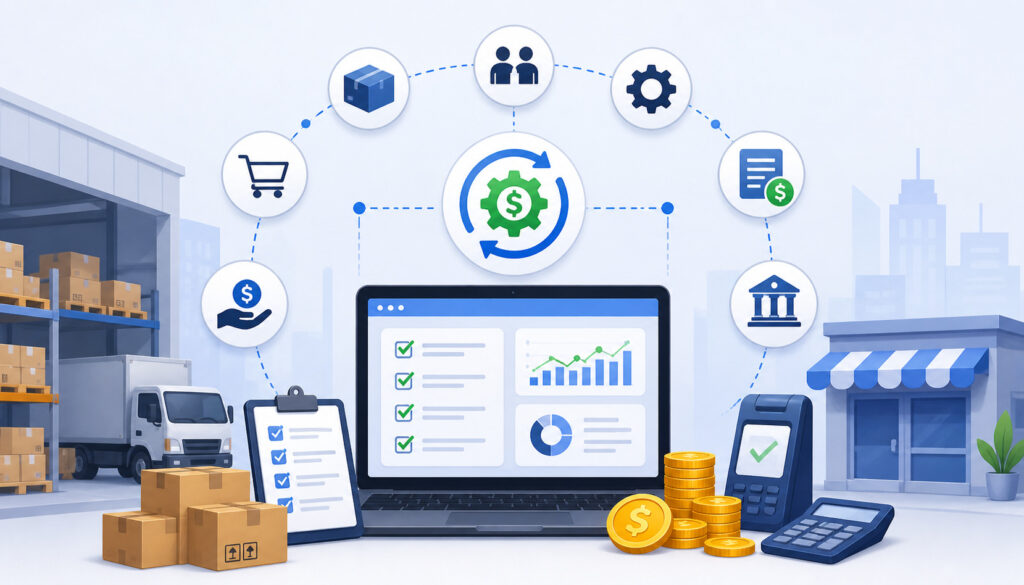
Consignment payment system automation should do more than calculate a number. A complete system should support the full payment workflow, from consignor setup to final payout reporting.
At minimum, stores should look for consignor profiles, item-level tracking, automatic payout rules, commission tracking, batch payouts, return handling, account balances, payment history, approval workflows, permissions, and exportable records.
Consignor profiles should store contact details, payout preferences, agreement terms, default commission rates, tax-related records where applicable, and communication preferences. Inventory records should connect each item to its owner, price, status, markdown schedule, and sale history.
Payment features should help managers review unpaid balances, issue payouts in batches, hold payments when needed, and produce reports. Reports should be understandable for staff and consignors, with enough detail to explain each payout.
Useful features include:
- Consignor profiles
- Commission rule templates
- Item-level payout tracking
- Batch payout processing
- Return and refund adjustments
- Store fee deductions
- Account balance visibility
- Payout reports
- Payment history
- Exportable records
- Role-based permissions
- Approval workflows
- Audit logs
Stores comparing reporting features may also find this article on POS reporting features for consignment stores helpful.
Consignor Account Balances
Consignor account balances show what a store currently owes each consignor. These balances should update as items sell, returns occur, fees apply, holds expire, and payments are issued.
Real-time or frequently updated balances help staff answer questions quickly. Instead of saying, “We’ll check and get back to you,” staff can review the account and explain sold items, unpaid amounts, pending payouts, and recent adjustments.
Balances also help managers plan cash flow. A store may have strong sales but still owe a large portion of that money to consignors. Seeing total unpaid consignor balances helps avoid overestimating available funds.
A useful balance view should separate payable amounts from pending amounts. For example, an item sold yesterday may still be inside the return window, while an item sold three weeks ago may be ready for payout.
Batch Payout Processing
Batch payout processing allows stores to prepare multiple consignor payments at once. This is useful for shops that pay consignors on a regular schedule, such as weekly, biweekly, or monthly.
Instead of processing each payout one by one, managers can generate a payout batch based on eligibility rules. The system may include consignors with payable balances, exclude accounts below a minimum threshold, hold accounts with unresolved returns, and flag exceptions for review.
Batch payouts save time, but they should not remove control. Managers still need to review totals, spot unusual amounts, confirm payment methods, and verify that returns or adjustments have been handled correctly.
This is especially important as a store grows. A small shop may manually pay a handful of consignors, but larger resale shop payouts can involve dozens or hundreds of accounts. Batch processing keeps the workflow organized without sacrificing oversight.
Clear Payout Reports
Clear payout reports are essential for transparency. A good report explains how the payout was calculated, not just the final amount.
Payout reports should include sold items, sale dates, item descriptions, gross sale amounts, discounts, fees, commission rates, store share, consignor share, adjustments, payment status, and payout date. If returns or holds affected the balance, those should be visible as well.
Reports help consignors trust the process. They also protect the store when questions arise. Instead of relying on memory, staff can reference a report that shows the calculation step by step.
Managers should also use reports internally. Payout reports can support reconciliation, cash planning, staff review, and policy enforcement. If reports reveal frequent manual adjustments, unclear markdowns, or repeated payout disputes, the store may need to refine its policies.
Benefits of Automating Consignment Payments
Automating consignment payments creates benefits across the store. The most obvious benefit is reduced manual work, but the bigger value is consistency. When payout rules are automated, every consignor is handled according to the same documented process.
Fewer manual calculations also means fewer errors. Staff do not need to repeatedly calculate splits, subtract fees, or update balances by hand. This reduces the risk of overpayments, underpayments, and disputes.
Automation also speeds up payout cycles. If sold items, commissions, holds, and balances are already tracked, managers can prepare payouts faster. That can improve consignor satisfaction, especially for stores that depend on repeat consignors for quality inventory.
Another benefit is better reporting. Automated payout reports help stores understand what was sold, what is owed, what has been paid, and what remains pending. This improves reconciliation and gives managers a clearer view of business performance.
Key benefits include:
- Less manual payout work
- Fewer calculation errors
- Faster payout preparation
- Stronger consignor trust
- More transparent statements
- Easier reconciliation
- Better staff productivity
- More consistent policies
- Cleaner account balances
- Better cash flow visibility
Automation can also improve staff training. New employees can follow a defined workflow instead of learning informal payout habits from different people.
Common Payout Rules to Automate
Payout rules define how consignor earnings are calculated and when they become payable. Automating these rules helps the store apply policies consistently.
Common rules include commission percentages, tiered rates, category-based splits, markdown effects, return windows, payout holds, service fees, minimum payout thresholds, store credit options, expired inventory handling, and tax-related records where applicable.
For example, a boutique may offer a standard 40% consignor share but use a higher rate for luxury items. A furniture resale shop may charge handling or pickup fees. A thrift-style resale operation may allow store credit instead of cash payouts. Each rule should be documented before it is automated.
Rules should also address exceptions. What happens if an item is returned after payout? What if a discount was approved by management? What if the consignor owes a fee? What if inventory expires before selling?
Automated rules can include:
- Standard commission splits
- Tiered commission rates
- Category-based payouts
- Markdown schedules
- Promotional discounts
- Return-window holds
- Minimum payout thresholds
- Store fees
- Negative balance handling
- Store credit conversion
- Expired item rules
- Payment method preferences
Return Windows and Payout Holds
Return windows and payout holds protect the store from paying out too early. If a customer can still return an item, the store may not want to release the consignor payment until that period passes.
Without holds, a store may pay the consignor and later process a return. That creates a difficult situation: the store either absorbs the loss, deducts the amount from a future payout, or asks the consignor to repay funds. None of those options are ideal.
Automated payout holds solve this by marking sold items as pending until the return period ends. Once the hold expires and no return occurs, the item becomes eligible for payout.
Stores should clearly explain this policy in consignor agreements. Consignors are more likely to accept payout delays when they understand the reason. The system should also show whether a balance is pending or payable.
Markdown and Discount Rules
Markdown and discount rules should be defined before automating consignor payouts. Discounts affect the final sale price, which may affect the consignor share.
A store might allow automatic markdowns after an item has been on the floor for a certain number of days. Another store may run seasonal promotions or manager-approved discounts. Some stores calculate commission from the discounted sale price, while others use different terms.
Automation can apply these rules consistently, but only if the rules are clear. Consignors should know whether markdowns are automatic, optional, date-based, category-based, or subject to approval.
Discount transparency is especially important. If a consignor expected an item to sell at full price but it sold during a promotion, the payout report should show the discount and resulting commission calculation.
Step-by-Step Guide to Automate Consignor Payments
Automating consignor payments should be treated as a structured setup project. The process is not only about choosing software. It is about aligning policies, data, staff responsibilities, and reporting.
Start by reviewing your current payout workflow. Identify where errors happen, where staff spend the most time, and where consignors ask the most questions. Common pain points include missing item records, inconsistent commission rates, delayed reports, unclear markdowns, and manual balance updates.
Next, define what the automated workflow should accomplish. Do you need faster resale shop payouts? Better consignor payment tracking? Cleaner account balances? More detailed payout reports? Fewer disputes? Clear goals help you configure the system properly.
A practical automation rollout should include:
- Policy review
- Consignor agreement updates
- Inventory data cleanup
- Commission rule setup
- Payout schedule configuration
- Approval permissions
- Test payout reports
- Staff training
- Consignor communication
- Regular reconciliation
For stores evaluating the point-of-sale side of the workflow, this overview of how a consignment store point of sale works explains how intake, sales tracking, barcoding, and payouts connect.
Step 1: Standardize Consignor Agreements
Automation should begin with clear consignor agreements. The agreement defines the rules the system will later apply.
A strong agreement should explain commission rates, store fees, payout timing, payment methods, markdown rules, return policies, expired inventory handling, donation options, pickup deadlines, and communication expectations. If the agreement is vague, automation may make confusion happen faster.
For example, “consignors are paid after sale” is not specific enough. Does payment happen immediately, after a return window, on a monthly schedule, or only after a minimum balance is reached? The system needs rules that can be applied consistently.
Review existing agreements before setting up automation. If different consignors have different terms, decide whether to standardize them or create separate rule templates.
Step 2: Clean Up Consignor and Inventory Records
Clean data is essential for consignment payout software to work properly. If consignor profiles, item IDs, categories, prices, and statuses are inaccurate, automated payouts will also be inaccurate.
Start by reviewing consignor records. Remove duplicates, update contact information, confirm payout preferences, and verify agreement terms. Then review inventory records. Each active item should have a unique ID, correct consignor, accurate price, category, commission rule, and item status.
Pay special attention to items that are sold, returned, expired, donated, or still in intake. These statuses affect payout eligibility and account balances.
Data cleanup may feel time-consuming, but it prevents bigger problems later. Automation magnifies both good data and bad data.
Step 3: Configure Payout Rules
Once agreements and records are clean, configure payout rules. These rules should reflect how the store actually operates.
Set commission structures, payout schedules, return holds, markdown effects, fee deductions, payment thresholds, approval permissions, and adjustment categories. If the store offers store credit instead of cash payouts, define how that option works.
Also decide who can create, edit, approve, and issue payouts. Role-based permissions are important because payout access affects money movement and financial records.
During setup, avoid creating too many rule variations. A system with dozens of custom exceptions can become hard to manage. Standardized rule templates are easier to train, audit, and explain.
Step 4: Test Reports Before Sending Payments
Before going live, run test payouts. Use sample sales, discounts, returns, fees, and different commission rates to confirm that calculations work as expected.
Review sample payout reports carefully. Check sold item details, sale dates, discounts, gross amounts, commission rates, store shares, consignor shares, holds, adjustments, and final balances. If anything looks unclear to you, it will likely be unclear to consignors.
Testing should involve managers and staff who handle intake, sales, returns, and payouts. Each group sees different parts of the workflow and may catch different issues.
Do not rush this step. A payout error during testing is useful. A payout error after payments are sent can damage trust.
Common Mistakes to Avoid
The biggest mistake is automating unclear policies. If your store has inconsistent rules for commissions, markdowns, returns, or payout timing, automation will not fix the confusion. It may simply apply unclear rules faster.
Another common mistake is skipping payout approvals. Automation should calculate and organize payouts, but managers should still review exceptions before payments are issued. This is especially important when returns, chargebacks, discounts, or manual adjustments are involved.
Stores also make mistakes when they pay before returns are resolved. If a customer returns an item after the consignor has been paid, the store needs a policy for reversing or deducting that amount.
Other mistakes include:
- Failing to track discounts
- Using inconsistent item labels
- Assigning items to the wrong consignor
- Not reconciling sales to payout reports
- Giving too many users payout access
- Ignoring negative balances
- Not documenting adjustments
- Changing rules without telling staff
- Sending reports that lack detail
- Waiting too long to correct data problems
Automating consignor payments should improve control, not reduce it. Stores should keep review steps, audit trails, and documented policies in place.
Best Practices for Managing Automated Consignor Payments
Managing automated consignor payments successfully requires routine discipline. Automation handles repeatable calculations, but people still need to maintain policies, review reports, and communicate clearly.
Start with regular reconciliation. Compare sales, returns, payout batches, payment records, and account balances. Reconciliation helps catch issues before they become consignor disputes.
Use consistent payout schedules. Whether payouts happen weekly, biweekly, monthly, or after a return period, consistency builds trust. Consignors should know when to expect payments and reports.
Document adjustments. If staff add fees, reverse sales, correct commissions, or hold payouts, the reason should be recorded. This creates accountability and supports better communication.
Use role-based permissions. Not every employee should be able to edit payout rules, approve batches, or issue payments. Separate duties where possible.
Review reports routinely. Look for unusual balances, repeated exceptions, high adjustment volume, unpaid accounts, or items stuck in pending status.
Strong habits include:
- Reconciling payouts regularly
- Reviewing exception reports
- Keeping consignor agreements updated
- Training staff on payout policies
- Using approval workflows
- Maintaining audit trails
- Communicating payout timing clearly
- Reviewing unpaid balances
- Limiting payout permissions
- Testing rule changes before launch
FAQs
What is consignor payment automation?
Consignor payment automation is the use of software rules and workflows to calculate, track, approve, and record consignor payouts. It helps stores connect sold items to consignors, apply commission rules, update account balances, and generate payout reports with less manual effort.
How do automated consignment payouts work?
Automated consignment payouts work by tracking each item from intake to sale. When an item sells, the system applies the correct commission rate, accounts for discounts or fees, checks payout eligibility, updates the consignor balance, and prepares the payout for review.
Can automation calculate consignor commissions?
Yes. Automation can calculate consignor commissions using percentage splits, tiered rates, category-based rules, fixed fees, markdown rules, and adjustments. The key is setting up clear payout rules before relying on automated calculations.
How often should consignors be paid?
Payment frequency depends on the store’s policy, cash flow, return window, and administrative capacity. Many stores choose a consistent schedule, such as weekly, biweekly, or monthly. The most important point is to define the timing clearly and follow it consistently.
How do returns affect automated payouts?
Returns may delay, reduce, or reverse consignor payouts. Many stores hold payouts until the return window passes. If a returned item was already paid out, the system may deduct the amount from a future payout, depending on store policy.
What should payout reports include?
Payout reports should include sold items, sale dates, sale prices, discounts, fees, commission rates, store share, consignor share, adjustments, payment status, and payout date. Clear reports make it easier for consignors to understand their earnings.
How can stores avoid payout disputes?
Stores can reduce payout disputes by using clear agreements, accurate item tracking, consistent commission rules, approval workflows, detailed reports, documented adjustments, and regular reconciliation. Transparent communication also helps prevent confusion.
When should a consignment store automate payments?
A store should consider automation when manual payouts take too much time, errors are increasing, consignors ask frequent balance questions, reports are hard to produce, or the store is growing beyond what spreadsheets can reliably manage.
Conclusion
Automating consignor payments helps consignment stores calculate commissions accurately, reduce manual work, improve payout transparency, prevent disputes, and build stronger consignor relationships.
It gives owners and managers a more reliable way to handle sold items, consignor account balances, payout reports, returns, adjustments, and payment records.
Successful automation depends on preparation. Stores need clear consignor agreements, clean inventory records, well-defined payout rules, review workflows, role-based permissions, and consistent reporting.
When done well, automating consignor payments does more than speed up payouts. It creates a more trustworthy, organized, and scalable consignment store payment workflow that supports both the business and the consignors who help keep inventory moving.