Running a consignment store is more complex than ringing up products at checkout. Every item may belong to a different consignor, carry a different commission split, follow a different markdown schedule, and require accurate tracking from intake to sale, return, payout, or expiration.
A standard cash register or basic retail POS may process payments, but it usually cannot manage consignor accounts, item-level inventory, commissions, barcode labels, payout balances, aging inventory, and consignment sales reports in one connected workflow.
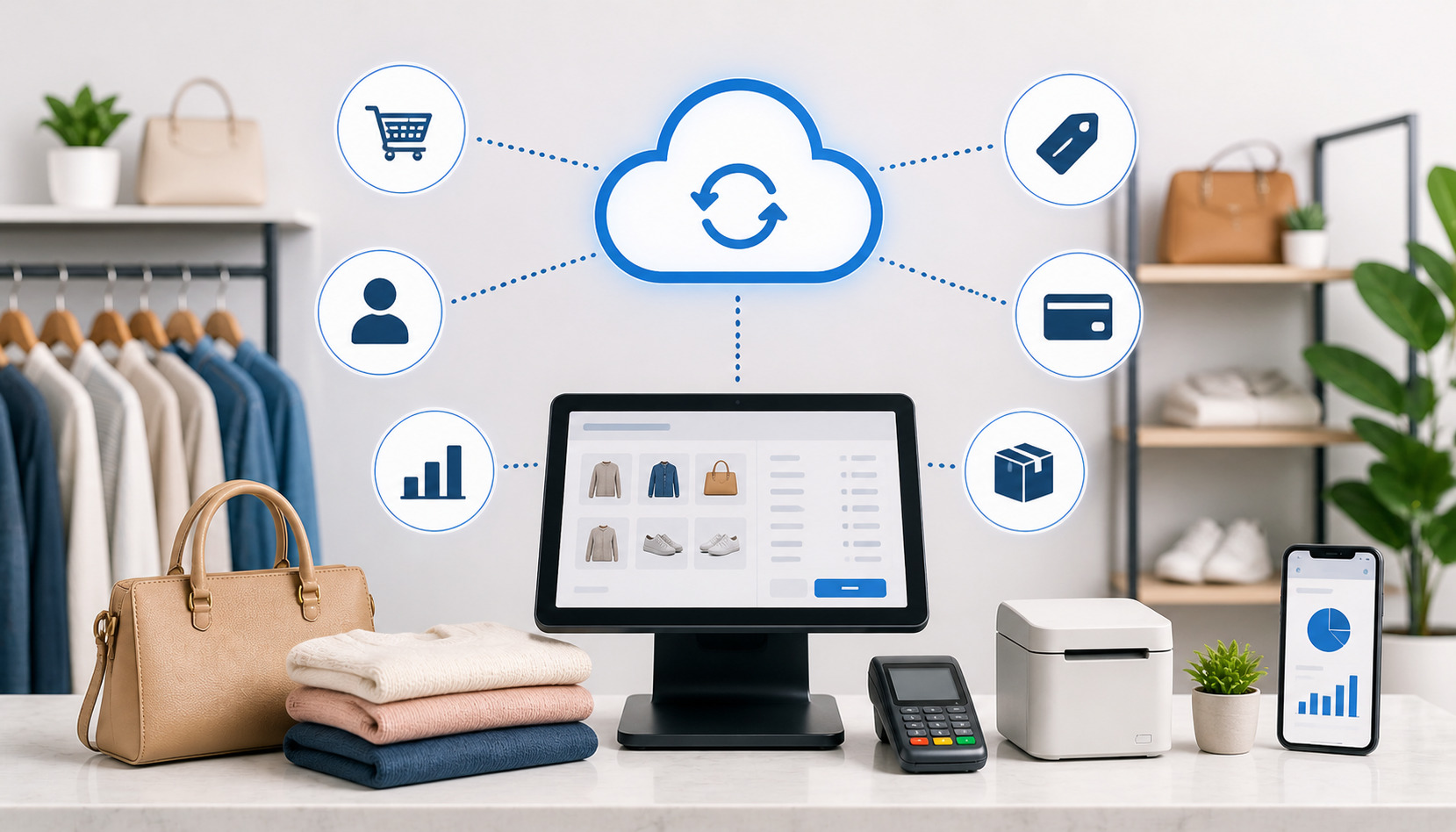
A Cloud-Based Consignment POS System helps solve that problem. It stores business data securely online, allowing approved users to manage sales, inventory, consignors, reports, and payouts from connected devices.
For consignment shops, resale boutiques, thrift stores, and inventory-heavy small businesses, this can reduce manual work and improve day-to-day accuracy.
What Is a Cloud-Based Consignment POS System?
A Cloud-Based Consignment POS System is a consignment point of sale system that runs through an online platform instead of being limited to one local computer or in-store server. It combines checkout, inventory tracking, consignor records, commission rules, barcode inventory tracking, sales reporting, and payout management in one system.
In a regular retail store, the owner usually buys inventory upfront and sells it for a profit. In a consignment store, the shop sells items on behalf of consignors. That means the POS must know who owns each item, what the selling price is, what commission split applies, when the item expires, and how much the consignor should be paid after the sale.
Cloud consignment software keeps these details connected. When an item is entered into inventory, the system links it to a consignor profile. When the item sells, the POS updates inventory, records the transaction, calculates the store’s share, calculates the consignor’s share, and prepares payout data.
This makes the system much more than a checkout tool. It becomes the operational center of the store.
A strong consignment store POS software setup often includes:
- Consignor account management
- Item-level consignment inventory management
- Barcode labels and scanning
- Commission and fee rules
- Markdown and expiration tracking
- Customer records
- Consignor payout tracking
- Payment processing
- Sales and inventory reports
- User permissions
- Data exports
How a Consignment POS System Cloud Setup Works
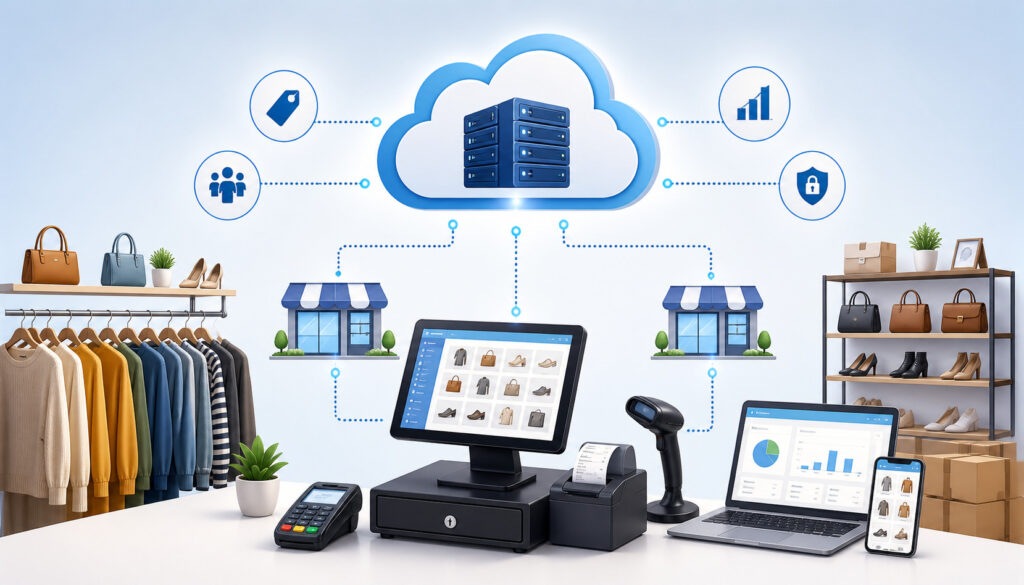
A consignment POS system cloud setup follows the full lifecycle of a consigned item. The process usually starts when a consignor brings in merchandise. Staff review the item, enter details into the system, assign pricing, apply commission terms, print a barcode label, and place the item on the sales floor.
Because the data is stored online, approved users can access current records from connected devices. Store owners can review sales from outside the store, managers can check consignor balances, and staff can scan barcode labels at checkout without manually searching through paper records.
When the item sells, the system connects that sale to the correct item and consignor. It updates inventory status, records payment details, calculates commissions, and adds the consignor’s share to their account balance. This is one of the biggest differences between a consignment POS and a basic checkout system.
For a deeper look at how these workflows connect, this guide on how a consignment store point of sale works is a useful supporting resource.
| Step | What Happens | Why It Matters |
| Item intake | Staff enter consignor, item, category, price, and terms | Creates a clear record from the start |
| Barcode labeling | The system prints a unique barcode tag | Reduces checkout and inventory errors |
| Floor placement | Item becomes available for sale | Staff can track active inventory |
| Checkout | Barcode is scanned and payment is recorded | Sale links to the right item and consignor |
| Commission calculation | Store share and consignor share are calculated | Reduces manual payout mistakes |
| Reporting | Sales, inventory, and balances update | Owners get better visibility |
| Payout | Consignor balance is reviewed and paid | Builds trust and keeps records clean |
Item Intake and Barcode Labeling
Item intake is where accuracy begins. When a consignor brings items into the store, staff need to record enough information to identify, price, display, sell, and settle each item correctly.
A cloud POS for consignment shops typically allows staff to enter item descriptions, categories, brands, sizes, colors, conditions, prices, expiration dates, commission terms, and consignor details. The system then creates a unique item record. That record is tied to the consignor account, which helps prevent confusion later.
Barcode inventory tracking is especially important because consignment inventory is often one-of-a-kind. Two dresses, chairs, handbags, or collectibles may look similar but belong to different consignors. A barcode label helps staff scan the exact item at checkout instead of guessing.
Labels may include the item number, price, category, date, and barcode. Some stores also include a shortened description or internal code. The goal is to make every item traceable from intake to sale.
Checkout and Sales Tracking
At checkout, the consignment point of sale system should make the transaction fast and accurate. Staff scan the barcode label, confirm the item, accept payment, and complete the sale. Behind the scenes, the system updates several records at once.
The item status changes from active to sold. The sale is linked to the correct consignor. The payment method is recorded. The customer receipt is created. Sales reports update automatically. If the store uses integrated consignment payment processing, payment data can also flow into reconciliation reports.
This matters because checkout mistakes can become payout mistakes. If staff choose the wrong item manually, the wrong consignor may receive credit. If discounts are not applied correctly, commissions may be wrong. If returns are not connected to the original sale, balances may become inaccurate.
A cloud-based system helps reduce these risks by keeping checkout, inventory, and consignor records connected.
Consignor Payout Tracking
Consignor payout tracking is one of the most important features of cloud consignment software. After an item sells, the system calculates how much belongs to the store and how much belongs to the consignor.
This calculation may include commission rates, fees, discounts, returns, holds, taxes, payout schedules, and account adjustments. Some stores use one standard split, while others use different rates based on item category, selling price, consignor tier, or contract terms.
A good resale shop POS system should show sold items, pending payouts, paid balances, unpaid balances, payout history, and account notes. It should also help staff explain payout details clearly when consignors ask questions.
Accurate payout tracking builds trust. Consignors want confidence that their items are tracked correctly and that payments are handled fairly. Store owners need clean records to protect margins and avoid disputes.
Cloud-Based POS vs Traditional Consignment POS Systems
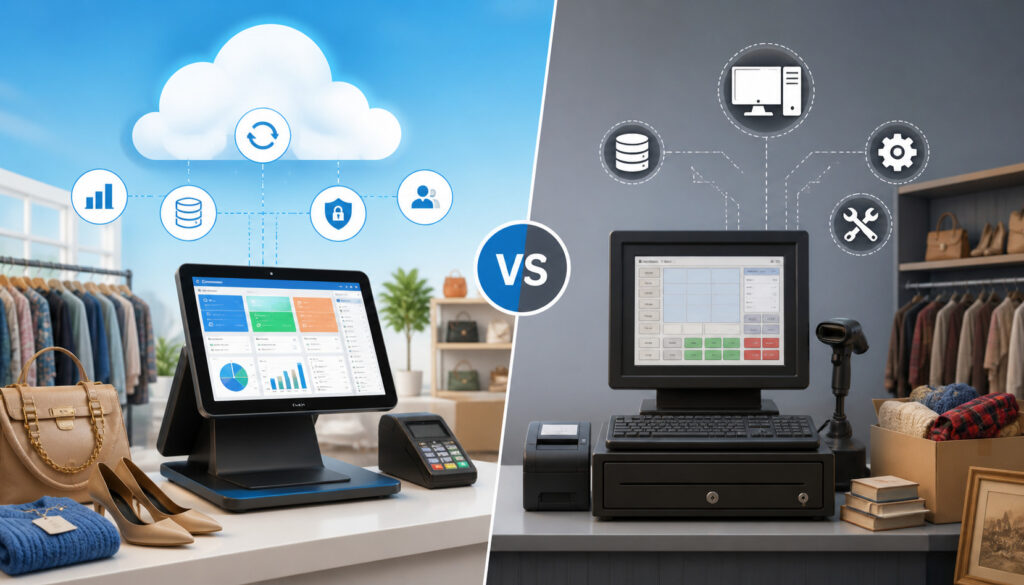
Traditional consignment POS systems often run on a local desktop computer or in-store server. That setup can work for some stores, but it may limit flexibility. Data may only be available from one machine, backups may require manual effort, and updates may depend on local installation.
A cloud-based system works differently. Business data is stored online and accessed through approved devices. This can make it easier for owners and managers to review activity, check reports, monitor inventory, and manage operations without being physically present at one specific workstation.
Remote access is one of the biggest advantages. A store owner can check daily sales after hours, review payout balances from home, or monitor multiple locations from one dashboard. For growing resale businesses, this flexibility can be valuable.
Cloud systems also simplify software updates. Instead of installing updates manually on each computer, updates are usually handled through the platform. This can help stores access improvements and security enhancements more easily.
Backups are another major difference. Local systems may depend on staff remembering to back up data. Cloud systems generally include online data storage and backup processes. Store owners should still ask vendors how backups work, how data is protected, and how recovery is handled.
Hardware needs may also be lighter. A cloud POS may run on tablets, laptops, or browser-based devices, depending on the provider. However, stores still need reliable barcode scanners, receipt printers, label printers, cash drawers, and payment terminals that work with the system.
Security should be reviewed carefully. A cloud setup should include secure logins, user permissions, encrypted data handling, and access controls. Staff should only have the permissions they need for their role.
Key Features of Cloud Consignment Software
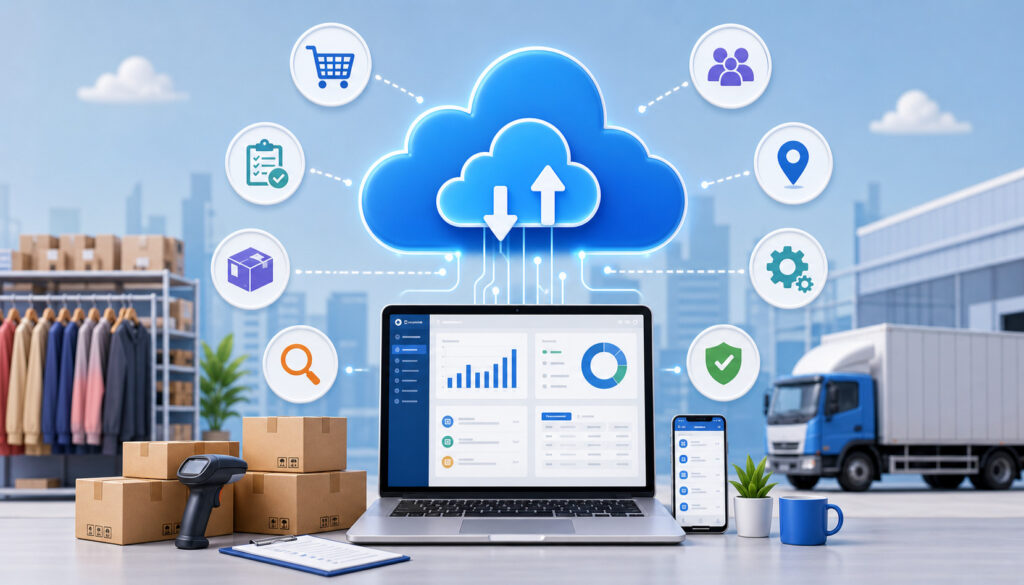
Cloud consignment software should support the specific needs of consignment and resale operations. A basic retail POS may handle sales, taxes, discounts, and receipts, but consignment stores also need item ownership tracking, consignor balances, commission calculations, and payout workflows.
The most important features depend on the store’s model. Apparel resale shops may need size, brand, color, season, and markdown rules. Furniture consignment stores may need pickup dates, floor space tracking, delivery notes, and high-value item records.
Antique stores may need vendor booths, item history, and detailed descriptions. Thrift-style resale stores may need faster intake and bulk tagging.
Strong consignment store POS software usually includes:
- Consignor profiles
- Item-level inventory records
- Barcode label printing
- Commission rule setup
- Markdown scheduling
- Expiration tracking
- Return handling
- Payout reports
- Sales summaries
- Inventory aging reports
- Customer records
- Integrated payment processing
- Role-based staff permissions
- Exportable reports
Reporting is especially important. Owners need to know what sold, what did not sell, what is aging, which categories perform best, and what is owed to consignors. This resource on POS reporting features every consignment store needs can help store operators understand what to evaluate.
Consignor Account Management
Consignor account management keeps each consignor’s information organized. A profile may include contact details, agreement terms, default commission rates, payout preferences, tax-related records, active items, sold items, expired items, payout history, and communication notes.
This matters because consignor relationships are ongoing. A customer may buy once, but a consignor may bring merchandise every month. If staff cannot quickly answer questions about item status or payout balances, trust can weaken.
A strong system should make it easy to look up a consignor and see what is currently active, what has sold, what has been paid, and what remains unpaid. It should also support different terms if your store works with VIP consignors, vendors, charities, estates, or specialty sellers.
Good account management reduces back-office work. Instead of searching through spreadsheets, paper contracts, and handwritten notes, staff can find the key information in one place.
Consignment Inventory Management
Consignment inventory management is different from standard retail inventory management because the store may not own the products. Each item needs to be tracked by owner, price, status, category, intake date, expiration date, and sale outcome.
A cloud-based system helps staff monitor inventory from intake through final resolution. Items may move through statuses such as received, active, sold, returned, expired, donated, picked up, or transferred. This gives the store a clearer view of what is available and what needs action.
Item-level tracking also helps with markdowns and aging inventory. If an item has been sitting too long, the system can help identify it for discounting, return, donation, or follow-up. This prevents sales floors from becoming crowded with stale inventory.
Barcode labels strengthen this process by giving every item a unique identifier. When staff scan items during checkout, audits, or returns, the system can update records accurately.
For more detail on intake, pricing, payouts, and inventory workflows, see this guide to how inventory management works in consignment POS software.
Sales and Payout Reporting
Sales and payout reporting helps owners understand store performance and consignor obligations. A good system should show total sales, net sales, returns, discounts, category performance, payment methods, store commissions, consignor balances, and payout history.
These reports are useful for both daily management and longer-term planning. Daily reports help managers reconcile payments and check staff activity. Weekly reports can show what categories are moving. Monthly reports can reveal margin trends, payout obligations, and inventory issues.
Payout reporting is especially sensitive because it directly affects consignor trust. Store owners should be able to review what sold, when it sold, what commission applied, whether the item was returned, and whether the consignor has been paid.
Reports should also be exportable. Even if the POS includes dashboards, owners may still need data for accounting, tax preparation, or deeper analysis.
Benefits of a Cloud POS for Consignment Shops
A cloud POS for consignment shops can improve accuracy, speed, and visibility across the business. The biggest benefit is that it connects the store’s most important workflows: intake, checkout, inventory, consignor records, commissions, payouts, and reporting.
Faster checkout is one clear advantage. Barcode scanning reduces manual lookup, shortens lines, and helps staff avoid selecting the wrong item. This creates a better customer experience and protects payout accuracy.
Inventory visibility is another major benefit. Store owners can see what is active, sold, expired, returned, or aging. Managers can identify which categories need more intake and which items need markdowns. Staff can answer consignor questions more confidently.
Cloud access also helps owners manage the business away from the register. They can review sales, check reports, monitor staff activity, and prepare for payouts without being tied to one back-office computer.
A cloud system can also reduce payout errors. Since each item is connected to a consignor and commission rule, the system can calculate balances more consistently than manual spreadsheets. This is especially helpful for stores with hundreds or thousands of unique items.
Other practical benefits include:
- Cleaner consignor communication
- Better staff accountability
- Easier multi-device access
- Improved reporting
- More consistent markdown handling
- Reduced duplicate data entry
- Better preparation for growth
- Stronger operational control
Consignor trust is one of the most valuable outcomes. When records are organized and payouts are accurate, consignors are more likely to bring quality items again.
Potential Challenges and What to Watch For
A Cloud-Based Consignment POS System can be powerful, but it is not automatically the right fit for every store. Owners should understand potential challenges before choosing software.
Subscription pricing is one consideration. Cloud systems usually charge monthly or annual fees. Some also charge for extra users, locations, features, data migration, support, or integrations. The lowest monthly price may not be the lowest total cost if key features require add-ons.
Internet dependency is another factor. Since the system runs online, stores need reliable internet. Some systems offer limited offline functionality, while others require a live connection for checkout or syncing. Ask vendors what happens if the internet drops during business hours.
Data migration can also be challenging. Moving from spreadsheets, paper records, or older POS software requires cleanup. Duplicate consignor names, inconsistent item categories, missing payout records, and outdated inventory can all cause problems if imported without review.
Staff training matters too. Even the best system can fail if employees do not understand intake rules, barcode printing, returns, markdowns, and payout reports. Training should include real store scenarios, not just basic navigation.
Hardware compatibility should be confirmed before purchase. Label printers, barcode scanners, cash drawers, receipt printers, and payment terminals need to work with the chosen system.
Payment processing fees also deserve attention. Integrated consignment payment processing can simplify reconciliation, but owners should review rates, monthly fees, chargeback fees, refund handling, and deposit timing. This overview of payment processing options for consignment shops can help frame the questions to ask.
How to Choose the Right Consignment Point of Sale System
Choosing the right consignment point of sale system starts with understanding your store’s workflow. The best system is not always the one with the longest feature list. It is the one that supports how your store accepts items, prices merchandise, sells products, pays consignors, trains staff, and reports performance.
Start with store size and volume. A small boutique with a few hundred active items may need a different setup than a high-volume resale shop with thousands of SKUs. If your store processes large intake batches, look for fast item entry, templates, bulk actions, and reliable barcode printing.
Next, review consignor volume. Stores with many consignors need strong account search, communication notes, agreement tracking, and payout reporting. If consignors frequently ask for updates, consider whether the system offers account visibility or easy statement generation.
Commission rules are another key factor. Some stores use a simple percentage split. Others use tiered commissions, category-based rates, minimum prices, fees, donation rules, or expiration policies. The POS should handle your rules without forcing staff into manual calculations.
Reporting should be tested carefully. Ask to see sales summaries, inventory aging, consignor balances, payout reports, category reports, return reports, and exports. Reports should be understandable and actionable.
Also evaluate:
- Ease of use
- Support availability
- Data ownership and exports
- User permissions
- Payment processing options
- Hardware compatibility
- Multi-location support
- Online selling integrations
- Training resources
- Scalability
Match the System to Your Store Workflow
Different resale businesses operate differently. Apparel consignment shops may need fast tagging, size charts, brand fields, seasonal markdowns, and high item turnover. Furniture consignment stores may need delivery notes, floor location tracking, condition details, and high-ticket payment workflows.
Antique and collectible stores may require detailed descriptions, booth or vendor tracking, item provenance, and flexible pricing. Boutique resale stores may need customer profiles, loyalty features, online listings, and polished receipts. Thrift-style resale stores may prioritize speed, donation handling, bulk pricing, and simple category reporting.
The right system should support these differences. A workflow that fits one store may slow down another. That is why owners should map their daily process before shopping for software.
Consider how items enter the store, how prices are approved, who prints labels, how markdowns are triggered, how returns work, and how consignors are paid. Then choose a system that matches those steps naturally.
Review Reporting and Payout Capabilities
Reporting and payout capabilities should be tested before committing to a POS. A system may look attractive at checkout but still fall short when it is time to pay consignors or analyze store performance.
Start with payout reports. Can the system show what each consignor is owed? Can it separate paid and unpaid balances? Can it handle returns, voids, fees, discounts, and payout holds? Can staff generate statements that consignors can understand?
Next, review sales summaries. Owners should be able to see revenue by date, category, payment type, location, register, and staff member. They should also be able to compare gross sales, discounts, returns, and net sales.
Inventory reports matter too. Look for aging inventory, active items, expired items, sold items, category movement, and markdown performance. These reports help owners make better decisions about floor space and intake standards.
Exports are important because accounting and analysis often happen outside the POS. Make sure data can be exported in useful formats.
Best Practices for Setting Up a Cloud-Based Consignment POS System
A successful Cloud-Based Consignment POS System setup starts before the first item is entered. The cleaner your process is at the beginning, the better your data will be later.
Start by cleaning consignor records. Remove duplicates, update contact details, confirm payout preferences, and standardize naming. If your store has old accounts with missing information, decide whether to update, archive, or merge them before importing data.
Next, standardize inventory categories. Categories should be clear enough for reporting but not so detailed that staff become inconsistent. For example, apparel stores may need categories by department and item type, while furniture stores may need room type, material, and condition.
Define commission rules carefully. Document splits, fees, markdown policies, expiration timelines, return windows, and payout schedules. Staff should know which rules apply and where to find them.
Create intake procedures. Decide what fields are required, who approves pricing, when labels are printed, and how items move from intake to the sales floor. Consistency reduces mistakes.
Test barcode labels before going live. Labels should scan reliably, fit your tags, remain readable, and include the right information. Poor label setup can slow down checkout and create inventory errors.
Set user permissions based on job roles. Cashiers may not need access to payout settings. Managers may need reporting access. Owners may need full administrative control.
Train staff with real examples. Practice intake, checkout, discounts, returns, consignor lookup, payout review, and end-of-day reporting.
Common Mistakes to Avoid
One common mistake is choosing a regular retail POS instead of consignment-specific software. A standard POS may process sales well, but it often lacks consignor account management, item-level ownership tracking, commission rules, and payout reports. This can push critical work into spreadsheets.
Another mistake is skipping data cleanup. Importing messy consignor records and outdated inventory into a new system can create confusion immediately. A new POS will not fix inaccurate data unless the data is cleaned first.
Unclear commission rules can also cause problems. If staff do not know which split applies, payout disputes become more likely. Rules should be documented, configured in the POS, and explained during training.
Weak barcode processes are another issue. If staff forget to label items, print duplicate tags, or scan the wrong labels, inventory accuracy suffers. Barcode inventory tracking only works when the store uses it consistently.
Poor staff training can reduce the value of the system. Employees should understand not only which buttons to click, but why each step matters. Intake errors can become checkout errors. Checkout errors can become payout errors.
Other mistakes include:
- Not testing returns
- Not testing markdowns
- Ignoring payout reports until payment day
- Giving too many staff members admin access
- Failing to review payment processing fees
- Not confirming hardware compatibility
- Choosing software without export options
- Overcomplicating categories
FAQs
What is a Cloud-Based Consignment POS System?
A Cloud-Based Consignment POS System is an online point-of-sale platform built to manage consignment sales, item-level inventory, consignor records, commissions, payouts, barcode labels, and reporting. It allows approved users to access store data from connected devices instead of relying only on one local computer.
How does a consignment POS system cloud setup work?
A consignment POS system cloud setup stores business data online. Staff enter consignor and item details, print barcode labels, scan items at checkout, record payments, update inventory, calculate commissions, and prepare payout reports. Because the data is connected, sales and consignor balances update automatically.
Is a consignment POS different from a regular retail POS?
Yes. A regular retail POS is mainly built for selling store-owned inventory. A consignment POS must also track who owns each item, what commission applies, when the item expires, how much the consignor is owed, and whether the item has been paid out, returned, donated, or picked up.
Can cloud consignment software track consignor payouts?
Yes. Cloud consignment software can track sold items, commission splits, fees, returns, unpaid balances, paid balances, and payout history. This helps stores reduce manual calculations and gives consignors clearer records.
Does a cloud POS work for small consignment shops?
Yes. A cloud POS can work well for small consignment shops, especially when the store wants better inventory accuracy, easier payout tracking, and cleaner sales reports. Smaller stores should choose a system that fits their budget, item volume, hardware needs, and staff skill level.
What features should a consignment point of sale system include?
A consignment point of sale system should include consignor account management, item-level inventory, barcode label printing, checkout, commission rules, payout reports, markdown tracking, expiration tracking, sales reports, payment processing, user permissions, and data exports.
Can cloud POS systems print barcode labels?
Many cloud POS systems can print barcode labels when paired with compatible label printers. Barcode labels help stores track each item accurately, scan items at checkout, connect sales to consignors, and reduce manual lookup errors.
How do cloud systems help reduce payout errors?
Cloud systems reduce payout errors by connecting each item to a consignor profile, commission rule, sale record, and payout report. When an item sells, the system calculates balances automatically and updates records, reducing the need for manual spreadsheet calculations.
Conclusion
A Cloud-Based Consignment POS System helps consignment stores manage the work that a basic cash register cannot handle. It connects sales, item-level inventory, consignor records, commissions, payouts, barcode labels, reports, and daily workflows in a secure online system.
For resale shops, boutique retailers, thrift stores, inventory managers, and small business owners, the right system can improve accuracy, speed up checkout, reduce payout mistakes, and make reporting easier. It can also strengthen consignor trust by keeping records clear and consistent.
The best choice depends on your store’s workflow, item volume, payout rules, staff needs, hardware setup, and growth plans. When selected carefully and implemented properly, cloud consignment software becomes more than a POS. It becomes the operational foundation for a more organized, transparent, and efficient consignment business.