
Managing consignors is one of the most important responsibilities in a consignment business. Every item accepted by the store belongs to a person or organization that expects accurate tracking, consistent pricing, transparent commission calculations, and timely payment.
Learning how to manage consignors with a consignment POS system helps stores replace disconnected spreadsheets, handwritten intake forms, and uncertain payout calculations with a structured workflow.
The system can connect each consignor profile to agreements, inventory records, barcode labels, sales, account balances, store credit, reports, and communication notes.
This connection matters because a small intake mistake can affect the entire item lifecycle. An item assigned to the wrong account may produce an incorrect barcode, inaccurate sales record, mistaken payout, and difficult ownership dispute.
A well-configured consignment store POS system reduces this risk by keeping the consignor and the item linked from intake through final settlement.
Strong consignor management also supports better relationships. When staff can quickly explain whether an item is active, sold, discounted, expired, returned, or included in a payout, consignors receive clearer service.
They are more likely to trust the store with future inventory when records are organized and policies are applied consistently.
A POS system does not replace clear policies, trained employees, or professional review of agreements and recordkeeping obligations. However, it gives the store a reliable operational framework for improving intake, inventory accuracy, payouts, reporting, communication, and accountability.
What Is Consignor Management in a Consignment Store?
Consignor management is the process of organizing relationships with the people or businesses that provide merchandise for a store to sell. It includes setting up accounts, recording consignment terms, accepting inventory, tracking item status, calculating commission splits, managing payouts, and documenting communication.
Unlike a traditional retail purchase order, a consignment arrangement normally requires ongoing item-level accountability. The store needs to know who provided an item, when it was accepted, how it was priced, whether markdown rules apply, what happened at checkout, and how much of the sale belongs to the consignor.
A consignment POS system brings these activities together. Instead of maintaining one spreadsheet for inventory, another for payouts, and paper files for agreements, the store can connect information through a consignor profile and individual item records.
Effective consignor management generally covers:
- Consignor identity and contact information
- Agreement acknowledgment and applicable terms
- Item ownership and intake history
- Original and current pricing
- Commission split percentages
- Markdown and expiration rules
- Sold, active, returned, donated, or expired status
- Available payout and store credit balances
- Refunds and account adjustments
- Payout, inventory, and settlement reports
- Communication and pickup records
The objective is not simply to store data. It is to create a consistent process that employees can follow and consignors can understand.
Consignor vs. Customer
A consignor provides merchandise for the store to sell. A customer purchases merchandise through the store. These roles affect how each person appears in the POS system and what information the store needs to maintain.
A customer record may contain purchase history, contact details, receipts, loyalty information, exchanges, and refund activity. A consignor profile requires additional information, including agreement terms, item ownership, commission splits, payout preferences, active inventory, sold items, and account balances.
The same person can be both a consignor and a customer. For example, someone may leave clothing for resale and later purchase furniture from the store. The system should distinguish the person’s consignor balance from ordinary customer payments and refunds.
Keeping the roles connected but operationally separate prevents confusion. Staff should be able to see whether a purchase was paid by card, cash, or available consignor store credit without accidentally changing the person’s cash payout balance.
Why Consignor Management Is Different From Regular Vendor Management
A traditional vendor usually sells inventory to a retailer through an invoice or purchase order. After the retailer purchases the merchandise, the retailer generally controls the stock and keeps the proceeds from its sale.
A consignor relationship works differently. Depending on the agreement, the consignor may retain ownership until an item sells. The store must therefore track both physical inventory and the financial obligation created when the item is sold.
Consignor management software may need to apply a different split percentage by consignor, category, item value, or agreement type. It must also account for markdown schedules, price floors, return windows, expired inventory, pickup deadlines, donated items, and refunds.
These requirements make consignor records more closely connected to individual items than ordinary vendor records. A store cannot accurately calculate an account balance by looking only at total sales. It needs item-level data showing the selling price, discounts, commission rule, refund status, fees where applicable, and previous payout activity.
Why Consignment Stores Need a POS System for Consignor Management
Spreadsheets and handwritten records may appear manageable when a store has a small number of consignors. As intake volume grows, however, staff may spend increasing amounts of time searching for items, calculating splits, correcting duplicate entries, and responding to balance questions.
A specialized POS system for consignment stores provides a central record for consignors, items, sales, markdowns, returns, payouts, and communication. When a cashier scans an item, the system can identify its inventory record, update the status, apply the correct commission rule, and post the consignor share to the appropriate account.
This automation improves more than checkout speed. It supports consistent consignment store operations across intake, merchandising, customer service, accounting preparation, and settlement.
A structured system can also make staff training easier. New employees learn one repeatable workflow rather than several informal methods maintained by different team members. Required fields, staff permissions, approval steps, and audit trails help reinforce that workflow.
Readers exploring how the full item lifecycle connects may find this overview of a consignment store point of sale helpful. It explains how intake, tagging, checkout, commission calculations, and payouts function as parts of one operating process.
Reducing Manual Tracking Errors
Manual records can fail in several ways. An employee may type the wrong consignor number, reuse an SKU, forget to update an expired item, enter a markdown in one spreadsheet but not another, or calculate a payout from an outdated sales report.
A consignment store POS system reduces these risks by using connected records. The item is linked to a consignor during intake, assigned a unique SKU or barcode, and updated as it moves through the sales cycle.
The system should not be treated as error-proof. Employees can still select the wrong profile or override a field incorrectly. Stores should use required intake fields, barcode scanning, verification steps, role-based permissions, and exception reports to catch problems early.
Improving Consignor Trust
Consignors want confidence that their items will be identified correctly and that their earnings will be calculated according to the agreement. Trust weakens when staff cannot explain where an item is, why its price changed, or how a payout amount was determined.
Accurate POS records help employees respond with specific information. They can review the item description, intake date, current status, selling price, applicable split, and payout history without relying on memory.
Consignor reports also make the relationship more transparent. A statement that lists sold items, dates, prices, commissions, adjustments, and previous settlements gives the consignor a clearer explanation than a single handwritten total.
Consistency is equally important. When markdown schedules, pickup deadlines, and payout timing are applied according to documented store policy, consignors are less likely to feel that decisions are arbitrary.
Key Consignor Management Features Compared
A useful consignment POS system should support the entire consignor workflow rather than offering only a basic contact list. Store owners should examine how profiles, agreements, inventory, sales, balances, and reports work together.
The following comparison highlights features commonly used in consignor management:
| Feature | What It Does | Why It Matters | Best Use Case |
| Consignor profiles | Stores contact and account details | Keeps records organized | New consignor setup |
| Consignment agreements | Tracks terms and policies | Clarifies expectations | Intake approval |
| Item intake | Links items to consignors | Protects ownership accuracy | Drop-off appointments |
| Barcode labels | Tracks each item uniquely | Reduces checkout errors | One-of-a-kind items |
| Commission splits | Calculates store and consignor shares | Supports payout accuracy | Sold items |
| Payout reports | Shows money owed | Simplifies settlement | Scheduled payouts |
| Store credit tracking | Records credit balances | Supports consignor purchases | In-store shopping |
| Markdown schedules | Applies planned price changes | Helps move aging inventory | Seasonal merchandise |
| Item status tracking | Shows active, sold, returned, or donated items | Tracks the item lifecycle | Inventory review |
| Communication notes | Records conversations and notices | Reduces confusion | Consignor questions |
Features should be evaluated by workflow, not by name alone. Two systems may both advertise payout reporting, but one may provide detailed item-level adjustments while another provides only a total balance.
How to Use the Table When Choosing a POS
Begin by comparing each feature with the store’s actual workload. A boutique processing a few appointments each week may have different needs from an antique mall or resale operation managing thousands of active items and frequent payout batches.
Review how many consignors the store serves, how many items are accepted during a typical intake period, and how often settlements are processed. Then determine whether the software supports category-based commission rules, different payout schedules, bulk markdowns, account holds, and multiple payout methods.
Staff structure also matters. A store with dedicated intake, management, and cashier roles may require detailed permissions. An owner-operated shop may prioritize simple reports and fast item lookup.
Ask to see complete workflows during software evaluation. A feature checklist is useful, but seeing how staff create a consignor, accept an item, sell it, return it, and generate a payout report provides a more realistic test.
Why Consignor Features Should Connect With Inventory Features
Consignor management cannot operate accurately as an isolated module. Every balance is created by activity involving an item, so profiles, inventory, sales, markdowns, and payouts need to share the same data.
When an item sells, the consignment POS system should update its status, remove it from active inventory, record the sale, apply the correct commission split, and add the appropriate amount to the consignor account. A return may need to reverse or adjust those entries according to store policy.
Disconnected systems create opportunities for mismatched records. The online store may show an item as available after an in-store sale, or the payout spreadsheet may include an item that was refunded.
For a deeper explanation of this connection, review how consignment inventory management links item intake, traceability, pricing, online synchronization, and settlement records.
Setting Up Consignor Profiles in a Consignment POS System

The consignor profile is the central record used to manage the relationship. It should contain enough information to identify the consignor, communicate effectively, apply the correct agreement, and process account activity consistently.
Common profile fields include:
- Full name or business name
- Unique consignor account number
- Mailing address
- Telephone number
- Email address
- Preferred communication channel
- Preferred payout method
- Payout schedule
- Agreement status and acknowledgment date
- Applicable commission structure
- Cash payout balance
- Store credit balance
- Account notes
- Item category preferences
- Communication history
- Account restrictions or holds
- Supporting records where applicable
Avoid collecting information merely because the software provides a field for it. Stores should collect and retain only information needed for legitimate operations and should control who can view sensitive account details.
Tax, recordkeeping, and identity requirements may vary by arrangement and jurisdiction. Store owners should obtain professional guidance for questions involving tax forms, reporting thresholds, privacy obligations, contract terms, or document retention.
Information to Collect During Consignor Setup
Accurate contact details are essential because stores may need to send payout notices, pickup reminders, agreement updates, or questions about an item. Staff should confirm spelling, phone numbers, email addresses, and mailing information at setup.
The profile should also record payout preferences. Depending on store policy, options might include a check, electronic payment, account credit, or another approved method. Employees should not assume that a preference from a previous payout remains current.
Agreement acknowledgment must be documented clearly. The system should show which terms apply, when they were accepted, and whether a new version requires acknowledgment.
It can also be useful to record the types of items the store accepts from the consignor, recurring quality concerns, appointment notes, or special handling instructions. Notes should remain factual, relevant, and professional.
Keeping Consignor Records Updated
Outdated profiles create avoidable problems. A changed email address can cause missed expiration notices, while an obsolete mailing address may delay a payout. An unrecorded change in payout preference can result in unnecessary corrections.
Stores should provide a simple process for updating consignor information and verifying identity before making sensitive changes. Staff permissions should limit who can edit payout details, commission terms, or account balances.
Periodic review is also helpful. The POS can flag inactive accounts, missing agreement acknowledgment, incomplete contact information, or payout records that require attention.
Every important change should generate an audit entry showing the date, employee, previous value, and updated value. This history helps managers investigate questions without relying on verbal recollections.
Managing Consignment Agreements Through the POS
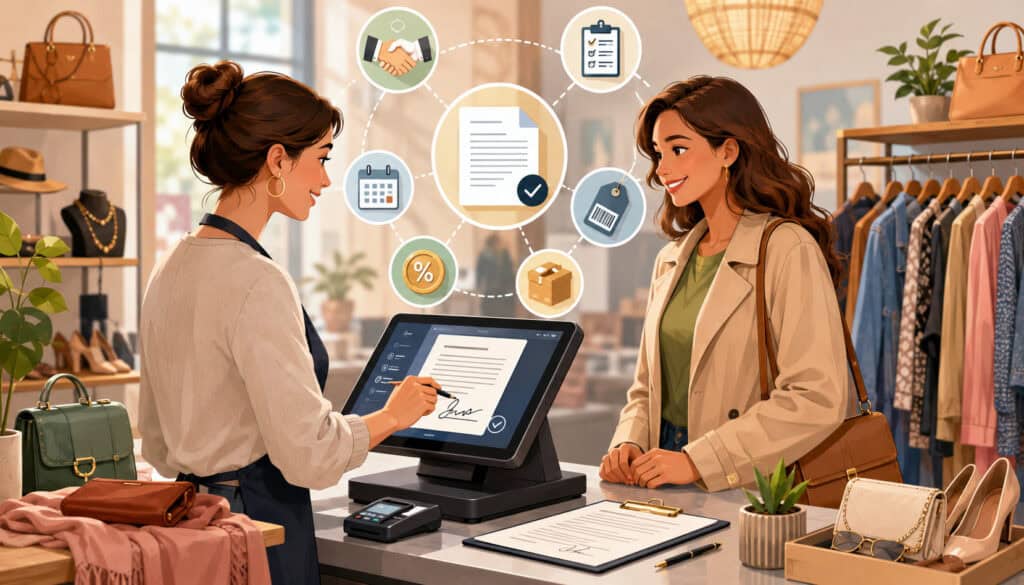
A consignment agreement defines the operating expectations between the store and the consignor. A POS system can support agreement management by attaching the applicable terms or agreement version to the consignor profile.
The agreement record may cover commission splits, pricing authority, markdown schedules, payout timing, fees, item expiration, pickup deadlines, donation rules, unsold item handling, customer returns, and store credit. The system should make these terms easy for authorized staff to review during intake and account support.
Digital storage improves accessibility, but the software does not determine whether an agreement is complete or legally appropriate. Stores should have contracts and policy language reviewed by a qualified professional familiar with applicable requirements.
When terms change, avoid silently editing old records. Maintain the agreement version and effective date so the store can determine which rules applied to a particular item or sale.
Key Terms to Include in Consignor Agreements
The agreement should explain how the store and consignor share sale proceeds. It should identify the split percentage or the method used to determine it, including any category-based or price-based variations.
Pricing authority should also be clear. The document may explain who sets the original price, whether the consignor can request a price floor, and whether the store may apply scheduled or promotional markdowns.
Other important operational terms may include:
- Payout availability and schedule
- Approved payout methods
- Customer return and refund effects
- Item acceptance and rejection criteria
- Consignment period
- Pickup deadlines
- Handling of expired or abandoned merchandise
- Donation authorization
- Storage or administrative fees, if any
- Store credit conditions
- Loss or damage procedures
- Communication responsibilities
These topics are general operational considerations rather than legal guidance. Agreements should be reviewed professionally before use.
Why Agreement Records Should Be Easy to Find
Consignor questions often relate directly to agreement terms. A person may ask why an item was discounted, why a balance is temporarily unavailable, or what happens after an expiration date.
When staff can open the applicable agreement from the consignor profile, they can provide a consistent answer. Without that connection, employees may rely on memory or refer to a current policy that did not apply when the item was accepted.
Fast access also supports intake. Employees can verify whether the consignor has accepted the latest terms before adding new merchandise.
Agreement access should still be permission-controlled. Cashiers may need to view basic policy information, while only managers should change terms, assign exceptions, or replace agreement versions.
Item Intake and Consignor Inventory Tracking
Consignment item intake is the point where physical merchandise becomes a trackable system record. Careful intake protects item ownership, pricing accuracy, reporting, and future payouts.
Each accepted item should be linked to the correct consignor and assigned a unique SKU or identifier. Staff may also record the description, category, brand, size, color, condition, original price, markdown schedule, expiration date, commission rule, and intake date.
Descriptions should be specific enough to distinguish similar items. “Black handbag” may be insufficient when several consignors provide similar products. A better record might include brand, material, size, defining feature, and condition.
Photos can provide additional support, particularly for higher-value items or online listings. They may help staff identify merchandise, document condition, and investigate disputes.
Linking Every Item to the Right Consignor
The consignor link is one of the most important fields in the item record. It determines whose inventory report includes the item and whose account receives a share when it sells.
Staff should create the item from within the confirmed consignor profile or verify the account before saving the intake record. Searching only by name may be risky when multiple people have similar names.
A practical verification process includes:
- Confirming the consignor name
- Confirming the unique account number
- Reviewing the intake receipt
- Counting accepted items
- Printing and matching labels
- Checking a sample before merchandise reaches the floor
The store should also provide the consignor with an intake record showing what was accepted. That record can reduce later disagreement about quantities, descriptions, and intake dates.
Using Barcode Labels for Consignor Accuracy
Barcode labels give one-of-a-kind items a unique machine-readable identity. At checkout, scanning the barcode helps the POS retrieve the correct item, price, consignor, commission rule, and inventory status.
Labels may also show a human-readable SKU, price, size, category, expiration code, or abbreviated consignor number. Sensitive personal information should not be printed on customer-facing tags.
Barcode use reduces typing but does not eliminate the need for quality control. A label attached to the wrong item can still produce an incorrect sale. Staff should match the item description and price before placing merchandise on the floor.
Damaged or missing labels should be reprinted from the existing item record rather than creating a duplicate item. Duplicate records can overstate active inventory and interfere with settlement reporting.
Pricing, Markdown, and Expiration Rules for Consignor Items
Consigned merchandise often changes price over time. A POS system can store the original price, current price, markdown schedule, price floor, expiration date, and final disposition instructions.
Structured rules help stores apply policies consistently. For example, an item might remain at its original price for a defined period, move through scheduled reductions, and then become eligible for pickup or donation.
Employees should be able to see whether a markdown was automatic, manually approved, or part of a promotion. This information is important when a consignor asks why an item sold below its original price.
Price floors and exceptions require careful controls. If the agreement allows them, the system should block unauthorized reductions or require manager approval.
Automatic Markdown Schedules
Automatic markdown schedules reduce repetitive work and help prevent missed price changes. The POS can calculate the appropriate current price based on intake date, category, season, or a predefined schedule.
Automation also helps maintain consistency. Two similar items accepted under the same policy are less likely to receive different treatment because one employee remembered a markdown and another did not.
Stores should test how scheduled markdowns interact with promotions, coupons, customer discounts, and price floors. The resulting selling price must still connect to the correct commission calculation.
Expired and Unsold Item Handling
When an item reaches the end of its consignment period, the POS should change or flag its status. Possible next steps include pickup, return, extended consignment, final markdown, donation, or removal from active inventory.
The applicable action should come from the agreement and store policy. Employees should not make assumptions about unsold merchandise without checking the record.
Expiration reports can identify approaching deadlines so notices are sent before the item becomes overdue. The communication history should record when the notice was issued and through which channel.
When an item is picked up, donated, or otherwise removed, the status should be updated immediately. Leaving it marked active causes inaccurate inventory reports and may allow an unavailable item to remain listed online.
Commission Splits and Consignor Payout Tracking

A core purpose of consignor management software is calculating the share owed after an item sells. The calculation may use a fixed split percentage or a rule based on category, selling price, consignor tier, or individual item agreement.
The POS should preserve the values used in the transaction, including the selling price, discount, applicable commission rule, store share, consignor share, fees where permitted, and refund status.
Consignor payout tracking also requires a distinction between earned, available, held, paid, and adjusted balances. For example, a store may apply a return hold before earnings become available for settlement.
Detailed consignment payout reports can help store owners understand how item sales, commission rules, balances, and payout history should connect.
How Commission Splits Work
Suppose an item sells for $80 and the applicable agreement allocates 50% to the consignor. Before considering any separate adjustments allowed by policy, the POS would record $40 as the consignor share and $40 as the store share.
If another category uses a 60% consignor share, an item selling for $80 would produce a $48 consignor amount and a $32 store amount.
The important point is not the specific percentages. It is that the system retrieves the correct rule for the item and records how the calculation was made.
Discounts and returns may affect the amount. Store owners should define whether commissions are calculated from the ticket price or actual selling price and document that approach in the agreement.
These examples are educational only. Professional advice should be obtained for accounting, tax, contract, and compliance questions.
Why Payout Tracking Must Be Accurate
Payout errors affect both relationships and internal records. Underpaying a consignor damages trust, while overpaying creates a balance the store may have difficulty recovering.
Errors also consume staff time. Managers may need to review receipts, inventory logs, adjustment notes, and previous settlement reports to reconstruct what happened.
A strong payout workflow includes a preliminary report, exception review, manager approval, payment confirmation, and a final settlement record. The system should prevent the same balance from being paid twice.
After payment, the consignor account should show the payout date, method, amount, covered transactions, and remaining balance. Supporting records should be retained according to the store’s professionally reviewed recordkeeping policy.
Store Credit and Consignor Account Balances
Some stores allow consignors to use earned balances for purchases. This can be convenient, but the POS must distinguish between cash-payable earnings and store credit.
A consignor may have several balance categories:
- Earnings awaiting a return hold
- Earnings available for cash payout
- Store credit available for purchases
- Pending adjustments
- Previously paid amounts
- Promotional credit
- Negative balances resulting from approved corrections
The system should show how funds moved between categories. Converting a cash-payable balance to store credit should require authorization and produce a transaction record.
Store credit rules should be explained clearly, including whether credit expires, whether it can be transferred, and whether it can be converted back to a cash payout.
Using Store Credit for Purchases
At checkout, staff should search for or verify the consignor account and confirm the available credit balance. The POS can then apply all or part of that balance to the purchase.
If the purchase exceeds the available credit, the customer may use another approved payment method for the remainder. The receipt should show the store credit applied, the additional payment, and the remaining account balance.
For example, a consignor with $45 in available store credit who makes a $70 purchase could apply $45 and pay the remaining $25 separately. The account history should immediately reflect a $45 deduction.
Identity verification and staff permissions are important because store credit represents value. Employees should not apply credit based only on a name provided verbally.
Preventing Store Credit Confusion
Confusion often occurs when staff cannot tell whether a balance is available for cash payout, available as store credit, or still pending. The POS should label these categories clearly.
Receipts and account history should document every use, reversal, conversion, and manual adjustment. Employees should enter a reason code and note when a manager changes a balance.
Refund policy also matters. A purchase made with store credit may need to be refunded back to store credit rather than through the cash drawer or payment card terminal.
Staff training should include mixed-tender transactions, partial credit use, refunds, and account lookup. These scenarios should be practiced before employees process them independently.
Consignor Reports Every Store Owner Should Review
Reports turn transaction records into useful operational information. Consignor reports should help owners understand what is active, what sold, what is aging, what is owed, and what requires follow-up.
Important reports include:
- Active inventory by consignor
- Sold items by consignor
- Sales by category or date
- Account balance report
- Payout eligibility report
- Payout and settlement history
- Aging inventory report
- Expiring item report
- Returned and donated item report
- Markdown report
- Store credit activity
- Refund and adjustment report
- Employee audit log
Reports should be filterable by consignor, item status, date range, category, location, and payout status. Export options may also be useful for reconciliation or professional review.
Official business recordkeeping guidance explains why organized transaction records and supporting documents matter. Stores should consult qualified professionals about the records they must retain and how long they should retain them.
Payout and Settlement Reports
A payout report should show more than the amount due. It should identify the sold items included in the balance, sale dates, selling prices, discounts, commission rules, consignor shares, refunds, fees where applicable, and prior adjustments.
Before issuing payments, staff should review exceptions such as negative balances, returned items, duplicated transactions, manual overrides, and sales still within a return hold.
After settlement, the system should mark the covered entries as paid and generate a permanent record. Reprinting a statement later should produce the same underlying transaction detail.
The store should also reconcile total payouts with the related account activity and payment records. Reconciliation does not replace professional accounting review, but it helps catch operational inconsistencies.
Active and Aging Inventory Reports
An active inventory report answers a common consignor question: “Which of my items are still available?” It should list the item description, SKU, intake date, current price, status, and expiration date.
An aging report groups items by how long they have been active. Managers can use it to identify merchandise approaching markdown, expiration, pickup, or donation stages.
These reports also support merchandising decisions. A large number of aging items in one category may suggest that acceptance standards, pricing, seasonal timing, or display strategy needs review.
Staff should investigate records that remain active despite being missing from the floor. The item may have been misplaced, sold without a correct scan, returned without an update, or removed without documentation.
Communicating With Consignors Through POS Records
Clear communication is part of effective consignment store management. A POS system can help by storing contact preferences, conversation notes, notices, and account-related messages.
Common communications include:
- Intake confirmations
- Agreement updates
- Item acceptance or rejection notices
- Upcoming expiration reminders
- Pickup deadlines
- Payout availability
- Account holds
- Returned item notices
- Donation confirmations
- Changes in store policy
Automated messages can save time, but they should use accurate triggers and approved wording. Stores should avoid sending sensitive account details through insecure channels.
Communication history helps employees see what the consignor was told and when. Notes should be factual, respectful, and limited to relevant business information.
Pickup and Expiration Notifications
The POS can identify items approaching the end of their consignment period and create a notification list. Stores may send reminders by email, text, phone, or another approved method based on the consignor’s preference.
A useful notice identifies the relevant items, deadline, pickup procedure, and next step under store policy. It should avoid vague wording that leaves the consignor uncertain about what action is required.
Delivery failure should also be visible. If an email bounces or a telephone number is no longer valid, staff may need to use another approved contact method.
The communication log should record the date, method, recipient, and message type. This record is especially useful when questions arise about pickup deadlines or donation handling.
Answering Consignor Questions With Accurate Records
When a consignor asks about an item, staff should search by account, item description, SKU, barcode, or intake date. The record should show whether the item is active, sold, expired, returned, donated, reserved, or pending another action.
For sold merchandise, staff should be able to explain the sale date, selling price, commission rule, resulting consignor amount, return hold, and expected payout availability.
Employees should not guess when information is unclear. They should document the question and refer it to an authorized manager for review.
Staff Permissions for Consignor Management
Not every employee needs the same access. Role-based permissions help reduce mistakes and protect consignor information.
A cashier may need to view item details, process sales, and apply verified store credit. Intake staff may need to create items and print tags. Managers may be authorized to change prices, approve markdown exceptions, adjust balances, process payouts, and review audit reports.
Sensitive actions should be restricted, including:
- Editing commission percentages
- Changing payout details
- Deleting item records
- Backdating transactions
- Adjusting account balances
- Overriding price floors
- Processing manual payouts
- Exporting consignor data
- Editing agreement versions
Permissions should reflect job duties and be reviewed whenever responsibilities change.
Role-Based Access for Consignor Data
Role-based access gives employees only the tools required for their work. This reduces accidental changes and limits unnecessary exposure of contact, payout, and account information.
For example, a cashier may see the available store credit needed for a transaction but not full payout history or mailing details. An intake employee may create merchandise records but need manager approval to change commission terms.
Shared login credentials undermine these controls. Each employee should use an individual account so the system can identify who performed an action.
Owners should regularly remove access for former employees and review permissions for current staff. Access reviews are especially important after promotions, transfers, or changes in store responsibilities.
Audit Trails for Consignor Account Changes
An audit trail records who performed an action, when it occurred, and what changed. It may capture profile edits, balance adjustments, price overrides, payout changes, item status updates, and deleted or restored records.
This history helps managers investigate discrepancies. If a balance changed unexpectedly, the owner can identify the transaction and employee account rather than questioning the entire staff.
Audit records also encourage careful behavior. Employees are more likely to follow procedures when significant changes require a reason code and remain visible to management.
Audit logs should be reviewed, not merely collected. Periodic exception reports can highlight unusual discounts, frequent balance adjustments, voided sales, reopened payouts, or repeated changes outside normal operating hours.
Refunds, Returns, and Consignor Payout Adjustments
Customer returns can affect inventory, payment processing, and consignor balances. Stores need a documented policy explaining how returns interact with commission earnings and payout availability.
When a customer return is accepted, the POS may need to:
- Process or record the customer refund
- Change the item status
- Restore the item to active inventory where appropriate
- Reverse or adjust the store share
- Reverse or adjust the consignor share
- Update the payout hold
- Record the reason and employee
- Reconcile the payment method
The correct treatment depends on the store’s agreement and professionally reviewed policies. Staff should not improvise account adjustments.
How Returns Can Affect Consignor Balances
Suppose an item is sold and the consignor’s share is posted to a pending balance. If the customer returns it during the allowed period, the system may reverse the pending amount and return the item to active inventory.
The situation becomes more complicated if the consignor was already paid. Depending on policy and applicable requirements, the system may create an adjustment against a future balance or require another documented resolution.
The POS should never hide the reversal by simply changing the total. It should preserve the original sale, return, commission reversal, and resulting balance.
Managers should review unusual cases, including partial refunds, exchanges, damaged returns, card disputes, and items that cannot be resold.
Documenting Payout Adjustments
Every payout adjustment should have a clear record. Useful fields include the date, amount, reason code, affected item, employee, approving manager, and explanatory note.
Supporting records may include the original receipt, refund transaction, customer return record, payout statement, agreement term, or communication note.
Generic explanations such as “fixed balance” are not sufficient. A better note would identify the exact item and reason the balance was changed.
Adjustment reports should be reviewed during payout preparation. Frequent manual adjustments may reveal weaknesses in intake, return processing, staff training, or system configuration.
Managing Multiple Consignors and High Inventory Volume
As the store grows, employees need tools that can manage many accounts and thousands of unique items without losing item-level traceability.
Useful high-volume features include batch intake, reusable item templates, bulk tag printing, mass markdowns, payout batches, saved report filters, scheduled notifications, and exception dashboards.
Automation should reduce repetitive work without hiding important decisions. Stores still need verification steps, approval rules, and audit trails for bulk actions.
Performance also matters. Staff should test how quickly the software searches large inventories, opens detailed reports, and synchronizes activity across registers or locations.
Batch Tools for Busy Stores
Batch intake can speed up data entry when multiple items share a consignor, category, commission rule, expiration period, or markdown schedule. Staff can enter common values once and then complete item-specific descriptions and prices.
Bulk markdown tools help update eligible items together. Payout batches allow the store to process multiple approved accounts during a scheduled settlement period.
The risk is that one incorrect shared field may affect many records. Stores should preview each batch, review exceptions, and require approval for financially significant actions.
Batch processing should never eliminate item-level detail. Every item must retain its unique SKU, price history, status, consignor link, and sale record.
Search and Filter Tools
Employees should be able to find records by consignor name, account number, SKU, barcode, category, brand, status, intake date, sale date, expiration date, location, or payout status.
Combined filters are particularly useful. A manager might search for all active furniture items from one consignor that expire within the next two weeks.
Saved searches can support recurring tasks such as pickup notices, markdown review, or unpaid balance checks.
Search results should link directly to the relevant profile or item history. Staff should not need to run several unrelated reports just to answer a basic status question.
Online Selling and Consignor Management
Online selling adds another layer to managing consignors with a consignment POS system. One-of-a-kind merchandise may be displayed in the store and listed online at the same time, so inventory status must remain synchronized.
The item record may need to contain product photos, online description, shipping details, listing status, reservation status, channel-specific price, and fulfillment information.
When an online order is placed, the system should reserve or remove the item from all active sales channels. After completion, the sale must connect to the consignor account and appropriate commission rule.
Returns, shipping charges, marketplace fees, and discounts should be handled according to documented store policy and agreement terms.
Preventing Double Sales Online and In-Store
A double sale occurs when the same one-of-a-kind item is purchased through two channels before the systems update each other. This creates customer service problems and complicates the consignor record.
Real-time or near-real-time inventory sync reduces the risk. When an item sells at the register, its online listing should be removed or marked unavailable. When an online order is accepted, the in-store record should show a reservation or sold status.
Stores should test synchronization during busy periods and after internet interruptions. They also need a procedure for orders received while systems are offline.
An exception report can identify items marked sold on one channel but active on another.
Tracking Online Sales for Payouts
Online sales should flow into the same item-level payout process as in-store sales. The record should identify the channel, selling price, discount, applicable commission rule, return status, and amount credited to the consignor.
If shipping or marketplace costs affect the calculation under the agreement, those rules should be configured clearly and disclosed in advance.
Online returns must also update consignor balances. The system should not process the customer refund in one platform while leaving the original consignor earnings unchanged in another.
A consolidated consignor report is preferable to separate unexplained totals for each sales channel. The consignor should be able to understand which items sold and how each amount was calculated.
Common Consignor Management Mistakes to Avoid
Most consignor disputes do not begin with complicated technology problems. They often begin with incomplete profiles, vague policies, wrong item assignments, inconsistent markdowns, undocumented adjustments, or delayed communication.
Common mistakes include:
- Creating duplicate consignor accounts
- Accepting items before agreement acknowledgment
- Assigning items to the wrong profile
- Reusing SKUs
- Failing to verify printed labels
- Applying unauthorized discounts
- Leaving expired merchandise active
- Paying from an unreviewed report
- Mixing store credit with cash-payable balances
- Allowing too many employees to adjust accounts
- Failing to document returns
- Ignoring failed pickup notices
- Using shared employee logins
Regular exception reporting and staff training can reduce these problems.
Mixing Up Consignor Items
Incorrect item assignment can cause the wrong person to receive credit for a sale. It may also produce inaccurate intake receipts, inventory lists, expiration notices, and donation records.
The error often begins when staff select a similar name, leave the previous account open during intake, or attach a label to the wrong item.
Stores should use unique account numbers, screen confirmation, intake counts, and label checks. Employees should avoid processing items from multiple consignors in the same workspace unless each group is physically separated.
When a mix-up is discovered, managers should correct all related records rather than editing only the payout balance.
Not Explaining Policies Clearly
A POS system can apply rules consistently, but consignors still need to understand those rules. Problems arise when someone expects approval before a markdown, immediate payment after a sale, or unlimited time to collect expired items.
During onboarding, staff should explain the commission structure, pricing authority, markdown schedule, payout timing, return impact, pickup deadline, and unsold-item process.
Written agreements and policy summaries should match actual system configuration. A policy that says one thing while the POS performs another creates confusion.
When policies change, communicate the effective date and explain whether the change applies to existing inventory, future intake, or both.
Best Practices to Manage Consignors With a Consignment POS System
The best ways to manage consignors in a consignment store combine reliable technology with clear procedures and consistent staff behavior.
Store owners should:
- Create complete consignor profiles.
- Use written consignment agreements.
- Link every item to the correct account.
- Assign unique SKUs and barcode labels.
- Record item descriptions and condition carefully.
- Apply consistent pricing and markdown rules.
- Track item status through the full lifecycle.
- Review aging and expiration reports regularly.
- Generate payout reports before settlement.
- Reconcile payout batches.
- Keep store credit records separate and accurate.
- Document refunds and account adjustments.
- Restrict sensitive staff permissions.
- Use individual employee logins.
- Review audit trails.
- Communicate pickup deadlines clearly.
- Maintain a consistent payout schedule.
- Train staff before giving independent access.
- Review policies with qualified professionals.
Technology supports these practices, but the store must configure and use it properly. A powerful system cannot correct an unclear agreement or an employee habit of bypassing required fields.
Creating a Consignor Management Procedure
A written procedure should describe each stage of the workflow from onboarding through final item disposition.
The procedure may include:
- Verify or create the consignor profile.
- Confirm agreement acknowledgment.
- Review merchandise against acceptance standards.
- Record each accepted item.
- Assign the correct price and commission rule.
- Generate unique SKUs and tags.
- Verify labels before merchandising.
- Apply scheduled markdowns.
- Process sales and returns through the item record.
- Review payout reports and exceptions.
- Approve and record settlement.
- Send expiration and pickup notices.
- Document returned, donated, or removed merchandise.
Employees should know what to do when normal steps cannot be completed. The procedure should define escalation paths for missing items, disputed prices, duplicate profiles, payout questions, and system outages.
Training Staff on Consignor Workflows
Training should include hands-on practice rather than only reading a policy manual. Employees should work through sample profiles, item intake, label printing, checkout, returns, store credit, payout reports, and account adjustments.
Supervisors should observe whether the employee verifies the consignor, selects the correct item, uses required notes, and follows permission limits.
Scenario-based training is useful. For example, ask the employee to handle an expired item, a returned sale after payout, a damaged barcode, or a customer using partial store credit.
Refresher training should follow policy changes, software updates, recurring errors, or audit findings. Staff should also know when to stop and request manager assistance.
Consignor Management Checklist for Consignment Stores
A checklist helps owners evaluate current procedures and compare consignment store software. It can reveal whether the store has strong checkout tools but weak agreement, reporting, or payout controls.
| Checklist Area | What to Review | Why It Matters |
| Consignor profile | Contact details, payout preference, notes | Keeps the account organized |
| Agreement | Split, markdowns, payout rules | Sets expectations |
| Item intake | Description, price, condition, category | Starts accurate tracking |
| SKU and barcode | Unique item identification | Prevents mix-ups |
| Item status | Active, sold, expired, returned | Tracks the lifecycle |
| Payout rules | Commission split and schedule | Protects payout accuracy |
| Store credit | Balance and usage history | Prevents confusion |
| Reports | Inventory, sales, payout, aging | Supports decisions |
| Permissions | Staff access controls | Reduces mistakes |
| Communication | Pickup notices and account notes | Builds trust |
Use the checklist periodically, not just during software selection. Store operations change as inventory grows, sales channels expand, and staff responsibilities evolve.
How to Use the Checklist Before Choosing Software
Ask the software provider to demonstrate every checklist area using realistic sample transactions. Begin with a new consignor and follow one item from intake to sale, return, resale, and payout.
Evaluate how many steps are required, which fields are mandatory, and what happens when an employee makes a mistake. Test profile duplication, label reprinting, price overrides, store credit, and adjustment approvals.
Review report detail rather than screenshots alone. Confirm whether reports can be filtered, exported, reprinted, and traced back to item records.
It is also useful to evaluate the broader POS system for consignment stores as one connected workflow rather than selecting separate tools that require repeated manual entry.
Records to Keep for Consignor Management
Organized records may include agreements, intake receipts, inventory reports, payout reports, settlement confirmations, sales records, refund notes, pickup acknowledgments, donation records, account adjustments, and communication history.
Records should show what occurred without requiring staff to reconstruct events from memory. Digital files should use consistent names, dates, account references, and access controls.
Stores should also plan for backup, data export, and system transitions. The business needs continued access to important records if equipment fails or software changes.
Retention requirements depend on the type of record and applicable obligations. Owners should seek professional advice regarding legal, tax, accounting, privacy, contract, and compliance requirements.
How to Choose Consignor Management Software for a Consignment Store
Choosing software should begin with the store’s operational needs. A generic retail system may process payments effectively but lack item ownership, commission splits, consignor balances, expiration handling, and settlement reports.
Review whether the system supports:
- Complete consignor profiles
- Agreement tracking
- Flexible item intake
- Unique SKU and barcode generation
- Category and item-level commission rules
- Automatic markdown schedules
- Price floors and approval controls
- Payout holds and settlement reports
- Store credit balances
- Active and aging inventory reports
- Pickup and expiration notices
- Online inventory synchronization
- Customer returns and payout reversals
- Role-based staff permissions
- Audit trails
- Data export and backup
- Multiple locations where needed
Payment security should also be considered when the POS connects to a cash drawer, EMV terminal, ecommerce checkout, or other payment environment. Official small-merchant payment security resources provide educational guidance, but stores should work with appropriate professionals and payment partners on their specific responsibilities.
Questions to Ask Before Choosing a Consignment POS System
Ask practical questions that reveal how the system behaves during everyday work:
- Can one person have both customer and consignor activity?
- How does the system prevent duplicate profiles?
- Can agreements be attached by version and effective date?
- Can commission splits vary by category or item?
- How are barcode labels created and reprinted?
- Can staff see an item’s full status history?
- How are automatic markdowns controlled?
- Can the system enforce a price floor?
- How are payout holds and schedules configured?
- What appears on a consignor settlement report?
- Can balances be separated into cash and store credit?
- How are returns handled after a payout?
- Can expired items trigger pickup notices?
- How quickly does online inventory synchronize?
- Which actions require manager approval?
- Does the audit trail show old and new values?
- Can data and reports be exported?
- How are backups and access controls managed?
Request direct demonstrations whenever possible. A clear answer is useful, but seeing the workflow helps identify hidden limitations.
Comparing Consignor Tools With Real Store Workflows
Software should match the way the store actually accepts, prices, displays, sells, returns, and settles merchandise. A long feature list does not guarantee an efficient process.
Create several test scenarios based on real operations. Include a standard item, a category with a different split, an item with a price floor, a partial store-credit purchase, an online sale, a return, and an expired item.
Measure how easily staff can complete each scenario and how clearly the final records appear. Review the consignor statement, inventory report, audit log, and account balance after each test.
Also consider implementation needs. Data migration, tag design, hardware setup, employee training, policy configuration, and report validation are part of the decision—not tasks to address only after purchase.
Frequently Asked Questions
How do you manage consignors with a consignment POS system?
Create a complete consignor profile, connect the correct agreement, and link every accepted item to that account. Assign each item a unique SKU or barcode and record its description, price, commission rule, markdown schedule, and expiration date.
As items sell, the POS should update inventory, calculate the consignor share, and add the amount to the correct balance. Stores should review payout reports, document adjustments, communicate deadlines, and maintain an audit trail.
What is consignor management software?
Consignor management software is a set of tools designed to track the people or businesses that provide merchandise for consignment. It connects their contact details, agreements, inventory, commission rules, account balances, payouts, and communication records.
It is often included within a consignment store management platform or resale shop POS system. Its main purpose is to preserve item ownership and provide accurate records throughout the sales lifecycle.
Why are consignor profiles important in a consignment POS system?
The profile acts as the central account for consignor activity. It identifies the person, records applicable terms, stores communication preferences, and connects their merchandise and balances.
Without a complete profile, the store may struggle to determine ownership, issue notices, apply the correct commission split, or process payment through the preferred method.
How does a POS system track consignor payouts?
When a consigned item sells, the system retrieves the applicable commission rule and calculates the store and consignor shares. The consignor amount is posted to an account balance, sometimes subject to a return hold.
A payout report then lists eligible balances and the items that created them. After settlement, the system records the payment date, method, amount, and remaining balance.
Can consignors use store credit in a consignment store?
A store may allow this when its policies and system support it. The POS should maintain a clear store credit balance and deduct the amount when the consignor makes a purchase.
Receipts and account history should show the credit used and remaining balance. Staff should verify the account and follow permission controls before applying credit.
How does item intake affect consignor management?
Item intake establishes the ownership and operational record. If an item is assigned to the wrong consignor or entered with an incorrect commission rule, later inventory reports and payouts may also be wrong.
Accurate intake should include the consignor link, unique SKU, description, condition, price, category, status, markdown rules, and expiration details.
What reports help store owners manage consignors?
Useful reports include active inventory, sold items, aging inventory, expiring items, account balances, payout eligibility, settlement history, refunds, store credit activity, donations, and audit logs.
These reports help owners answer questions, prepare payouts, identify inventory problems, and review employee activity.
Conclusion
Learning how to manage consignors with a consignment POS system is essential for maintaining accurate inventory, dependable payouts, efficient staff workflows, and strong consignor relationships.
The process begins with complete consignor profiles and clear consignment agreements. Every accepted item should be linked to the correct account, assigned a unique SKU or barcode, and tracked through active inventory, markdowns, sales, returns, expiration, pickup, donation, or another documented outcome.
Commission splits and consignor payout tracking must remain connected to item-level sales records. Payout reports should show which items sold, what prices were charged, which rules applied, and whether refunds or adjustments changed the balance.
Store credit also requires clear controls. Cash-payable earnings, pending balances, and shopping credit should remain distinguishable, with receipts and account history supporting every transaction.
Owners can strengthen accountability by limiting staff permissions, using individual logins, reviewing audit trails, documenting adjustments, and training employees on complete workflows. Regular inventory, aging, payout, settlement, and exception reports help identify problems before they become larger disputes.
A consignment POS system is most effective when it supports a clearly defined store procedure. When technology, policies, staff training, and professional review work together, the store can create a more organized operation in which consignors understand what is happening with their merchandise and staff can answer questions with accurate records.